
Introduction
Thank you for choosing the Teendow Cordless Vacuum Cleaner V16STRONG001. This manual provides essential information for the safe operation, maintenance, and troubleshooting of your new vacuum cleaner. Please read it thoroughly before first use and keep it for future reference.
The Teendow V16STRONG001 is designed for efficient home cleaning, offering powerful 500W suction and specialized features for pet owners. Its lightweight design and cordless operation provide flexibility for cleaning various surfaces, including carpets and hard floors.

Image: The Teendow Cordless Vacuum Cleaner in stick mode, being used to clean a hard floor in a bright room. A person is holding a baby while operating the vacuum.
What's in the Box
Your Teendow Cordless Vacuum Cleaner package includes the following components:
- 1 x Vacuum Body
- 1 x Long Stick (Extension Rod)
- 1 x Floor Brush
- 1 x 2-in-1 Little Flat Suck (Crevice Tool)
- 1 x Hose
- 1 x Pet Brush
- 1 x Pet Brush Button
- 1 x Wall Mount
- 1 x Bed Brush (Upholstery Tool)
- 1 x Charger
- 1 x User Manual (this document)
Video: An unboxing and assembly demonstration of the Teendow Cordless Vacuum Cleaner and its various attachments, including the main body, extension rod, floor brush, and pet grooming tools.
Setup
Assembly
- Attach the Battery: Align the battery pack with the slot on the main vacuum body and slide it in until it clicks securely into place.
- Connect the Extension Rod: Insert the long stick (extension rod) into the main vacuum body until it locks.
- Attach the Floor Brush: Connect the floor brush to the other end of the extension rod. Ensure it clicks firmly.
- Alternative Attachments: For handheld use or specific tasks, attach the 2-in-1 crevice tool, bed brush, or pet brush directly to the main vacuum body or via the hose.
Charging the Battery
Before first use, fully charge the battery. Connect the charger to the battery pack and plug it into a power outlet. The LED display will indicate charging status. A full charge typically takes several hours.
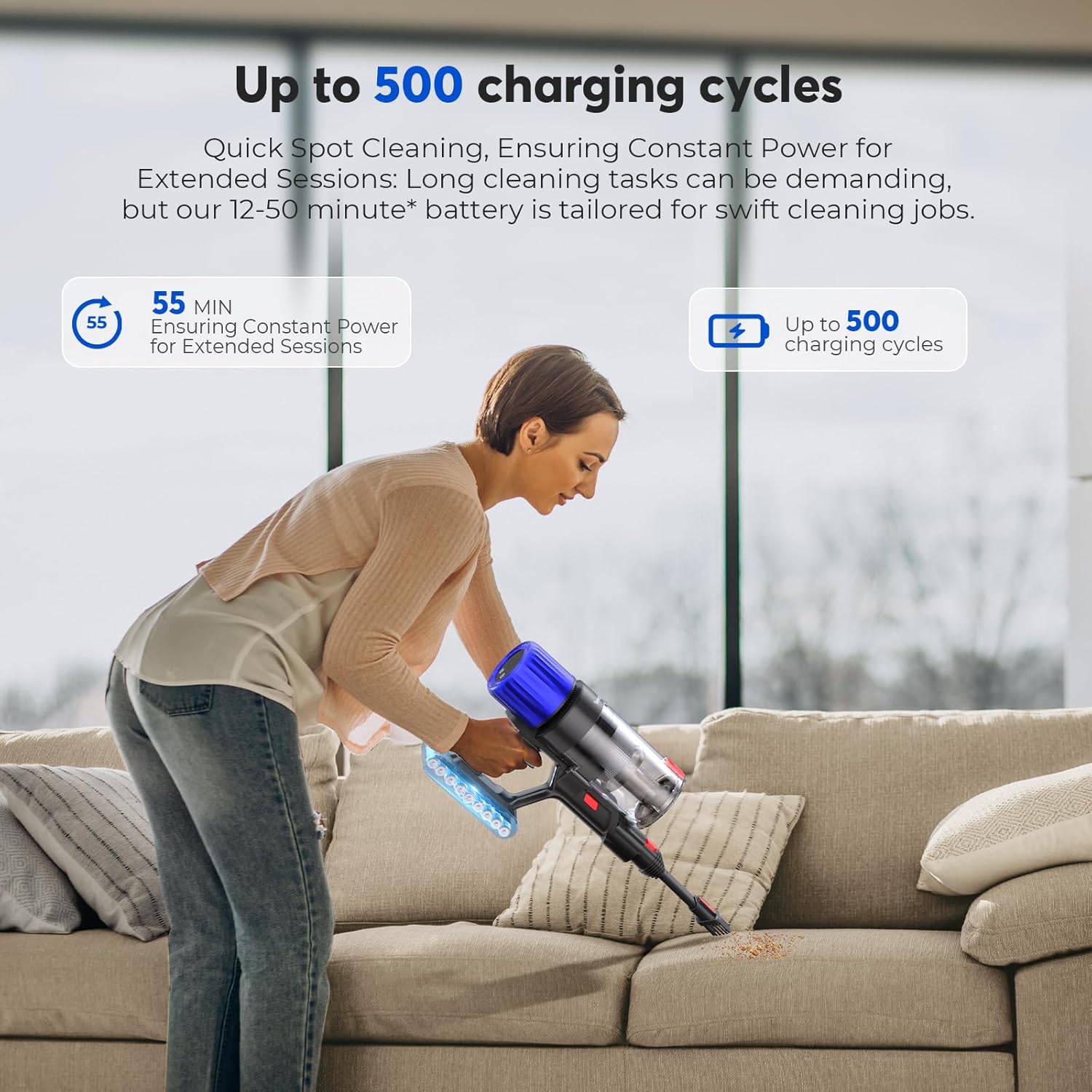
Image: The Teendow Cordless Vacuum Cleaner's battery being charged, highlighting its long-lasting battery life and charging cycles.
Operating Instructions
Power On/Off and Suction Modes
Press the power button to turn the vacuum on or off. The HD LED touchscreen provides real-time information on battery level, current suction mode, and filter status. You can switch between three adjustable cleaning modes (High, Medium, Low) to suit different cleaning needs and surfaces.
- Low Mode: Ideal for light cleaning and extending battery life (up to 50 minutes).
- Medium Mode: Balanced power for everyday dirt and debris.
- High Mode: Maximum suction for stubborn dirt, pet hair, and deep cleaning (500W powerful suction).
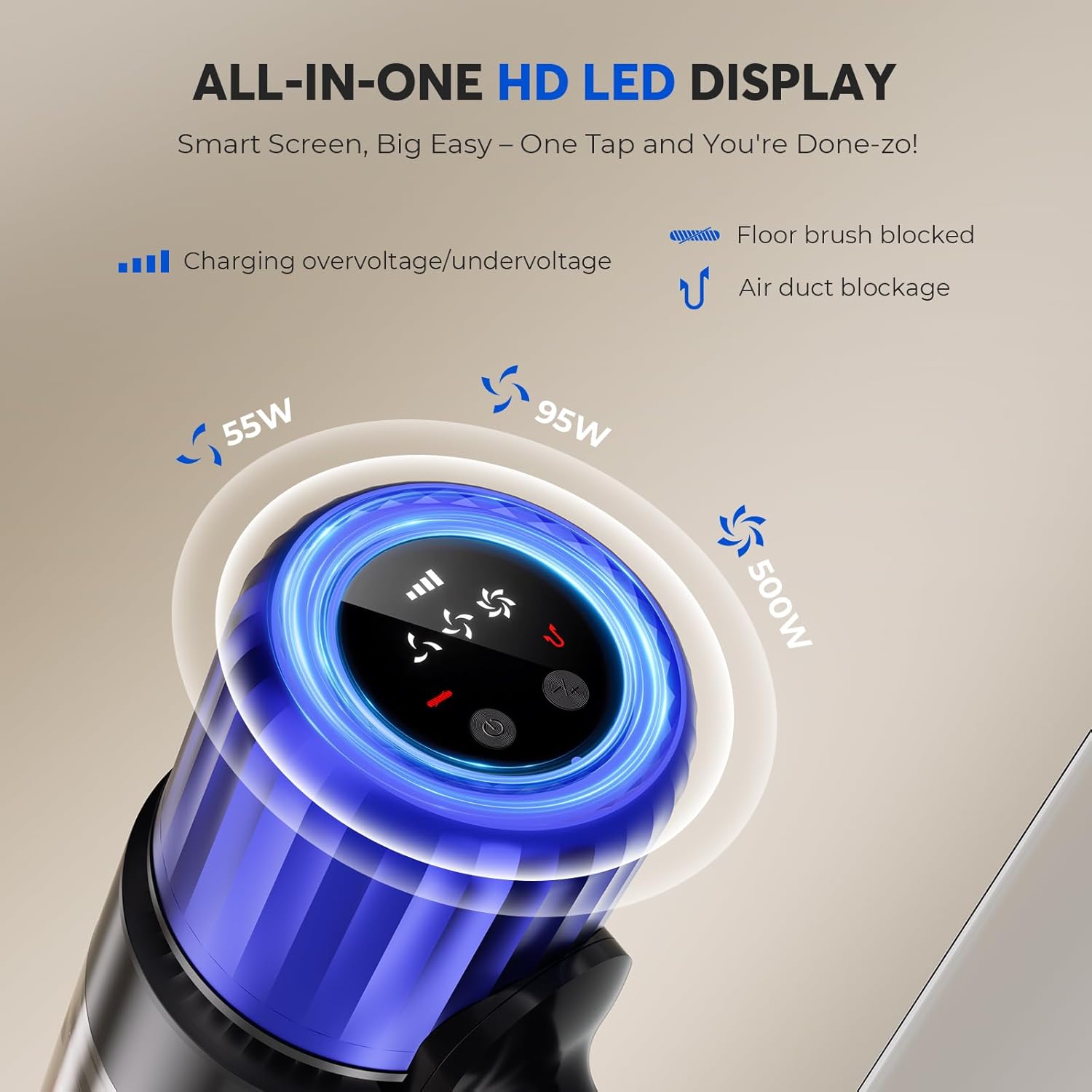
Image: A close-up view of the vacuum's HD LED display, illustrating the various power settings and indicators for charging, floor brush blockage, and air duct blockage.
Cleaning Different Surfaces
The vacuum is suitable for both hard floors and carpets. The floor brush is designed to effectively clean various floor types. For delicate surfaces or tight spaces, use the appropriate attachments.

Image: The Teendow Cordless Vacuum Cleaner in stick mode, with its head swiveling to clean under a chair, demonstrating its maneuverability.
Pet Grooming Attachment
For pet owners, the included pet brush and hose attachment allow for direct grooming of pets, effectively removing loose fur and dander before it sheds onto your floors and furniture. This helps maintain a cleaner home environment and promotes healthy pet hair growth.

Image: The Teendow Cordless Vacuum Cleaner's handheld unit with the pet grooming brush attachment, being used to groom a large white dog, with a woman sitting nearby.
Video: A demonstration of attaching the hose and pet brush to the vacuum body, followed by a brief illustration of its use for pet grooming.
Maintenance
Emptying the Dust Cup
Regularly empty the dust cup to maintain optimal suction. Press the release button to detach the dust cup from the main body, then open the bottom flap to dispose of collected debris. Close the flap and reattach the dust cup until it clicks.

Image: The handheld unit of the Teendow Cordless Vacuum Cleaner demonstrating how to empty the dust cup by releasing the bottom flap, allowing debris to fall out.
Cleaning Filters
The multi-stage filtration system captures fine dust and allergens. To ensure consistent performance, regularly clean the filters. Refer to the included user manual for detailed instructions on how to remove and clean each filter component. Allow filters to air dry completely before reinserting them.
Cleaning the Brush Roll
The anti-hair wrap design helps prevent hair tangles on the brush roll. However, occasional cleaning may be necessary. To remove the brush roll, locate the release mechanism on the side of the floor brush head. Remove any tangled hair or debris. Reinsert the brush roll and secure it.

Image: A comparison showing the Teendow's anti-hair wrap brush roll next to a regular vacuum's brush roll tangled with hair, highlighting the anti-tangle technology.
Troubleshooting
| Problem | Possible Cause | Solution |
|---|---|---|
| Vacuum not turning on | Battery not charged or not properly installed. | Ensure battery is fully charged and securely clicked into place. |
| Loss of suction | Dust cup full, filters clogged, or brush roll/hose blocked. | Empty dust cup, clean filters, check and clear any blockages in the brush roll or hose. |
| Brush roll not spinning | Hair or debris tangled in the brush roll, or an obstruction. | Turn off the vacuum, remove the brush roll, and clear any obstructions. |
| Short battery life | Operating in High mode continuously, or battery degradation over time. | Use lower suction modes for lighter tasks. Ensure battery is fully charged before use. |
Specifications
| Feature | Detail |
|---|---|
| Brand | Teendow |
| Model Name | Cordless Vacuum Cleaner (V16STRONG001) |
| Special Feature | Tangle Resistant |
| Filter Type | Foam, Multi-stage filtration system |
| Is Cordless? | Yes |
| Wattage | 500 watts |
| Recommended Uses | Floors cleaning (Hard Floor, Rug) |
| Form Factor | Stick |
| Color | Deep Black |
| Product Dimensions | 17.1"L x 12.8"W x 7.1"H |
| Noise Level | 70 Decibels |
| Battery Life | Up to 50 minutes (in Low mode) |
| Batteries | 1 x 12V battery (included) |
| Number of Speeds | 3 |
| Control Method | Touch (LED Display) |
| Vacuum Collection Technology | Rotating Brush, Cyclonic Technology |
| Item Weight | 9 pounds |
Warranty & Support
For warranty information and customer support, please refer to the contact details provided in your product packaging or visit the official Teendow website. Keep your purchase receipt as proof of purchase for any warranty claims.

