
Introduction
Thank you for choosing the HUANUO HNESD147B-US Standing Desk Frame. This electric height-adjustable desk frame is designed to provide a versatile and ergonomic workspace, allowing you to easily switch between sitting and standing positions. This manual provides essential information for safe assembly, operation, maintenance, and troubleshooting to ensure optimal performance and longevity of your desk frame.
Safety Information
- Ensure all components are present and undamaged before assembly. Do not use if any parts are missing or broken.
- Keep children and pets away from the desk during operation to prevent injury.
- Do not place hands or other objects near moving parts of the desk frame during height adjustment.
- Ensure the power cord is properly connected and routed to avoid tripping hazards or damage.
- Do not exceed the maximum weight capacity of 220 lbs (100 kg).
- Only use the desk frame on a level and stable surface.
- Disconnect power before cleaning or performing any maintenance.
Parts List
Please verify that all the following components are included in your package:
- Desk Legs (2-stage, Black)
- Crossbeam Structure (Double Crossbeam)
- Control Box
- Control Panel with Memory Presets
- Power Adapter and Cable
- Cable Management Tray
- Storage Hooks
- Assembly Hardware (screws, Allen wrench, etc.)
- Instruction Manual
Setup
Follow these steps for proper assembly and installation of your HUANUO Standing Desk Frame.
1. Unpacking and Inspection
Carefully unpack all components and lay them out on a clean, soft surface to prevent scratches. Check the parts list to ensure everything is accounted for.
2. Frame Assembly
Assemble the desk legs and crossbeam structure according to the detailed instructions provided in the included assembly guide. Ensure all screws are tightened securely.

Image: Assembled HUANUO Standing Desk Frame with a desktop, illustrating the reinforced dual-beam support for stability.
3. Desktop Compatibility
The adjustable crossbars accommodate desktops ranging from 43.3 inches to 86.6 inches in width and 23.6 inches to 35.4 inches in depth. Choose a desktop that fits within these dimensions and securely attach it to the frame using appropriate screws.

Image: Diagram illustrating the range of desktop sizes compatible with the frame, including width and depth measurements, and the frame's adjustable height range.
4. Connecting the Control System
Connect the control panel and motor cables to the control box. Then, connect the power adapter to the control box and plug it into a power outlet. Utilize the included cable management tray and storage hooks to organize cables and accessories neatly.

Image: The standing desk frame with the control panel and cable management tray, demonstrating organized wiring and accessory storage.
5. Assembly Overview Video
Video: An overview of the HUANUO Standing Desk Frame, highlighting its features including the brushless motor and sturdy construction. This video provides visual guidance on key aspects of the desk frame.
Operating Instructions
The control panel allows for easy height adjustment and saving preferred positions.
1. Height Adjustment
Use the Up and Down arrow buttons on the control panel to adjust the desk height. The current height will be displayed on the LED screen. The desk frame offers a height range of 28.3 inches to 46.4 inches.

Image: A close-up view of the control keypad, showing the LED display, up/down arrows, and four memory preset buttons. Illustrations below show ergonomic sitting and standing postures.
2. Memory Presets
To save a preferred height:
- Adjust the desk to your desired height using the Up/Down arrows.
- Press one of the numbered memory buttons (1, 2, 3, or 4) until the LED display flashes or beeps, indicating the height has been saved.
To recall a saved height, simply press the corresponding numbered memory button. The desk will automatically move to the saved position.
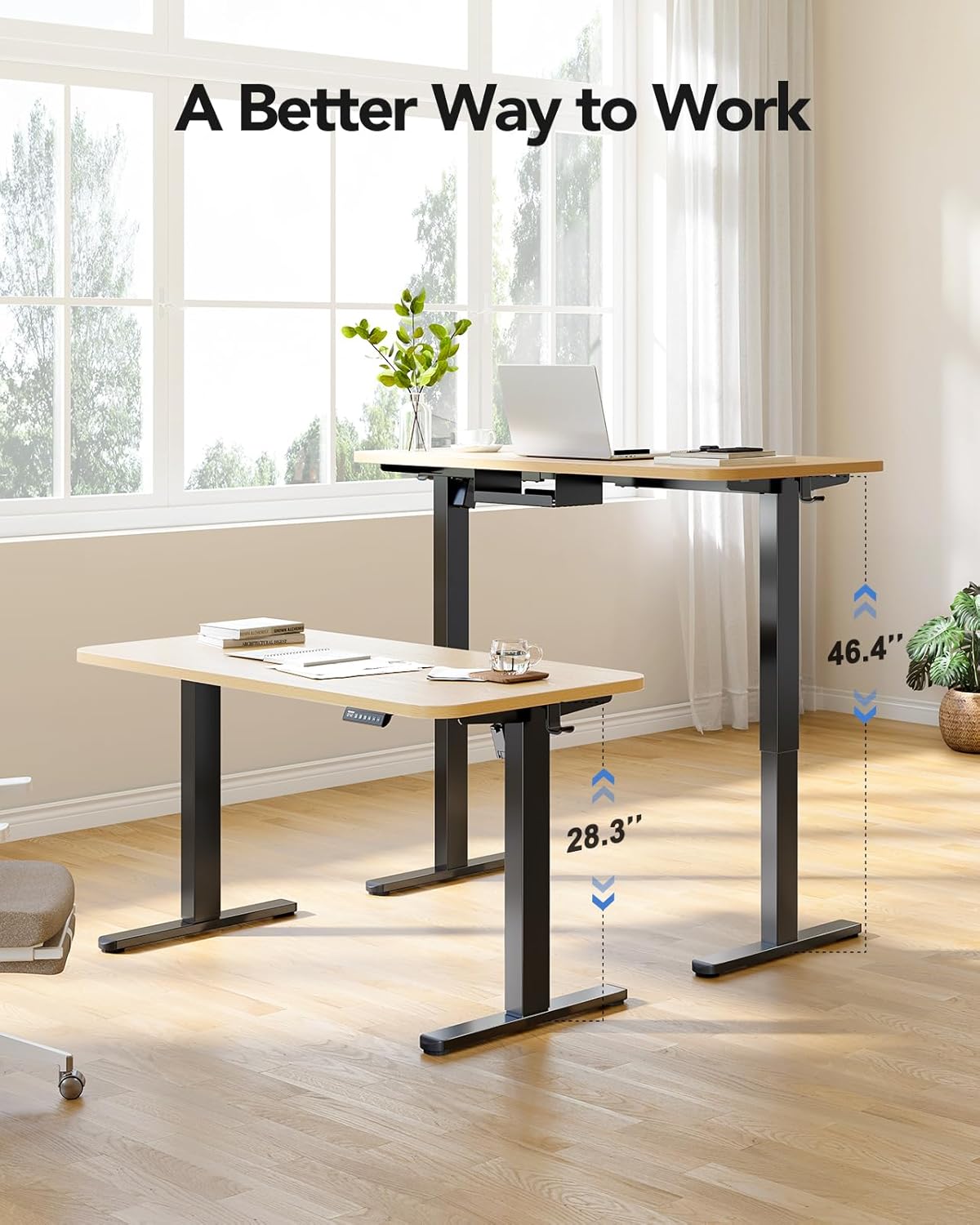
Image: The standing desk frame shown at its lowest (28.3 inches) and highest (46.4 inches) positions, demonstrating its adjustable height range for various working preferences.
Maintenance
Regular maintenance ensures the longevity and smooth operation of your standing desk frame.
- Cleaning: Wipe the desk frame with a soft, damp cloth. Avoid harsh chemicals or abrasive cleaners.
- Cable Management: Periodically check all cables for wear or damage. Ensure they are neatly organized to prevent interference with movement.
- Fastener Check: Every few months, check all screws and bolts to ensure they are tight. Retighten if necessary.
- Motor Care: The brushless motor is designed for durability. Avoid overloading the desk beyond its 220 lbs capacity to prevent strain on the motor.
Troubleshooting
If you encounter issues with your standing desk frame, refer to the following common problems and solutions:
| Problem | Possible Cause | Solution |
|---|---|---|
| Desk does not move. | Power cable disconnected, motor cable loose, overload. | Check all cable connections. Reduce weight on the desk. Reset the system by unplugging for 10 seconds and plugging back in. |
| Uneven height adjustment. | Obstruction, uneven weight distribution. | Clear any obstructions. Redistribute weight evenly on the desktop. Perform a reset. |
| Error code displayed. | Specific system error. | Refer to the detailed error code section in the full PDF manual (if available) or contact customer support. Often, a power cycle (unplug and replug) can resolve temporary errors. |
| Unusual noise during operation. | Loose fasteners, internal issue. | Check and tighten all assembly fasteners. If noise persists, discontinue use and contact customer support. |
Specifications
Key technical details for the HUANUO HNESD147B-US Standing Desk Frame:
- Model Number: HNESD147B-US
- Brand: HUANUO
- Desk Design: Standing Desk Frame
- Color: Black
- Frame Material: Carbon Steel
- Height Range: 28.3 inches (Minimum) to 46.4 inches (Maximum)
- Weight Capacity: 220 lbs (100 kg)
- Desktop Compatibility (Width): 43.3 inches to 86.6 inches
- Desktop Compatibility (Depth): 23.6 inches to 35.4 inches
- Motor Type: Brushless Motor
- Noise Level: ≤ 55 dB
- Number of Height Positions: 4 (Memory Presets)
- Assembly Required: Yes (Recommended 1 person)
- Included Components: 220lbs Powerful Standing Desk Frame, Cable Management Tray, Storage Hooks

Image: Visual representation of the frame's upgraded solid construction, emphasizing features like thicker columns, longer plates, and the maximum load capacity for enhanced stability and durability.
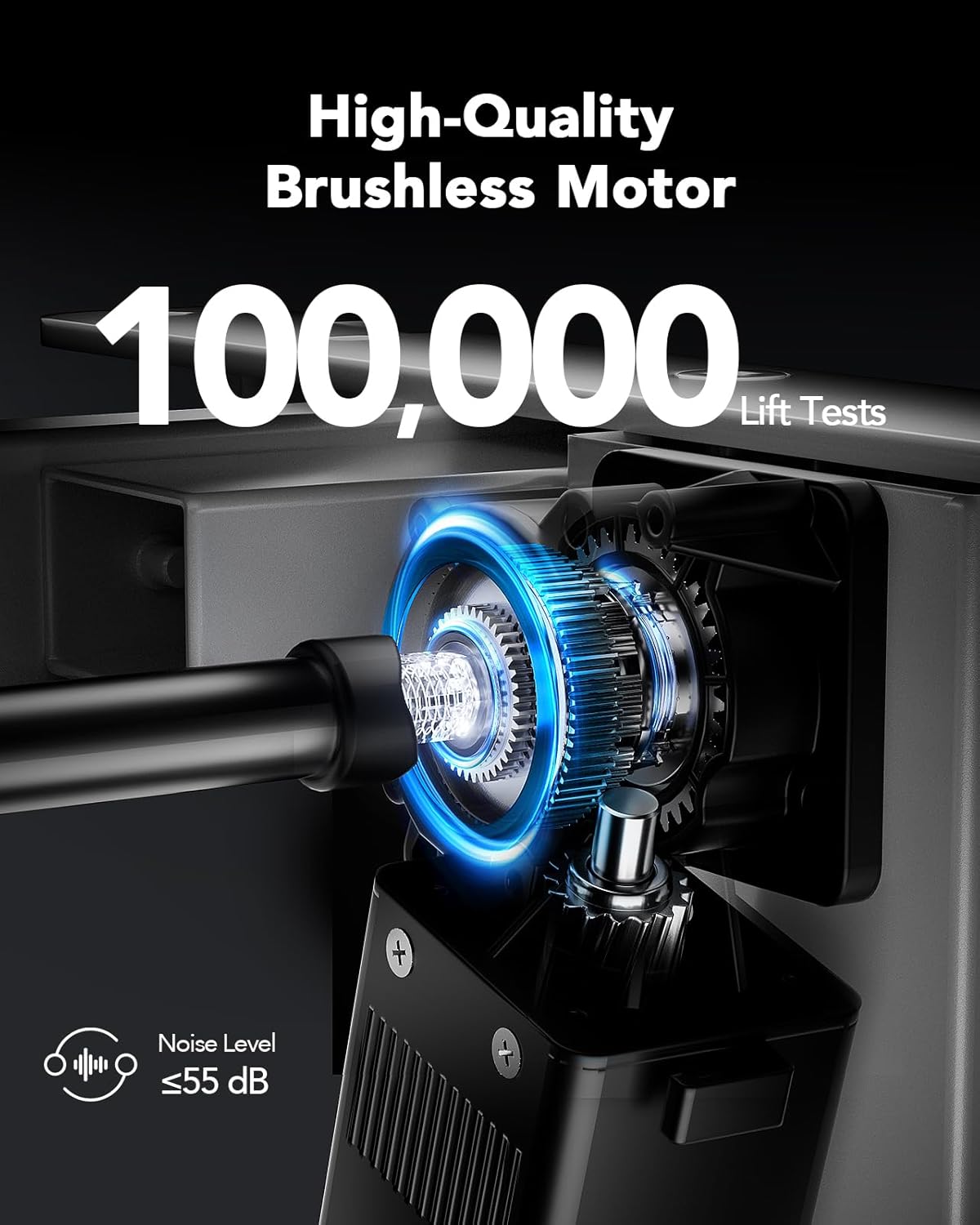
Image: Detailed view of the high-quality brushless motor, highlighting its robust design, testing for 100,000 lift cycles, and quiet operation with a noise level of 55 dB or less.
Warranty
The HUANUO HNESD147B-US Standing Desk Frame comes with a Limited Warranty. Please refer to the warranty card included in your package or visit the official HUANUO website for detailed terms and conditions regarding coverage and claims.
Support
For further assistance, technical support, or to explore other HUANUO products, please visit the official HUANUO store:


