
1. Introduction
Thank you for choosing the iClever BTH27 Toddler Headphones. This manual provides essential information for the safe and optimal use of your headphones. Please read it thoroughly before use and retain it for future reference.
Package Contents:
- 1 × iClever BTH27 Kids Wireless Headphones
- 1 × Detachable 3.5mm Audio Cable
- 1 × USB-C Charging Cable
- 1 × User Manual

2. Safety Information
The iClever BTH27 headphones are designed with your child's safety in mind, adhering to rigorous standards and recommendations for young users.
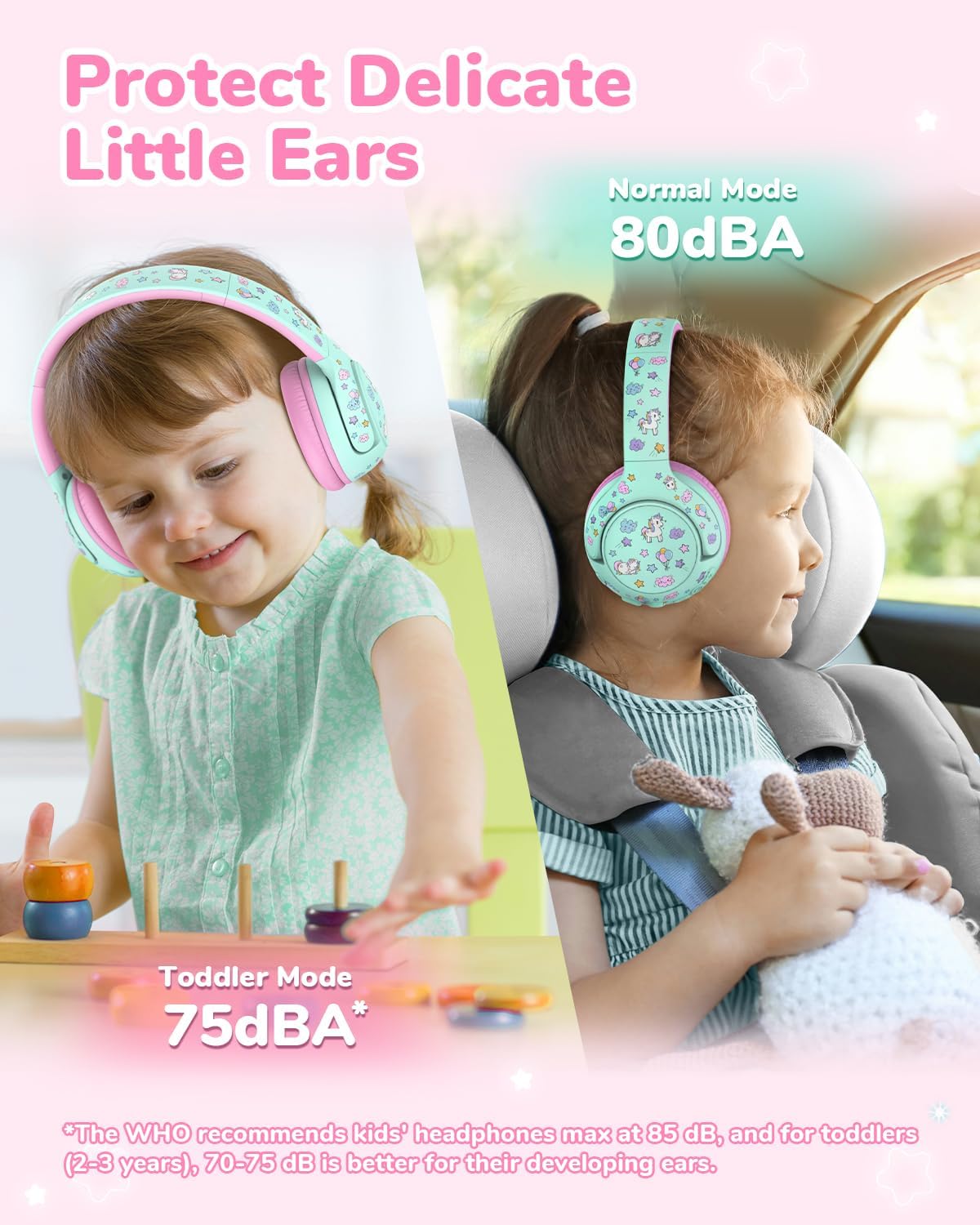
- Volume Limiting: These headphones feature a dual-mode volume limiter (75/80dBA) in compliance with WHO's safe listening guidelines. The 75dBA mode is specifically for younger, more delicate ears, while the 80dBA mode is for general child use.
- Sound Refiner: iClever's exclusive Sound Refiner technology softens harsh frequencies (2K–4KHz) to deliver clear, kid-safe sound without compromising audio quality.
- Materials: Constructed from BPA-free, kid-proof materials that meet ASTM safety standards. The leather ear cushions are designed for easy hygiene maintenance.

3. Product Overview
The iClever BTH27 headphones feature a child-friendly design with adjustable components for comfort and durability.
Key Features:
- Child-Sized Earcups: Soft, comfortable earcups designed to fit smaller ears.
- Flexible Headband: Durable and adjustable headband to grow with your child.
- Rotating Earcups: 110° rotating earcups for easy adjustments and storage.
- Extendable Arms: 10-level extendable arms for a customized fit.
- Oversized Buttons: Large, raised buttons for simple operation.
- Foldable Design: Compact folding for convenient storage and portability.


4. Setup
4.1 Charging the Headphones
- Connect the provided USB-C charging cable to the charging port on the headphones.
- Plug the other end of the USB-C cable into a compatible USB power adapter (not included) or a computer's USB port.
- The LED indicator will show charging status (e.g., red for charging, blue for fully charged).
- A full charge provides up to 74 hours of playtime. A quick 10-minute charge can provide approximately 8 hours of playtime.

4.2 Powering On/Off
- To Power On: Press and hold the Power button until the LED indicator lights up and you hear an audible prompt.
- To Power Off: Press and hold the Power button until the LED indicator turns off and you hear an audible prompt.
4.3 Bluetooth Pairing
- Ensure the headphones are fully charged and powered off.
- Press and hold the Power button for approximately 5-7 seconds until the LED indicator flashes blue and red alternately, indicating pairing mode.
- On your device (smartphone, tablet, laptop), enable Bluetooth and search for available devices.
- Select "iClever BTH27" from the list of devices.
- Once connected, the LED indicator will flash blue slowly, and you will hear a confirmation tone.
- The headphones will automatically reconnect to the last paired device when powered on, if within range.

4.4 Wired Mode
If the battery runs out or you prefer a wired connection, use the included 3.5mm audio cable.
- Plug one end of the 3.5mm audio cable into the audio jack on the headphones.
- Plug the other end into the 3.5mm audio output of your device.
- The headphones will automatically switch to wired mode. Bluetooth functionality will be disabled.
5. Operating Instructions
5.1 Volume Control
- Volume Up: Press the '+' button to increase the volume.
- Volume Down: Press the '-' button to decrease the volume.
- The volume is limited to 75dBA (Toddler Mode) or 80dBA (Normal Mode) to protect hearing.
5.2 Playback Control
- Play/Pause: Press the Power button once to play or pause audio.
- Next Track: Press and hold the '+' button to skip to the next track.
- Previous Track: Press and hold the '-' button to go to the previous track.
5.3 Call Functions (if applicable)
- Answer/End Call: Press the Power button once.
- Reject Call: Press and hold the Power button for 2 seconds.
6. Maintenance and Care
Proper care will extend the life and performance of your iClever BTH27 headphones.
- Cleaning: Wipe the headphones, especially the ear cushions, with a soft, damp cloth. Do not use harsh chemicals or abrasive cleaners. Ensure the headphones are dry before storage or use.
- Storage: When not in use, fold the headphones to their compact size and store them in a clean, dry place away from extreme temperatures.
- Durability: While designed to be kid-proof, avoid excessive force, dropping, or bending to prevent damage.
- Water Exposure: These headphones are not waterproof. Avoid exposure to water or excessive moisture.
7. Troubleshooting
Common Issues and Solutions:
- No Sound:
- Ensure the headphones are powered on and charged.
- Check the volume level on both the headphones and the connected device.
- If using Bluetooth, ensure the headphones are properly paired and connected. Try re-pairing.
- If using wired mode, ensure the 3.5mm cable is fully inserted into both the headphones and the device.
- Cannot Pair via Bluetooth:
- Ensure the headphones are in pairing mode (LED flashing blue and red).
- Turn off Bluetooth on other nearby devices to avoid interference.
- Move the headphones closer to the device you are trying to pair with.
- Restart both the headphones and your device.
- Short Battery Life:
- Ensure the headphones are fully charged before use.
- Battery life can vary based on volume levels and usage patterns.
- Ensure the charging cable and adapter are functioning correctly.
- Headphones Uncomfortable/Don't Fit:
- Adjust the extendable arms of the headband for a better fit.
- Ensure earcups are properly positioned over the ears.
8. Specifications
| Feature | Detail |
|---|---|
| Model Name | BTH27 |
| Connectivity Technology | Wired, Wireless |
| Wireless Communication Technology | Bluetooth |
| Bluetooth Version | 5.4 |
| Bluetooth Range | 33 Feet (10 meters) |
| Age Range (Description) | Toddler/Kids (2+ Years) |
| Material | Acrylonitrile Butadiene Styrene (ABS) |
| Specific Uses For Product | Entertainment, School, Travel |
| Compatible Devices | Cellphones, Desktops, Laptops, Tablets, iPad |
| Cable Feature | Detachable 3.5mm Audio Cable |
| Item Weight | 160 Grams (5.6 ounces) |
| Frequency Range | 20Hz - 4KHz (with Sound Refiner) |
| Control Method | Button |
| Audio Driver Type | Dynamic Driver |
| Audio Driver Size | 40 Millimeters |
| Earpiece Shape | Over-Ear |
| Product Dimensions | 5.82 x 2.95 x 5.12 inches |
| Batteries | 1 Lithium Ion battery (included) |
| Color | Green/Pink |
9. Warranty and Support
iClever products are designed for reliability and performance. For specific warranty details, please refer to the warranty card included in your product packaging or visit the official iClever website.
Customer Support:
If you encounter any issues or have questions regarding your iClever BTH27 headphones, please contact iClever customer support through their official website or the contact information provided in your product documentation. Please have your model number (BTH27) and purchase details ready when contacting support.