
1. Introduction
Thank you for choosing the Philips Pure Protect Mini 900 Air Purifier, model AC0921/14. This device is designed to provide you with cleaner, healthier air by effectively removing pollutants, allergens, viruses, and bacteria from your indoor environment. Its compact and elegant design makes it a perfect addition to any space, offering powerful purification with quiet operation and energy efficiency.
To ensure optimal performance and safe operation, please read this user manual thoroughly before using the appliance. Keep this manual for future reference.
2. Important Safety Information
Always follow basic safety precautions when using electrical appliances to reduce the risk of fire, electric shock, and injury. This section outlines critical safety guidelines for the Philips Pure Protect Mini 900 Air Purifier.
General Safety
- Ensure the voltage indicated on the appliance matches the local power voltage before connecting.
- Do not operate the appliance if the plug, power cord, or the appliance itself is damaged.
- Keep the appliance away from water, moisture, and flammable substances.
- This appliance is not intended for use by persons (including children) with reduced physical, sensory, or mental capabilities, or lack of experience and knowledge, unless they have been given supervision or instruction concerning use of the appliance by a person responsible for their safety.
- Children should be supervised to ensure that they do not play with the appliance.
- Unplug the appliance before cleaning or performing any maintenance.
Placement and Usage
- Place the air purifier on a stable, flat, and horizontal surface.
- Maintain at least 20 cm (8 inches) clearance from walls or other objects to ensure proper airflow.
- Do not block the air inlet or outlet.
- Do not use the appliance in rooms with large temperature changes, as this may cause condensation.
- Do not insert fingers or other objects into the air outlet.
3. Product Overview
The Philips Pure Protect Mini 900 Air Purifier is designed for efficient air purification in rooms up to 65 square meters, delivering a Clean Air Delivery Rate (CADR) of 250 m³/h. It features a multi-layer filtration system and smart sensing technology.
Main Unit
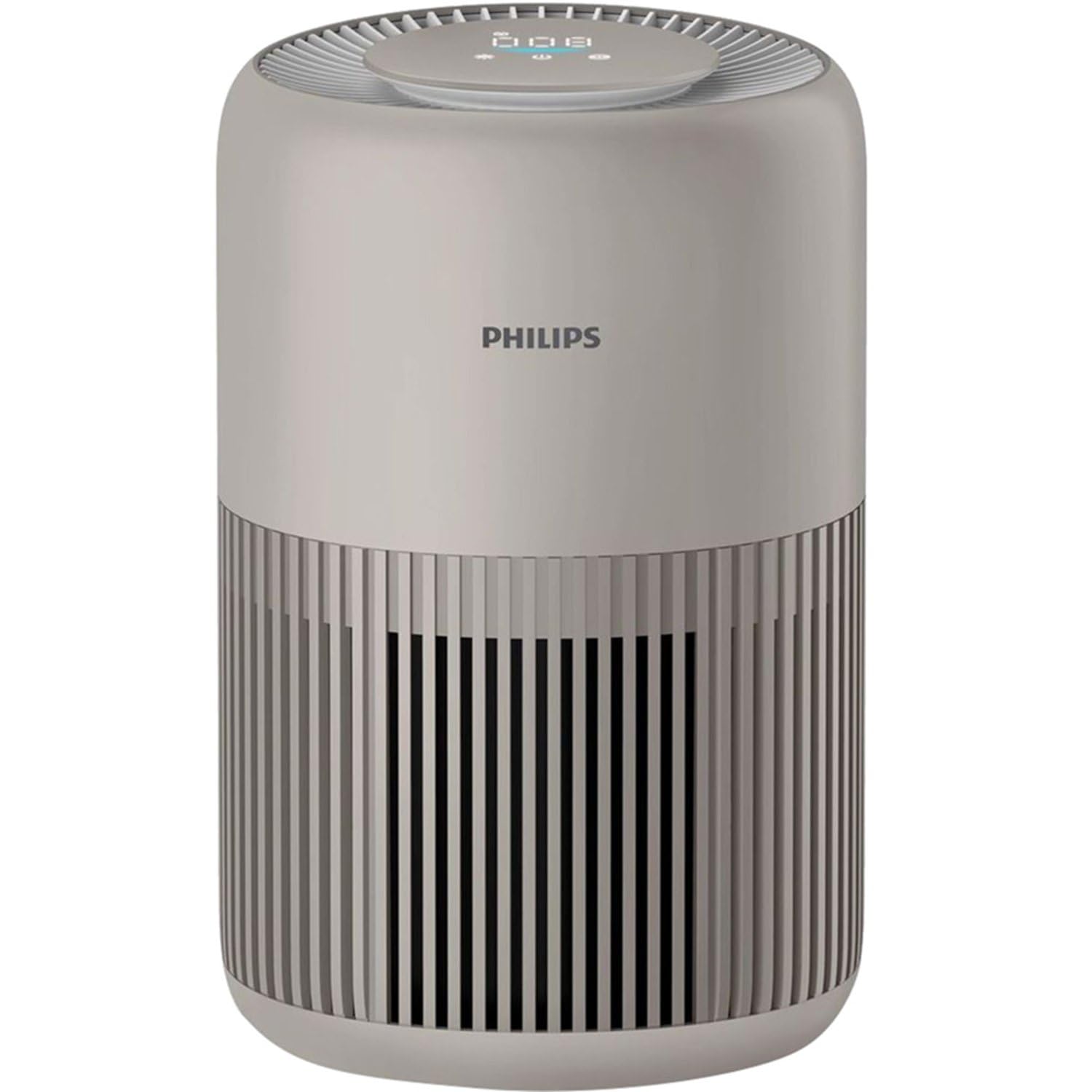
The Philips Pure Protect Mini 900 Air Purifier, showcasing its compact design and air intake grille.

This image illustrates the side of the air purifier, highlighting the removable panel for filter access and replacement.
Control Panel
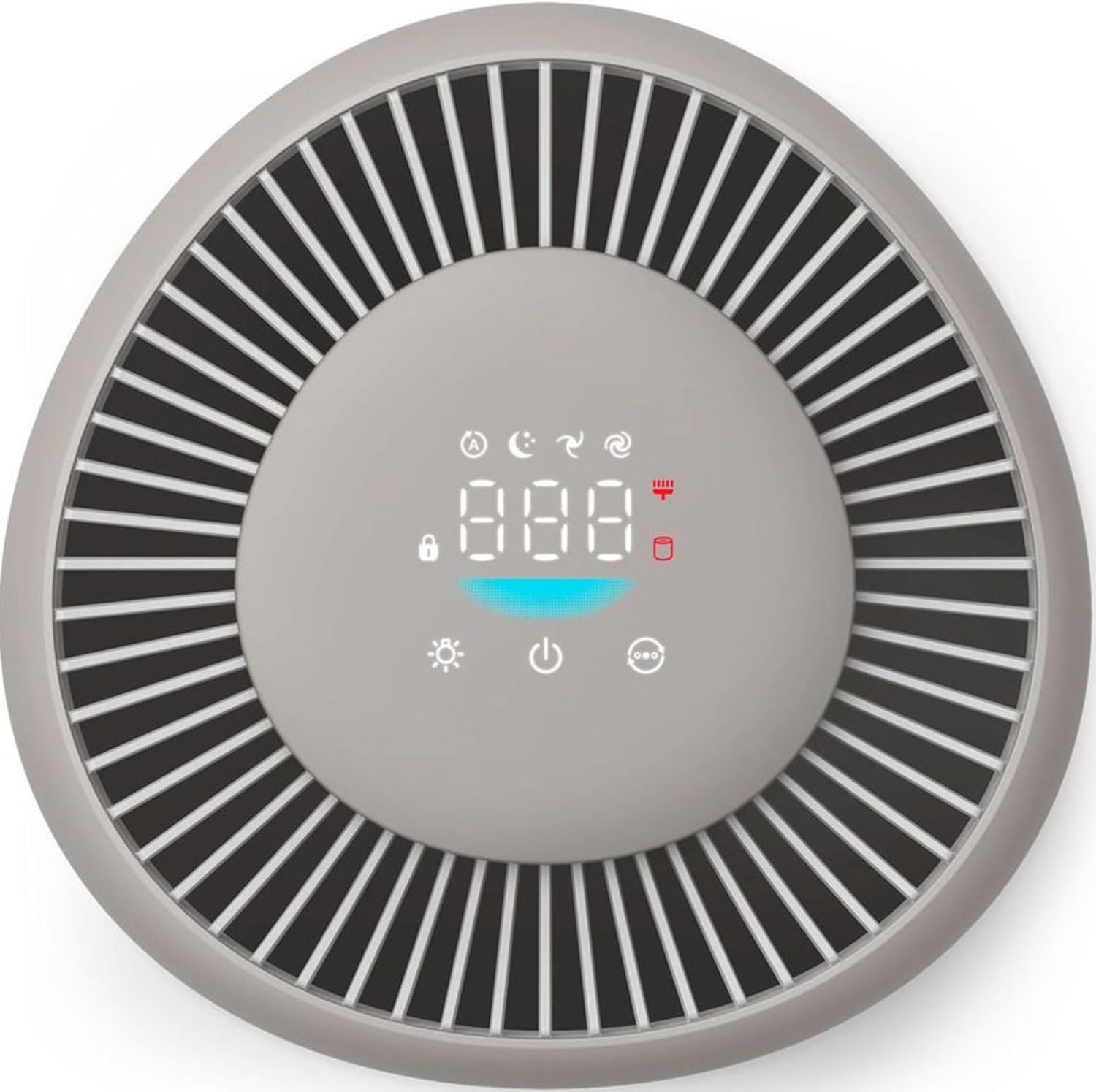
The top control panel features a digital display for air quality and various touch controls for operating modes and settings.
Filtration System

An illustration detailing the two-layer filtration system, including the pre-filter for larger particles and the HEPA NanoProtect filter for ultrafine particles.
The air purifier uses a two-layer HEPA filtration system that captures 99.97% of particles as small as 0.003 microns, including dust, pollen, pet dander, mold spores, viruses (like H1N1 and Hcov-E229), and bacteria.
4. Setup
Follow these steps to set up your air purifier for the first time.
Unpacking
- Remove the air purifier from its packaging.
- Remove all packaging materials, including any protective film or tape.
Filter Installation
- Open the filter access panel on the side of the appliance.
- Remove the filter from its protective plastic packaging.
- Insert the filter into the appliance, ensuring it is seated correctly.
- Close the filter access panel securely.
Placement
For optimal performance, place the air purifier in a location where air can circulate freely.
- Place the unit on a firm, level surface.
- Ensure there is at least 20 cm (8 inches) of clear space around the air inlet and outlet.
- Avoid placing it directly against a wall or under a shelf that might obstruct airflow.

The compact air purifier placed safely near a baby's crib, illustrating its use in sensitive environments.

The air purifier positioned in a bedroom, emphasizing its suitability for allergy sufferers and its certified performance.
Power Connection
Plug the power cord into a suitable electrical outlet. The appliance is now ready for operation.
5. Operating Instructions
Learn how to use the various functions of your Philips Pure Protect Mini 900 Air Purifier.
Power On/Off
- To turn on the appliance, touch the power button on the control panel.
- To turn off the appliance, touch and hold the power button for 3 seconds.
Mode Selection
The air purifier offers several operating modes:
- Auto Mode: The appliance intelligently adjusts its fan speed based on real-time air quality detected by the Air Sense technology.
- Sleep Mode: Operates at an ultra-low noise level (20.5 dB) with dimmed display lights for undisturbed sleep.
- Manual Speed: Allows you to manually select a desired fan speed.

This graphic demonstrates the ultra-quiet operation of the air purifier in sleep mode, operating at just 20.5 dB, quieter than a whisper.
Air Quality Display
The digital display on the control panel shows real-time air quality information, including PM2.5 levels. The Air Sense technology scans the air 1000 times per second to detect pollutants and gases.
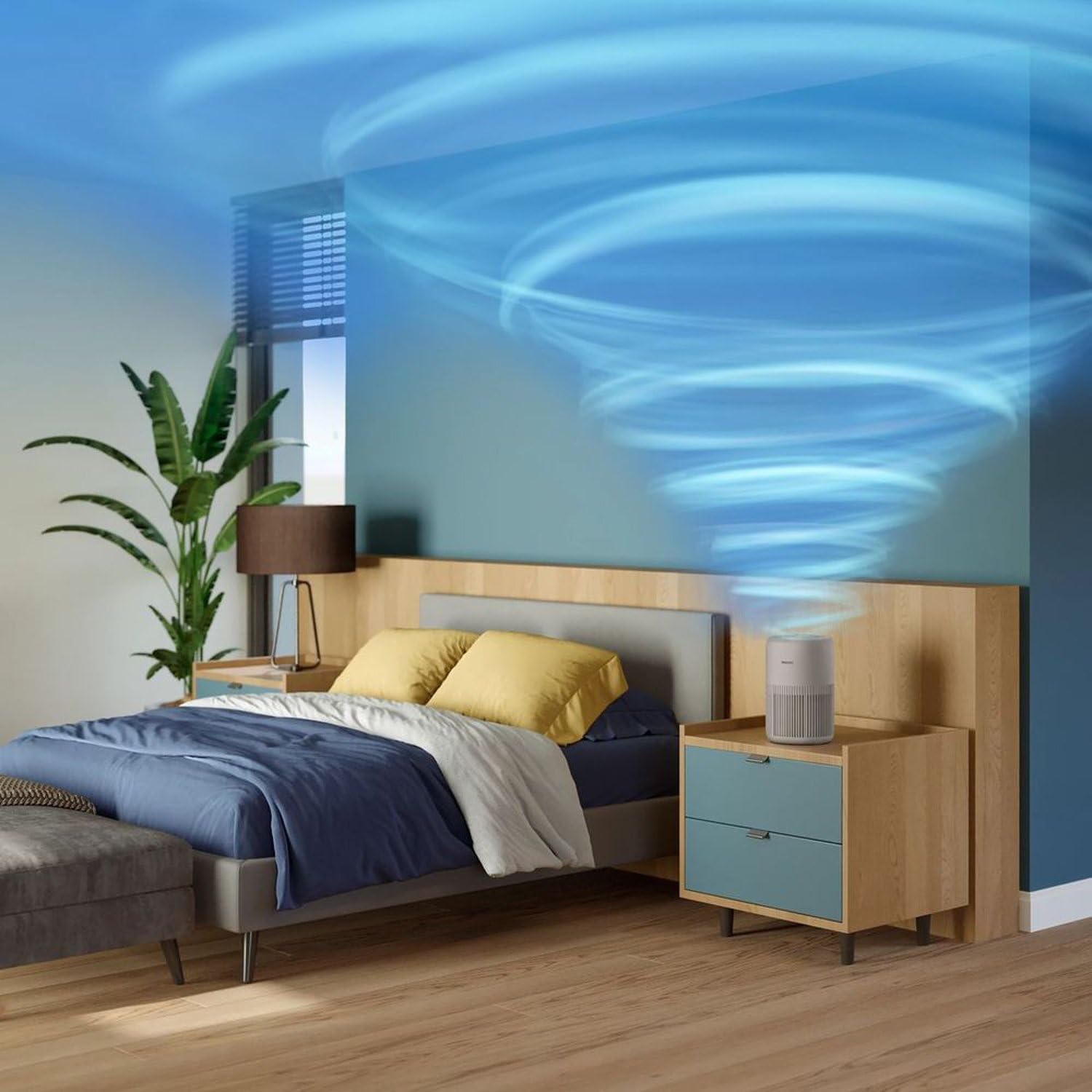
An animated representation showing how the air purifier effectively circulates and cleans air throughout a room.

This image visualizes the air intake process from the bottom and sides, and the release of purified air from the top of the device.
Light Control
The digital display light can be dimmed or turned off, especially useful during nighttime operation in Sleep Mode, to minimize light disturbance.
6. Maintenance
Regular maintenance ensures your air purifier continues to operate efficiently and effectively.
Filter Replacement
The air purifier calculates filter life and will alert you when replacement is needed. Original Philips filters ensure optimal performance for up to one year.
- Turn off and unplug the appliance.
- Open the filter access panel.
- Remove the used filter and dispose of it properly.
- Unpack the new filter and insert it into the appliance.
- Close the filter access panel.
- Plug in and turn on the appliance. Reset the filter lifetime indicator as per the instructions in the full manual (if applicable).
Cleaning the Exterior
Wipe the exterior of the appliance with a soft, dry cloth regularly. Do not use abrasive cleaners or solvents.
Cleaning the Air Quality Sensor
The air quality sensor should be cleaned every two months for accurate readings. Use a soft brush or cotton swab to gently clean the sensor lens and dust inlet/outlet.
7. Troubleshooting
This section addresses common issues you might encounter with your air purifier.
| Problem | Possible Cause | Solution |
|---|---|---|
| Appliance does not turn on. | Power cord not properly plugged in. No power from outlet. | Check power cord connection. Test outlet with another device. |
| Air quality reading seems incorrect. | Air quality sensor is dirty. | Clean the air quality sensor as described in the Maintenance section. |
| Unusual noise during operation. | Filter not installed correctly. Obstruction in the fan. | Check filter installation. Turn off and unplug, then inspect for obstructions. |
| Airflow is weak. | Filter is clogged or needs replacement. Air inlets/outlets are blocked. | Check filter status and replace if necessary. Ensure no obstructions around the appliance. |
If the problem persists after trying these solutions, please contact Philips customer support.
8. Specifications
Technical details for the Philips Pure Protect Mini 900 Air Purifier (AC0921/14).
| Feature | Detail |
|---|---|
| Brand | Philips |
| Model Number | AC0921 |
| Color | Beige |
| Product Dimensions (D x W x H) | 24 x 36.4 x 23.8 cm |
| Item Weight | 2.5 Kilograms |
| Power Source | Corded Electric |
| Control Method | Touch |
| Filter Type | HEPA |
| Clean Air Delivery Rate (CADR) | 250 m³/h |
| Effective Room Size | Up to 65 m² |
| Noise Level (Sleep Mode) | 20.5 dB |
| Power Consumption (Max) | 21 Watts |
9. Warranty and Support
Philips products are designed for durability and sustainability, undergoing rigorous testing to ensure continuous operation. This product comes with a standard manufacturer's warranty.
Warranty Information
Please refer to the warranty card included with your product for detailed terms and conditions. Keep your purchase receipt as proof of purchase for warranty claims.
Customer Support
For technical assistance, product registration, or to find replacement parts and filters, please visit the official Philips support website or contact your local Philips customer service center. Contact details can typically be found in the warranty booklet or on the Philips website.


