
Introduction
This manual provides essential instructions for the safe and effective use of ELEGOO Standard Photopolymer Resin. This 405nm UV-curing resin is designed for LCD and DLP 3D printers, offering low shrinkage, high precision, and fast curing properties. Please read this manual thoroughly before use.

Image: ELEGOO Standard Photopolymer Resin (Beige) bottle alongside a detailed 3D printed bust, showcasing the resin's color and print quality.
Safety Precautions
Always prioritize safety when handling photopolymer resin. Failure to follow these guidelines may result in injury or property damage.
- Ventilation: Use in a well-ventilated area to minimize exposure to fumes.
- Personal Protective Equipment (PPE): Always wear gloves, safety glasses, and a mask to avoid direct skin and eye contact.
- Skin Contact: In case of direct skin contact, wash immediately with plenty of soap and water.
- Eye Contact: In case of eye contact, flush thoroughly with water for at least 15 minutes and seek medical attention.
- Ingestion: Do not ingest. If swallowed, do not induce vomiting. Seek medical attention immediately.
- Storage: Keep resin away from children, dust, and direct sunlight. Store in a cool, dry place in its original sealed container.
- Disposal: Dispose of cured resin and contaminated materials according to local regulations. Never pour liquid resin down drains.

Image: Safety guidelines for resin handling, emphasizing the need for PPE and proper storage, with a detailed 3D printed model.
Setup and Preparation
- Shake Well: Before each use, shake the resin bottle thoroughly for at least 30 seconds to ensure all components are evenly mixed. This is crucial for consistent print quality.
- Optimal Temperature: The recommended operating temperature for the resin is between 20°C and 25°C (68°F - 77°F). If the resin is too cold, it may be too viscous, affecting flow and print quality.
- Pouring Resin: Carefully pour the desired amount of resin into the printer's resin vat. Do not overfill.

Image: Pouring resin into a 3D printer vat, illustrating the preparation step and recommended exposure settings.
Operating Instructions
ELEGOO Standard Photopolymer Resin is compatible with most MSLA and DLP 3D printers. For best results, it is recommended to use with ELEGOO Resin 3D printers.
- Printer Compatibility: This resin is formulated for 405nm UV light sources, common in LCD and DLP 3D printers.
- Exposure Settings: Refer to your 3D printer's specific settings for ELEGOO Standard Resin. General recommended settings are:
- Bottom Exposure Time: Approximately 35 seconds
- Normal Exposure Time: Approximately 3.5 seconds
- Printing Process:
- Prepare your 3D model in slicing software, adding supports as necessary.
- Transfer the sliced file to your 3D printer.
- Ensure the build plate is level and clean.
- Start the printing process. The resin's excellent fluidity and stability contribute to a high success rate.

Image: A display of various 3D printers, highlighting the wide compatibility of ELEGOO resin with different LCD and DLP models.

Image: A 3D printer in operation, illustrating the resin's strong adhesion to the build plate and its ability to produce detailed prints.
Maintenance and Post-Processing
- Removing Prints: Once printing is complete, carefully remove the build plate from the printer. Use a scraper or spatula to detach the printed model from the build plate. The resin is designed for easy post-processing.
- Washing: Wash the printed model in isopropyl alcohol (IPA) or a dedicated resin cleaner to remove uncured resin. Agitate the model gently or use a wash station for thorough cleaning.
- Drying: Allow the model to air dry completely or use compressed air. Ensure no liquid resin remains on the surface.
- Post-Curing: Place the cleaned and dried model under a UV light source (e.g., a UV curing station or direct sunlight) to fully cure the resin. This increases the model's hardness and durability.
- Resin Storage: After printing, filter any unused resin from the vat back into the original bottle. Store the bottle in a dark, cool place away from light exposure.
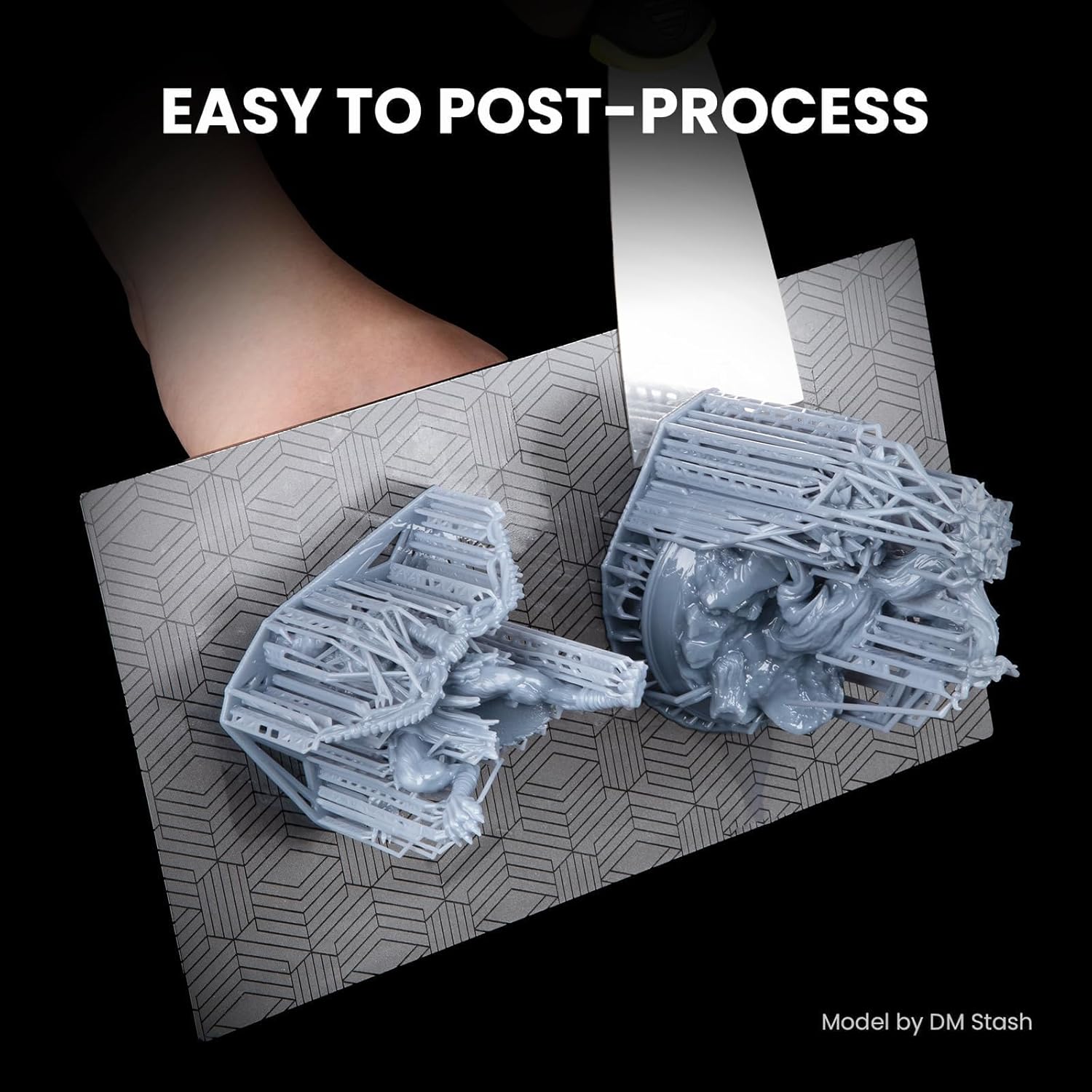
Image: Demonstrating the ease of removing 3D prints from the build plate, a key step in post-processing.
Troubleshooting
If you encounter issues during printing, consider the following common solutions:
- Print Failures/Poor Adhesion:
- Ensure the build plate is properly leveled and clean.
- Increase bottom exposure time to improve initial layer adhesion.
- Verify the resin temperature is within the recommended range (20-25°C).
- Check for proper support placement and density in your slicing software.
- Soft/Brittle Prints:
- Increase normal exposure time.
- Ensure adequate post-curing under UV light.
- Verify the resin has been thoroughly mixed by shaking the bottle.
- Inaccurate Dimensions/Warping:
- Check for excessive shrinkage. ELEGOO resin is designed for low shrinkage (0.2%-0.7%), but extreme settings or environmental factors can influence this.
- Ensure consistent room temperature during printing.
Specifications
| Feature | Detail |
|---|---|
| Brand | ELEGOO |
| Model Number | US-EL-3D-055 |
| Product Dimensions | 3.54 x 3.54 x 7.87 inches |
| Item Weight | 2.2 Pounds (1000g) |
| Resin Type | Standard Photopolymer Resin, 405nm UV-Curing |
| Color | Beige |
| Shore Hardness | 80-88 D |
| Shrinkage | 0.2% - 0.7% |
| Flexural Strength | 30.115 ± 10% MPa |
| Tensile Stress at Break | 8.775 ± 10% MPa |
| Tensile Strength | 33.781 ± 10% MPa |
| Viscosity | 200-400 MPa·s (NDJ-8S Rotary Viscometer @ 25°C) |

Image: Performance chart detailing the physical properties of ELEGOO Standard Photopolymer Resin.
Warranty and Support
For specific warranty information regarding your ELEGOO Standard Photopolymer Resin, please refer to the official ELEGOO website or contact their customer support directly. Warranty terms may vary based on region and purchase date.
If you require technical assistance or have questions about the product, please contact ELEGOO customer support through their official channels. You can often find contact information on the product packaging or the ELEGOO official website.
ELEGOO Official Website: www.elegoo.com