
ACEBELL TL-AH801
ACEBELL Wireless Video Doorbell Intercom System User Manual
Model: TL-AH801
1. Introduction
This manual provides comprehensive instructions for the installation, operation, and maintenance of your ACEBELL Wireless Video Doorbell Intercom System. This system includes a 1080P video doorbell camera and an 8-inch touch screen monitor, designed to enhance your home security and communication.
2. Package Contents
Verify that all items are present in the package:
- 1x Doorbell Camera
- 1x 8-inch Display Monitor
- 1x Memory Card (TF card)
- 2x Charging Cables
- 2x Chargers (Adapters)
- 1x Unlock Module
- 1x Bag of Accessories (mounting hardware)
- 1x User Manual (5-language)

Image: The main components of the ACEBELL Wireless Video Doorbell Intercom System, showing the doorbell camera, the 8-inch monitor displaying a family, and a 32GB microSD card.
3. Product Overview
The ACEBELL Wireless Video Doorbell Intercom System consists of two primary units: the outdoor doorbell camera and the indoor 8-inch touch screen monitor. An optional unlock module is also included for integration with electronic door locks.
3.1 Doorbell Camera
- Resolution: 1080P for clear video.
- Lens: 160-degree wide-angle for broad coverage.
- Night Vision: 4 built-in infrared lights for automatic night vision.
- Motion Detection: PIR sensor with adjustable sensitivity (high, medium, low).
- Audio: Two-way audio for communication.
- Power: 7000mAh rechargeable battery or wired power (12-24V recommended).
- Weather Resistance: IP55 waterproof rating.
3.2 8-inch Touch Screen Monitor
- Display: 8-inch touch screen with 1080P resolution.
- Battery: 5000mAh built-in battery.
- Connectivity: Supports 2.4G and 5G WiFi for app integration.
- Storage: Micro SD (TF) card slot for local video storage (card included).
- Functions: Answer calls, unlock doors, monitor, view recordings.
3.3 Unlock Module
This module allows remote unlocking of compatible electronic door locks via the monitor or the mobile application. Wiring diagrams are provided in the manual for various configurations. It requires a 12V power source, typically from the electronic lock system.
4. Setup
4.1 Initial Charging
Before first use, fully charge both the doorbell camera and the indoor monitor using the provided charging cables and adapters. The doorbell camera has a 7000mAh battery, and the monitor has a 5000mAh battery.

Image: Illustration showing the doorbell camera with a 7000mAh battery and the monitor with a 5000mAh battery, indicating upgraded capacities.

Image: Visual representation of the doorbell camera and monitor with their respective upgraded battery capacities (7000mAh and 5000mAh).

Image: The 8-inch monitor connected to a power outlet for charging, indicating its power supply method.
4.2 Doorbell Camera Installation
The doorbell camera can be installed wirelessly or connected to existing doorbell wiring for continuous power.
- Wireless Installation: No wiring is required for basic operation. The system uses a private 915MHz protocol for communication between the doorbell and monitor.
- Wired Installation: For continuous power, connect the doorbell to existing wiring (12-24V AC/DC recommended). Necessary wiring materials are included.
Important: Do not install the doorbell camera on metal doors or metal walls, as metal significantly interferes with wireless signals.
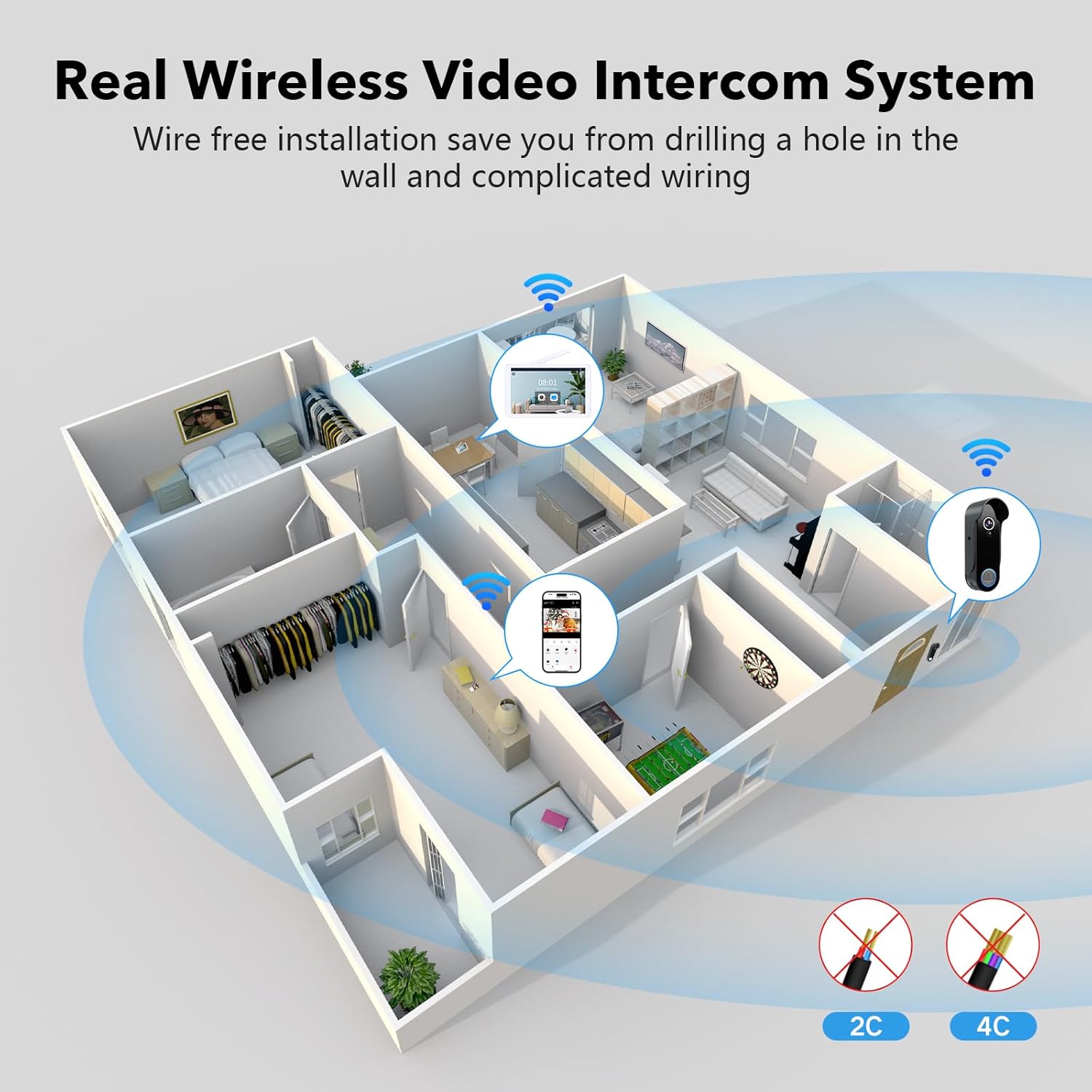
Image: A floor plan diagram illustrating the wireless nature of the video intercom system, showing the doorbell and monitor communicating without physical wires.

Image: An illustration demonstrating wireless signal strength through various building materials (wood/glass, stone, metal) and recommended installation positions for optimal signal.

Image: A diagram indicating optimal and unsuitable locations for mounting the doorbell camera, specifically advising against metal surfaces.

Image: An illustration detailing the two power supply options for the doorbell: rechargeable battery and external wired power connection.
4.3 Monitor Setup
Power on the monitor. It will automatically connect to the doorbell camera using the private 915MHz protocol. For remote access and advanced features, connect the monitor to your home WiFi network (supports 2.4G and 5G).

Image: The 8-inch monitor showing a live video feed, with indicators for 5GHz and 2.4GHz WiFi connectivity.
4.4 Mobile App Integration
Download the TuyaSmart or Smart Life app from your device's app store. Follow the in-app instructions to pair your monitor and doorbell camera for remote control and monitoring.

Image: A hand holding a smartphone showing the mobile application interface for controlling the doorbell system, including a lock icon for remote unlocking.

Image: A smartphone screen showing the Tuya Smart app, highlighting the ability to share access to the doorbell system with multiple users.
5. Operating Instructions
5.1 Answering Calls
When a visitor presses the doorbell button, the indoor monitor will ring, and a notification will be sent to your paired mobile device. You can answer the call from either the monitor or the app to engage in two-way audio communication.

Image: A person pressing the doorbell button, while another person views the live feed and communicates via the indoor monitor and a smartphone, demonstrating two-way audio.

Image: A woman using the indoor monitor to communicate with a delivery person at her door, illustrating the intercom function.
5.2 Motion Detection (PIR)
The doorbell camera features a Passive Infrared (PIR) motion sensor. When motion is detected, an alert will be sent to your phone and the indoor monitor. The system will automatically record a video and save it to the included TF card.
- Sensitivity Adjustment: PIR sensitivity can be set to high, medium, or low via the monitor settings or mobile app.

Image: An illustration depicting the motion detection zone of the doorbell camera in front of a house, with a smartphone displaying a "Motion detected" notification.

Image: An illustration showing motion detection triggered inside a house, with a smartphone receiving a "Motion detected" notification from the TuyaSmart app.
5.3 Night Vision
The doorbell camera automatically switches to night vision mode in low-light conditions using its 4 built-in infrared lights, ensuring clear visibility at night.

Image: A split image demonstrating the clear 1080P video quality during the day and the effective night vision capability of the doorbell camera.

Image: A black and white image depicting a clear night view, showcasing the doorbell camera's night vision functionality.
5.4 Video Recording and Playback
Recorded videos are stored locally on the included TF card in the monitor and can be viewed on the monitor or via the TuyaSmart app. There are no subscription or monthly fees for storage. The TF card's location in the monitor protects recorded data even if the doorbell is tampered with.

Image: The indoor monitor and a smartphone both displaying interfaces for viewing recorded video playback from the doorbell camera.
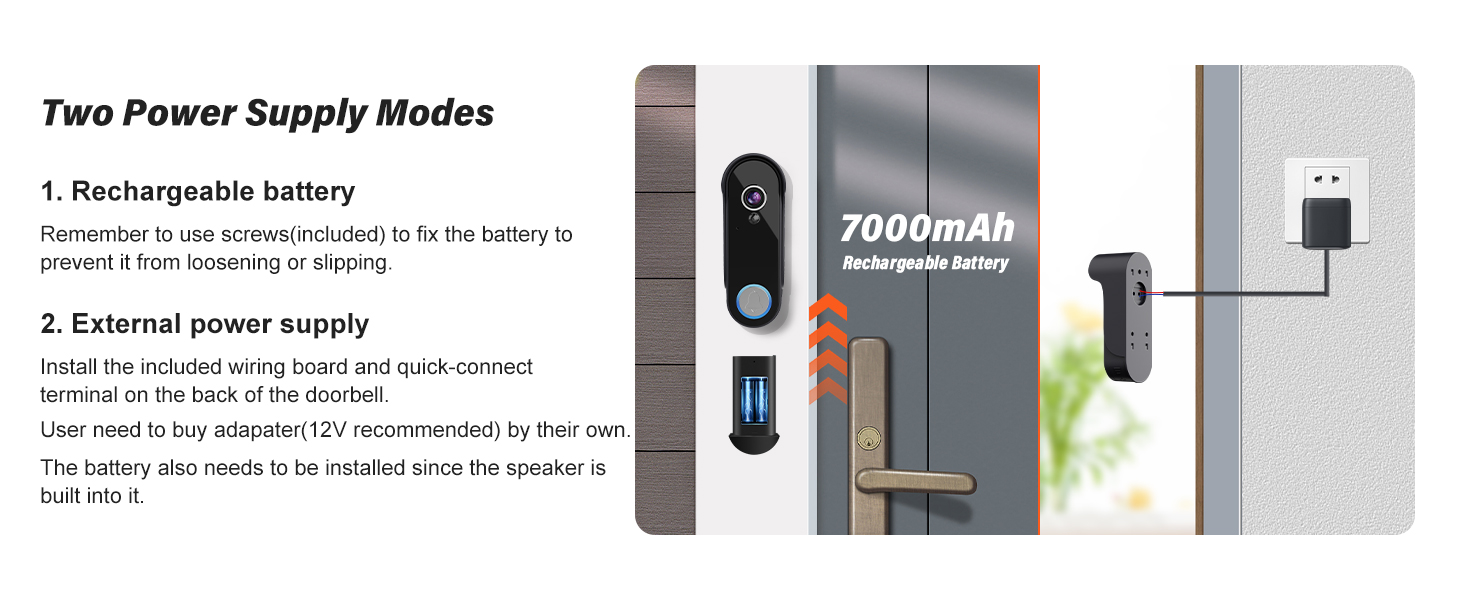
Image: The monitor screen showing a list of recorded video events, with an icon indicating automatic recording and a memory card included for storage.
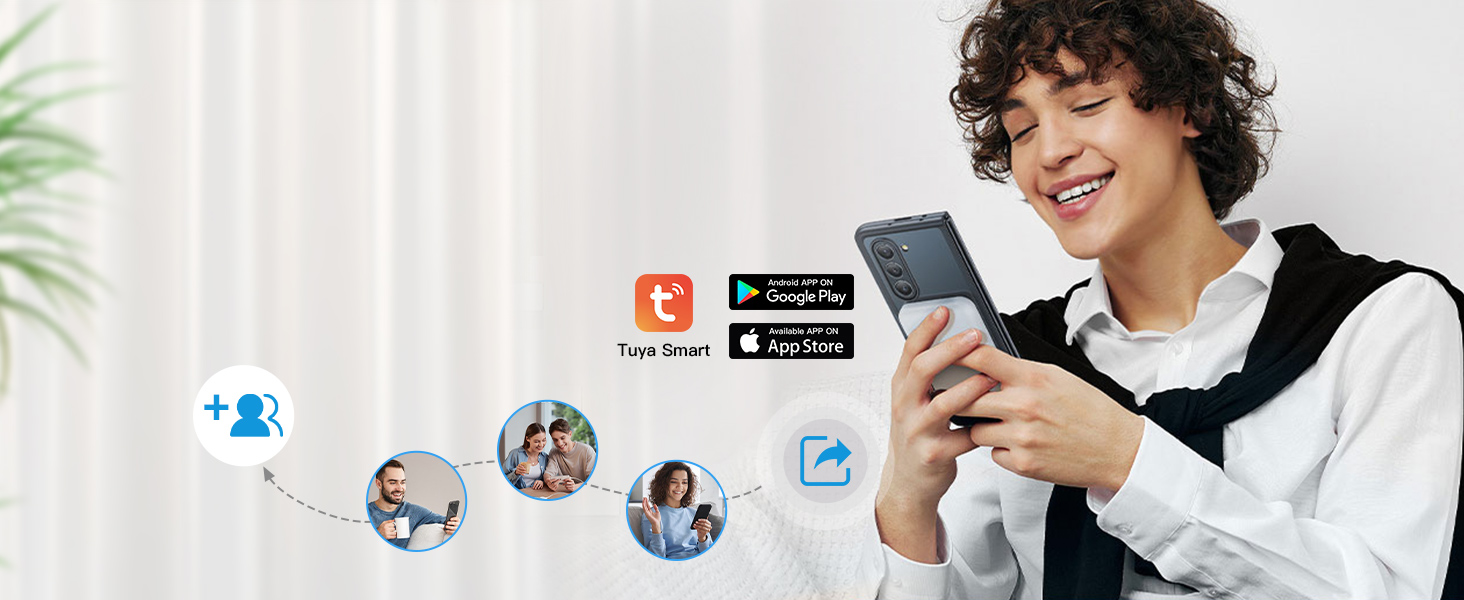
Image: A smartphone displaying a timeline of recorded events, including motion detections and doorbell rings, accessible via the mobile app.
5.5 Remote Unlock
If the unlock module is connected to a compatible electronic lock, you can remotely unlock your door using the monitor or the mobile app.

Image: A hand holding a smartphone with the mobile app open, showing a prominent "Remote Unlock" button, indicating the ability to control an electronic lock.
Image: A diagram illustrating how the unlocking module connects to an electronic lock, enabling remote control from the doorbell system.
6. Power Management
The doorbell camera is equipped with a 7000mAh rechargeable battery, providing approximately 60-90 days of use on a full charge, depending on usage frequency. The indoor monitor has a 5000mAh built-in battery. Both can be continuously powered by their respective chargers.
For the doorbell, if continuous operation is desired without frequent charging, it can be connected to existing doorbell wiring (12-24V recommended).
7. Maintenance
- Cleaning: Use a soft, dry cloth to clean the doorbell camera lens and monitor screen. Avoid abrasive cleaners or solvents.
- Battery Charging: Recharge batteries as needed. For optimal battery life, avoid fully discharging the batteries regularly.
- Firmware Updates: Check the mobile app or monitor settings periodically for available firmware updates to ensure optimal performance and security.
8. Troubleshooting
- No Signal/Poor Signal:
- Ensure the doorbell camera is not installed on a metal door or wall, as metal causes significant interference.
- Reduce the distance between the doorbell and the indoor monitor.
- Minimize obstructions like thick walls (especially stone) between units.
- Monitor Not Connecting to WiFi:
- Verify your WiFi network is active and within range.
- Ensure correct WiFi password entry.
- The monitor supports both 2.4G and 5G WiFi bands.
- Motion Detection Not Triggering:
- Check PIR sensitivity settings on the monitor or app and adjust to a higher level if needed.
- Ensure the detection area is clear of obstructions.
- Short Battery Life:
- Frequent motion detection triggers, live view access, and cold temperatures can reduce battery life.
- Consider connecting the doorbell to wired power for continuous operation.
9. Specifications
| Feature | Specification |
|---|---|
| Model Number | TL-AH801 |
| Video Capture Resolution | 1080p |
| Viewing Angle | 160 Degrees |
| Doorbell Battery Capacity | 7000 mAh (Lithium Ion) |
| Monitor Battery Capacity | 5000 mAh (Lithium Ion) |
| Average Battery Life (Doorbell) | 60-90 days |
| Connectivity Protocol | 915MHz, Wi-Fi (2.4G & 5G) |
| Storage | Micro SD (TF) card, up to 128 GB (32 GB included) |
| Water Resistance Level | IP55 |
| Night Vision Range | 50 Millimeters (Infrared) |
| Dimensions (Product) | 9 x 5 x 0.8 inches |
| Item Weight | 2.81 pounds |
| Material | Plastic |
| Compatible Devices | Smartphone, Tablet |
| Control Method | App, Remote, Touch |
| Included Components | TF card, adapter, doorbell camera, monitor, unlock module |
10. Warranty and Support
The ACEBELL Wireless Video Doorbell Intercom System comes with a 2-year quality warranty.
For any questions or issues, customer support is available 24/7. Contact information can typically be found on the monitor's desktop interface or within the mobile application.
Related documentsTL-AH801

Ask a question about this manual
Ask about setup, troubleshooting, compatibility, parts, safety, or missing instructions. Manuals+ will review the question and use this page’s manual context to help answer it.