
Introduction
This manual provides instructions for the Hagibis USB4 Cable, Model GS200-30cm. This versatile USB-C to USB-C cable supports high-speed data transfer, fast charging, and high-resolution video output. It features a unique flexible printed circuit (FPC) design and a durable braided body with zinc alloy protective caps, also functioning as a phone lanyard.
Key Features
- Unique Flexible Structure: Utilizes FPC (Flexible Printed Circuit) for enhanced durability and flexibility. Designed to also function as a phone lanyard to prevent drops or loss.
- Ultra-Fast 80Gbps Data Transfer: Supports USB4 Ver2.0 standard, offering data transfer speeds up to 80Gbps, compatible with Thunderbolt 5/4/3 and USB4 devices. Also backward compatible with 40/20/10/5 Gbps.
- 240W Fast Charging (PD3.1): Integrated E-marker chip supports Power Delivery 3.1 for up to 240W (48V/5A) fast charging. Backward compatible with PD3.0 and PD2.0, supporting 140W, 100W, and 60W devices.
- 8K@60Hz Video Output: Supports UHD video resolution, enabling connection to external monitors for 8K@60Hz or dual 4K@60Hz displays. Requires devices with USB-C ports that support DisplayPort Alt Mode.
- ProRes Support: Compatible with iPhone 15/16 Pro Max and external SSDs for 4K@60Hz ProRes HD video recording.
- High Compatibility: Works with Thunderbolt 5/4/3, USB4, and other USB-C enabled devices.
- Durable Construction: Features a high-density cross-braided body for strength, abrasion resistance, and anti-tangle properties. Zinc alloy protective caps provide all-around protection against oxidation, scratches, and moisture.
Setup
The Hagibis USB4 Cable is designed for plug-and-play functionality. Follow these steps for initial setup:
- Identify Ports: Ensure your devices (e.g., laptop, smartphone, external SSD, monitor) have compatible USB-C or Thunderbolt ports.
- Connect the Cable: Insert one end of the Hagibis USB4 Cable into the USB-C/Thunderbolt port of your source device (e.g., computer, charger).
- Connect to Destination Device: Insert the other end of the cable into the USB-C/Thunderbolt port of your destination device (e.g., external SSD, monitor, smartphone).
- Verify Connection: For data transfer or charging, your device should automatically recognize the connection. For video output, ensure your device supports DisplayPort Alt Mode.
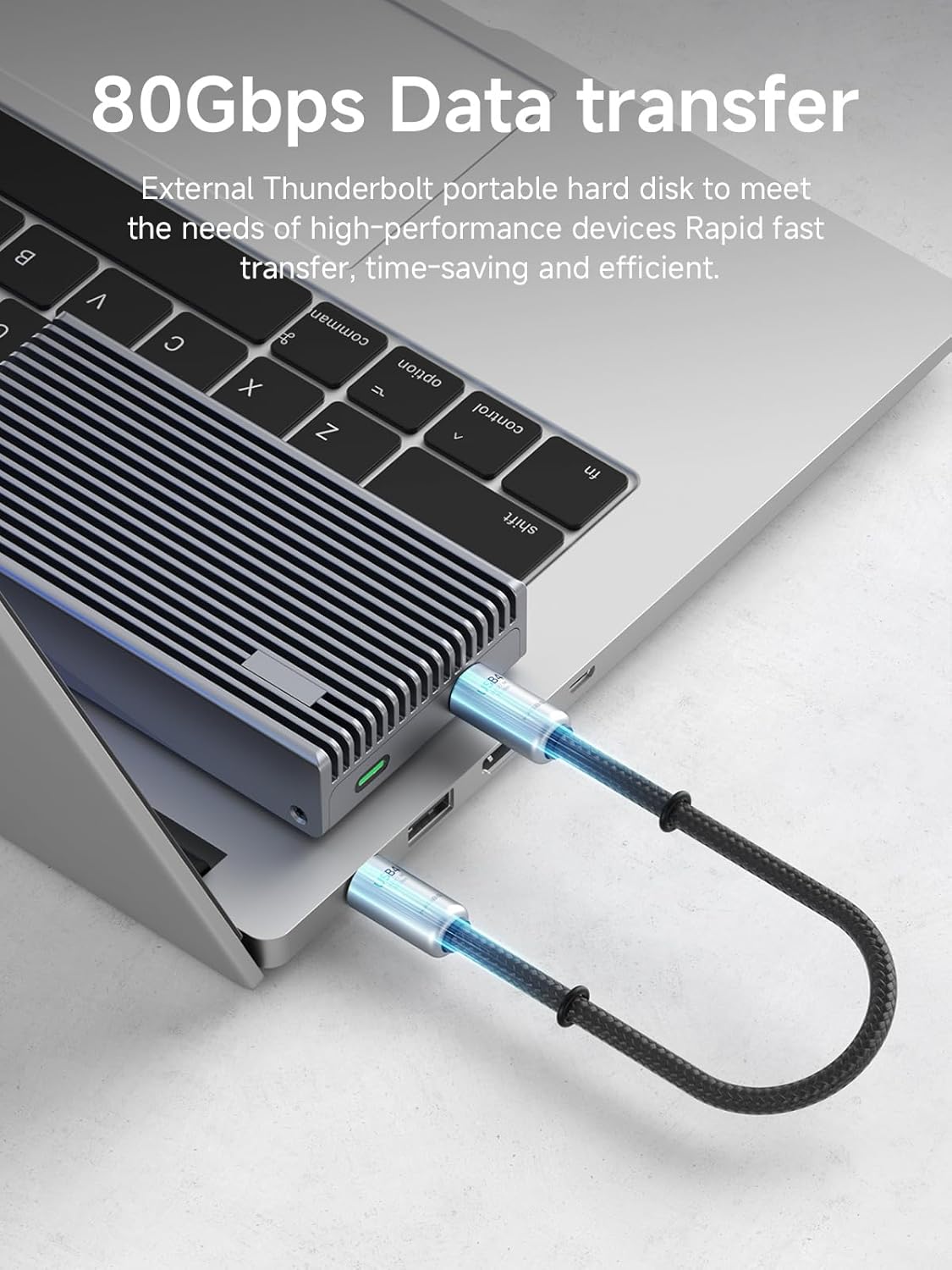
Image: Hagibis USB4 Cable connected to an external SSD and a laptop, demonstrating 80Gbps data transfer capability.

Image: Hagibis USB4 Cable connected to a laptop, illustrating 240W fast charging via a USB-C port.
Operating Instructions
Data Transfer
To transfer data, connect the cable between two compatible devices (e.g., computer and external SSD). Ensure both devices are powered on and configured for data transfer. The cable supports speeds up to 80Gbps, allowing for rapid transfer of large files.
Charging
For fast charging, connect the cable from a compatible power adapter (e.g., 240W, 140W, 100W, 60W) to your device (e.g., laptop, smartphone). The integrated E-marker chip ensures optimal power delivery according to PD3.1 standards.
Video Output
To use the cable for video output, connect it from your source device (e.g., laptop, smartphone) to a compatible display (e.g., monitor, TV). Your source device's USB-C port must support DisplayPort Alt Mode for video transmission. The cable supports resolutions up to 8K@60Hz or dual 4K@60Hz displays.

Image: Hagibis USB4 Cable facilitating 8K/60Hz video transmission from a smartphone to an external monitor.
Phone Lanyard Function
The cable can be worn on your wrist as a lanyard to secure your phone and prevent accidental drops or loss. Simply attach the cable's end loops to a compatible phone case or accessory.
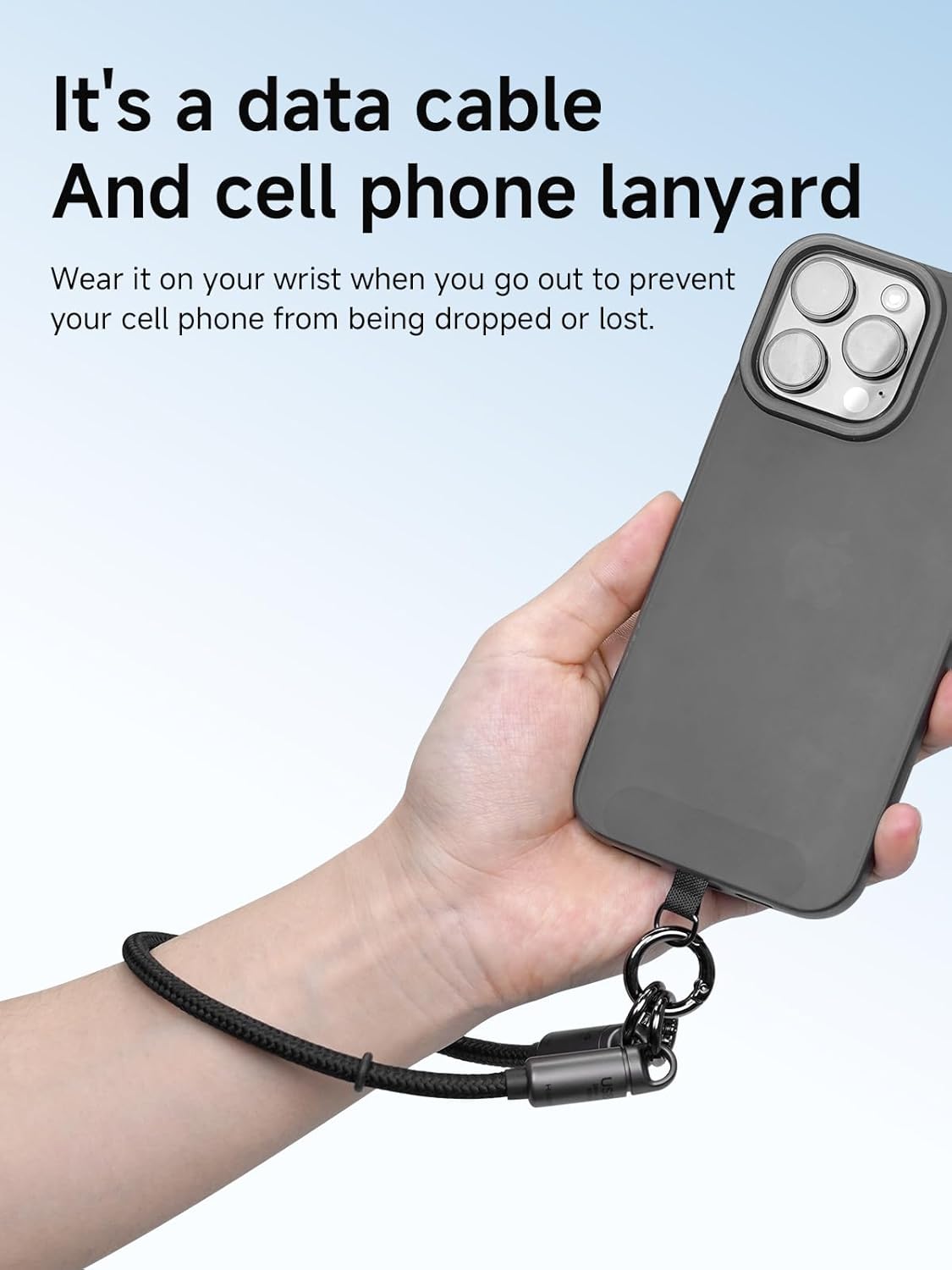
Image: The Hagibis USB4 Cable functioning as a phone lanyard, securing a smartphone to a user's wrist.
Maintenance
- Cleaning: Use a soft, dry cloth to wipe the cable and connectors. Avoid using harsh chemicals or abrasive materials.
- Storage: Store the cable in a cool, dry place away from direct sunlight and extreme temperatures. Avoid sharp bends or kinks in the cable.
- Protective Caps: The zinc alloy caps are designed for protection. Ensure they are securely fastened when not in use to prevent dust and moisture ingress. Periodically check that the screw mechanisms on the caps are tight, as they may loosen with frequent movement.
- Handling: While the braided body is durable, avoid excessive pulling or tugging on the cable, especially at the connector points.

Image: Close-up view of the Hagibis USB4 Cable's braided exterior, emphasizing its durability.
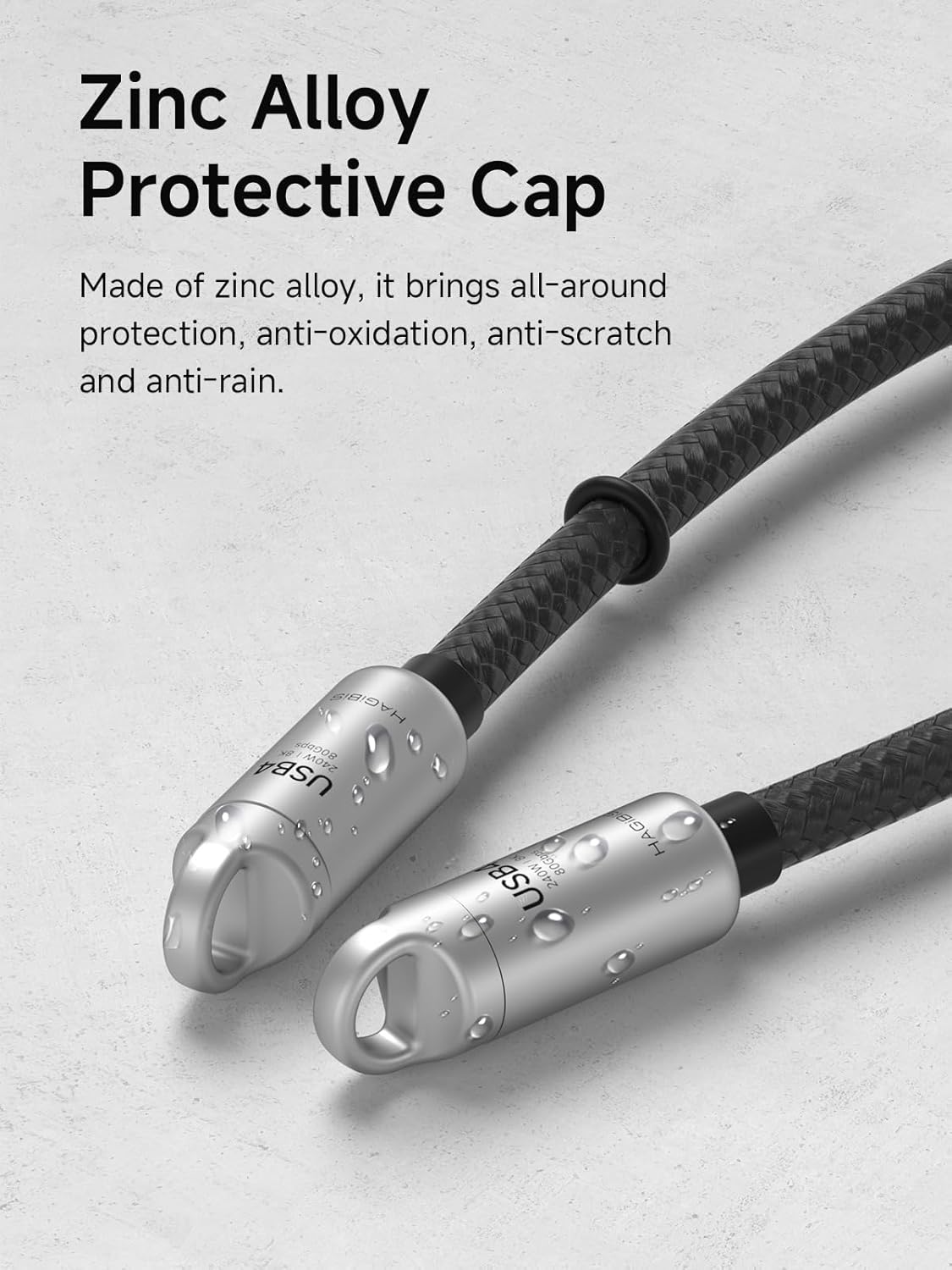
Image: The zinc alloy protective caps of the Hagibis USB4 Cable, demonstrating their resistance to moisture.
Troubleshooting
- No Data Transfer/Slow Speed:
- Ensure both connected devices support the desired USB or Thunderbolt standard.
- Verify that the cable is fully inserted into both ports.
- Test with another compatible cable or device to isolate the issue.
- No Charging/Slow Charging:
- Confirm that your power adapter provides sufficient wattage for your device.
- Check if the power outlet is functional.
- Ensure the cable is securely connected to both the power adapter and the device.
- No Video Output:
- Crucial: Verify that the USB-C port on your source device (e.g., laptop, phone) supports DisplayPort Alt Mode. Not all USB-C ports support video output.
- Ensure the display is set to the correct input source.
- Check display settings on your source device.
- If using dual monitors, ensure both cables are connected and your device supports the configuration.
- Lanyard Caps Loosening:
- Periodically check and tighten the screw mechanisms on the zinc alloy protective caps to prevent them from detaching, especially during active use.
Specifications
| Model Number | GS200-30cm |
| Brand | Hagibis |
| Cable Length | 0.3 meters (30 cm) |
| Connector Type | USB Type C (Male to Male) |
| Data Transfer Rate | Up to 80 Gigabits per second (Gbps) |
| Power Delivery | Up to 240 Watts (48V/5A), PD3.1 standard |
| Video Output | Up to 8K@60Hz or Dual 4K@60Hz (requires DisplayPort Alt Mode support) |
| Compatible Devices | iPhone 15/16 Pro Max, iPad Pro, External SSDs, Thunderbolt 5/4/3 devices, USB4 devices, other USB-C compatible smartphones and laptops. |
| Special Features | Fast Charging, High Speed Data Transfer, Weather Resistant (Zinc Alloy Caps), Braided Cable, Phone Lanyard Function. |
| Exterior Material | Polychlorure de vinyle (PVC) with braided exterior, Zinc Alloy caps |
| Dimensions (Package) | 24.2 x 11.1 x 2.1 cm |
| Weight (Product) | 30 grams |
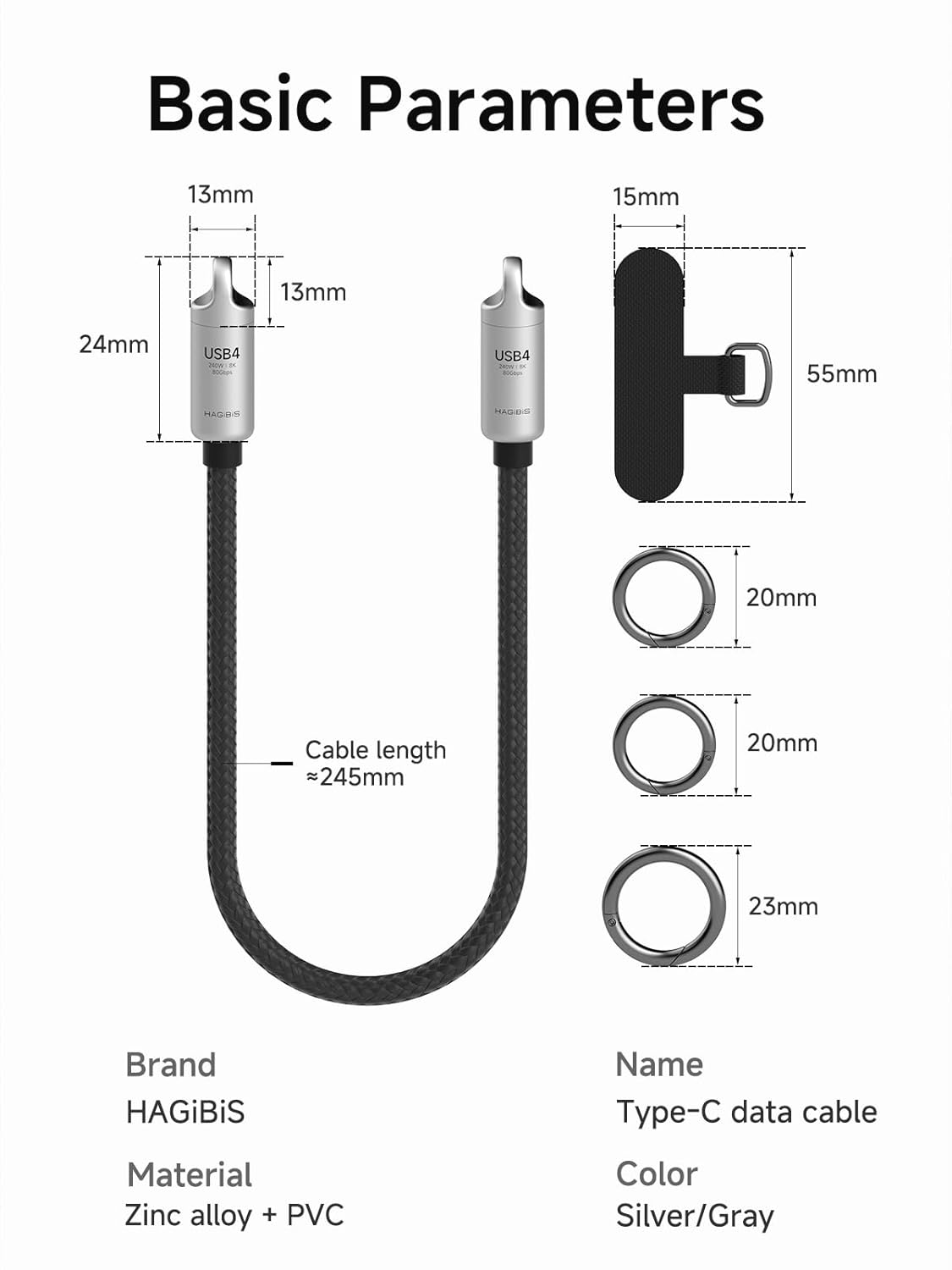
Image: Basic parameters and dimensions of the Hagibis USB4 Cable.
Warranty and Support
For warranty information, please refer to the documentation provided with your purchase or contact the seller directly. For technical support or further assistance, please visit the official Hagibis website or contact their customer service department.
Manufacturer: Shanghai Xinxie Industrial Co., Ltd.