
1. Introduction
Thank you for choosing the Baseus Power Bank & 45W USB C Charger Block. This manual provides essential information for the safe and efficient use of your new charging devices. Please read these instructions carefully before use and retain them for future reference.
2. Product Overview
2.1 Package Contents
- Baseus Power Bank (10000mAh) with Built-in USB-C Cable
- Baseus 45W USB C Charger Block
- USB-C to USB-C Charging Cable (for charger block)
- User Manual
2.2 Key Features
- PD 45W Ultra Fast Charging: The power bank delivers up to 45W output via its built-in USB-C cable and USB-C port, enabling rapid charging for compatible devices.
- 10000mAh Capacity: Sufficient power to provide multiple charges for smartphones and other small electronic devices.
- Two-Way Fast Charging Cable: The integrated USB-C cable supports both device charging and 30W fast recharging of the power bank itself.
- Multi-Device Charging: The power bank can charge up to three devices simultaneously using its built-in cable, USB-C port, and USB-A port.
- 45W USB C Charger Block: Features PPS/PD 3.0 technology for efficient and rapid charging of various devices, including smartphones and tablets.
- Compact Design: Both the power bank and charger block are designed for portability and convenience.
- Comprehensive Safety Protections: Built-in safeguards against over-voltage, under-voltage, overcharge, over-discharge, NTC temperature, over-current, short circuit, and over-power.

Image 1: The Baseus Power Bank, 45W USB C Charger Block, and included USB-C cables.
3. Setup
3.1 Initial Power Bank Charge
Before first use, fully charge the Baseus Power Bank. This ensures optimal battery performance and accuracy of the charge indicator.
- Connect the built-in USB-C cable from the power bank to the Baseus 45W USB C Charger Block.
- Plug the charger block into a standard wall outlet.
- The power bank's display will show the charging status. Allow approximately 2 hours for a full charge.

Image 2: The 10000mAh Baseus Power Bank in use, providing portable power.
4. Operating Instructions
4.1 Charging Devices with the Power Bank
The Baseus Power Bank offers multiple options for charging your electronic devices.
- Using the Built-in USB-C Cable: Extend the integrated USB-C cable and plug it directly into your compatible device's USB-C port. This cable supports up to 45W fast charging.
- Using the USB-C Port: For devices requiring a separate USB-C to USB-C cable, connect one end to the power bank's USB-C output port and the other to your device. This port also supports up to 45W fast charging.
- Using the USB-A Port: For devices that use a USB-A cable, connect your device's cable to the power bank's USB-A output port. This port supports up to 22.5W charging.
The power bank can charge up to three devices simultaneously. The digital display will indicate the remaining battery percentage.

Image 3: The power bank delivering 45W fast charging to a smartphone, reaching 57% for iPhone 15 Pro or 63% for S24 Ultra in 30 minutes.

Image 4: The power bank's versatility, charging a phone, tablet, and earbuds concurrently.
4.2 Using the 45W USB C Charger Block
The Baseus 45W USB C Charger Block provides rapid wall charging for compatible devices.
- Plug the charger block into a standard wall outlet.
- Connect one end of the provided USB-C to USB-C cable (or your device's compatible cable) to the charger block's USB-C port.
- Connect the other end of the cable to your device.
The charger block supports PD 45W fast charging, capable of charging an iPhone 16 to 56% or a Galaxy S24 to 61% in approximately 30 minutes. For Super Fast Charge 2.0 with Samsung devices, ensure you use a 5A charging cable.
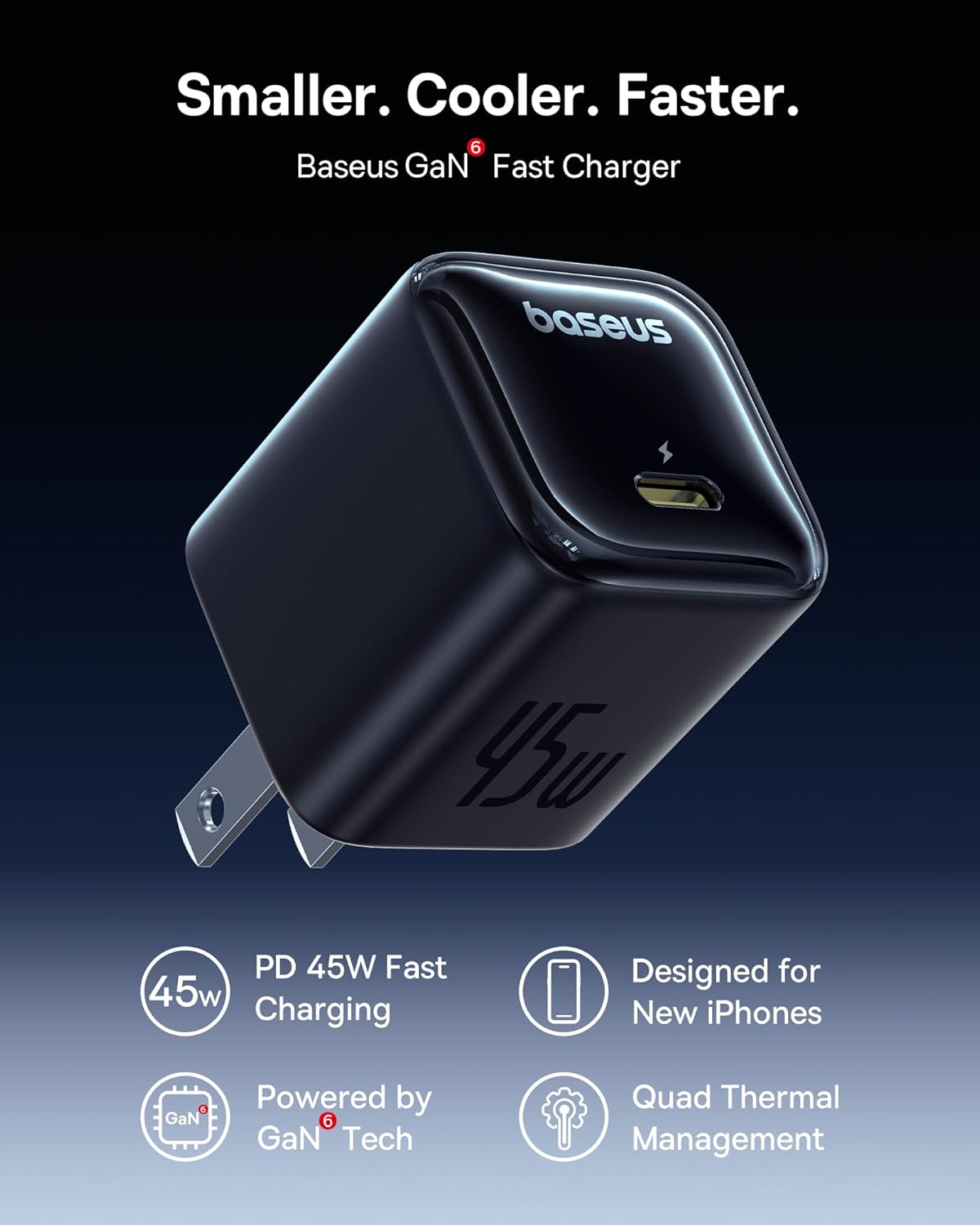
Image 5: The Baseus 45W USB C Charger Block, featuring GaN technology for efficient and compact design.

Image 6: Demonstrating the rapid charging capability of the 45W charger block with an iPhone 16.
5. Maintenance
5.1 Cleaning
- Ensure both devices are disconnected from power and other devices before cleaning.
- Use a soft, dry, lint-free cloth to wipe the surfaces.
- Do not use liquid cleaners, aerosols, or solvents.
5.2 Storage
- Store the power bank and charger block in a cool, dry place away from direct sunlight and extreme temperatures.
- For long-term storage, ensure the power bank is charged to approximately 50-75% to preserve battery health. Recharge every 3-6 months if not in use.
5.3 Battery Care (Power Bank)
- Avoid fully discharging the power bank frequently.
- Do not expose the power bank to water or moisture.
- Do not puncture, disassemble, or modify the power bank.
6. Troubleshooting
| Problem | Possible Cause | Solution |
|---|---|---|
| Power bank not charging | Cable not properly connected; charger block not powered; power bank fully discharged. | Ensure all connections are secure. Check wall outlet. Allow a few minutes for a deeply discharged power bank to respond. |
| Device not charging from power bank | Power bank is out of charge; incorrect cable; device not compatible; cable not properly connected. | Recharge power bank. Use a compatible cable. Ensure connections are secure. |
| Slow charging | Non-fast charging cable used; multiple devices charging simultaneously; device not supporting fast charge. | Use a fast-charging compatible cable (e.g., 5A for Super Fast Charge 2.0). Charge fewer devices at once. Verify device's charging capabilities. |
| Charger block not working | Wall outlet issue; cable issue; device issue. | Try a different wall outlet. Use a different USB-C cable. Test with another device. |
7. Specifications
7.1 Baseus Power Bank
- Model: B0DYDBWQB7
- Capacity: 10000mAh
- Input (Built-in USB-C Cable): 30W Max
- Output (Built-in USB-C Cable): 45W Max
- Output (USB-C Port): 45W Max
- Output (USB-A Port): 22.5W Max
- Total Output: Varies based on simultaneous use
7.2 Baseus 45W USB C Charger Block
- Model: (Not specified in product data, typically part of the charger block itself)
- Input: AC 100-240V, 50/60Hz
- Output (USB-C Port): 45W Max (PD 3.0, PPS)
7.3 Safety Features (Both Devices)
- Over-Voltage Protection
- Under-Voltage Protection
- Overcharge Protection
- Over-Discharge Protection
- NTC Temperature Protection
- Over-Current Protection
- Short Circuit Protection
- Over-Power Protection

Image 7: Overview of the comprehensive safety protections integrated into Baseus products.
8. Safety Information
- Do not expose the devices to extreme temperatures, direct sunlight, or high humidity.
- Avoid dropping, hitting, or disassembling the devices.
- Keep out of reach of children.
- Do not use if the devices appear damaged or show signs of overheating.
- Dispose of electronic waste responsibly according to local regulations.
9. Warranty and Support
Baseus products are designed for reliability and performance. For warranty information, technical support, or customer service inquiries, please refer to the warranty card included with your purchase or visit the official Baseus website. Please have your product model number (B0DYDBWQB7) and proof of purchase ready when contacting support.


