

1. Introduction
This manual provides detailed instructions for the installation, operation, and maintenance of your darkFlash DG360 All-in-one Liquid CPU Cooler. Please read this manual thoroughly before installation to ensure proper setup and optimal performance. The DG360 is designed to provide efficient cooling for your CPU with dynamic ARGB lighting effects.

Image: darkFlash DG360 All-in-one Liquid CPU Cooler overview.
2. Package Contents
Verify that all components are present before beginning installation:
- darkFlash DG360 AIO Liquid CPU Cooler (Radiator, Pump, and Fans pre-assembled)
- Mounting Hardware for Intel Sockets (LGA 1200/115X/1700/1851)
- Mounting Hardware for AMD Sockets (AM4/AM5)
- Thermal Paste
- User Manual (this document)
3. Safety Information
Please observe the following safety precautions:
- Ensure your computer is powered off and unplugged from the wall outlet before installation.
- Handle components with care to avoid damage.
- Avoid touching the fan blades while they are spinning.
- Do not attempt to open or modify the liquid cooler unit.
- Keep out of reach of children.
4. Compatibility
The darkFlash DG360 AIO Liquid CPU Cooler is compatible with a wide range of CPU sockets:
- Intel: LGA 1200, LGA 115X (1150, 1151, 1155, 1156), LGA 1700, LGA 1851
- AMD: AM4, AM5

Image: Visual representation of Intel and AMD CPU socket compatibility.
5. Installation Guide
Follow these steps carefully to install your darkFlash DG360 AIO Liquid CPU Cooler.
5.1. Pre-Installation Check
Before installation, ensure your PC case has adequate space for a 360mm radiator. Refer to the dimensions below.

Image: DG360 cooler dimensions for case compatibility check.
5.2. Prepare CPU and Motherboard
- Install the appropriate backplate for your CPU socket (Intel or AMD) onto the motherboard.
- Apply a small amount of thermal paste to the center of your CPU's integrated heat spreader (IHS).
5.3. Radiator and Fan Assembly
The fans are typically pre-installed on the radiator. Ensure they are oriented to push air through the radiator for optimal cooling, usually exhausting out of the case or intaking fresh air, depending on your case's airflow design.

Image: Radiator design for efficient heat dissipation.

Image: High wind pressure thickened fans for effective airflow.
5.4. Mount the Radiator
- Secure the radiator to the desired mounting location in your PC case (e.g., top, front) using the provided screws.
5.5. Install the Pump/Cold Plate
- Align the pump/cold plate assembly with the CPU and the mounting studs on the motherboard.
- Gently place the pump onto the CPU, ensuring even contact.
- Secure the pump with the appropriate mounting screws, tightening them in a diagonal pattern until snug. Do not overtighten.

Image: Optimized copper cooling plate design for improved CPU contact.
5.6. Connect Cables
Connect the necessary cables to your motherboard:
- Pump Power: Connect the pump's 3-pin or 4-pin connector to the CPU_FAN or AIO_PUMP header on your motherboard. Consult your motherboard manual for the correct header.
- Fan Power (PWM): Connect the fan power cables to the CPU_FAN or other available fan headers. The DG360 fans support daisy-chaining for simplified cable management.
- ARGB Lighting: Connect the 5V 3-pin ARGB connector from the pump and fans to a compatible 5V ARGB header on your motherboard. Ensure the correct voltage (5V) to avoid damage.

Image: Diagram showing streamlined ARGB and PWM cable connections.
6. Operation
Once installed, the darkFlash DG360 operates automatically, managing CPU temperatures and providing customizable lighting.
6.1. Pump Operation
The DG360 features an efficient 3-phase 6-pole motor pump, designed for smooth and stable operation up to 3000 RPM, capable of handling up to 315W TDP. The ceramic bearing enhances durability and resistance to heat and wear.

Image: Diagram illustrating the 3-phase 6-pole motor water pump.
6.2. Fan Control (PWM)
The fans utilize Pulse Width Modulation (PWM) control, allowing your motherboard to adjust fan speed based on CPU temperature. This ensures optimal cooling performance when needed and quieter operation during lighter loads. The fans deliver up to 81.5 CFM airflow at a maximum noise level of 33dBA.
6.3. ARGB Lighting Synchronization
The DG360 supports 5V 3-pin Addressable RGB (ARGB) synchronization, allowing you to control the lighting effects of the pump head and fans via your motherboard's ARGB software. This enables unified and dynamic lighting across your system, compatible with major motherboard brands like ASUS Aura Sync, Gigabyte RGB Fusion, and MSI Mystic Light Sync.
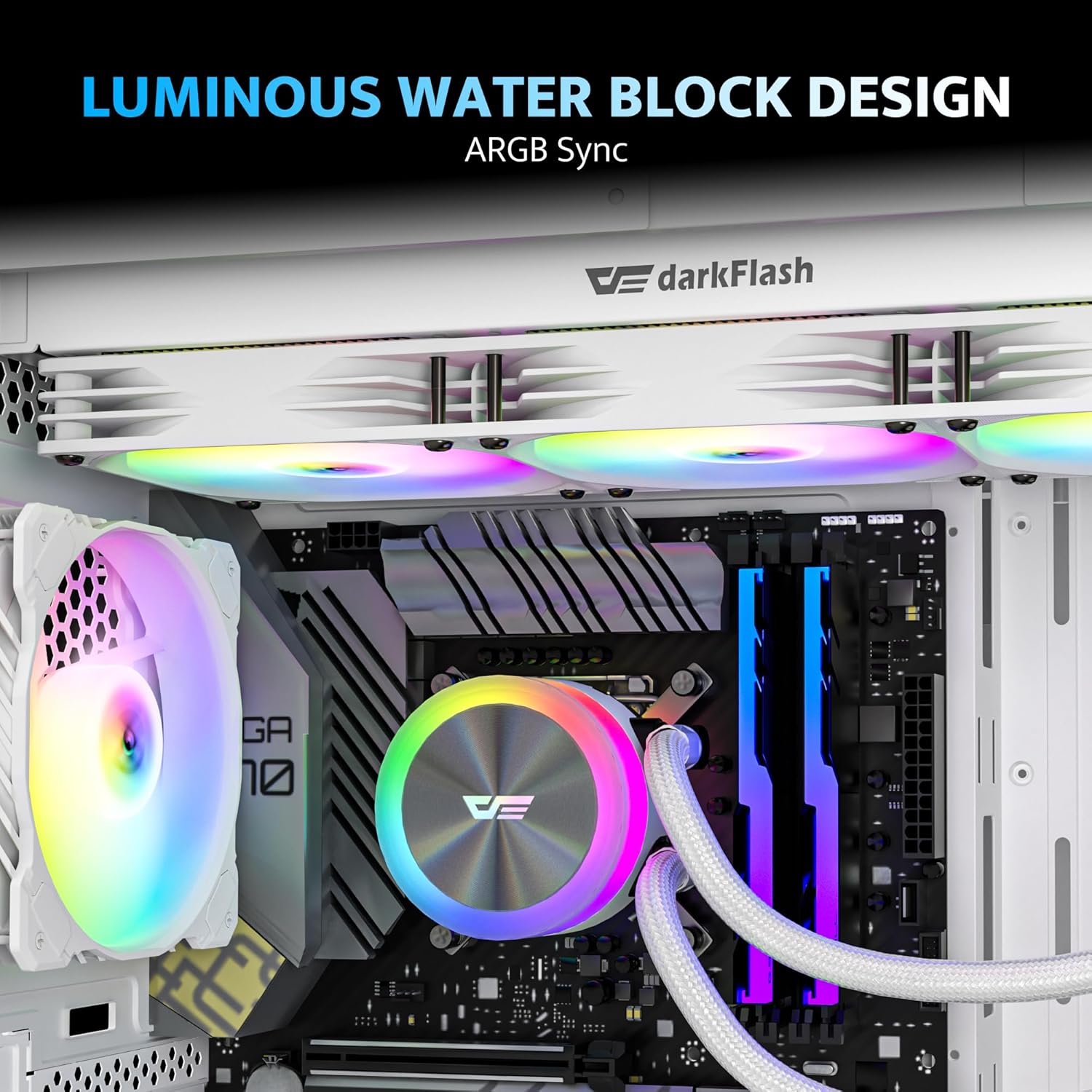
Image: Luminous water block design showcasing ARGB synchronization.

Image: Cooler syncing ARGB lighting with various motherboard software.
7. Maintenance
Regular maintenance helps ensure the longevity and performance of your liquid cooler.
- Dust Cleaning: Periodically clean dust from the radiator fins and fan blades using compressed air. Ensure fans are not spinning during cleaning.
- Cable Inspection: Check all cables (power, ARGB) for secure connections and any signs of wear or damage.
- Leak Check: Visually inspect the tubing and connections for any signs of coolant leakage. If a leak is detected, power down your system immediately and contact support.
8. Troubleshooting
If you encounter issues with your darkFlash DG360, refer to the following common problems and solutions:
- No Power/Fans Not Spinning:
- Ensure all power cables (pump and fans) are securely connected to the motherboard headers.
- Check BIOS settings to ensure fan headers are enabled and configured correctly.
- Poor Cooling Performance:
- Verify the pump is running (you may hear a faint hum or feel vibrations).
- Ensure the cold plate has proper contact with the CPU and thermal paste is applied correctly.
- Check fan orientation for optimal airflow through the radiator.
- Clean any dust buildup on the radiator fins.
- ARGB Lighting Not Working:
- Confirm the 5V 3-pin ARGB cable is correctly connected to a compatible motherboard header. Avoid connecting to 12V RGB headers.
- Check your motherboard's ARGB software for lighting control and ensure it detects the cooler.
- Ensure all daisy-chained ARGB connections are secure.
- Pump Noise:
- Ensure the pump is mounted correctly and not vibrating against other components.
- Air bubbles in the loop can cause noise. Orient the radiator so the pump is not the highest point in the loop, allowing air to collect in the radiator.
9. Specifications
| Feature | Specification |
|---|---|
| Model | DG360 |
| Product Dimensions | 15.51"L x 4.72"W x 1.06"H (Radiator) |
| Cooling Method | Liquid (Water) |
| Compatible Devices | Desktop CPUs |
| CPU Socket Compatibility | Intel LGA 1200/115X/1700/1851, AMD AM4/AM5 |
| Pump Speed | Up to 3000 RPM |
| TDP Support | Up to 315W |
| Fan Speed | Max 1800 RPM (PWM Controlled) |
| Air Flow Capacity | 81.5 CFM |
| Noise Level | 33 dBA (Max) |
| Material | Aluminium (Radiator), Copper (Cold Plate) |
| Power Connector Type | 5-Pin (Pump), 4-Pin (Fans) |
| Voltage | 12 Volts |
| Wattage | 1.8 watts |
| Item Weight | 4.68 pounds |
10. Warranty and Support
darkFlash provides a 3-year assurance for the DG360 AIO Liquid CPU Cooler, covering manufacturing defects and ensuring product quality. This warranty period begins from the date of purchase.
For technical support, warranty claims, or any questions regarding your darkFlash product, please contact darkFlash customer service through their official website or the retailer where the product was purchased. Please have your proof of purchase ready when contacting support.
darkFlash Official Website: www.darkflash.com


