
MAXSHOT V1-with Seat 350W
MAXSHOT Electric Scooter User Manual
Model: V1-with Seat 350W
Important Safety Guidelines
Before operating your MAXSHOT Electric Scooter, please read this manual thoroughly and understand all safety instructions. Failure to follow these guidelines may result in serious injury or property damage.
- Always wear a helmet and appropriate safety gear (knee pads, elbow pads) when riding.
- Do not ride in wet conditions, heavy rain, or through puddles.
- Ensure all bolts and fasteners are tightened before each ride.
- Do not exceed the maximum weight limit of 264 pounds (120 kg).
- Adhere to local traffic laws and regulations.
- Avoid riding on uneven surfaces, steep inclines, or slippery terrain.
- Keep both hands on the handlebars while riding.
- Do not allow children under the age of 16 to operate the scooter. This product is intended for adult use.
- Be aware of your surroundings and other pedestrians or vehicles.
Package Contents and Assembly
Upon unpacking, verify that all components are present and in good condition. If any parts are missing or damaged, contact MAXSHOT customer support immediately.
Included Components:
- MAXSHOT Electric Scooter (main unit)
- User Manual (this document)
- Charging Adapter
- Lock
- Detachable Seat (for V1-with Seat 350W model)
Assembly Instructions:
- Unfold the Scooter: Carefully lift the handlebar stem until it locks into the upright position. Ensure the dual-lock folding mechanism is securely engaged.
- Handlebar Attachment: If the handlebars are separate, attach them to the stem and tighten any securing screws.
- Seat Installation (V1-with Seat 350W model):
Locate the mounting points for the seat on the scooter deck. Insert the seat post into the designated slot and secure it firmly. Adjust the seat height for comfortable riding (adjustable height 50-60cm).

Image: The MAXSHOT Electric Scooter with its detachable seat installed, ready for use.
- Initial Charge: Before first use, fully charge the scooter's battery. Connect the charging adapter to the scooter's charging port and then to a power outlet. The charging indicator will change when fully charged. Charging time is approximately 4 hours.
Operating Your MAXSHOT Electric Scooter
Powering On/Off:
- To power on, press and hold the power button on the handlebar display.
- To power off, press and hold the power button again until the display turns off.
Display and Controls:
The integrated LED display provides essential riding information.
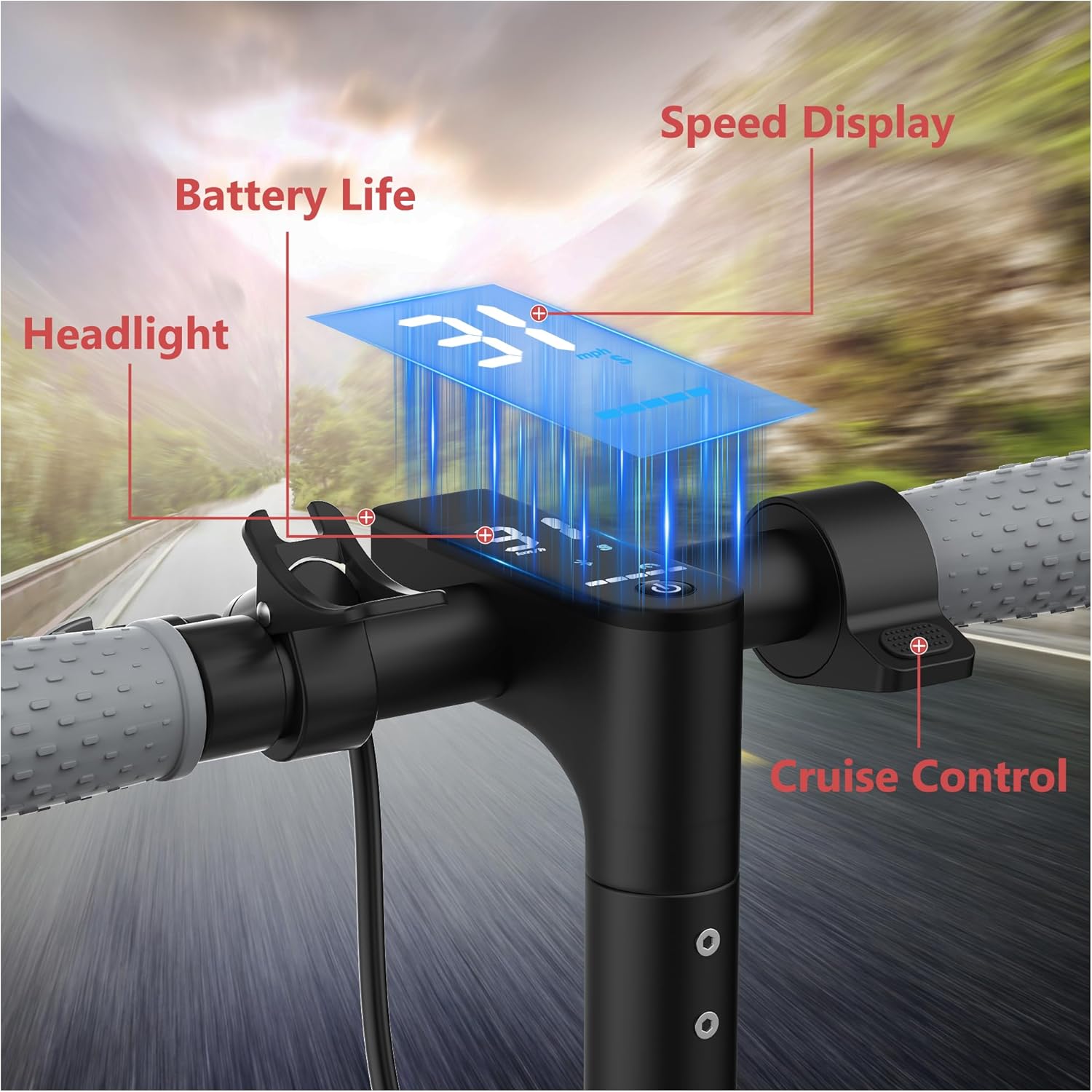
Image: Close-up view of the scooter's handlebar, showing the LED display with indicators for speed, battery life, headlight status, and cruise control.
- Speed Display: Shows current riding speed.
- Battery Life Indicator: Displays remaining battery charge.
- Headlight Control: Button to turn the front headlight on or off.
- Cruise Control: Activate to maintain a constant speed without holding the throttle.
Riding Modes and Speed:
The scooter features a 350W powerful motor, allowing for a top speed of up to 19 mph (30 km/h) and the ability to climb inclines of up to 15%.
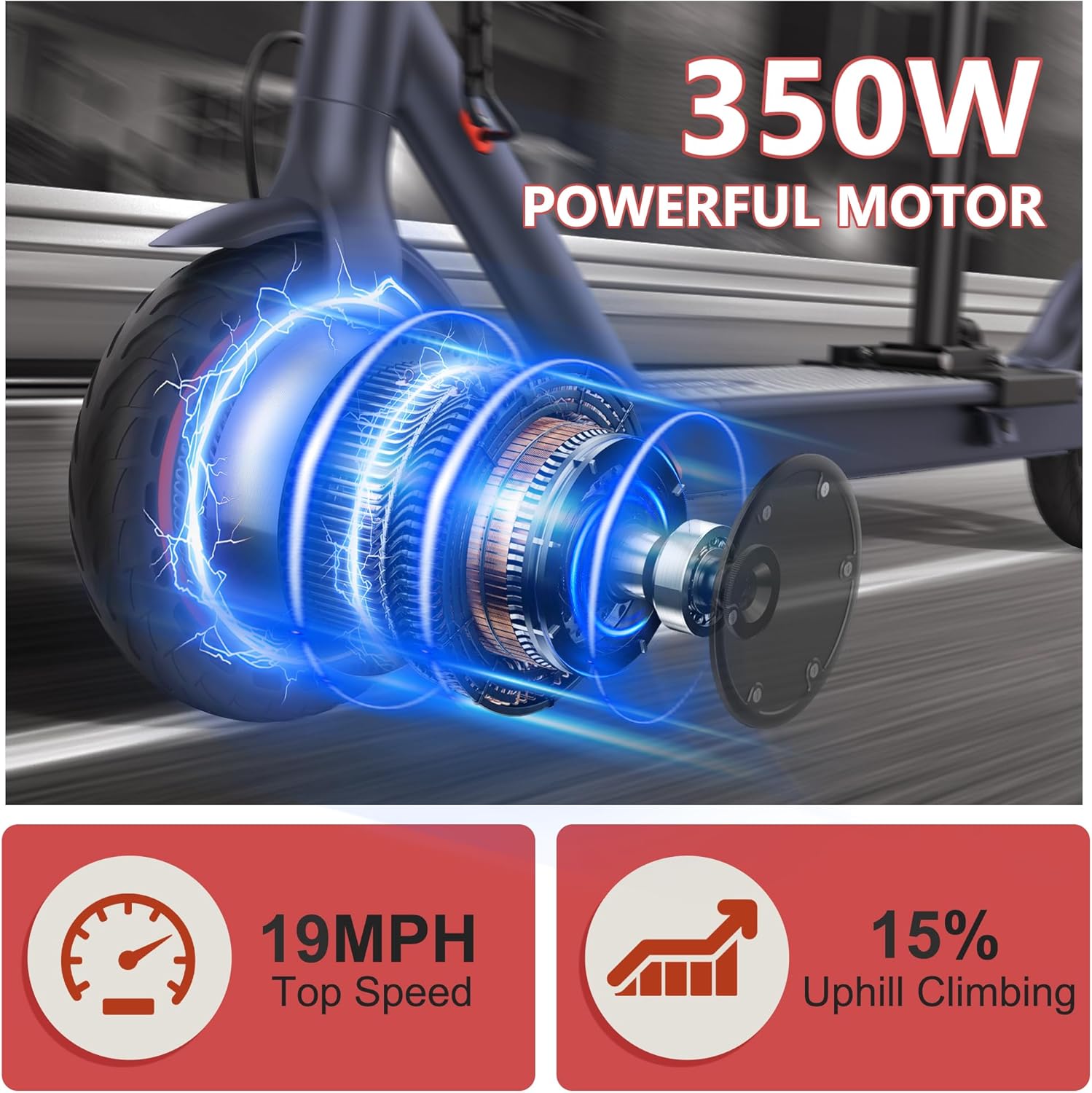
Image: Illustration of the 350W motor and its performance metrics, including 19 MPH top speed and 15% uphill climbing capability.
The scooter supports both standing and sitting riding styles, offering versatility for different preferences and journey types.

Image: Two panels showing a person riding the scooter while standing and another person riding it with the seat installed.
Braking System:
The MAXSHOT Electric Scooter is equipped with a dual braking system for enhanced safety and control. Apply the brake levers gently to slow down and firmly for emergency stops.
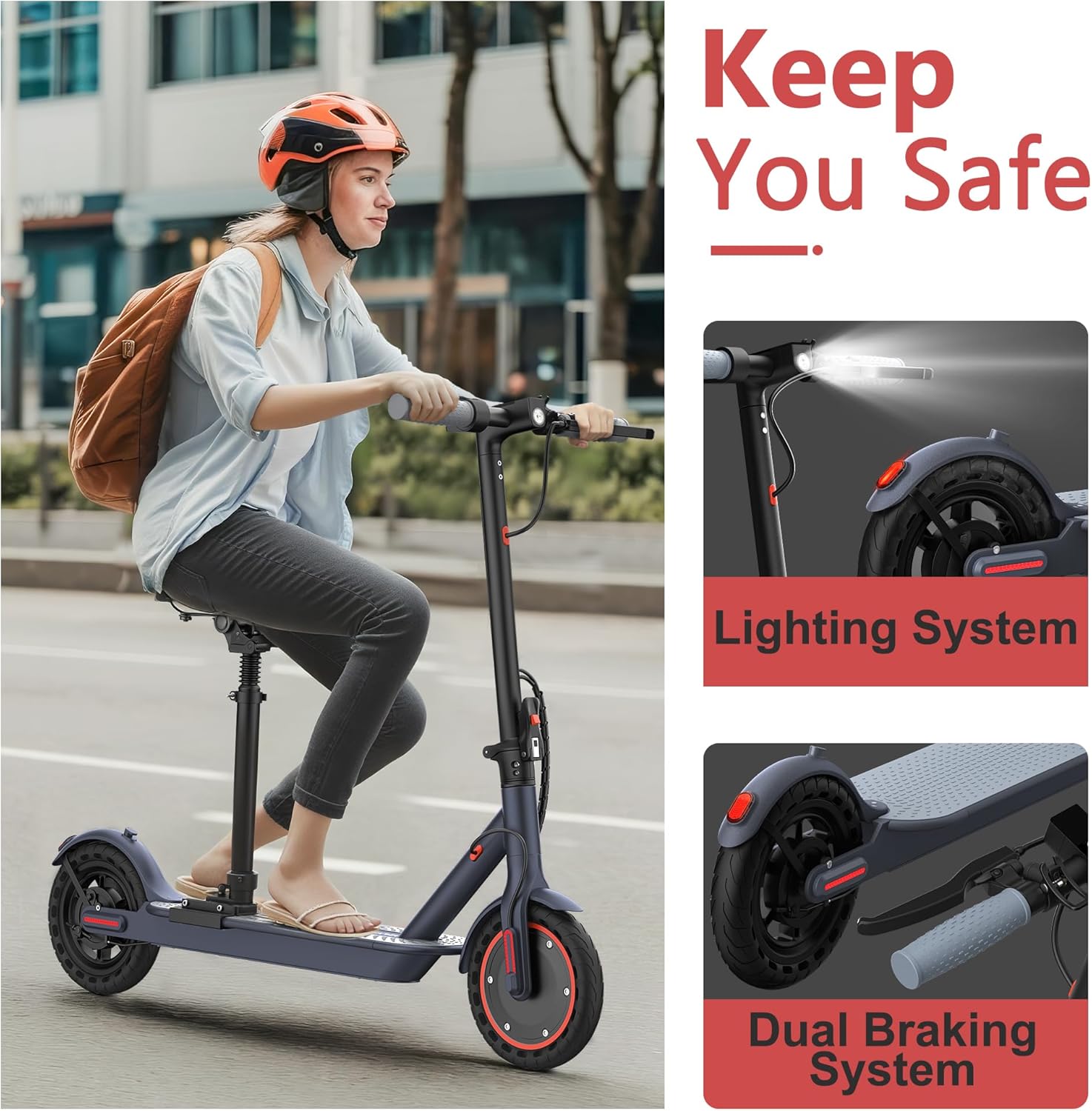
Image: Visual representation of the scooter's lighting system (headlight and taillight) and the dual braking system components.
Smart App Control:
Enhance your riding experience by connecting your scooter to the dedicated smartphone application. The app allows for advanced control and monitoring.

Image: Screenshot of the scooter's mobile application interface, displaying features like Bluetooth pairing, lock/unlock, headlight control, cruise control, customized speed limit, and riding mode selection.
- Bluetooth Pairing: Follow the app instructions to pair your smartphone with the scooter.
- Lock/Unlock: Secure your scooter remotely.
- Headlight Control: Toggle the headlight on/off via the app.
- Cruise Control: Activate or deactivate cruise control.
- Customized Speed Limit: Set a personalized maximum speed for your scooter.
- Switch Riding Modes: Change between different speed or power modes.
Folding and Portability:
The scooter features a lightweight (31 pounds) and portable folding design, allowing it to be folded in approximately 3 seconds for easy transport and storage.
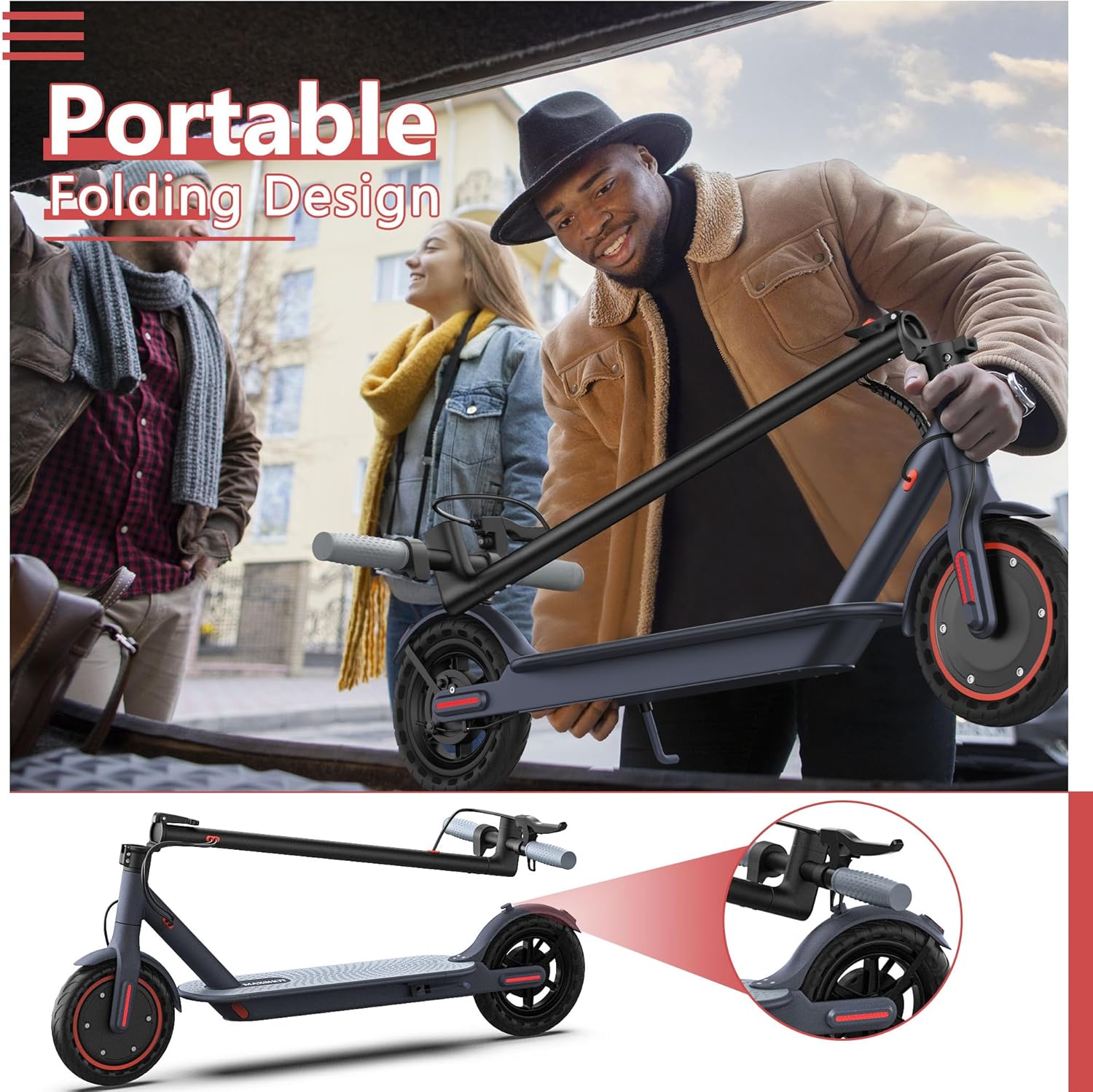
Image: A person demonstrating the folding mechanism of the scooter, showing how it can be compactly stored or transported.
The dual-lock folding design provides enhanced stability during rides and secure storage when folded.
Maintenance
Regular maintenance ensures the longevity and safe operation of your MAXSHOT Electric Scooter.
- Tires: The scooter is equipped with 8.5-inch honeycomb solid tires, which do not require inflation, repair, or maintenance. Regularly inspect them for wear or damage.
- Cleaning: Wipe the scooter with a damp cloth. Do not use high-pressure water jets or immerse the scooter in water.
- Battery Care:
- Charge the battery fully before long periods of storage.
- Store the scooter in a cool, dry place.
- Avoid completely draining the battery before recharging.
- Brakes: Periodically check the brake levers and cables for proper function and adjustment.
- Fasteners: Ensure all screws and bolts are tight before each ride.
Troubleshooting
This section addresses common issues you might encounter with your scooter.
| Problem | Possible Cause | Solution |
|---|---|---|
| Scooter does not power on. | Low battery; loose connection; power button malfunction. | Charge the battery fully. Check all connections. If problem persists, contact support. |
| Reduced range or speed. | Low battery; heavy load; riding uphill; cold weather. | Ensure battery is fully charged. Reduce load. Performance may vary with conditions. |
| Brakes feel loose or ineffective. | Brake cable needs adjustment; worn brake pads. | Adjust brake cable tension. Inspect and replace brake pads if worn. |
| App connection issues. | Bluetooth off; app outdated; scooter not in pairing mode. | Ensure Bluetooth is enabled on your phone. Restart the app and scooter. Re-attempt pairing. |
Specifications
Detailed technical specifications for the MAXSHOT Electric Scooter.

Image: Diagram illustrating the dimensions of the scooter, including folded length (116cm), total height (100-125cm), adjustable seat height (50-60cm), and overall length (115cm).
| Feature | Detail |
|---|---|
| Brand | MAXSHOT |
| Model Name | V1-S1 (Style: V1-with Seat 350W) |
| Motor Power | 350W |
| Max Speed | Up to 19 mph (30 km/h) |
| Max Range | Up to 21 miles (34 km) under specific conditions |
| Max Load | 264 Pounds (120 kg) |
| Wheel Size | 8.5 Inches |
| Wheel Type | Solid Honeycomb Tires |
| Brake Style | Dual Braking System |
| Suspension Type | Rigid |
| Frame Material | Aluminum |
| Weight | Approx. 31 pounds (14 kg) |
| Charging Time | Approx. 4 hours |
| Special Features | Cruise Control, Smart App Control, Portable Folding Design, Dual-Lock Folding Mechanism, Detachable Seat |
| Recommended Age | Adult |
| Dimensions (Unfolded) | Length: 115cm, Total Height: 100-125cm |
| Dimensions (Folded) | Length: 116cm, Height: 35cm, Width: 61cm (handlebar width) |
Warranty and Support
MAXSHOT provides quality assurance for its products.
- Warranty: The V1 electric scooter comes with a 1-year limited warranty. Specific parts may have a 180-day warranty.
- Customer Support: For any inquiries, technical assistance, or warranty claims, please contact MAXSHOT customer support. Response is typically within 24 hours.
- Contact Information: Refer to the contact details provided on the MAXSHOT official website or the product packaging.
Ask a question about this manual
Ask about setup, troubleshooting, compatibility, parts, safety, or missing instructions. Manuals+ will review the question and use this page’s manual context to help answer it.