
1. Introduction
The iDPRT MT610 M08F Thermal Printer Paper is a high-quality, fan-fold, inkless thermal paper designed for use with a wide range of portable thermal printers. This paper provides a convenient and efficient solution for printing documents, invoices, shipping labels, and receipts on the go. Its specialized design ensures clear, long-lasting prints without the need for ink or toner.

Image 1.1: iDPRT US Letter Thermal Paper, 8.5" x 11", 200 Sheets.
Key Features:
- US Letter Size: Each sheet measures 8.5" x 11", providing standard document dimensions.
- High Compatibility: Designed for various Letter-sized thermal printers.
- Long-Lasting Clear Printing: Utilizes advanced thermal technology for fade-resistant and smudge-proof results.
- Smooth Feeding & Inkless: Fan-fold design supports continuous feeding, eliminating the need for ink or toner.
- Versatile Applications: Suitable for business, travel, outdoor, and office printing needs.
2. Setup and Compatibility
This thermal paper is specifically engineered for optimal performance with Letter-sized thermal printers. It is crucial to note that this paper is NOT compatible with laser or inkjet printers.
Compatible Printers:
The iDPRT thermal paper is compatible with a wide range of thermal printers, including but not limited to:
- POLON0 D810
- Phomemo M08F Letter, M08E Letter, M832, M834, M833, M835
- A80, A81
- HPRT iDPRT PRT MT610, MT800, MT800Q
- TATMUSE A285M
- Aixiqe
- GUTHEREN
- JADENs
- Brother Letter series thermal printers

Image 2.1: Visual representation of compatible thermal printer models.
Loading the Paper:
To load the fan-fold thermal paper into your compatible printer, follow these general steps:
- Ensure your thermal printer is powered off or in standby mode.
- Locate the paper input slot, typically at the rear or top of the printer.
- Carefully unfold a section of the fan-fold paper stack.
- Insert the leading edge of the paper into the input slot, ensuring the thermal sensitive side (usually the smoother, brighter side) is facing the print head as per your printer's instructions.
- Gently push the paper until the printer's feed mechanism engages and pulls the paper in.
- Ensure the paper stack is aligned properly to prevent skewing during printing.

Image 2.2: Fan-fold design supports continuous feeding for uninterrupted printing.
3. Operating Guidelines
The iDPRT thermal paper is designed for ease of use and high-quality output with compatible thermal printers.
Printing Process:
- Once loaded, the paper is ready for printing. Thermal printing technology uses heat to create images and text, eliminating the need for ink cartridges or toner.
- The paper features a perforated line between sheets, allowing for easy and clean tearing of individual documents after printing.
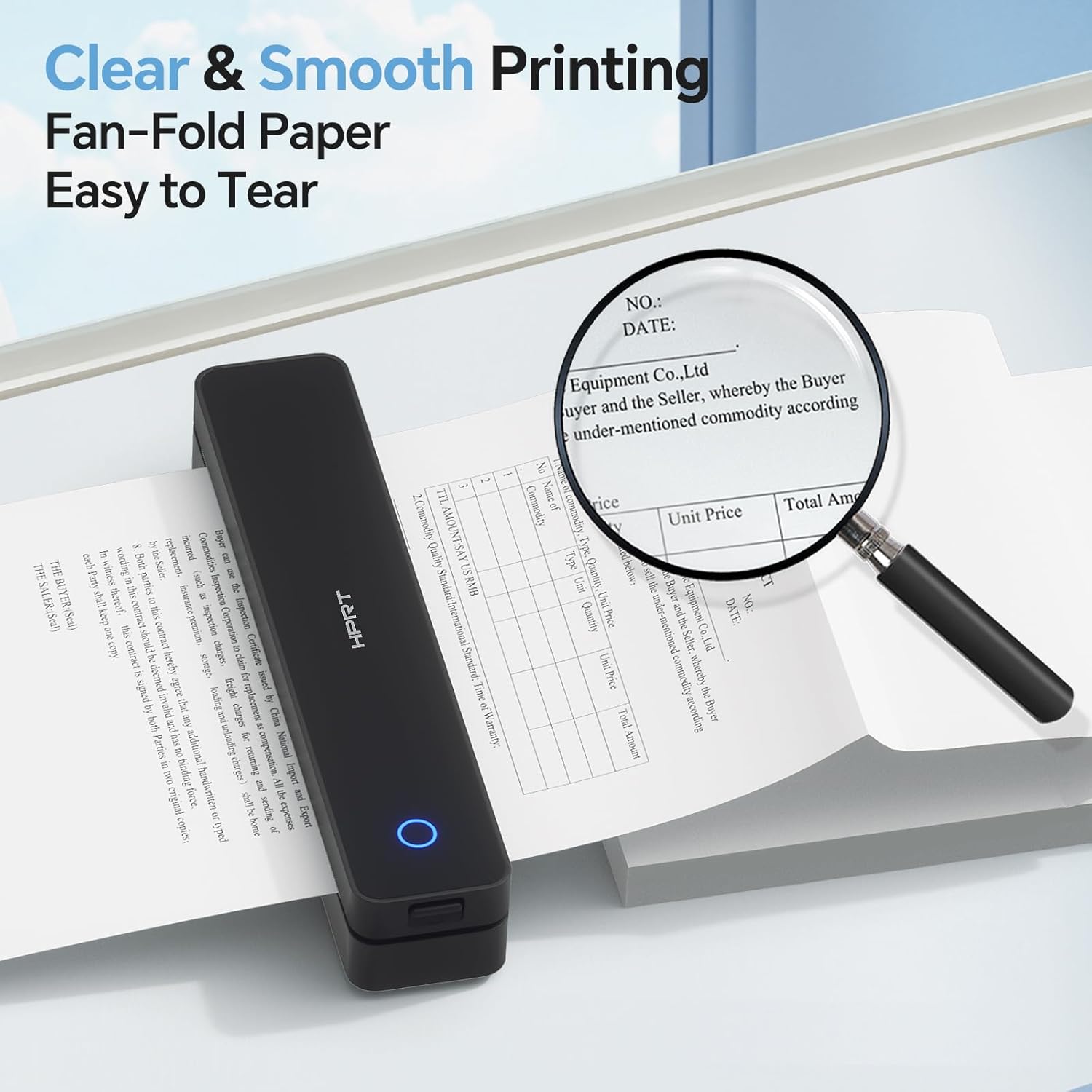
Image 3.1: Clear and smooth printing with easy tearing due to perforations.
Print Quality and Durability:
This thermal paper is manufactured with multi-layer composite materials to ensure superior print quality and durability:
- Quick-Dry: Prints dry instantly, preventing smudges and smears.
- Waterproof: Resistant to water splashes, maintaining legibility.
- Friction Proof: Designed to withstand minor abrasion without print degradation.
- Oilproof: Resists damage from oil-based substances.
- BPA-Free: Manufactured without Bisphenol A, ensuring a safer product.

Image 3.2: Demonstrating the waterproof, friction-proof, and oil-proof properties of the paper.

Image 3.3: The paper is BPA-Free and supports inkless thermal printing.
4. Care and Storage
Proper care and storage are essential to maximize the lifespan of your thermal prints and the paper itself.
Storage Conditions:
- Store unused paper in its original packaging in a cool, dry, and dark place.
- Avoid exposure to direct sunlight, high temperatures, and humidity, as these can cause the paper to prematurely darken or fade.
- Keep away from chemicals, solvents, and adhesive tapes, which can react with the thermal coating.
Print Preservation:
Documents printed on iDPRT thermal paper can be preserved for many years when stored correctly. For best results, store printed documents in a cool, dark, and dry environment, ideally in a folder or archive box, to protect them from light and environmental factors that can cause fading over time.

Image 4.1: iDPRT thermal prints are designed for long-lasting preservation when stored properly.
5. Troubleshooting
While thermal paper is generally straightforward to use, here are some common issues and their potential solutions:
Faded or Unclear Prints:
- Paper Orientation: Ensure the thermal sensitive side of the paper is facing the print head. If loaded incorrectly, prints will be very faint or blank.
- Printer Head Cleanliness: A dirty print head can cause faded or streaky prints. Refer to your printer's manual for instructions on how to clean the thermal print head.
- Printer Settings: Check your printer's density or darkness settings. Adjust them to a higher level if prints are consistently too light.
- Paper Quality: Ensure you are using high-quality thermal paper. This iDPRT paper is designed for optimal clarity.
Paper Jams or Misfeeds:
- Proper Loading: Ensure the fan-fold paper is loaded straight and aligned with the printer's paper guides. Misalignment can lead to jams.
- Obstructions: Check the paper path for any foreign objects or debris that might be blocking the paper.
- Wrinkled Paper: If the paper itself is wrinkled or damaged, it may not feed smoothly. Ensure the paper stack is flat and free of creases.
Prints Fading Over Time:
- Storage Conditions: Thermal prints are sensitive to heat, light, and certain chemicals. Store printed documents in a cool, dark, and dry environment to maximize their longevity. Avoid prolonged exposure to direct sunlight or fluorescent light.
- Contact with Plastics: Some plastic sleeves or binders contain chemicals that can react with thermal paper and cause fading. Use archival-safe storage materials if long-term preservation is critical.
6. Product Specifications
| Specification | Detail |
|---|---|
| Manufacturer | iDPRT |
| Brand | iDPRT |
| Item Model Number | IDPRT US Letter Paper |
| Manufacturer Part Number | MT610-Paper |
| Sheet Size | 8.5 x 11 Inches (US Letter) |
| Sheet Count | 200 Sheets |
| Paper Finish | Smooth |
| Brightness Rating | 90 |
| Item Weight | 1.92 pounds |
| Product Dimensions | 11 x 8.5 x 0.04 inches |
| Color | Fan-Fold 200 Sheets |
| First Available Date | April 21, 2025 |

Image 6.1: US Letter size dimensions of the thermal paper.
7. Warranty and Support
Return Policy:
This product is typically eligible for a 30-day return policy, allowing for a refund or replacement if issues arise within this period. Please refer to your purchase platform's specific return guidelines for detailed information.
Manufacturer Support:
For further assistance, product inquiries, or technical support related to iDPRT products, please visit the official iDPRT store or contact their customer service directly.
iDPRT Official Store: https://www.amazon.com/stores/iDPRT/page/407CA169-A4D1-4928-B3DE-F6B1E7BC6AF5


