
Introduction
The SHOKZ OpenFit 2+ are open-ear headphones designed for comfort and situational awareness, featuring Dolby Audio and advanced sound technology. This manual provides instructions for setting up, operating, and maintaining your OpenFit 2+ headphones to ensure optimal performance and longevity.

Image: SHOKZ OpenFit 2+ Open-Ear Headphones and charging case, highlighting their open-ear comfort and ultimate sound capabilities.
Package Contents
Verify that all items are present in your OpenFit 2+ package:
- OpenFit 2+ Earbuds (1 pair)
- OpenFit 2+ Charging Case (1)
- USB-C Charging Cable (1)
- Carrying Bag (1)
- User Manual (this document)

Image: A visual representation of the SHOKZ OpenFit 2+ package contents, showing the earbuds, charging case, USB-C cable, and a black carrying bag.
Setup
1. Charging the Headphones
Before first use, fully charge your OpenFit 2+ headphones. The charging case supports both USB-C cable charging and wireless charging.
- USB-C Charging: Connect the provided USB-C cable to the charging case and a power source.
- Wireless Charging: Place the charging case on a compatible wireless charging pad.
The LED indicator on the charging case will show the charging status. A full charge provides up to 11 hours of playback for the earbuds, with the charging case extending total playtime to up to 48 hours. A 10-minute quick charge provides approximately 2 hours of music playtime.

Image: The SHOKZ OpenFit 2+ charging case being wirelessly charged on a charging pad, indicated by a green LED light.
2. Pairing with Your Device
The OpenFit 2+ uses Bluetooth 5.4 for a fast and stable connection.
- Ensure the earbuds are in the charging case and the case has power.
- Open the charging case. The earbuds will automatically enter pairing mode (LEDs will flash).
- On your device (smartphone, tablet, computer), go to Bluetooth settings and select "OpenFit 2+" from the list of available devices.
- Once connected, a voice prompt will confirm "Connected."
MultiPoint Pairing: The OpenFit 2+ supports connecting to two devices simultaneously. To enable this, use the Shokz App to manage your connections and seamlessly switch between devices like your phone and laptop.

Image: SHOKZ OpenFit 2+ earbuds shown alongside a smartphone and a laptop, illustrating the Bluetooth 5.4 connectivity and MultiPoint pairing feature.
Operating Instructions
Wearing the Headphones
The OpenFit 2+ features flexible ear hooks for a secure and comfortable fit. Gently place the earbud over your ear, ensuring the speaker rests comfortably near your ear canal without entering it. Adjust the ear hook for a snug fit.

Image: A diagram demonstrating the proper method for wearing the SHOKZ OpenFit 2+ headphones, highlighting the placement of the earbud and the adjustment of the ear hook.

Image: A person wearing the SHOKZ OpenFit 2+ headphones, illustrating the ergonomic design and secure fit provided by the flexible ear hooks.
Controls
The OpenFit 2+ features physical multifunction buttons for easy control of audio playback and calls. You can customize button functions and EQ settings using the Shokz App.
- Play/Pause: Single press on either earbud.
- Skip Tracks: Double press (typically right earbud for next, left for previous, customizable).
- Adjust Volume: Press and hold (typically right earbud for volume up, left for volume down, customizable).
- Answer/End Call: Single press on either earbud.
- Reject Call: Press and hold on either earbud.
- Activate Voice Assistant: Triple press (customizable).

Image: A detailed view of the physical multifunction button on a SHOKZ OpenFit 2+ earbud, indicating its location for control.
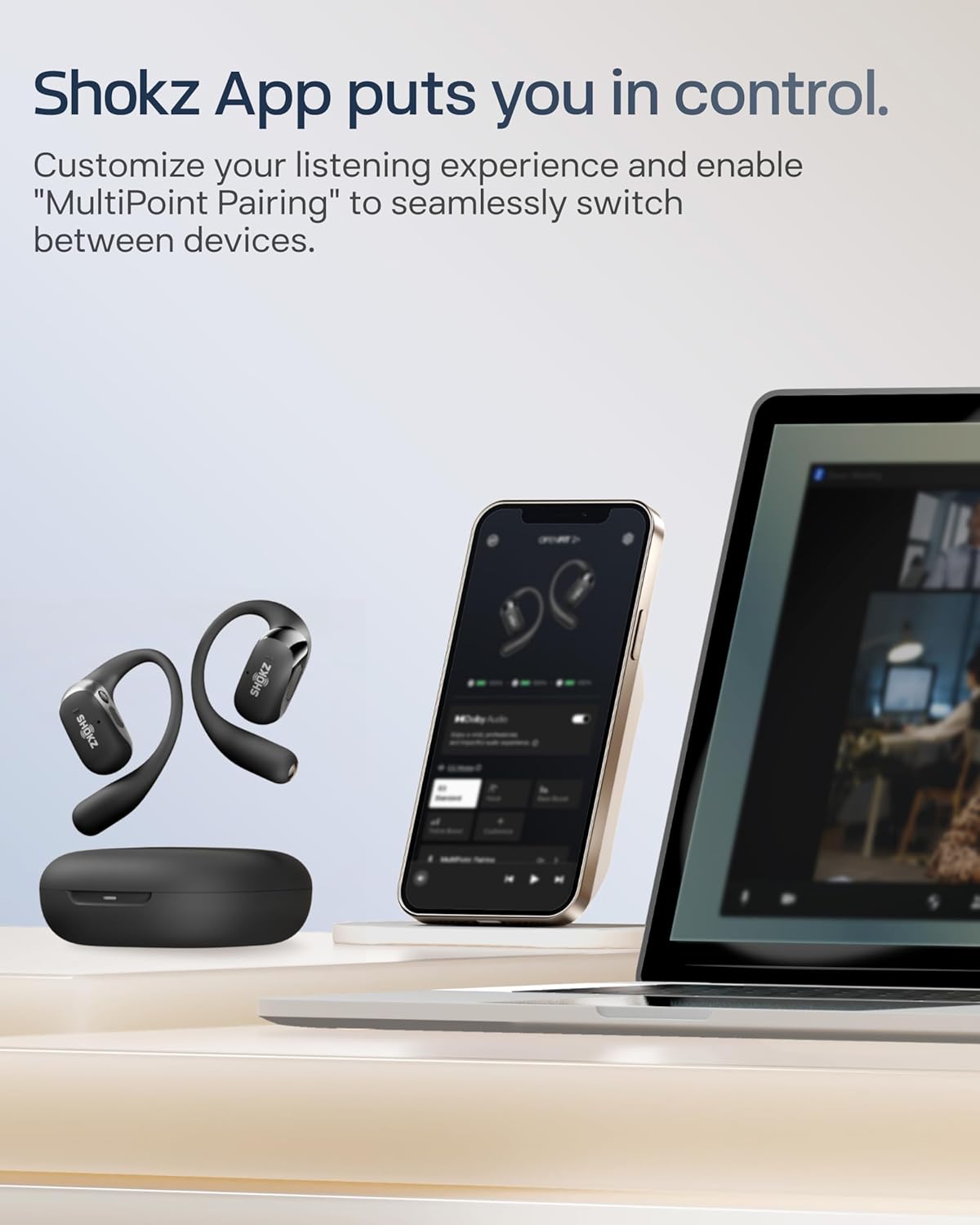
Image: The SHOKZ OpenFit 2+ earbuds and charging case are shown with a smartphone displaying the Shokz App, which allows for customization of settings.
Audio Features
The OpenFit 2+ incorporates several technologies for an enhanced listening experience:
- Dolby Audio: Enabled for rich, expansive sound, transforming stereo into clear, lifelike audio. Activate via the Shokz App.
- DualBoost Technology: Features a 17.3mm low-frequency driver for deep bass and an independent tweeter for crisp highs.
- OpenBass 2.0: An AI algorithm designed to deliver powerful bass.
- DirectPitch 2.0: Concentrates sound directly to your ears, minimizing sound leakage while maintaining situational awareness.

Image: An internal diagram of the SHOKZ OpenFit 2+ earbud, highlighting the separate high-frequency and low-frequency audio units.
Call Functionality
Four AI-enhanced microphones filter out background noise, ensuring clear communication even in noisy environments.

Image: A woman engaged in a phone call while wearing SHOKZ OpenFit 2+ headphones, demonstrating the AI-powered call clarity feature.
Maintenance
Water Resistance (IP55)
The OpenFit 2+ headphones are rated IP55, meaning they are resistant to sweat and splashes. This makes them suitable for workouts and outdoor activities. However, they are not designed for submersion in water.
- Avoid prolonged exposure to heavy rain or direct water jets.
- Do not wear while swimming or showering.
- Ensure the charging port is dry before charging to prevent damage.

Image: A SHOKZ OpenFit 2+ earbud covered in water droplets, visually representing its IP55 water resistance rating.
Cleaning and Storage
- Wipe the earbuds and charging case with a soft, dry cloth.
- Do not use abrasive cleaners or solvents.
- Store the headphones in their charging case when not in use to protect them and keep them charged.
- Avoid extreme temperatures.
Troubleshooting
If you encounter issues with your OpenFit 2+ headphones, try the following solutions:
- No Power: Ensure the charging case and earbuds are fully charged.
- Cannot Pair:
- Make sure Bluetooth is enabled on your device.
- Ensure the earbuds are in pairing mode (LEDs flashing).
- Forget "OpenFit 2+" from your device's Bluetooth list and try pairing again.
- Restart your device.
- No Sound/Low Volume:
- Check the volume levels on both your headphones and your connected device.
- Ensure the headphones are properly connected to your device.
- Clean any debris from the speaker grilles.
- Call Quality Issues:
- Ensure microphones are not obstructed.
- Move to a quieter environment if possible.
- Earbuds Not Charging:
- Ensure earbuds are correctly seated in the charging case.
- Check that the charging case itself is charged.
- Clean the charging contacts on both the earbuds and the case.
For further assistance, refer to the official SHOKZ support website.
Specifications
| Feature | Detail |
|---|---|
| Model Name | OpenFit 2+ |
| Item Model Number | SHOKZ T921 |
| Connectivity Technology | Wireless (Bluetooth 5.4) |
| Bluetooth Range | 33 Feet (10 meters) |
| Audio Driver Type | Dynamic Driver (DualBoost Technology) |
| Frequency Response | 2402 MHz |
| Sensitivity | 96.5 dB |
| Battery Life (Earbuds) | Up to 11 Hours |
| Total Playtime (with Charging Case) | Up to 48 Hours |
| Charging Time | Approximately 1 Hour (earbuds) |
| Quick Charge | 10 minutes for 2 hours playtime |
| Charging Interface | USB-C, Wireless Charging |
| Water Resistance Level | IP55 |
| Control Type | Button Control, App Control |
| Ear Placement | Open Ear |
| Earpiece Shape | Hook |
| Item Weight (Earbuds) | 9.4g each (approx.) |
| Carrying Case Battery Capacity | 600 Milliamp Hours |
| Carrying Case Dimensions | 15.2 x 7.6 x 2.3 cm (approx.) |
| Carrying Case Weight | 53 Grams |
| Material | PC, Silicone |
| Compatible Devices | Android, Mac, PC, Watch, iPhone |
Safety Information
- Do not disassemble or modify the product.
- Keep away from extreme temperatures, direct sunlight, and fire.
- Avoid using at excessively high volumes for prolonged periods to prevent hearing damage.
- Maintain awareness of your surroundings when using open-ear headphones, especially in traffic or hazardous environments.
- Keep out of reach of children and pets.
Warranty and Support
SHOKZ products typically come with a limited warranty. For detailed warranty information, product registration, and technical support, please visit the official SHOKZ website:
You can also find FAQs and contact customer service through their website.


