
Introduction
This manual provides comprehensive instructions for the KODAK PIXPRO C1 Friendly Zoom Digital Camera. It covers essential information regarding setup, operation, maintenance, and troubleshooting to ensure optimal performance and longevity of your device. Please read this manual thoroughly before using your camera.
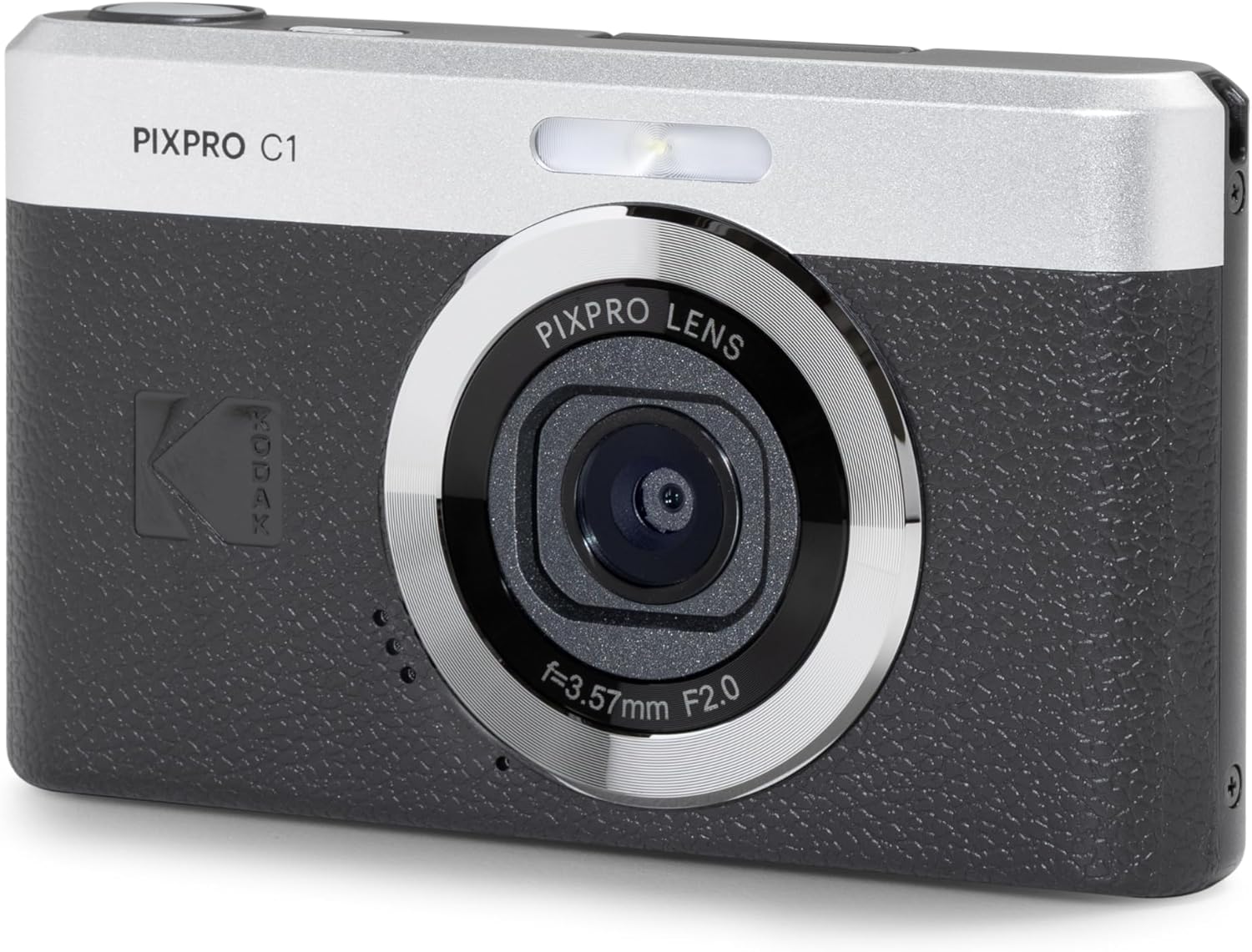
Figure 1: Front view of the KODAK PIXPRO C1 Digital Camera, showcasing its compact design and lens.
What's in the Box
Upon opening the package, please verify that all components listed below are present and in good condition:
- KODAK PIXPRO C1 Digital Camera Body
- USB Cable
- Power Adapter
- Wrist Strap
- Quick Start Guide
- Warranty Card
- AAAA Battery (pre-installed or included separately)

Figure 2: All items included in the KODAK PIXPRO C1 retail package, including the camera, cables, and documentation.
Setup
1. Battery Installation and Charging
The KODAK PIXPRO C1 camera uses an AAAA battery. Ensure the battery is correctly inserted into the battery compartment, typically located at the bottom of the camera. Align the battery according to the polarity indicators (+/-). For initial use, or if the battery is low, connect the camera to the power adapter using the provided USB cable to charge the battery. The charging indicator light will illuminate during charging and turn off when fully charged.
2. Inserting a Memory Card
The camera requires a microSD card (not included) for storing photos and videos. Locate the memory card slot, usually near the battery compartment or on the side of the camera. Insert the microSD card with the gold contacts facing down until it clicks into place. Ensure the card is fully seated to prevent data loss.
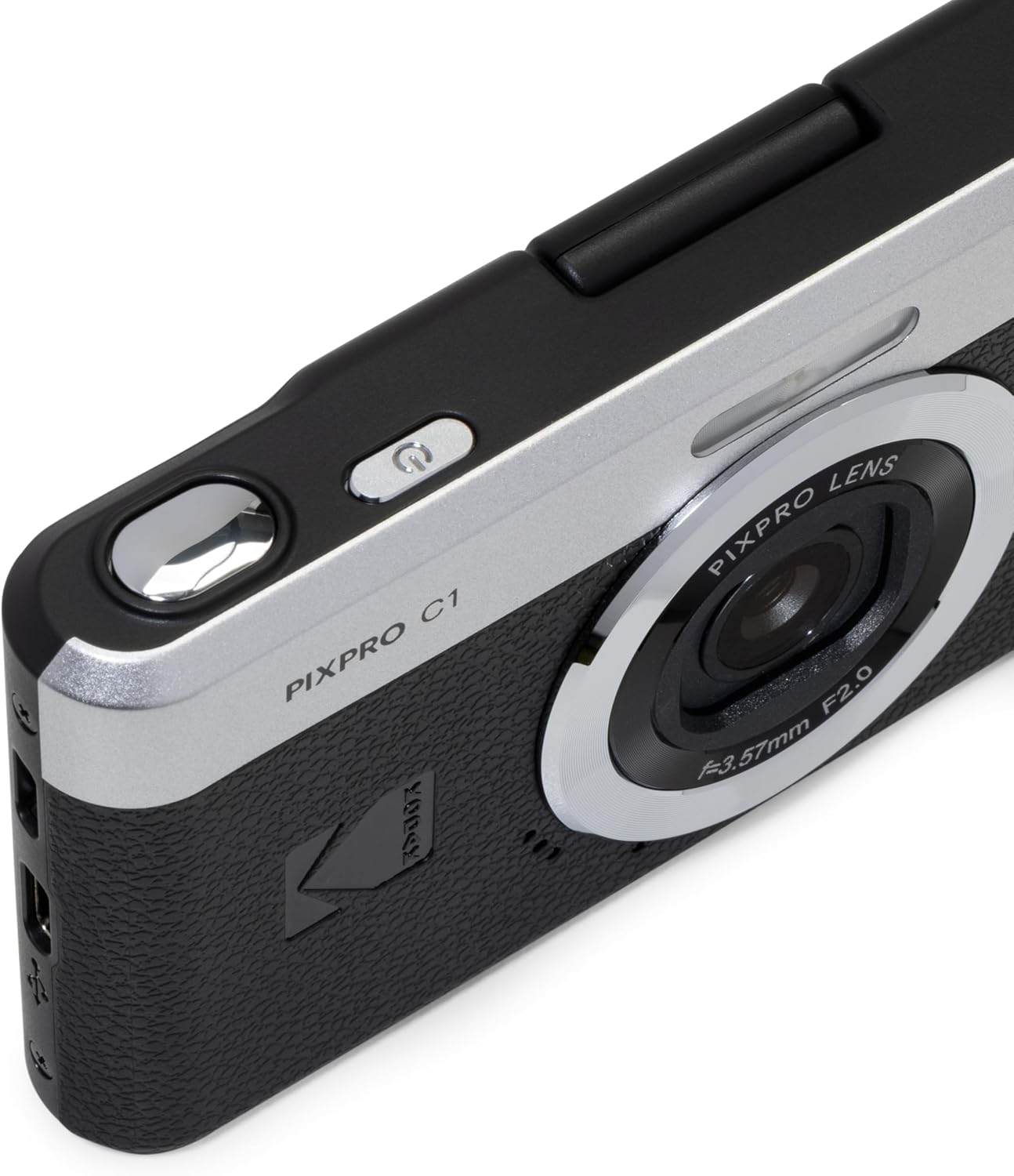
Figure 3: Top-down view of the KODAK PIXPRO C1, illustrating the power button and potential port locations for charging and memory card access.
3. Initial Power On and Settings
Press and hold the power button (typically on the top of the camera) to turn on the camera. Upon first use, you may be prompted to set the date, time, and language. Navigate through the menu using the directional buttons and confirm selections with the 'SET' button. The camera's default language is Italian, but it can be changed in the settings menu.
Operating the Camera
Basic Controls Overview

Figure 4: Rear view of the KODAK PIXPRO C1, highlighting the LCD screen and control buttons for navigation and settings.
- Shutter Button: Located on the top, press halfway to focus, fully to capture.
- Zoom Lever (T/W): Adjusts optical zoom (4x) for telephoto (T) or wide-angle (W) views.
- Mode Button: Cycles through various shooting modes (e.g., Auto, Scene Modes).
- Menu Button: Accesses the camera's main settings menu.
- DISP. Button: Toggles display information on the LCD screen.
- SET Button: Confirms selections in menus.
- Directional Buttons: Navigate menus and adjust settings.
Taking Photos
- Turn on the camera.
- Frame your shot using the 2.8-inch LCD screen.
- Adjust zoom as needed using the T/W lever.
- Press the shutter button halfway to achieve focus (a green frame will appear).
- Press the shutter button fully to capture the image.
Recording Videos
The KODAK PIXPRO C1 supports 1080P Full HD video recording.
- Switch to video recording mode (if applicable, via the Mode button or a dedicated video record button).
- Press the dedicated record button (often marked with a red dot) to start recording.
- Press the record button again to stop recording.
Using the 180° Tilt LCD Flip Screen
The camera features a 2.8-inch LCD screen that can tilt 180 degrees, making it ideal for selfies and vlogging.
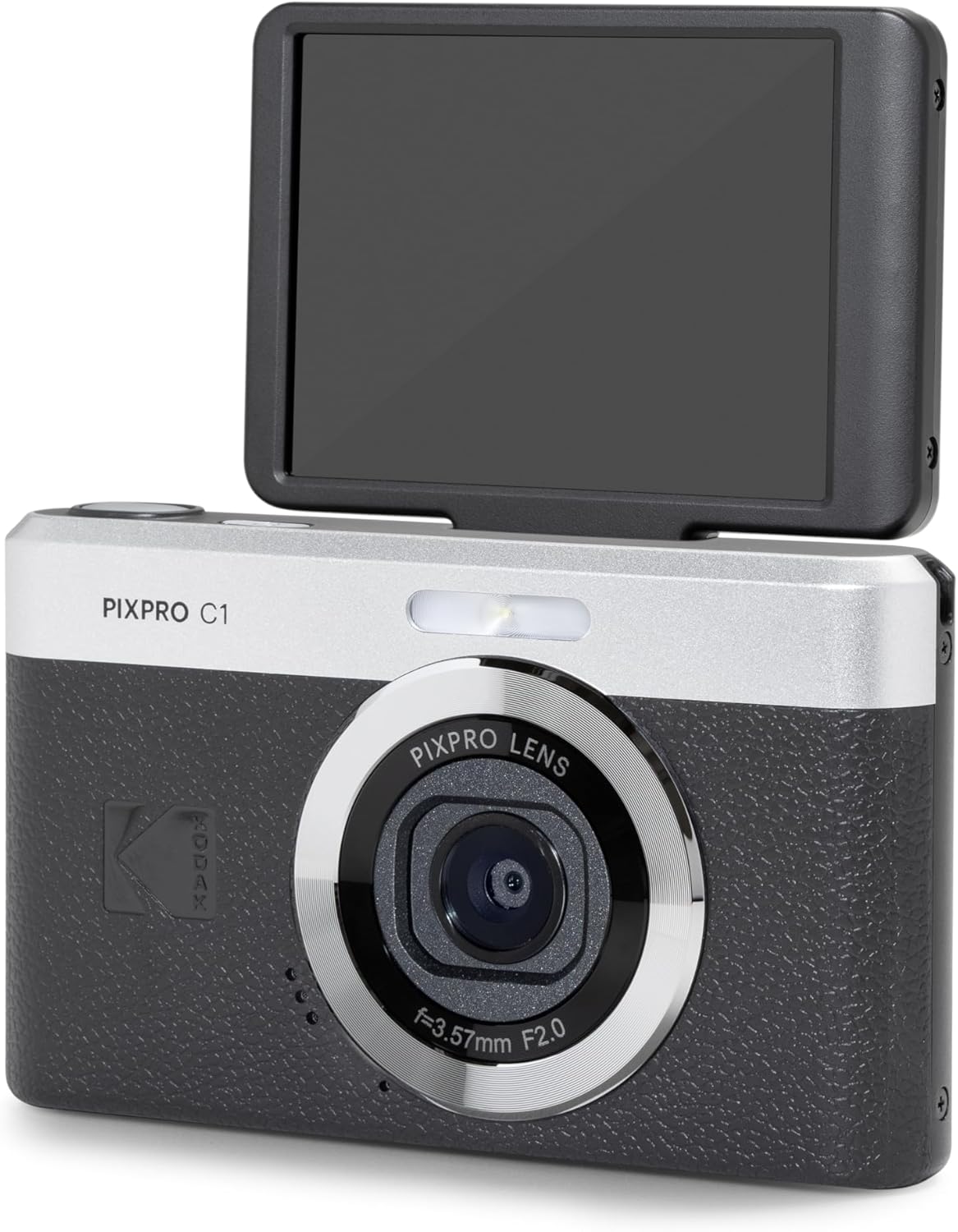
Figure 5: The KODAK PIXPRO C1 with its 180-degree tilt LCD screen in the upward position, suitable for self-portraits or low-angle shots.
Gently pull the top edge of the LCD screen outwards and rotate it upwards until it faces the front of the camera. This allows you to easily compose self-portraits or monitor your video recordings when you are in front of the lens.
Playback and Connecting to a Computer
To view your captured photos and videos, press the Playback button (often indicated by a triangle icon). Use the directional buttons to navigate through your media.
To transfer files to a computer, connect the camera using the supplied USB cable. The camera should appear as a removable drive on your computer, allowing you to copy files directly.
Maintenance
Cleaning the Camera
- Lens: Use a soft, lint-free microfiber cloth specifically designed for optical lenses. Gently wipe in a circular motion. Avoid using harsh chemicals or abrasive materials.
- LCD Screen: Wipe with a clean, soft cloth. For stubborn smudges, slightly dampen the cloth with water or a screen cleaner solution.
- Camera Body: Use a dry, soft cloth to wipe away dust and fingerprints.
Battery Care
- Charge the battery fully before first use.
- Avoid exposing the battery to extreme temperatures.
- If storing the camera for an extended period, remove the battery.
Storage
Store the camera in a cool, dry place away from direct sunlight, dust, and moisture. Consider using a camera bag or case for added protection during transport.
Troubleshooting
| Problem | Possible Cause | Solution |
|---|---|---|
| Camera does not turn on. | Battery is depleted or incorrectly inserted. | Charge the battery. Ensure battery is inserted with correct polarity. |
| Cannot take photos. | Memory card is full, locked, or not inserted. | Delete some files, unlock the card, or insert a new card. |
| Images are blurry. | Lens is dirty, insufficient light, or camera shake. | Clean the lens. Use flash or shoot in brighter conditions. Hold camera steady. |
| Camera freezes or becomes unresponsive. | Software glitch. | Remove and reinsert the battery to reset the camera. |
If the problem persists after attempting these solutions, please refer to the Warranty and Support section for further assistance.
Specifications
| Feature | Detail |
|---|---|
| Model Name | C1 |
| Brand | KODAK |
| Item Model Number | C1-BK |
| Maximum Webcam Image Resolution | 13.12 MP |
| Photo Sensor Size | 1/3-inch |
| Photo Sensor Technology | BSI CMOS |
| Optical Zoom | 4x |
| Image Stabilization | Digital |
| Supported File Format | JPEG |
| Aspect Ratio | 4:3 |
| Compatible Mountings | Tripod Socket |
| Batteries | 1 AAAA battery (included) |
| Item Weight | 3.95 ounces |
| Manufacturer | KODAK PIXPRO |
| Country of Origin | China |
| Date First Available | June 5, 2025 |
Warranty and Support
Limited Warranty
The KODAK PIXPRO C1 camera comes with a limited warranty. Please refer to the "Warranty Card" included in your product packaging for detailed terms and conditions, including coverage period, what is covered, and how to make a claim. This warranty typically covers defects in materials and workmanship under normal use.
Customer Support
For technical assistance, troubleshooting beyond this manual, or warranty inquiries, please contact KODAK PIXPRO customer support. Contact information can usually be found on the manufacturer's official website or on the warranty card.
You may also visit the official KODAK store on Amazon for additional product information and support resources: KODAK Store on Amazon


