
1. Introduction
This manual provides comprehensive instructions for the safe and effective operation, maintenance, and troubleshooting of your BSIDE HX3 Thermal Camera. Please read this manual thoroughly before using the device to ensure optimal performance and to prevent damage.
2. Safety Information
Observe the following safety precautions to avoid injury or damage to the device:
- Do not expose the camera to extreme temperatures, humidity, or corrosive environments.
- Avoid direct exposure of the lens to strong light sources, such as the sun or lasers, as this may damage the infrared sensor.
- Do not attempt to disassemble or modify the device. Repairs should only be performed by authorized personnel.
- Use only the provided charging cable and power adapter.
- Keep the device away from water and other liquids. The device has an IP54 rating for dust and splash protection, but it is not waterproof.
3. Package Contents
Verify that all items are present in the package:
- BSIDE HX3 Thermal Imager
- USB Charging Cable
- Protective Carrying Case
- Silicone Wrist Lanyard
- English User Manual

Image: The BSIDE HX3 Thermal Camera, USB charging cable, protective case, and user manual included in the package.
4. Product Overview
The BSIDE HX3 is a handheld infrared thermal camera designed for various diagnostic applications. It features a 2.4-inch full-viewing TFT LCD display and an intuitive four-button interface for easy navigation and control.
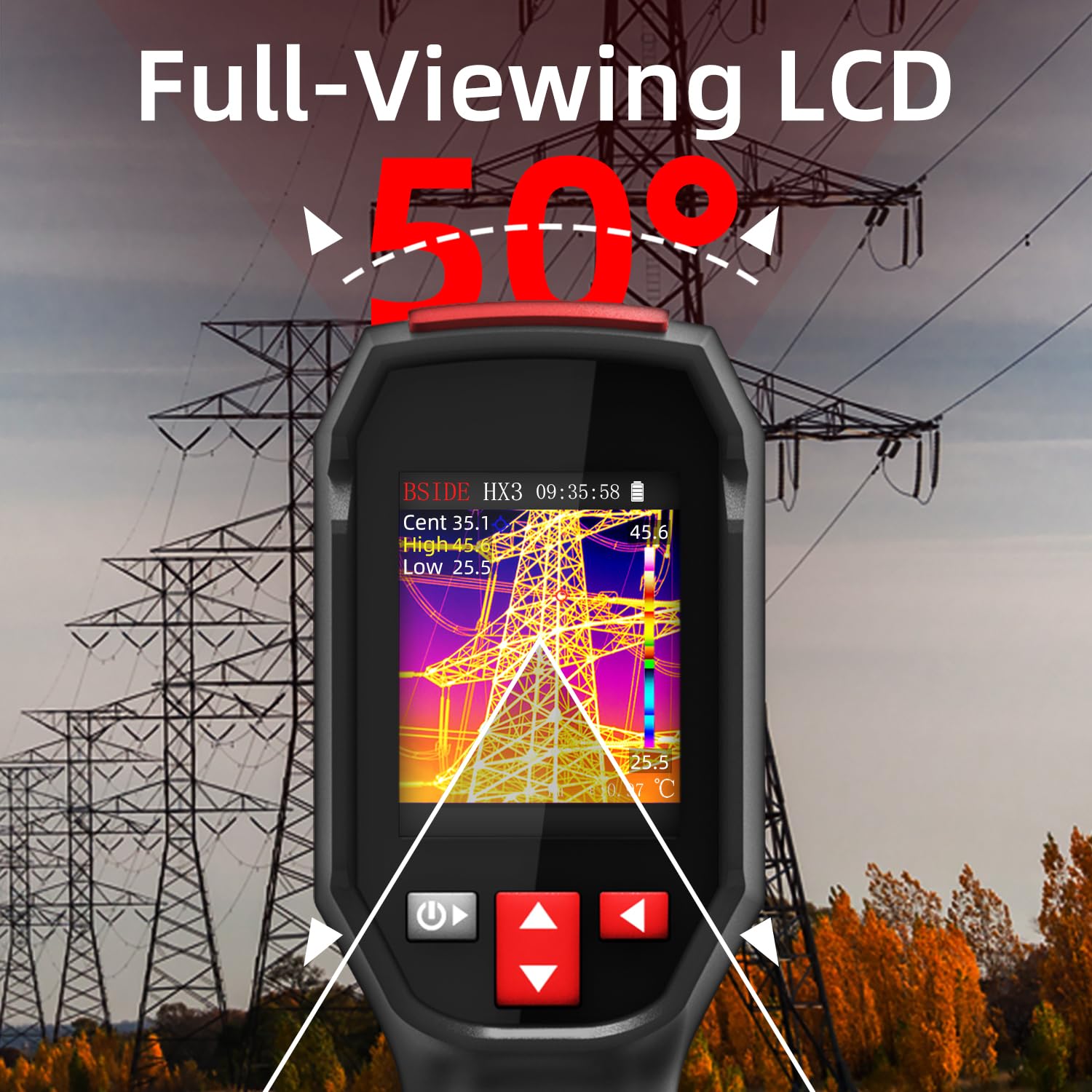
Image: The BSIDE HX3 Thermal Camera displaying a thermal image on its full-viewing LCD screen, highlighting its wide viewing angle.
5. Setup
5.1 Charging the Battery
Before first use, fully charge the internal 2500mAh rechargeable Lithium-Ion battery. Connect the provided USB charging cable to the camera's charging port and to a suitable USB power source. The charging indicator will show the charging status. A full charge provides approximately 8 hours of continuous operation.
5.2 Powering On/Off
Press and hold the power button (usually located on the handle) for a few seconds to turn the camera on or off. The device will boot up and display the thermal image on the screen.
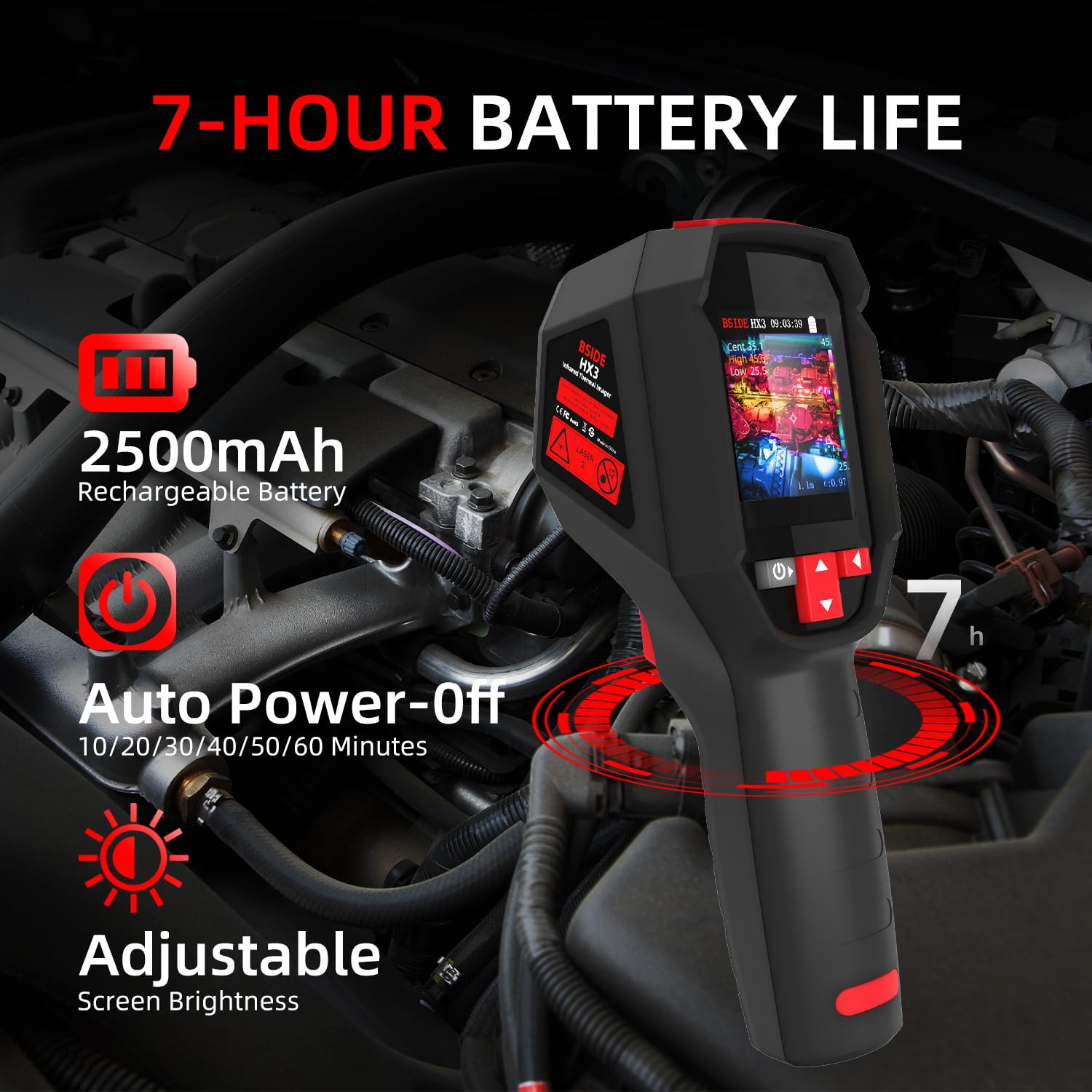
Image: The BSIDE HX3 Thermal Camera screen displaying battery life, auto power-off options, and adjustable screen brightness settings.
6. Operating Instructions
6.1 Basic Thermal Imaging
Point the camera at the object or area you wish to inspect. The 240x240 infrared resolution provides clear thermal images. The screen will display real-time temperature differences with a 25Hz refresh rate.

Image: The BSIDE HX3 Thermal Camera in use, showing a high-resolution 240x240 thermal image of an engine compartment with temperature readings.
6.2 Temperature Measurement and Spot Display
The camera automatically tracks and displays the hottest, coldest, and central temperature points on the screen. This '3-Spots Display' feature helps in quickly identifying critical areas.
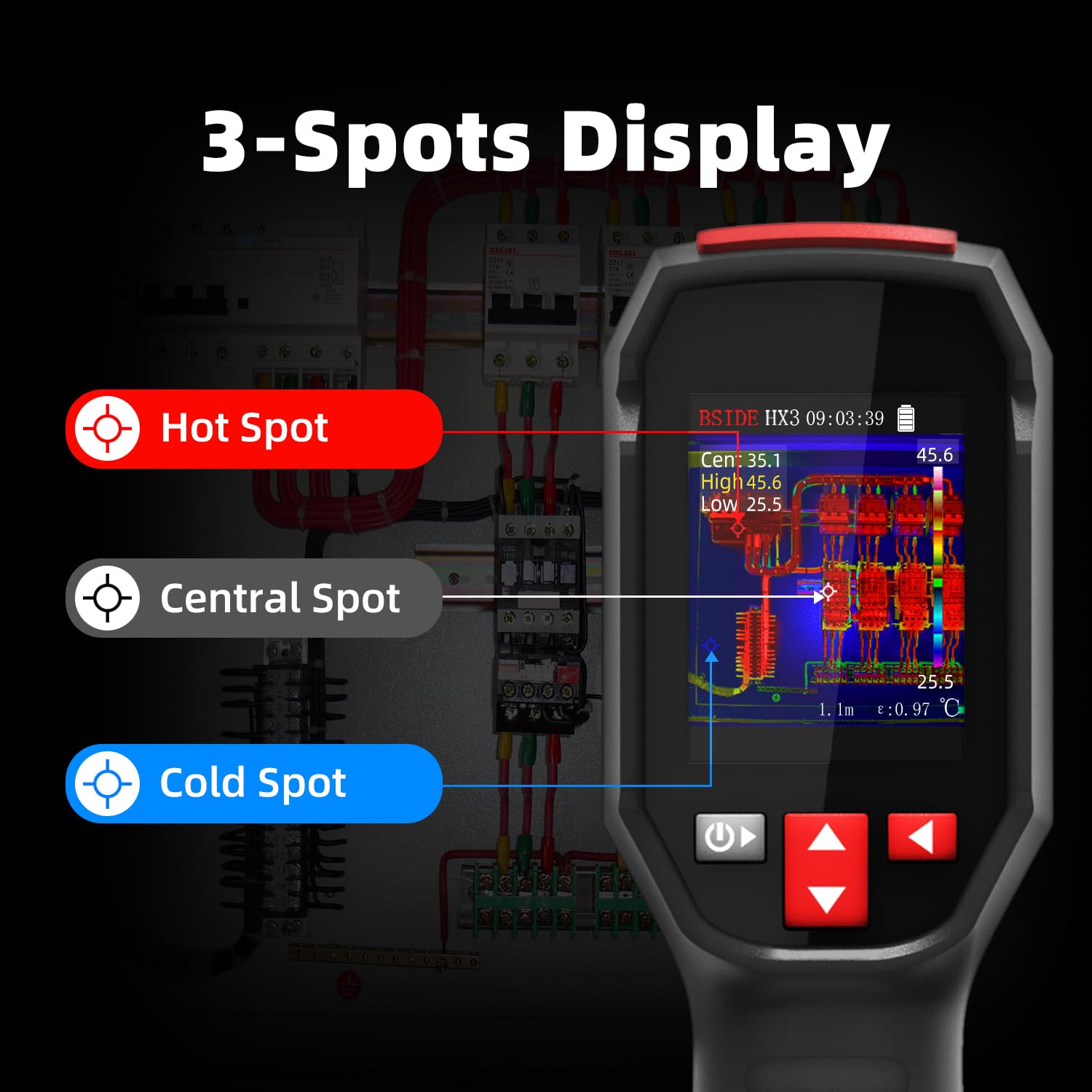
Image: The BSIDE HX3 Thermal Camera screen illustrating the '3-Spots Display' feature, marking the hot spot, central spot, and cold spot on a circuit board.
6.3 Thermal Palettes
The BSIDE HX3 offers 15 different thermal color palettes to visualize temperature differences. Navigate through the menu to select the palette that best suits your application or preference. Examples include White Hot, Black Hot, Fusion, Rainbow, Iron Red, Sepia, and Ice & Fire.

Image: A visual representation of the 15 different thermal palettes available on the BSIDE HX3 Thermal Camera, showing how they render temperature variations.
6.4 Emissivity and Distance Adjustment
For accurate temperature readings, adjust the emissivity setting (0.01-1.00) to match the material being inspected. The camera also allows for distance adjustment (0.3-3m) to compensate for measurement distance.
6.5 High and Low Temperature Alarms
Set custom high and low temperature thresholds. The camera will provide real-time visual alerts on the screen when temperatures exceed or fall below these set points, aiding in early detection of anomalies.

Image: The BSIDE HX3 Thermal Camera screen indicating a high and low temperature alarm, highlighting areas exceeding or falling below set thresholds.
6.6 Image Storage and Export
The camera has a built-in 4GB TF card capable of storing up to 30,000 thermal images. Images can be exported to a PC for further analysis and reporting via the USB cable.

Image: The BSIDE HX3 Thermal Camera connected to a laptop via USB, demonstrating the real-time image export feature for analysis.
6.7 Language Interface
The device supports interfaces in 7 different languages. Access the settings menu to select your preferred language.
7. Maintenance
7.1 Cleaning
Gently wipe the camera body with a soft, damp cloth. Do not use abrasive cleaners or solvents. For the lens, use a specialized lens cleaning cloth and solution to avoid scratching.
7.2 Battery Care
To prolong battery life, avoid fully discharging the battery frequently. Store the device in a cool, dry place when not in use for extended periods, with the battery partially charged.
7.3 Durability
The BSIDE HX3 is designed with a 1.5-meter drop resistance and an IP54 rating, providing protection against dust ingress and water splashes. However, handle the device with care to prevent damage.
8. Troubleshooting
If you encounter issues with your BSIDE HX3 Thermal Camera, refer to the following common problems and solutions:
- Device does not power on: Ensure the battery is sufficiently charged. Connect the camera to a power source and try again.
- Inaccurate temperature readings: Verify that the emissivity setting matches the material being measured. Ensure the measurement distance is within the recommended range (0.3-3m).
- Screen is dim or unresponsive: Adjust the screen brightness in the settings. If unresponsive, try restarting the device.
- Cannot export images: Ensure the USB cable is securely connected to both the camera and the computer. Check if the computer recognizes the device.
If the problem persists, contact customer support for further assistance.
9. Specifications
| Feature | Specification |
|---|---|
| Display | 2.4-inch Full-Viewing TFT LCD |
| IR Resolution | 240 x 240 pixels |
| Display Resolution | 320 x 240 pixels |
| Thermal Sensitivity (NETD) | ≤ 60mK |
| Field of View (FOV) | 50.0°(H) x 50.0°(V) / 72.1°(D) |
| Spatial Resolution (IFOV) | 8.89mrad |
| Refresh Rate | 25 Hz |
| Infrared Spectrum Bandwidth | 8-14 µm |
| Focal Length | 1.35 mm |
| Thermal Palettes | 15 |
| Temperature Range | -20°C to 550°C (-4°F to 1022°F) |
| Accuracy | ±2°C or ±2% |
| Resolution | 0.1°C |
| Emissivity | 0.01-1.00 (Adjustable) |
| Distance Settings | 0.3-3m (Adjustable) |
| Water Resistance | IP54 |
| Image Storage | 30,000 images (4GB built-in TF card) |
| Power Supply | 2500mAh Rechargeable Lithium-Ion Battery |
| Battery Life | Approx. 8 hours |
| Dimensions | 194.8 x 60.3 x 79.5 mm |
| Weight | 263.5 g |
| Tripod Mount | UNC-20 |
| Software Updates | Free updates available |
10. Warranty and Support
The BSIDE HX3 Thermal Camera comes with a standard manufacturer's warranty. Please refer to the warranty card included in your package for specific terms and conditions. For technical support, software updates, or service inquiries, please visit the official BSIDE website or contact their customer service department.
Free software updates are provided to ensure your device remains up-to-date with the latest features and improvements.


