
1. Introduction
Thank you for choosing TECKNET TK-HS013 Noise Cancelling Headphones. This manual provides essential information for setting up, operating, and maintaining your headphones. Please read it thoroughly before use to ensure optimal performance and longevity of your device.
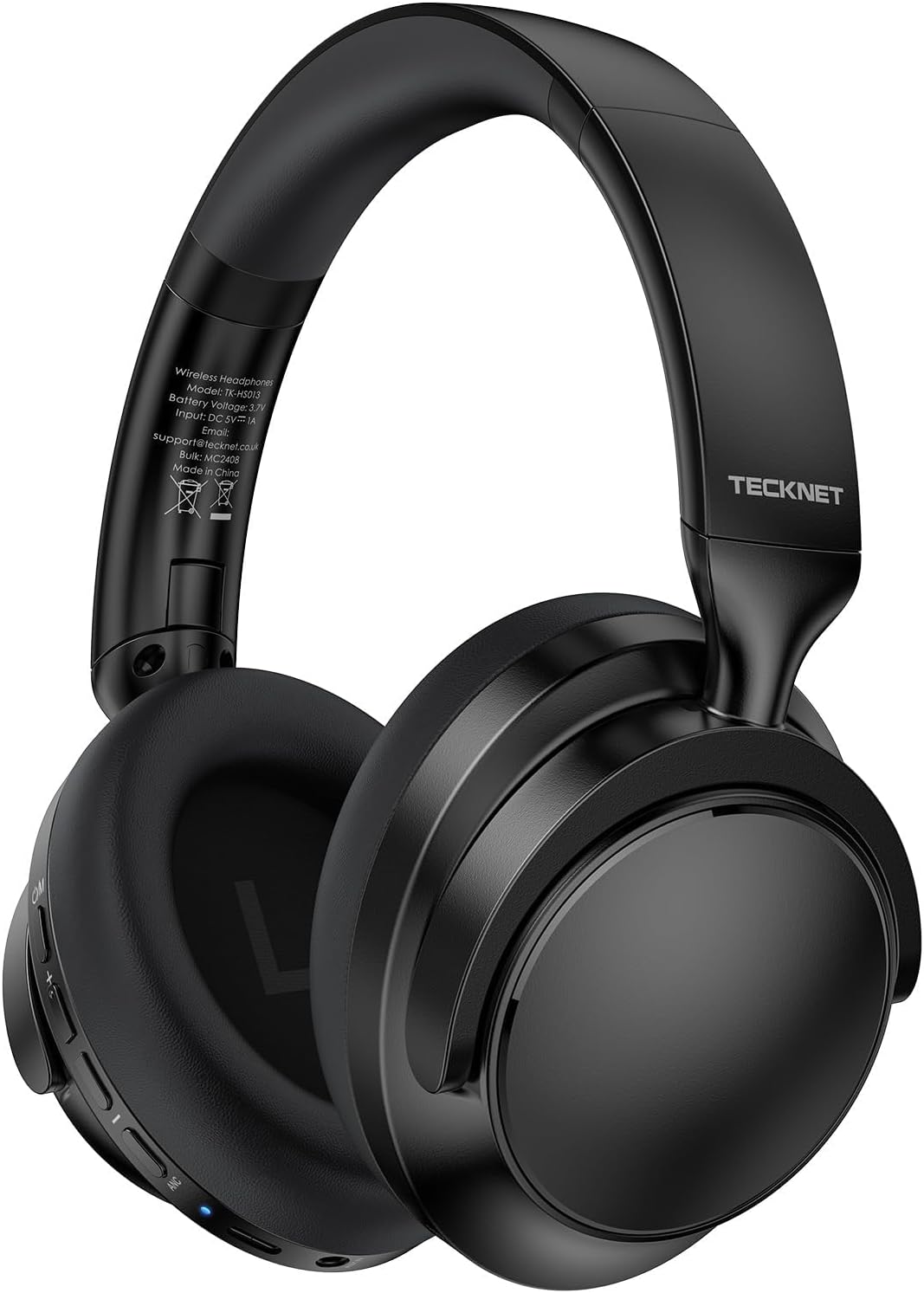
Image: TECKNET TK-HS013 Noise Cancelling Headphones, front view.
2. What's in the Box
Ensure all items are present upon unboxing:
- TECKNET TK-HS013 Headphones
- 3.5mm Audio Cable
- USB-C Charging Cable
- User Manual (this document)

Image: The TECKNET TK-HS013 headphones shown with the included 3.5mm audio cable and USB-C charging cable.
3. Product Overview
Key Features:
- Active Noise Cancellation (ANC): Reduces up to 95% of ambient noise for focused listening.
- Extended Playtime: Up to 70 hours in standard mode, 45 hours with ANC activated.
- Rapid Charging: 10 minutes of charging provides 4 hours of listening via USB-C.
- Bluetooth 5.3: Advanced wireless connectivity with dual-device support and up to 20 meters range.
- Immersive Sound: 40mm drivers deliver rich bass and clear highs across the full frequency range.
- Ergonomic Comfort: Ultra-soft memory foam earmuffs and an adjustable headband for prolonged wear.
- Wired Mode: Use the included 3.5mm audio cable for uninterrupted listening or with non-Bluetooth devices.
- Foldable Design: Compact and portable for easy storage and travel.
- Clear Calls: Built-in microphone system ensures clear voice transmission in various environments.
Controls and Ports:
The headphones feature intuitive controls located on the earcups:
- Power Button (C/M): On/Off, Play/Pause, Answer/Hang up, Reject call, Activate voice assistant.
- Volume Up (+): Increase volume, Next song (long press).
- Volume Down (-): Decrease volume, Previous song (long press).
- ANC Button: Toggle Active Noise Cancellation On/Off.
- USB-C Port: For charging the headphones.
- 3.5mm Audio Jack: For wired connection.

Image: Detailed view of the button controls on the TECKNET TK-HS013 headphones, including power, volume, and ANC toggles.
4. Setup
4.1 Charging the Headphones
- Connect the USB-C end of the charging cable to the headphone's USB-C port.
- Connect the USB-A end to a compatible USB power adapter (not included) or a computer's USB port.
- The LED indicator will show charging status. A full charge provides up to 70 hours of playtime (ANC off).
4.2 Powering On/Off
- To Power On: Press and hold the Power button (C/M) for 2 seconds until the LED indicator lights up and you hear an audible prompt.
- To Power Off: Press and hold the Power button (C/M) for 3 seconds until the LED indicator turns off and you hear an audible prompt.
4.3 Bluetooth Pairing
- Ensure the headphones are powered off.
- Press and hold the Power button (C/M) for 5 seconds until the LED indicator flashes blue and red alternately, indicating pairing mode.
- On your device (smartphone, tablet, computer), enable Bluetooth and search for available devices.
- Select "TECKNET TK-HS013" from the list. Once connected, the LED indicator will turn solid blue.
- Dual-Device Connection: After connecting to the first device, disable Bluetooth on that device. Put the headphones back into pairing mode and connect to the second device. Re-enable Bluetooth on the first device, and the headphones will automatically connect to both.

Image: Illustration of TECKNET TK-HS013 headphones wirelessly connected to multiple devices, demonstrating Bluetooth 5.3 dual-device connectivity.
4.4 Wired Connection
To use the headphones in wired mode:
- Connect one end of the 3.5mm audio cable to the headphone's 3.5mm audio jack.
- Connect the other end to your audio source's 3.5mm output.
- The headphones will automatically switch to wired mode. Bluetooth and ANC functions may be disabled in wired mode to conserve battery.

Image: TECKNET TK-HS013 headphones connected to a smartphone using the 3.5mm audio cable, illustrating wired mode functionality.
5. Operating Instructions
5.1 Music Playback
- Play/Pause: Short press the Power button (C/M).
- Volume Up: Short press the '+' button.
- Volume Down: Short press the '-' button.
- Next Track: Long press the '+' button.
- Previous Track: Long press the '-' button.
5.2 Call Management
- Answer/End Call: Short press the Power button (C/M).
- Reject Call: Long press the Power button (C/M).
- Activate Voice Assistant: Double press the Power button (C/M).
5.3 Active Noise Cancellation (ANC)
- Toggle ANC: Press the ANC button to turn Active Noise Cancellation on or off. The LED indicator will change color to confirm status.
Video: This video demonstrates the key features of the TECKNET Active Noise Cancelling Headphones, including their foldable design, ANC functionality, sound quality, and connectivity options. It highlights the product's versatility for various uses.
6. Maintenance
6.1 Cleaning
- Wipe the headphones with a soft, dry cloth.
- Do not use harsh chemicals or abrasive materials.
- Avoid getting moisture into any openings.
6.2 Storage
- When not in use, store the headphones in a cool, dry place.
- The foldable design allows for compact storage.

Image: The TECKNET TK-HS013 headphones shown in their folded configuration, highlighting their portability and ease of storage.
6.3 Smart Power Management
- To maximize battery life, remember to turn off the ANC function when it is not needed.
- Power off the headphones completely when not in use for extended periods.
7. Troubleshooting
| Problem | Possible Cause | Solution |
|---|---|---|
| Headphones do not power on | Low battery | Charge the headphones using the USB-C cable. |
| Cannot pair via Bluetooth | Headphones not in pairing mode / Device Bluetooth off | Ensure headphones are in pairing mode (flashing blue/red LED). Turn on Bluetooth on your device and search again. |
| No sound in wireless mode | Volume too low / Not connected / Paused | Increase volume on headphones and device. Ensure headphones are connected. Check if music is paused. |
| ANC not working effectively | ANC function off / Improper fit | Press the ANC button to activate. Adjust headphones for a snug fit over your ears. |
| Poor call quality | Weak signal / Microphone obstruction | Move closer to your connected device. Ensure the microphone is not covered. |
8. Specifications
| Feature | Detail |
|---|---|
| Model Name | TK-HS013 |
| Noise Control | Active Noise Cancellation |
| Connectivity Technology | Wired, Wireless (Bluetooth) |
| Wireless Communication Technology | Bluetooth 5.3 |
| Bluetooth Range | Up to 65.61 feet (20 meters) |
| Audio Driver Size | 40 Millimeters |
| Headphones Jack | 3.5 mm Jack |
| Impedance | 32 Ohms |
| Form Factor | Over Ear |
| Material | Metal, Plastic |
| Item Weight | 13.1 ounces |
9. Warranty & Support
TECKNET provides a generous 36-month warranty upon product registration. Our professional customer service team is available to assist with any product questions or concerns. Please refer to the official TECKNET website for registration details and contact information.
10. Safety Information
- Do not expose the headphones to extreme temperatures or humidity.
- Avoid dropping or subjecting the headphones to strong impacts.
- Do not disassemble or attempt to repair the headphones yourself. This will void the warranty.
- Prolonged listening at high volumes may cause hearing damage. Adjust volume to a safe level.
- Do not use headphones while driving or in situations where you need to hear your surroundings.


