
GGGUOJINN V4
Debra V4 4 Channels Audio Mixer User Manual
Brand: GGGUOJINN | Model: V4
Product Overview
The Debra V4 is a versatile 4-channel audio mixer equipped with a built-in sound card, designed to meet various audio production needs. It is suitable for family music production, live webcasting, K-song covers, and other audio mixing applications. Its compact and lightweight design allows for easy portability and flexible power options.

Figure 1: Front view of the Debra V4 4-Channel Audio Mixer, showing all input/output ports and control knobs.
Setup Guide
1. Power Supply
The Debra V4 mixer offers flexible power options:
- USB Port Power: The mixer can be directly powered by connecting it to a PC's USB port. No additional power supply is required in this configuration.
- Mobile Power/USB AC/DC Adapter: For standalone use or when a PC USB port is not available, the mixer can be powered using a mobile power bank or a standard USB AC/DC adapter (5V 2.5A recommended). This eliminates the need for an external dedicated power adapter.
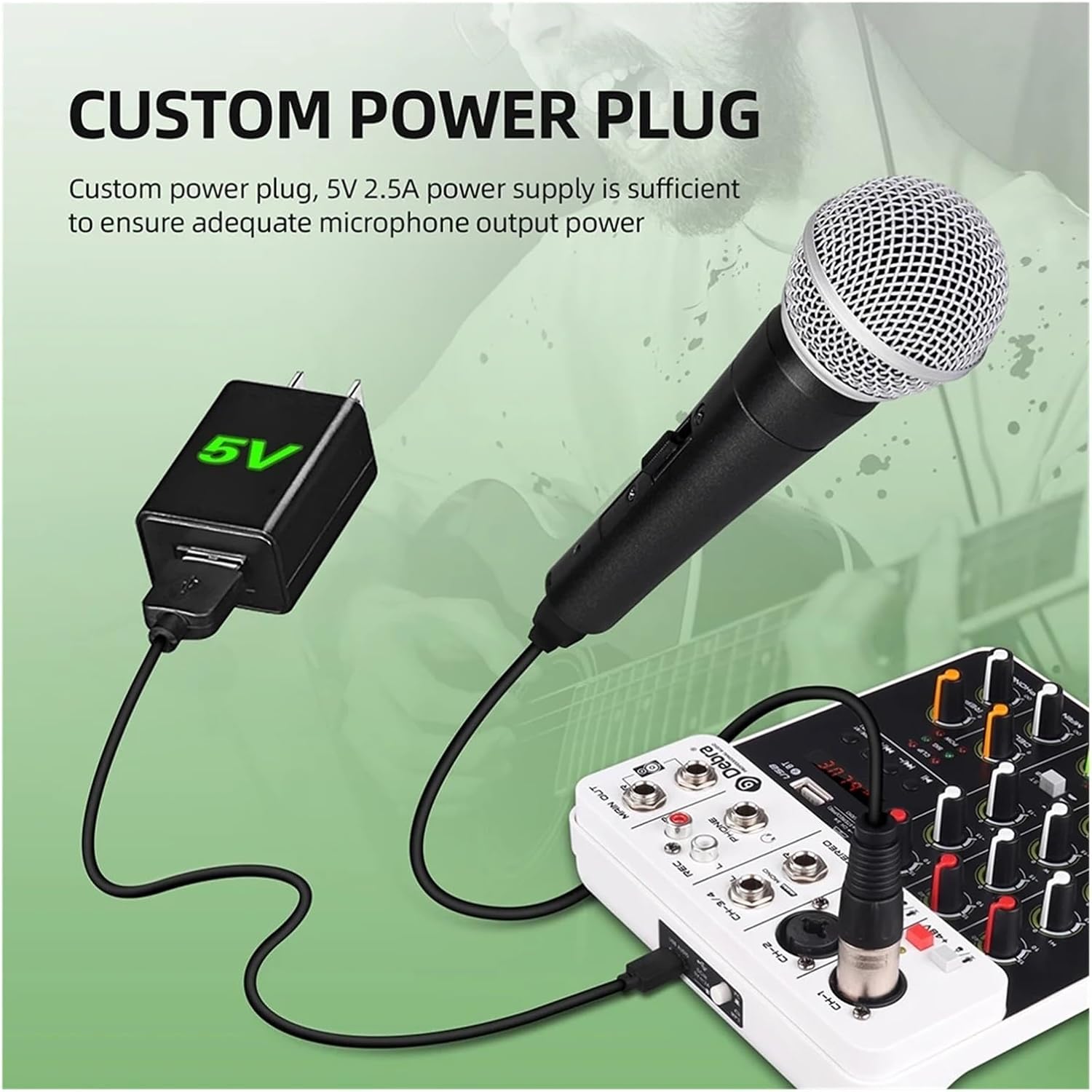
Figure 2: The mixer connected to a 5V 2.5A power supply, ensuring adequate microphone output power.
2. Connecting Microphones and Instruments
The mixer features various input channels to accommodate different audio sources.
- Channels 1 & 2 (CH-1, CH-2): These are XLR/TRS combo jacks suitable for microphones (dynamic or condenser) and line-level instruments.
- +48V Phantom Power: Built-in 48V phantom power is available for condenser microphones. Activate the +48V switch for the respective channel when using a condenser microphone.
- Channels 3/4 (CH-3/4): This is a stereo TRS input, ideal for connecting stereo line-level devices like electronic keyboards or media players.

Figure 3: Illustration showing the +48V phantom power feature, essential for condenser microphones.
3. Output Connections
- MAIN OUT (L/R): These are the primary stereo outputs for connecting to power amplifiers, active speakers, or recording devices.
- REC (L/R): Dedicated recording outputs.
- PHONE: High-definition headset output port for monitoring the mix.
- USB Audio: Connect the mixer to a PC via USB to use it as an external sound card for recording or playback.
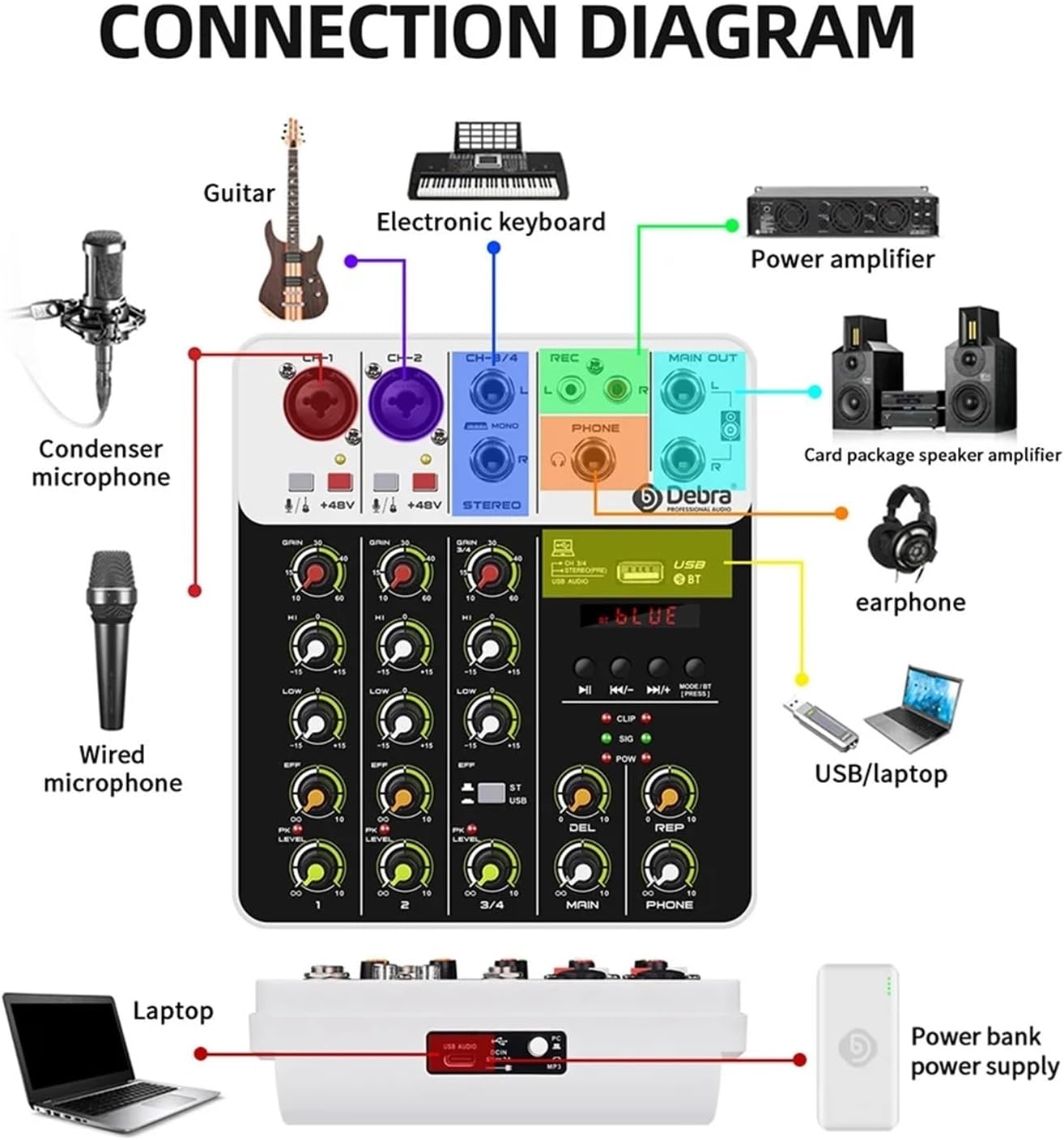
Figure 4: Comprehensive connection diagram illustrating how to connect microphones, instruments, speakers, headphones, and computers to the mixer.
Operating Instructions
1. Channel Controls
- GAIN: Adjusts the input sensitivity for each channel. Set this to an appropriate level to prevent clipping (indicated by the CLIP LED).
- HI/LOW: Treble (HI) and Bass (LOW) equalization controls for adjusting the tone of each input channel.
- EFF: Controls the amount of effect (Delay/Repeat) applied to the channel.
- LEVEL: Adjusts the output volume of each individual channel to the main mix.
- PK (Peak) LED: Illuminates when the input signal is too high, indicating potential clipping. Reduce the GAIN if this LED lights up frequently.
2. Main Controls
- MAIN LEVEL: Controls the overall output volume of the mixer.
- PHONE LEVEL: Adjusts the volume of the headphone output.
- DEL (Delay) / REP (Repeat): Controls for the built-in delay and repeat effects.
3. Media Playback (MP3 Player / USB / Bluetooth)
The mixer supports various media playback options:
- USB Disk Broadcast: Insert a USB flash drive containing MP3 files into the USB port. Use the media controls (play/pause, skip) to navigate and play audio.
- Bluetooth Connection: Enable Bluetooth mode on the mixer (usually by pressing the MODE/BT button). On your device (smartphone, tablet), search for and connect to the mixer's Bluetooth signal. Once connected, you can stream audio wirelessly to the mixer.

Figure 5: The mixer supports MP3/U disk/SD card playback, allowing users to enjoy music at any time.
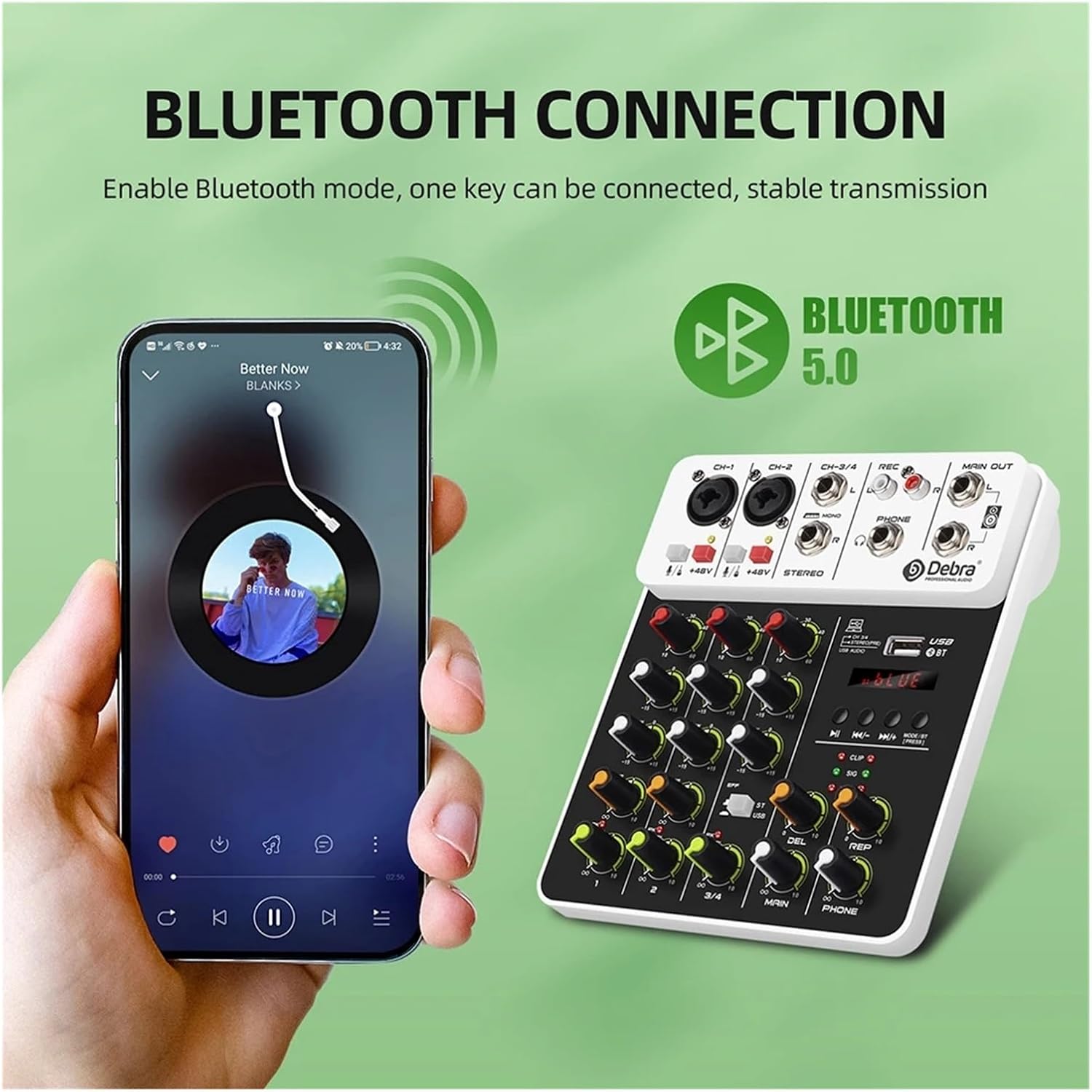
Figure 6: The Bluetooth 5.0 connection feature enables stable wireless audio transmission from compatible devices.
Maintenance
To ensure the longevity and optimal performance of your Debra V4 audio mixer, follow these maintenance guidelines:
- Cleaning: Regularly wipe the surface of the mixer with a soft, dry cloth. For stubborn dirt, use a slightly damp cloth and then dry thoroughly. Avoid using abrasive cleaners, solvents, or strong chemicals, as these can damage the finish and internal components.
- Dust Protection: When not in use, cover the mixer to protect it from dust accumulation, especially around knobs and faders.
- Storage: Store the mixer in a cool, dry place away from direct sunlight, extreme temperatures, and high humidity.
- Handling: Handle the mixer with care. Avoid dropping it or subjecting it to strong impacts.
- Ventilation: Ensure proper ventilation around the mixer during operation to prevent overheating. Do not block any ventilation openings.
Troubleshooting
If you encounter issues with your Debra V4 audio mixer, refer to the following common troubleshooting steps:
- No Power:
- Ensure the USB power cable is securely connected to both the mixer and the power source (PC USB port, mobile power, or AC/DC adapter).
- Verify that the power source is functional. Try a different USB port or power adapter.
- No Sound Output:
- Check all cable connections (inputs, main outputs, headphone output).
- Ensure all channel LEVEL knobs and the MAIN LEVEL knob are turned up.
- Verify that the input source (microphone, instrument, media player) is working correctly and producing a signal.
- If using a condenser microphone, ensure the +48V phantom power is activated for that channel.
- Check the volume levels on connected speakers or headphones.
- Distorted Sound:
- Reduce the GAIN knob for the input channel if the PK (Peak) LED is frequently lighting up.
- Ensure the input signal from the source is not too strong.
- Check for damaged cables or faulty connections.
- Bluetooth Connection Issues:
- Ensure the mixer is in Bluetooth pairing mode.
- Delete the mixer from your device's Bluetooth history and try pairing again.
- Move your device closer to the mixer to ensure a strong signal.
- Ensure no other devices are currently connected to the mixer via Bluetooth.
- USB Playback Issues:
- Ensure the USB flash drive is properly inserted and contains compatible audio files (e.g., MP3).
- Try a different USB flash drive.
If the problem persists after trying these steps, please contact customer support.
Specifications
| Feature | Detail |
|---|---|
| Model | V4 |
| Color | Black and White |
| Dimensions (L x W x H) | 160mm x 180mm x 48mm |
| Gross Weight | 0.6 KG |
| Channels | 4 (2 Mono, 1 Stereo) |
| Phantom Power | Built-in +48V |
| Effects | Delay, Repeat |
| Connectivity | USB Audio Interface, Bluetooth 5.0, MP3 Player (USB Disk/SD Card) |
| Mic Input (Electronically Balanced) | Frequency Response: 10 Hz to 20 KHz |
| Mic Input Gain Range | +14 dB to +60 dB |
| Mic Input SNR | 120 dB E.I.N. |
| Line Input (Electronically Balanced) | Frequency Response: 10 Hz to 70 KHz |
| Line Input Gain Range | -8 to +15 dB (Mic); +13 to +60 dB (Line) |
| Line Input SNR | -96 dB (Mic); 104 dB E.I.N. (Line) |
| LOW EQ | 50 Hz, +/- 15 dB |
| HI EQ | 10 KHz, +/- 15 dB |
| Main Outputs | +28 dBu balanced / +22 dBu unbalanced |
| Phones Output | +15 dBu/150 Ohms |

Figure 7: Product parameter diagram showing the physical dimensions and detailed audio specifications of the mixer.
Warranty and Support
For warranty information or technical support, please refer to the contact details provided with your purchase or visit the official GGGUOJINN website. Keep your purchase receipt as proof of purchase for warranty claims.
Ask a question about this manual
Ask about setup, troubleshooting, compatibility, parts, safety, or missing instructions. Manuals+ will review the question and use this page’s manual context to help answer it.