
EASYGUARD EC212PP-B-F102-1
EASYGUARD EC212PP-B-F102-1 Plug and Play Remote Starter
User Manual for Ford Vehicles
1. Introduction
This manual provides detailed instructions for the installation and operation of the EASYGUARD EC212PP-B-F102-1 Plug and Play Remote Starter. This system allows you to remotely start and stop your vehicle using your factory original remote key fob.
The remote starter is designed for selected Ford vehicles equipped with an automatic transmission, including both gas and diesel engine types, and is compatible with both push-button start and traditional key start ignition systems.
2. Product Components
The EASYGUARD EC212PP-B-F102-1 remote starter kit includes the following components:
- Control Module
- Wire Harness (T-harness)
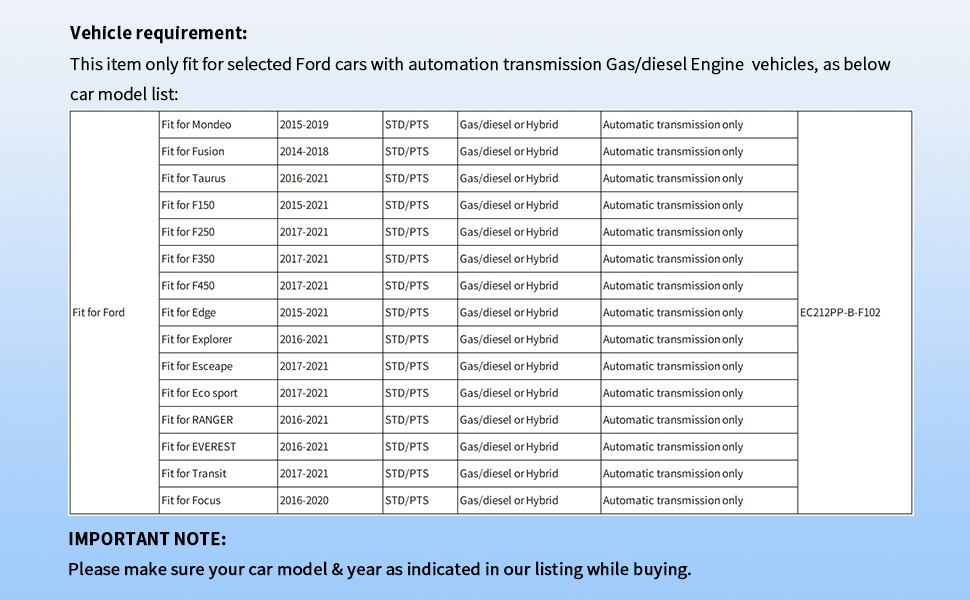
Image: The EASYGUARD control module and the accompanying T-harness, which are the main components of the remote starter kit.
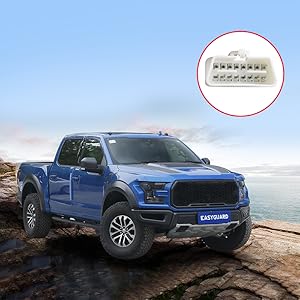
Image: A detailed view of the T-harness, highlighting the BCM (Body Control Module) connector and other labeled connectors (A, B, C, D, E) for installation.
3. Vehicle Compatibility
This remote starter is specifically designed for selected Ford vehicles with automatic transmissions. It is compatible with both gas and diesel engines, and vehicles with either push-button start or traditional key start ignition systems. It is not compatible with manual transmission vehicles.
Please verify your vehicle's make, model, and year against the list below to ensure compatibility:
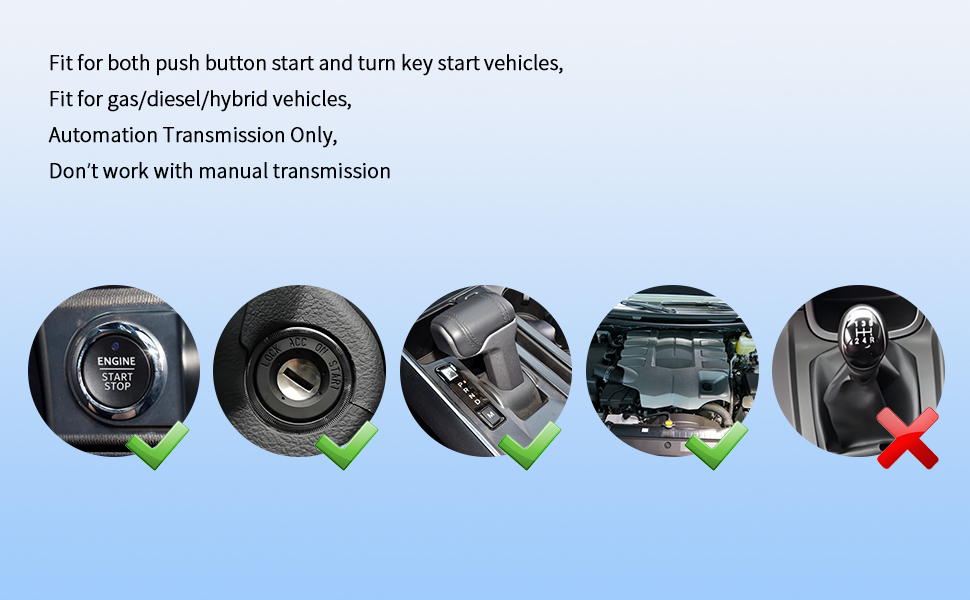
Image: A table listing compatible Ford models and their respective year ranges, indicating support for STD/PTS (Standard/Push-to-Start), Gas/Diesel or Hybrid engines, and automatic transmission only.

Image: Visual representation confirming compatibility with push-button start, key start, automatic transmission, and gas/diesel/hybrid engines, while explicitly showing incompatibility with manual transmissions.
4. Installation
The EASYGUARD remote starter features a plug-and-play design, minimizing the need for wire cutting or splicing and preventing damage to the car's electrical circuit. However, professional installation by a trained technician or alarm installer is highly recommended, especially if you lack experience with vehicle electrical systems.
4.1. Control Module Overview
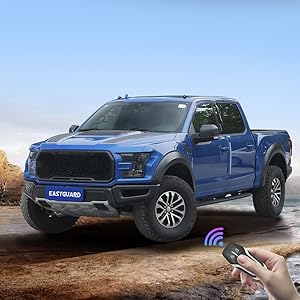
Image: Diagram showing the EASYGUARD control module with labeled ports: White 22-pin connector, Black 10-pin connector (no connection needed), Black 4-pin power supply, Reset switch, and LED indicator.
4.2. Programming Procedure
After completing the physical installation, a programming procedure is required for the system to function correctly. Ensure the vehicle's ignition is OFF before starting this process.
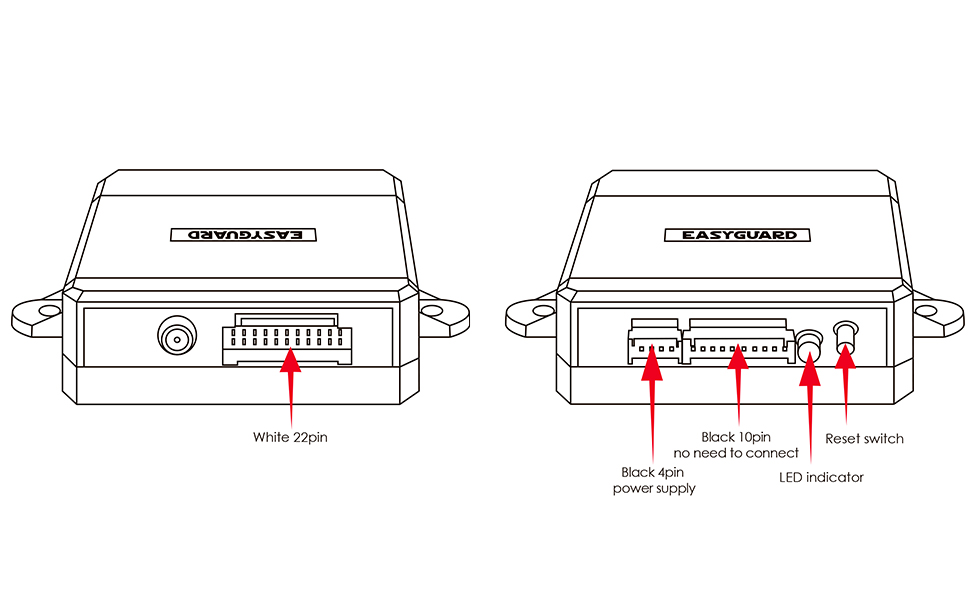
Image: Text detailing the programming steps for the remote starter module.
- Step 1: Plug the C power supply connector into the Control Module. Then, plug the A connector into the Control Module.
- Step 2: Plug the D plug and E plug into the car's BCM connector.
- Step 3: Start the engine using the factory key or the push-start button. The LED indicator on the control module will light Red, then Green, then Red in sequence. Shut down the car. Unplug the A connector.
- Step 4: Plug the B connector. Start the engine via the factory key or push-start button. The LED indicator will light Red first, then Green. Shut down the car. Programming is finished.
Important: Keep the B connector plugged into the control module throughout the programming process. If the programming procedure is abnormal or fails, repeat the steps until successful.
5. Operating Instructions
This remote starter system utilizes your vehicle's existing factory original remote key fob. No additional remote is provided or required.
5.1. Remote Start/Stop Procedure
To remotely start or stop your vehicle:
- Press the original remote's lock button three (3) times consecutively.
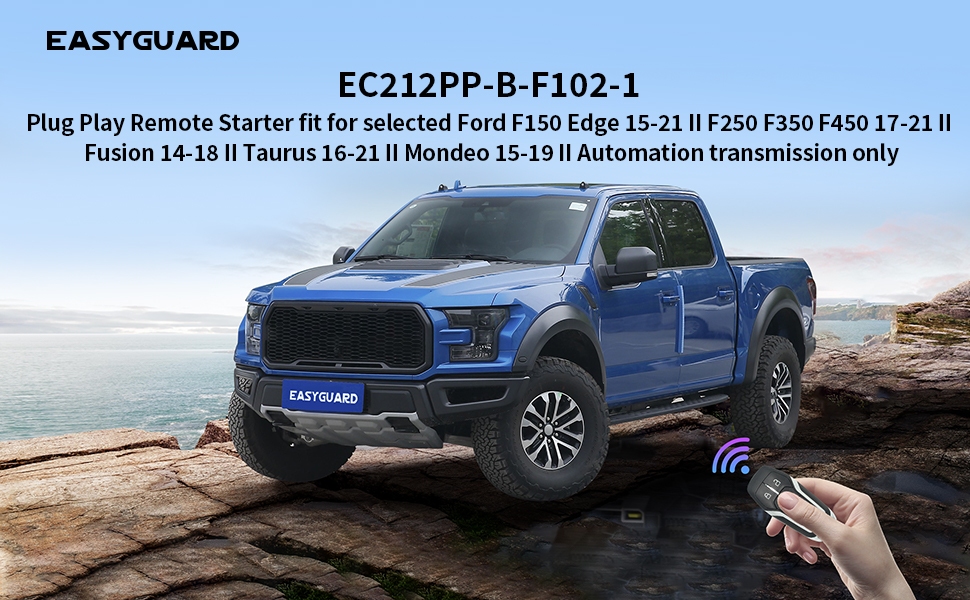
Image: A hand holding a factory Ford key fob, illustrating the action of pressing the lock button to initiate remote start, with a Ford F-150 in the background.
Image: Two factory Ford key fobs displayed next to a Ford F-150, emphasizing that the original remotes are used for the remote start function.
5.2. Open Door to Shutdown Feature
For safety considerations, if the vehicle is remotely started and the driver's door is opened, the engine will automatically shut down.
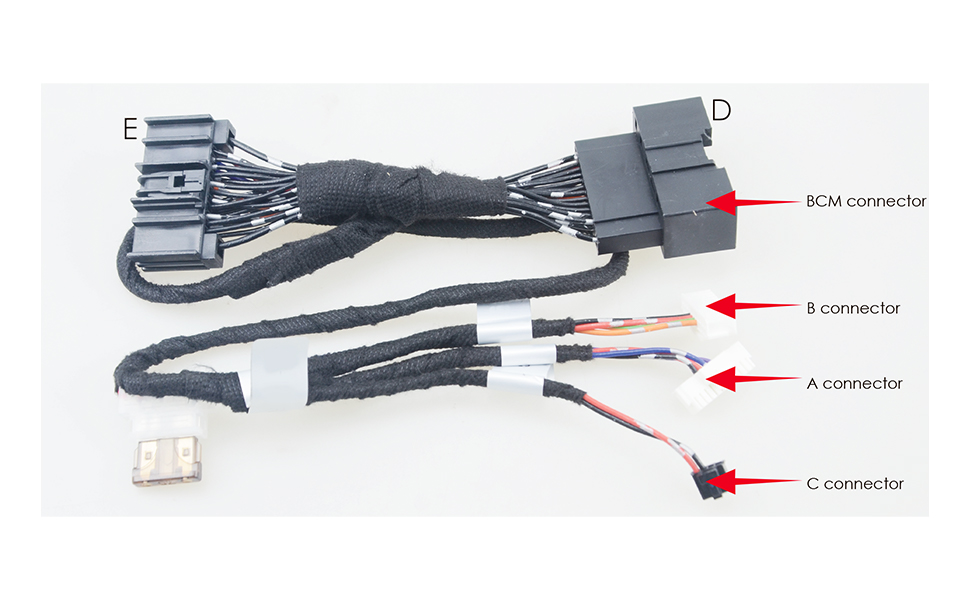
Image: The interior of a Ford F-150 with the driver's door open, illustrating the safety feature where the engine shuts down if the door is opened after a remote start.
6. Maintenance
The EASYGUARD EC212PP-B-F102-1 remote starter is designed to be maintenance-free. No regular user maintenance is required for the control module or wiring harness.
7. Troubleshooting
If you encounter issues with the remote starter, consider the following:
- Programming Failure: If the programming procedure (Section 4.2) does not complete successfully, repeat the steps carefully. Ensure all connectors are securely plugged in.
- Remote Start Not Activating: Verify that you are pressing the lock button on your factory remote three times consecutively within a short period. Ensure your vehicle is within the remote's operating range.
- Engine Shuts Down Immediately: This is a normal safety feature if the driver's door is opened after a remote start.
- General Malfunction: If problems persist, it is recommended to consult with a professional installer or contact customer support.
8. Specifications
| Model Number | EC212PP-B-F102-1 |
| Item Weight | 2.2 pounds |
| Product Dimensions | 5.51 x 6.69 x 1.97 inches |
| Manufacturer | ieasyguard.com |
9. Warranty Information
The EASYGUARD EC212PP-B-F102-1 remote starter comes with a 1-year warranty from the date of purchase. Please retain your proof of purchase for warranty claims. The warranty covers manufacturing defects under normal use. It does not cover damage caused by improper installation, misuse, accidents, or unauthorized modifications.
10. Customer Support
For technical assistance, installation guidance, or warranty inquiries, please contact EASYGUARD customer support through the seller's platform or the manufacturer's official website. Provide your product model number (EC212PP-B-F102-1) and proof of purchase when seeking support.
Related documentsEC212PP-B-F102-1


Ask a question about this manual
Ask about setup, troubleshooting, compatibility, parts, safety, or missing instructions. Manuals+ will review the question and use this page’s manual context to help answer it.