
UNITOPSCI Qualcomm 8 Core 4+64G Android 15 Car Stereo
UNITOPSCI Qualcomm 8 Core Android 15 Car Stereo User Manual
For Honda Accord 9th Gen 2.0L (2013-2017)
1. Introduction
This manual provides detailed instructions for the installation, operation, and maintenance of your UNITOPSCI Qualcomm 8 Core Android 15 Car Stereo. Please read this manual thoroughly before using the product to ensure proper functionality and safety.
The UNITOPSCI car stereo is designed to enhance your driving experience with advanced features including a 10-inch IPS touchscreen, Wireless CarPlay, Android Auto, GPS navigation, Dual-Band WiFi, Bluetooth 5.1, DSP audio processing, FM/RDS radio, and AHD camera support.

Image 1.1: UNITOPSCI Qualcomm 8 Core Android 15 Car Stereo and included components.
2. Product Compatibility
This car stereo is specifically designed for Honda Accord 9th Gen 2.0L models manufactured between 2013 and 2017. Before installation, verify your vehicle's center control panel matches the compatible configuration.

Image 2.1: Vehicle compatibility check for Honda Accord 9th Gen 2.0L (2013-2017). Ensure your car's center console matches Option A for proper fitment.
If your vehicle has automatic air conditioning and does not match Option A, additional wiring harnesses may be required. Contact customer support for assistance.
3. Setup and Installation
3.1 Package Contents
Verify all components are present before beginning installation:
- Android Car Stereo Unit
- Microphone
- Power Cable
- Accessories (various connectors)
- Installation Tool
- Rear Camera Input Cable
- GPS Antenna
- AHD Rear Camera
- Original USB Cable
- USB Cable
- Canbus Decoder
- User Manual (this document)
- RCA Cable

Image 3.1: Complete package list and dimensions of the car stereo unit.
3.2 Basic Installation Steps
- Disconnect Battery: Before starting, disconnect the vehicle's negative battery terminal to prevent electrical shorts.
- Remove Factory Stereo: Carefully remove the existing car stereo and dashboard trim. Refer to your vehicle's service manual for specific instructions.
- Connect Wiring: Connect the provided power cable, RCA cables, USB cables, GPS antenna, and AHD camera input cable to the new car stereo. Utilize the Canbus decoder if required for your vehicle model to retain steering wheel controls and other factory features.
- Install GPS Antenna: Mount the GPS antenna in a location with a clear view of the sky, typically on the dashboard or under the windshield.
- Install Rear Camera: Install the AHD rear camera at the back of your vehicle, ensuring proper wiring to the stereo unit.
- Test Connections: Before fully reassembling the dashboard, reconnect the battery and power on the stereo to test all functions (audio, GPS, camera, Bluetooth, etc.).
- Secure Stereo: Once all functions are verified, secure the new car stereo into the dashboard opening and reassemble the trim.

Image 3.2: The car stereo after successful installation in a Honda Accord 9th Gen.
4. Operating Instructions
4.1 Basic Interface Navigation
The car stereo operates on Android 15, providing a familiar and intuitive touchscreen interface. Swipe left or right to access different app screens. Tap icons to launch applications.
Video 4.1: Wireless CarPlay Radio Operation Guide with Qualcomm Chips. This video demonstrates the user interface and key functionalities of the car stereo.
4.2 Wireless CarPlay & Android Auto
Connect your smartphone wirelessly to access navigation, calls, messages, and music through Apple CarPlay or Android Auto. Voice control via Siri or Google Assistant is supported for hands-free operation.
- For iOS: Connect via WiFi.
- For Android: Connect via WiFi or USB.
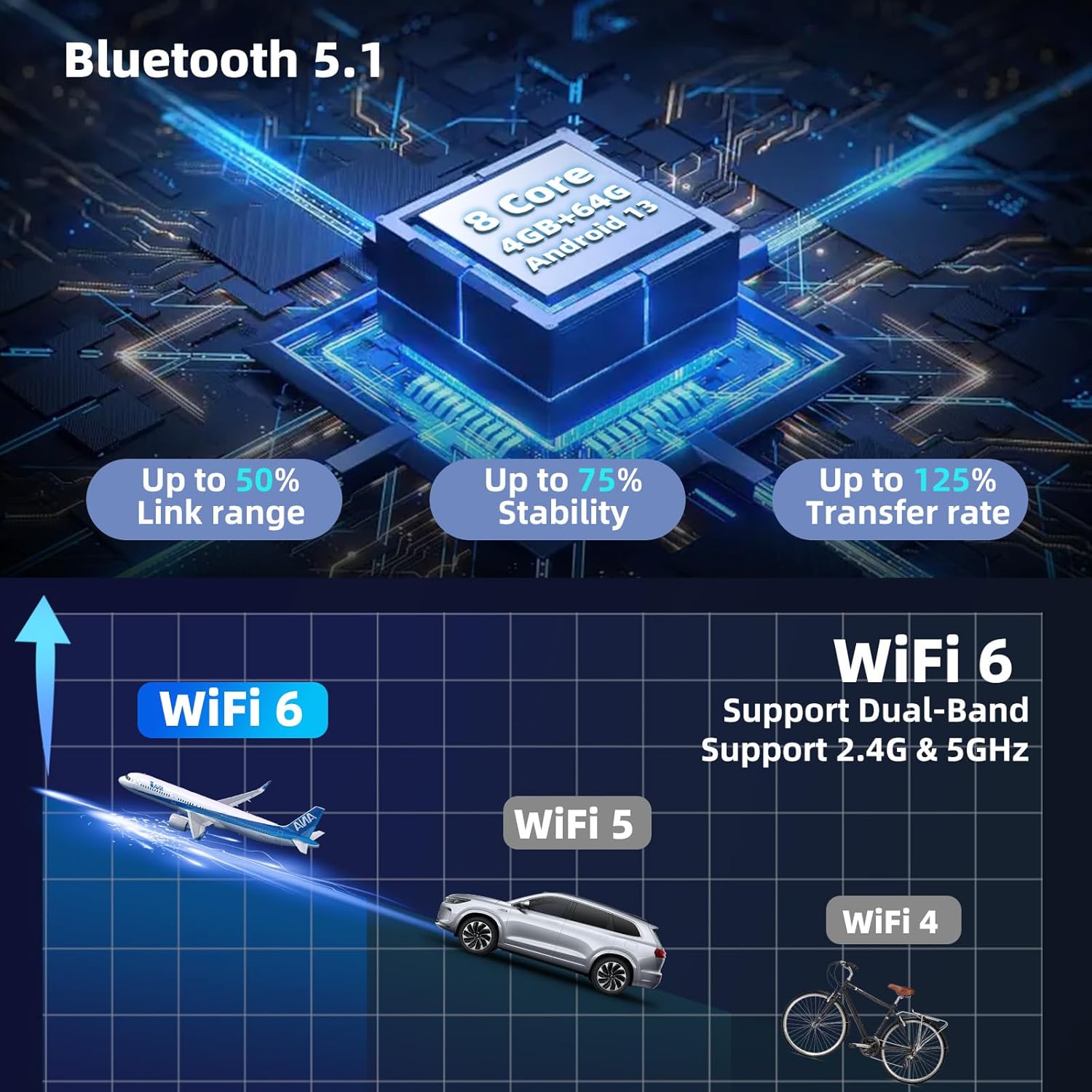
Image 4.2: Wireless CarPlay and Android Auto functionality with voice control.
4.3 Bluetooth 5.1
The stereo features Bluetooth 5.1 for stable and fast connections. Use it for hands-free calling, music streaming, and automatic phonebook synchronization.

Image 4.3: Bluetooth 5.1 features for enhanced connectivity.
4.4 DSP Hi-Res Audio
The built-in Digital Sound Processor (DSP) allows for precise audio tuning. Adjust sound field modes, equalizer settings (EQ), and speaker balance to customize your listening experience.

Image 4.4: DSP Hi-Res audio settings interface.
4.5 GPS Navigation & Dual-Band WiFi
The unit supports both online and offline GPS navigation. The integrated dual-band WiFi (2.4GHz & 5GHz) enables internet access for app downloads, real-time traffic updates, and online map services.

Image 4.5: GPS Navigation with support for various map systems.
4.6 10-inch IPS Touchscreen
The 10-inch 1280x720P IPS touchscreen offers clear visuals and wide viewing angles. The QLED HD screen technology provides accurate colors and enhanced clarity.

Image 4.6: Features of the 10-inch 1280x720P IPS HD Screen.
4.7 Steering Wheel Control (SWC)
The unit supports steering wheel controls, allowing you to manage audio, calls, and other functions without taking your hands off the wheel. This feature requires proper connection via the Canbus decoder.

Image 4.7: Steering Wheel Control setup and functionality.
4.8 Rear View Camera
The included AHD backup camera provides a clear view for convenient parking. Features include waterproofing, a 170-degree viewing angle, HDR, and night vision capabilities.

Image 4.8: Rear View Camera features for enhanced parking safety.
4.9 Split Screen Functionality
Utilize the split-screen feature to run two applications simultaneously, such as navigation and music, for improved multitasking.

Image 4.9: Split Screen display for simple and convenient operation.
4.10 UI Customization
The Android 15 system allows for extensive UI customization, including themes, wallpapers, and 3D car dynamic effects. Adjust colors and display modes to match your preferences.
- Shaderlab Topics: Adjust UI color and font color.
- Window Design: Easy and fast way to operate, including card theme, split view theme, and wallpaper theme.
- 3D Car Dynamic Effects: Manually observe the vehicle from multiple angles and customize its appearance.

Image 4.10: Customizable UI modes and color settings.

Image 4.11: Immersive 3D Car Dynamic Effects with customization options.
4.11 FM/RDS Radio
Access FM radio stations and receive RDS (Radio Data System) information, including station names, song titles, and traffic updates.

Image 4.12: FM/RDS Radio interface.
5. Maintenance
5.1 General Care
- Keep the screen clean using a soft, lint-free cloth. Avoid abrasive cleaners.
- Protect the unit from extreme temperatures and direct sunlight for prolonged periods.
- Ensure all cables are securely connected to prevent intermittent issues.
5.2 Cooling Fan System
The car stereo is equipped with a built-in cooling fan to maintain optimal operating temperature and ensure stable performance, especially during high-speed operations or in warm environments. The fan settings can be monitored and adjusted via the system interface.

Image 5.1: Fan cooling system settings interface.
6. Troubleshooting
If you encounter issues, refer to the following common solutions:
| Problem | Possible Cause | Solution |
|---|---|---|
| No Power | Loose power connection, blown fuse. | Check power cables and vehicle fuses. Ensure battery is connected. |
| No Sound | Speaker wires disconnected, volume too low, incorrect audio settings. | Verify speaker connections. Adjust volume. Check DSP/EQ settings. |
| GPS Signal Lost | GPS antenna obstruction or faulty connection. | Ensure GPS antenna has a clear view of the sky and is securely connected. |
| CarPlay/Android Auto Not Connecting | Incorrect phone settings, WiFi/USB connection issues. | Restart phone and stereo. Check phone's CarPlay/Android Auto settings. Ensure stable WiFi or proper USB connection. |
| Touchscreen Unresponsive | System freeze, temporary software glitch. | Perform a soft reset (refer to device settings for reset option or press the RST button if available). |
For persistent issues, contact customer support.
7. Specifications
| Feature | Detail |
|---|---|
| Operating System | Android 15 |
| Processor | Qualcomm 8-Core |
| Memory (RAM) | 4GB |
| Storage (ROM) | 64GB |
| Display Size | 10 Inches |
| Display Resolution | 1280x720P IPS |
| Bluetooth Version | 5.1 |
| WiFi | Dual-Band (2.4GHz & 5GHz) |
| GPS | Supports GPS/Glonass/Beidou navigation systems |
| Audio Output Mode | Digital (with DSP Hi-Res) |
| Connectivity | Bluetooth, USB, Wi-Fi |
| Item Weight | 5.26 pounds |
| Package Dimensions | 17.32 x 7.87 x 3.94 inches |
8. Warranty and Support
UNITOPSCI offers comprehensive support for your product:
- Money-Back Guarantee: 30-day money-back policy.
- Replacement Service: 12-month replacement service.
- Technical Support: Dedicated 24/7 professional after-sales team available for inquiries during installation or usage.
- Warranty: 1 Year.
For online support, please contact: UNITOPSCI@126.com

Image 8.1: UNITOPSCI After-Sales Support details.
Ask a question about this manual
Ask about setup, troubleshooting, compatibility, parts, safety, or missing instructions. Manuals+ will review the question and use this page’s manual context to help answer it.