
1. Introduction
This manual provides detailed instructions for the installation, operation, and maintenance of your Carpeer 10.26 Inch Wireless CarPlay Screen. This device integrates advanced features such as wireless Apple CarPlay and Android Auto, a 1080P IPS touchscreen, rearview camera support, Mirror Link functionality, Bluetooth connectivity, GPS navigation, FM/AUX audio output, and Google/Siri voice control. Please read this manual thoroughly before use to ensure optimal performance and safety.
2. Product Overview
The Carpeer 10.26 Inch Wireless CarPlay Screen is designed to enhance your driving experience by bringing smartphone functionalities directly to your vehicle's dashboard. Key features include:
- Wireless CarPlay & Android Auto: Seamless integration with your smartphone for navigation, music, calls, and more.
- 10.26 Inch IPS Touchscreen: High-definition display (1600*600 resolution) for clear visuals and responsive interaction.
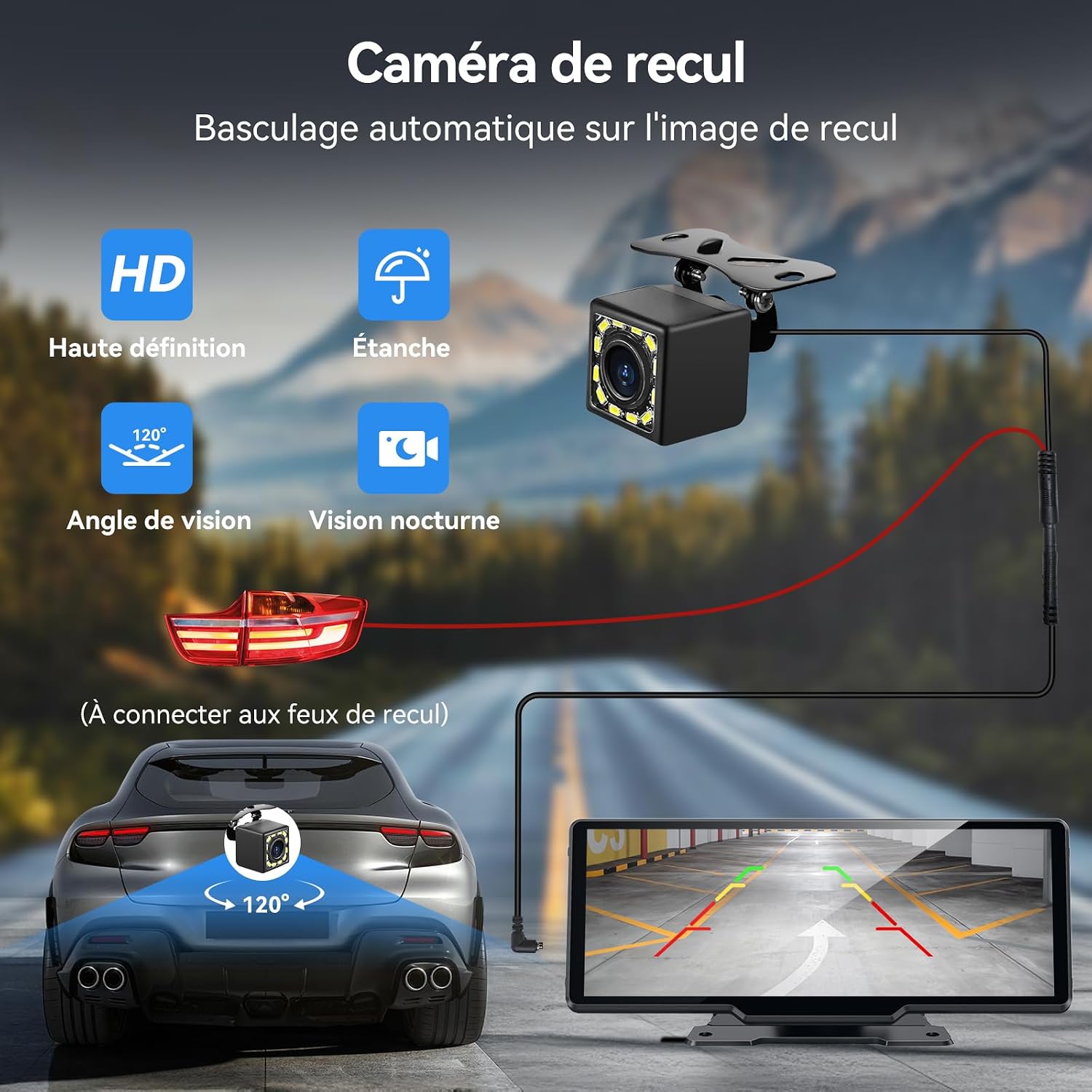
- HD Rearview Camera: 1080P waterproof camera with 120° wide-angle view for safer parking.
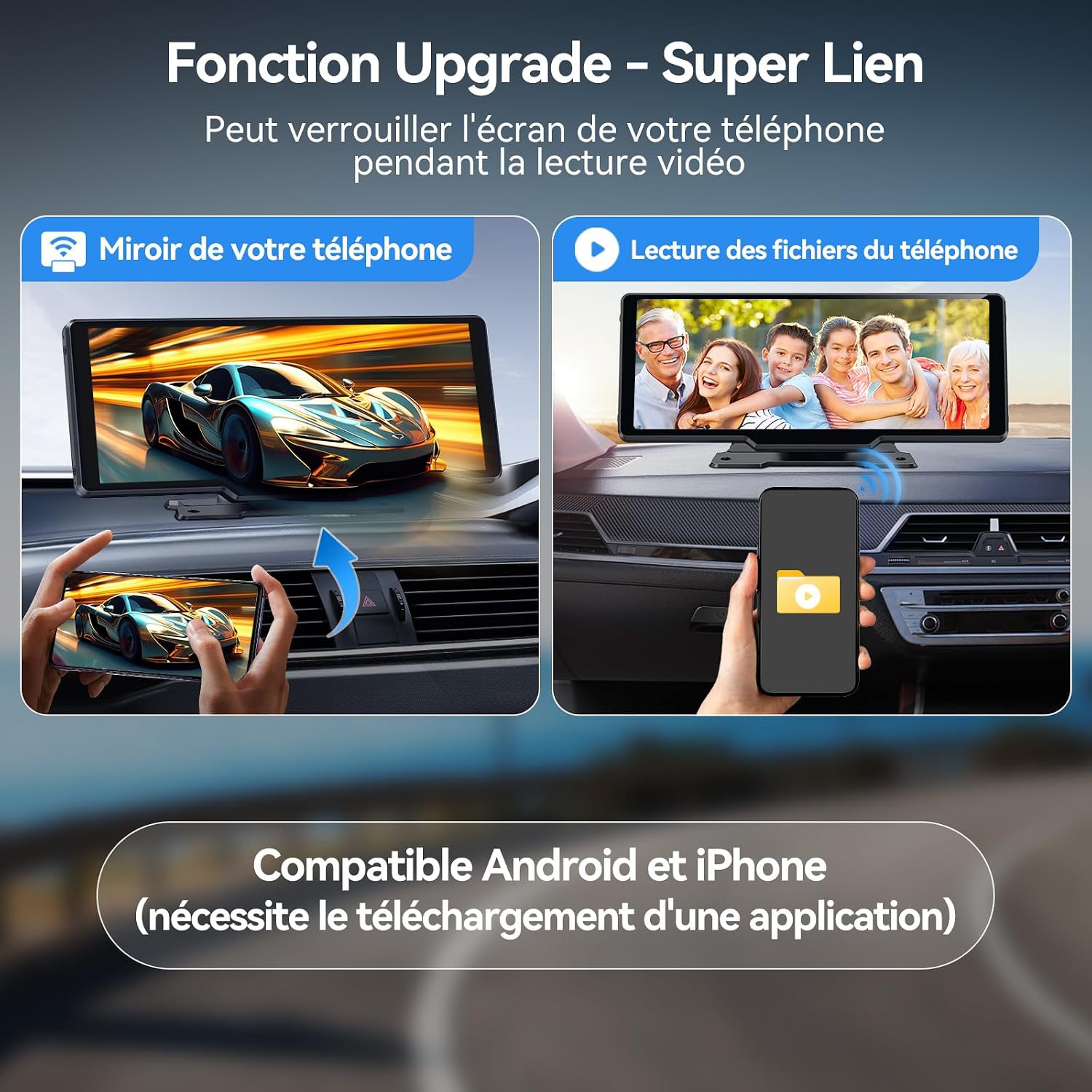
- Mirror Link: Display your smartphone screen directly on the unit.
- Multiple Audio Output Modes: Connect to your car's audio system via FM transmitter, AUX cable, Bluetooth 5.3, or use the built-in speaker.
- Voice Control: Hands-free operation using Siri or Google Assistant for navigation, music, and calls.
- Split-Screen Multitasking: View navigation and media simultaneously.
- Easy Installation: Plug-and-play design, no dashboard disassembly required.

3. Package Contents
Verify that all items are present in your package:
- 1 x 10.26-inch Touchscreen Car Radio
- 1 x Adhesive Mount
- 1 x Suction Cup Mount
- 1 x Cigarette Lighter Power Adapter
- 1 x Rearview Camera
- 1 x AUX Cable
- 1 x User Manual

4. Setup Instructions
4.1 Mounting the Unit
The Carpeer screen offers two mounting options: an adhesive mount for dashboard installation and a suction cup mount for windshield or dashboard placement.
- Adhesive Mount: Securely attach the adhesive base to a clean, flat surface on your dashboard.
- Suction Cup Mount: For windshield mounting, ensure the base rests on the console to provide stability and prevent the unit from hanging freely. This mount allows for 360-degree rotation for optimal viewing angles.
Choose a location that does not obstruct your view of the road or interfere with vehicle controls.

4.2 Power Connection
Connect the unit to your vehicle's cigarette lighter socket using the provided power adapter. This device supports 12V-24V power input, making it compatible with various vehicles including RVs, trucks, SUVs, and pickups. The system is plug-and-play, requiring no complex wiring for basic operation.
4.3 Rearview Camera Installation
The included 1080P HD rearview camera is waterproof and offers a 120° viewing angle. For automatic display when reversing, connect the camera's power cable to your vehicle's reverse lights. Ensure the connection is secure and properly insulated.
5. Operating Instructions
5.1 Wireless CarPlay & Android Auto Connection
The Carpeer screen supports wireless Apple CarPlay and Android Auto via Bluetooth connection. This allows direct access to applications, maps, calls, and other smartphone features.
- Ensure Bluetooth and Wi-Fi are enabled on your smartphone.
- On the Carpeer screen, navigate to the CarPlay or Android Auto interface.
- Search for and select the device name (e.g., "T86-xxxx") in your phone's Bluetooth settings.
- Confirm pairing on both devices.
- Allow the connection for CarPlay or Android Auto.

5.2 Real-time Mapping & GPS Navigation
When connected to CarPlay or Android Auto, the unit provides precise real-time positioning and GPS navigation. Utilize applications like Google Maps for live traffic alerts and lane change suggestions. Navigation information is instantly accessible without frequent updates.
5.3 Voice Control
The 10.26-inch screen features advanced multilingual voice recognition. Use voice commands via Siri or Google Assistant for hands-free operation of navigation, music playback, and phone calls, enhancing driving safety and convenience.

5.4 Enhanced Mirror Link Technology
The Mirror Link function allows you to mirror almost any smartphone's screen onto the Carpeer display. This is suitable for media playback, navigation, and viewing content from apps like YouTube or TikTok. To use Mirror Link:
- If connected to CarPlay/Android Auto, exit that mode first.
- On the Carpeer screen, select the "Mirror Link" option.
- Follow the on-screen instructions to connect your smartphone, which may involve scanning a QR code or selecting a Wi-Fi Direct connection.

5.5 Audio Output Modes
The Carpeer screen offers four audio output options to integrate with your vehicle's sound system:
- Bluetooth 5.3: Connect wirelessly to your car's Bluetooth system for enhanced audio quality.
- Built-in Speaker: The unit has an integrated speaker for direct audio output.
- AUX Connection: Use the provided AUX cable to connect to your car's auxiliary input.
- FM Transmitter: Transmit audio to your car's FM radio by tuning both devices to the same unoccupied FM frequency.

5.6 Split-Screen Multitasking
The 10.26-inch IPS screen (1920*720 resolution) supports multitasking, allowing you to display navigation, multimedia, and vehicle information simultaneously. This feature enhances safety and convenience by keeping multiple essential functions visible.
5.7 Rearview Camera Operation
Once installed and connected to your reverse lights, the rearview camera image will automatically display on the screen when you shift into reverse. This provides a clear, wide-angle view of the area behind your vehicle, assisting with parking, especially at night.

6. Maintenance
To ensure the longevity and optimal performance of your Carpeer screen, follow these maintenance guidelines:
- Cleaning: Use a soft, dry cloth to clean the screen. For stubborn smudges, lightly dampen the cloth with water or a screen-safe cleaner. Avoid abrasive materials or harsh chemicals.
- Temperature: Avoid exposing the unit to extreme temperatures for extended periods.
- Connections: Periodically check all cable connections (power, AUX, camera) to ensure they are secure.
- Software Updates: While specific software update information is not available, it is generally recommended to check the manufacturer's website for any potential firmware updates that may improve performance or add features.
7. Troubleshooting
If you encounter issues with your Carpeer screen, refer to the following common problems and solutions:
| Problem | Possible Cause | Solution |
|---|---|---|
| Unit does not power on. | No power, loose connection, faulty cigarette lighter socket. | Ensure the power adapter is fully inserted into the cigarette lighter. Check if the cigarette lighter socket is functional. Try a different power source if available. |
| Wireless CarPlay/Android Auto disconnects frequently. | Bluetooth interference, weak signal, phone settings. | Ensure your phone's Bluetooth and Wi-Fi are stable. Try restarting both the screen and your phone. Check for any conflicting Bluetooth devices. |
| Poor audio quality via AUX or FM. | Loose cable, incorrect FM frequency, interference. | For AUX, ensure the cable is fully inserted. For FM, try a different, unoccupied frequency. Check for external interference. |
| Rearview camera not displaying. | Incorrect wiring, faulty camera, reverse light issue. | Verify the camera is correctly wired to the reverse lights. Check the camera cable for damage. Ensure reverse lights are functioning. |
| Google Maps not working with Android Auto. | App compatibility issue, software glitch. | Ensure Google Maps is updated on your phone. Try clearing the cache for Android Auto and Google Maps apps. Restart the device and phone. If the issue persists, consult Carpeer support. |
8. Specifications
| Feature | Detail |
|---|---|
| Brand | Carpeer |
| Screen Size | 10.26 inches |
| Display Resolution | 1600*600 (IPS) |
| Connectivity Technology | Bluetooth, Wi-Fi |
| Connector Type | USB Type C |
| Special Features | Android Auto, Apple CarPlay, Integrated Bluetooth, GPS Navigation, Hands-free calling, Mirror Link |
| Compatible Devices | Smartphone, Tablet, Personal Computer, Vehicle |
| Controller Type | Google Assistant, Voice Control |
| Audio Output Mode | Stereo, Bluetooth |
| Surround Sound Channel Configuration | 5.1 |
| Video Encoding | H.264, H.265/HEVC |
| Product Dimensions | 11D x 24W x 8.5H centimeters |
| Item Model Number | B0DY7DV4DB |
| Manufacturer Warranty | 2 years |
9. Warranty Information
The Carpeer 10.26 Inch Wireless CarPlay Screen comes with a 2-year manufacturer's warranty. This warranty covers defects in materials and workmanship under normal use. Please retain your proof of purchase for warranty claims. For specific terms and conditions, refer to the warranty documentation included with your product or contact Carpeer customer support.
10. Customer Support
For further assistance, technical support, or warranty inquiries, please contact Carpeer customer service. Refer to the contact information provided in your product packaging or visit the official Carpeer website for support resources.