
1. Introduction
The ZEBRONICS 10000 mAh Power Bank (Model ZEB-PB 12) is a portable charging solution designed to keep your mobile devices powered on the go. Featuring 22.5W Super Fast Charging with PD3.0 (PPS) support, dual Type-C ports, and a USB-A port, this power bank offers versatile and efficient charging for smartphones, tablets, and other compatible devices. Its sleek design includes an LED percentage display for convenient battery monitoring and incorporates multiple safety protections.

Image 1.1: ZEBRONICS 10000 mAh Power Bank, highlighting its 22.5W maximum output and 10000 mAh capacity.
2. Package Contents
Please check the box for the following items:
- Power bank - 1 unit
- Charging Cable - 1 unit
- QR Code Guide - 1 unit
3. Product Overview
The ZEB-PB 12 power bank features a compact and sleek design with a textured body for enhanced grip. It is equipped with multiple ports and an LED display for user convenience.
3.1. Ports and Indicators
- Type-C1 Port: Supports both input (charging the power bank) and output (charging devices) with PD3.0 (PPS) fast charging.
- USB-A Port: Output port for charging devices.
- Type-C2 Port: Input port for charging the power bank.
- LED Percentage Display: Shows the remaining battery percentage and charging status.

Image 3.1: Detailed view of the power bank's input and output ports.

Image 3.2: The power bank's LED display showing battery percentage and its physical dimensions.
4. Charging the Power Bank
Before first use, fully charge your power bank. To charge the power bank:
- Connect the provided charging cable to either the Type-C1 Input/Output port or the Type-C2 Input port on the power bank.
- Connect the other end of the charging cable to a compatible USB wall adapter (not included).
- The LED percentage display will show the charging progress. Once it reaches 100%, the power bank is fully charged.
Note: For optimal charging speed, use a fast charging adapter.
5. Charging Your Devices
The ZEB-PB 12 power bank can charge various mobile devices, including smartphones, tablets, and earbuds, using its multiple output ports.
- Connect your device's charging cable to the appropriate output port on the power bank (Type-C1 or USB-A).
- Connect the other end of the cable to your device.
- The power bank will automatically begin charging your device. The LED display will show the power bank's remaining charge.
The power bank supports 22.5W Super Fast Charging, ensuring your devices are charged quickly and efficiently. Its PD3.0 (PPS) compatible Type-C1 port provides rapid charging for supported devices.

Image 5.1: A smartphone being rapidly charged by the power bank.
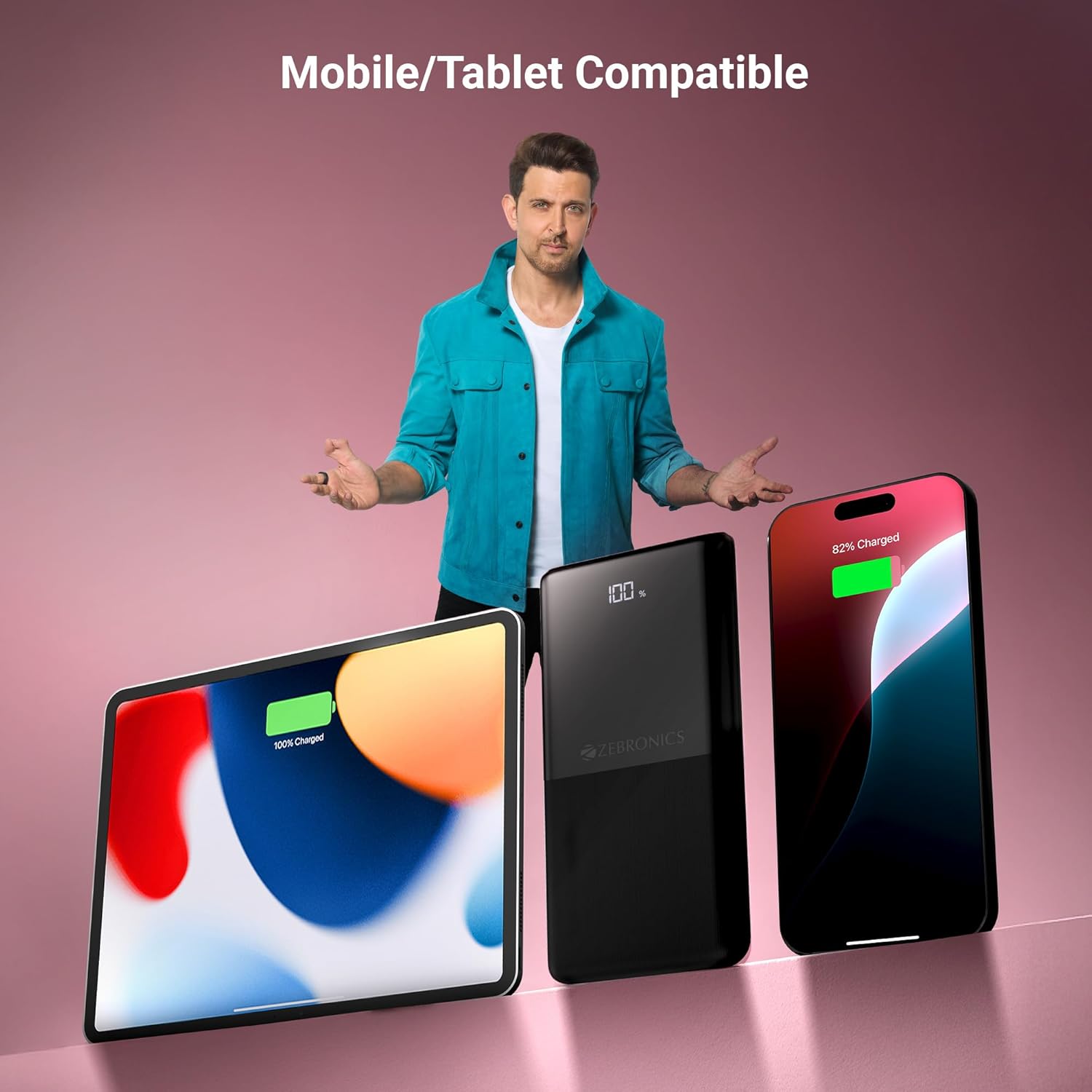
Image 5.2: The power bank demonstrating compatibility with both mobile phones and tablets.
6. Safety Information
The ZEBRONICS ZEB-PB 12 Power Bank is designed with multiple safety features to ensure a secure charging experience:
- Overcharge Protection: Prevents the power bank from being overcharged, extending battery life.
- Overload Protection: Safeguards against excessive current draw.
- Short-Circuit Protection: Automatically shuts down in case of a short circuit to prevent damage.
To ensure safe operation, please observe the following:
- Do not expose the power bank to extreme temperatures, direct sunlight, or water.
- Do not disassemble, modify, or attempt to repair the device.
- Keep out of reach of children.
- Use only compatible charging cables and adapters.

Image 6.1: The power bank's integrated safety protections.
7. Specifications
| Feature | Specification |
|---|---|
| Model Name | ZEB-PB 12 |
| Brand | ZEBRONICS |
| Battery Capacity | 10000 mAh |
| Rapid Charging Performance | 22.5W (Max.) |
| Connector Type | USB Type C |
| Number of Ports | 3 (2x Type-C, 1x USB-A) |
| Type-C1 Port Output | DC 5V/3A, 9V/2.22A, 12V/1.67A, 3.3~11V/2A PPS |
| USB-A Output | DC 5V/3A, 9V/2A, 12V/1.85A |
| Type-C1 Input | DC 5V/3A, 9V/2A, 12V/1.5A |
| Type-C2 Input | DC 5V/2.4A |
| Compatible Devices | Smartphone, Tablet |
| Item Weight | 230 Grams |
| Item Dimensions (L x W x Thickness) | 20L x 98W x 144Th Centimeters |
| Country of Origin | India |
8. Maintenance
To ensure the longevity and optimal performance of your power bank, follow these maintenance guidelines:
- Cleaning: Use a soft, dry cloth to clean the exterior of the power bank. Avoid using harsh chemicals or abrasive materials.
- Storage: Store the power bank in a cool, dry place away from direct sunlight and extreme temperatures.
- Battery Care: For best battery health, avoid fully discharging the power bank regularly. Recharge it when the battery level is low.
- Avoid Drops: Protect the device from physical shocks and drops.
9. Troubleshooting
If you encounter issues with your power bank, refer to the following common problems and solutions:
- Power bank not charging:
- Ensure the charging cable is securely connected to both the power bank and the wall adapter.
- Verify that the wall adapter is functioning correctly and plugged into a live power outlet.
- Try using a different charging cable or adapter.
- Device not charging from power bank:
- Check if the power bank has sufficient charge (refer to the LED display).
- Ensure the charging cable is securely connected to both the power bank and your device.
- Try using a different charging cable or a different output port on the power bank.
- Confirm your device is compatible with the power bank's output specifications.
- Slow charging:
- Ensure you are using a fast-charging compatible cable and your device supports fast charging.
- Some devices may charge slower if multiple devices are connected simultaneously.
- LED display not working:
- Press the power button (if available) to activate the display.
- If the issue persists, contact customer support.
10. Warranty and Support
10.1. Warranty Information
This ZEBRONICS Power Bank comes with a 6 months carry into service center warranty. Please retain your purchase receipt for warranty claims.
10.2. Customer Support
For any queries, technical assistance, or warranty claims, please contact ZEBRONICS customer support:
- Manufacturer/Importer Contact: Zebronics India Private Limited, No.13/7, Smith Road, Royapettah, Chennai - 600 002.
- Refer to the QR Code Guide included in your package for additional support resources.
11. Product Video Overview
Watch the official product video for a visual guide to the ZEBRONICS 10000 mAh Power Bank's features and usage.
Video 11.1: Official product overview video for the Zebronics 10000 mAh Power Bank, demonstrating its features and usage.

