
1. Introduction
Thank you for choosing the ZEBRONICS EnergiTank 10MR1 Metal Power Bank. This manual provides essential information for the safe and efficient use of your device. Please read it thoroughly before operation and retain it for future reference.
The EnergiTank 10MR1 is a high-capacity portable charger designed to provide fast and reliable power to your mobile devices. Its metallic finish offers durability and a sleek design, making it an ideal companion for on-the-go charging.

Image 1.1: ZEBRONICS EnergiTank 10MR1 Metal Power Bank.
2. Package Contents
Please check the package for the following items:
- 1 x ZEBRONICS EnergiTank 10MR1 Power Bank
- 1 x Charging Cable
- 1 x QR Code Guide (for digital manual access)
3. Product Features
- Charging Capacity: 10,000mAh battery for efficient power delivery.
- Metal Outlook: Premium metallic finish for a sleek and stylish design.
- Output Power: Maximum 22.5W output for fast charging compatible smartphones and tablets.
- Multiple Outputs: Features a Type-C Output (DC 5V/3A, 9V/2.22A, 12V/1.67A, 5~11V/2A PPS) and a USB port output (DC 5V/3A, 9V/2A, 10V/2.25A, 12V/1.88A).
- Input Connectivity: Type-C input port (DC 5V/3A, 9V/2A, 12V/1.5A) for recharging the power bank.
- Rapid Charging: PD3.0 (with PPS) Type-C output ensures fast charging for compatible devices.
- Safety Protection: Built-in overcharge, overload, and short-circuit protection.
- LED Indicator: Displays the remaining battery percentage.
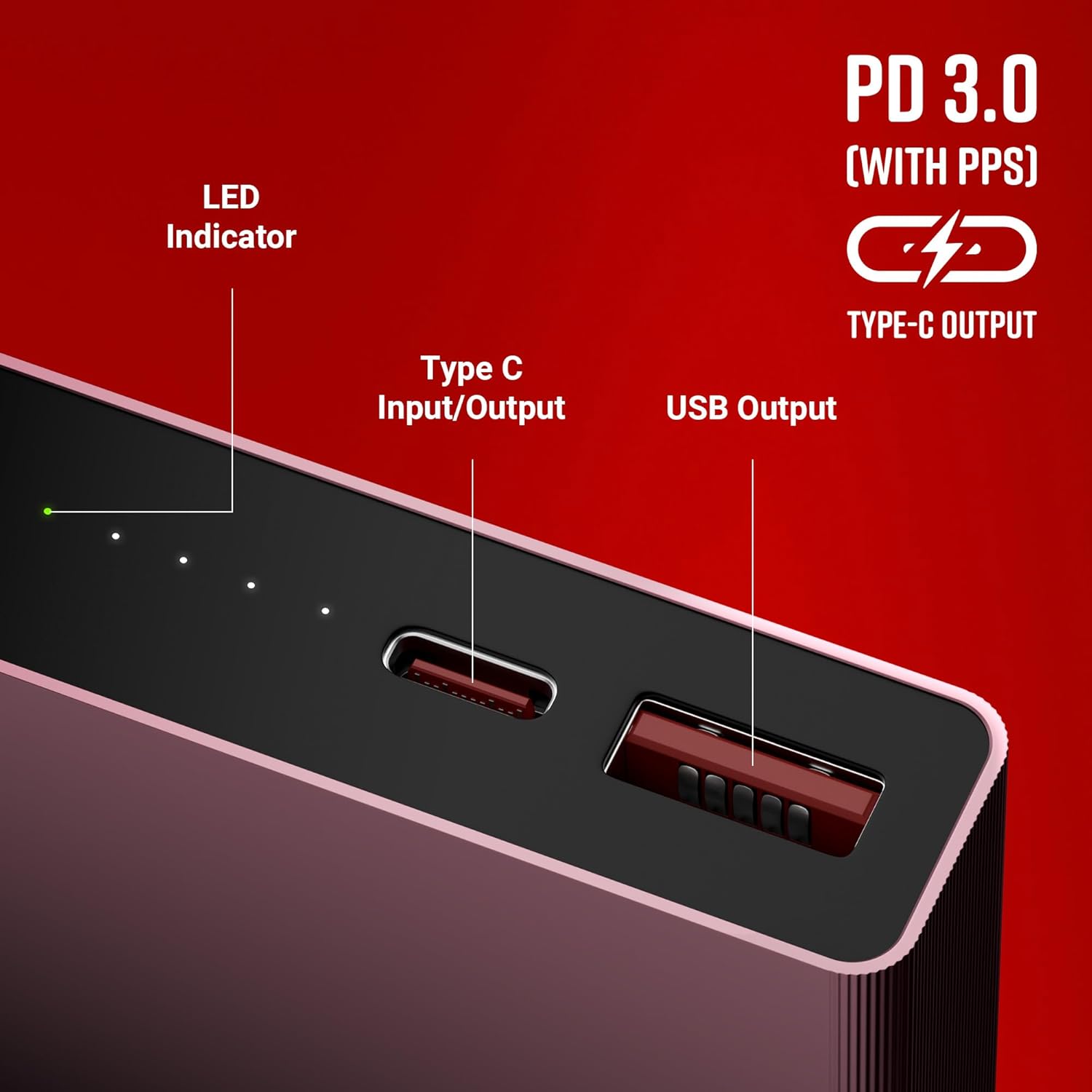
Image 3.1: Key features including 10000 mAh capacity and 22.5W output.
4. Product Layout and Ports
Familiarize yourself with the ports and indicators on your power bank:

Image 4.1: Port layout and LED indicator.
- LED Indicator: Displays the current battery level of the power bank.
- Type-C Input/Output Port: Used for both recharging the power bank and charging compatible devices.
- USB Output Port: Used for charging devices.
5. Setup and Initial Use
Before using your power bank for the first time, it is recommended to fully charge it.
- Unpack: Remove the power bank and included charging cable from the packaging.
- Initial Charge: Connect the provided charging cable to the Type-C input port of the power bank. Connect the other end of the cable to a compatible USB wall adapter (not included) or a computer's USB port.
- Monitor Charging: The LED indicator lights will illuminate to show the charging progress. Once all indicators are solid, the power bank is fully charged.
6. Operating Instructions
6.1 Charging the Power Bank
To recharge your EnergiTank 10MR1:
- Connect the Type-C charging cable to the power bank's Type-C input port.
- Plug the other end of the cable into a USB power source (e.g., wall adapter, computer).
- The LED indicators will show the charging status. A full charge is indicated when all LEDs are continuously lit.
6.2 Charging Your Devices
The power bank can charge various devices such as smartphones, tablets, and other USB-powered gadgets.
- Connect your device's charging cable to either the USB output port or the Type-C output port of the power bank.
- Connect the other end of the cable to your device.
- The power bank will automatically begin charging your device. The LED indicators will show the remaining power level of the power bank.

Image 6.1: Charging a smartphone with the power bank.

Image 6.2: The power bank is compatible with various mobile and tablet devices.
7. Maintenance
- Keep the power bank dry. Do not expose it to moisture or liquids.
- Clean the device with a soft, dry cloth. Do not use harsh chemicals or abrasive materials.
- Store the power bank in a cool, dry place away from direct sunlight and extreme temperatures.
- Avoid dropping or subjecting the power bank to strong impacts.
- For optimal battery life, fully charge the power bank at least once every three months if not in regular use.
8. Troubleshooting
If you encounter issues with your power bank, refer to the following common solutions:
- Power bank not charging:
- Ensure the charging cable is securely connected to both the power bank and the power source.
- Verify that the wall adapter or USB port is functional.
- Try a different charging cable or power source.
- Device not charging from power bank:
- Check if the power bank has sufficient charge (refer to LED indicators).
- Ensure the device's charging cable is properly connected to both the power bank and the device.
- Try a different charging cable or a different output port on the power bank.
- Confirm your device is compatible with the power bank's output specifications.
- Slow charging:
- Ensure you are using a fast-charging compatible cable and your device supports fast charging.
- Some devices may limit charging speed if they are in heavy use or if their battery is nearly full.
9. Specifications
| Feature | Detail |
|---|---|
| Model Name | EnergiTank 10MR1 (ZEB-PB 14) |
| Battery Capacity | 10000 mAh |
| Max Output Power | 22.5W |
| Type-C Input | DC 5V/3A, 9V/2A, 12V/1.5A |
| Type-C Output | DC 5V/3A, 9V/2.22A, 12V/1.67A, 5~11V/2A (PPS) |
| USB Output | DC 5V/3A, 9V/2A, 10V/2.25A, 12V/1.88A |
| Connector Type | USB Type C |
| Item Weight | 225 g |
| Package Dimensions | 17.6 x 9.9 x 2.2 cm |
| Country of Origin | India |
10. Safety Information
Please observe the following safety precautions to prevent damage to the device or injury to yourself:
- Do not disassemble, open, or attempt to repair the power bank.
- Do not expose the power bank to fire, high temperatures, or direct sunlight.
- Keep away from water, humidity, and corrosive substances.
- Do not use the power bank if it is damaged or swollen.
- Keep out of reach of children.
- Dispose of the power bank responsibly according to local regulations.
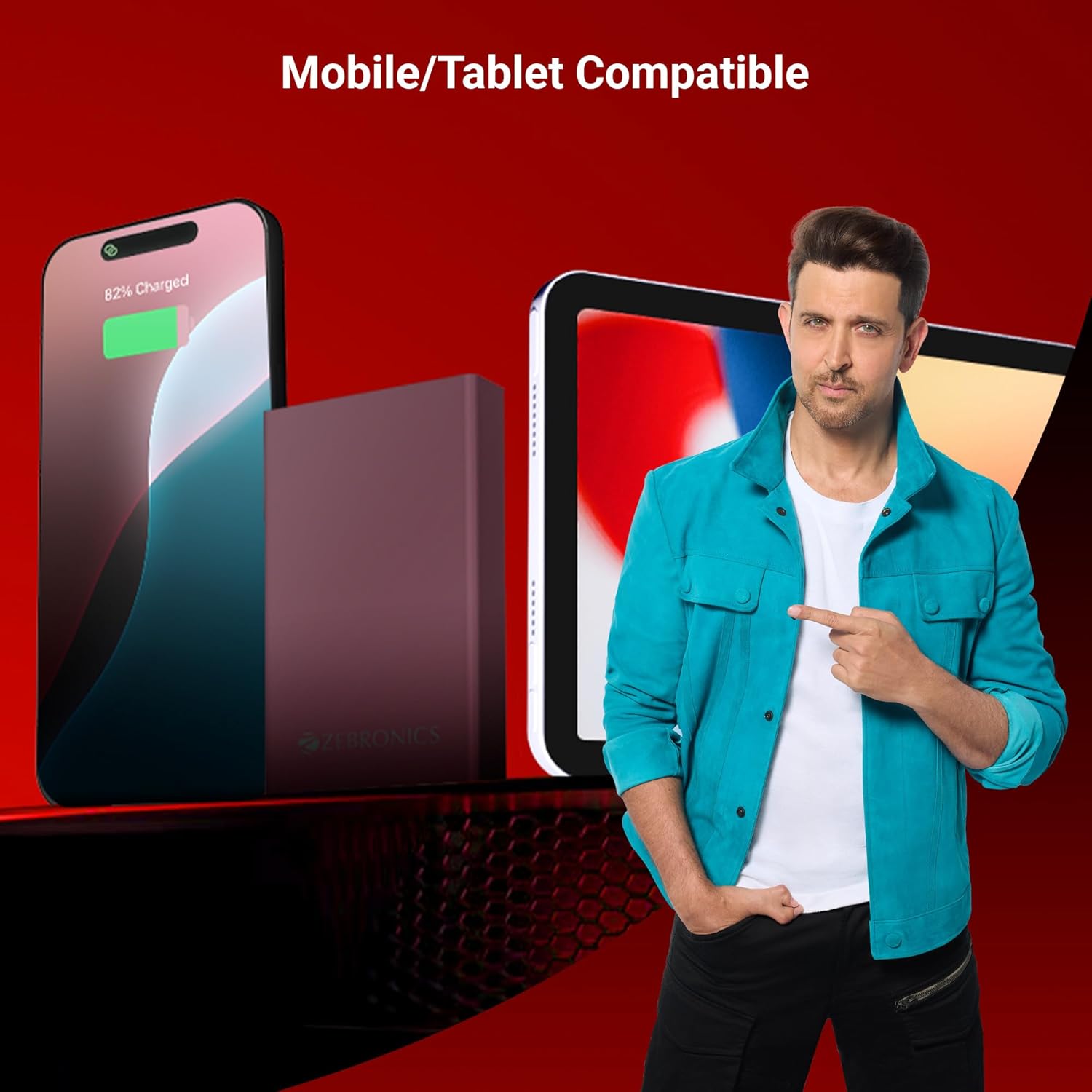
Image 10.1: The power bank includes multiple safety protections.
11. Warranty and Support
Your ZEBRONICS EnergiTank 10MR1 Power Bank comes with a standard manufacturer's warranty. Please refer to the warranty card included in your package or visit the official ZEBRONICS website for detailed warranty terms and conditions.
For technical support, service, or warranty claims, please contact ZEBRONICS customer service through their official channels. You can find contact information on the ZEBRONICS website: www.zebronics.com/support