
1. Introduction
This manual provides essential instructions for the safe and effective use of your Arya Go/Caire Freestyle Comfort External Battery Charger. Please read this manual thoroughly before operating the device and retain it for future reference. This external battery charger is designed to recharge batteries for the Arya Go and Caire Freestyle Comfort portable oxygen concentrators.
2. Package Contents
Verify that all items listed below are included in your package. If any items are missing or damaged, please contact your supplier immediately.
- External Battery Charger Unit (Model BT036-1)
- AC Power Adapter
- AC Power Cord
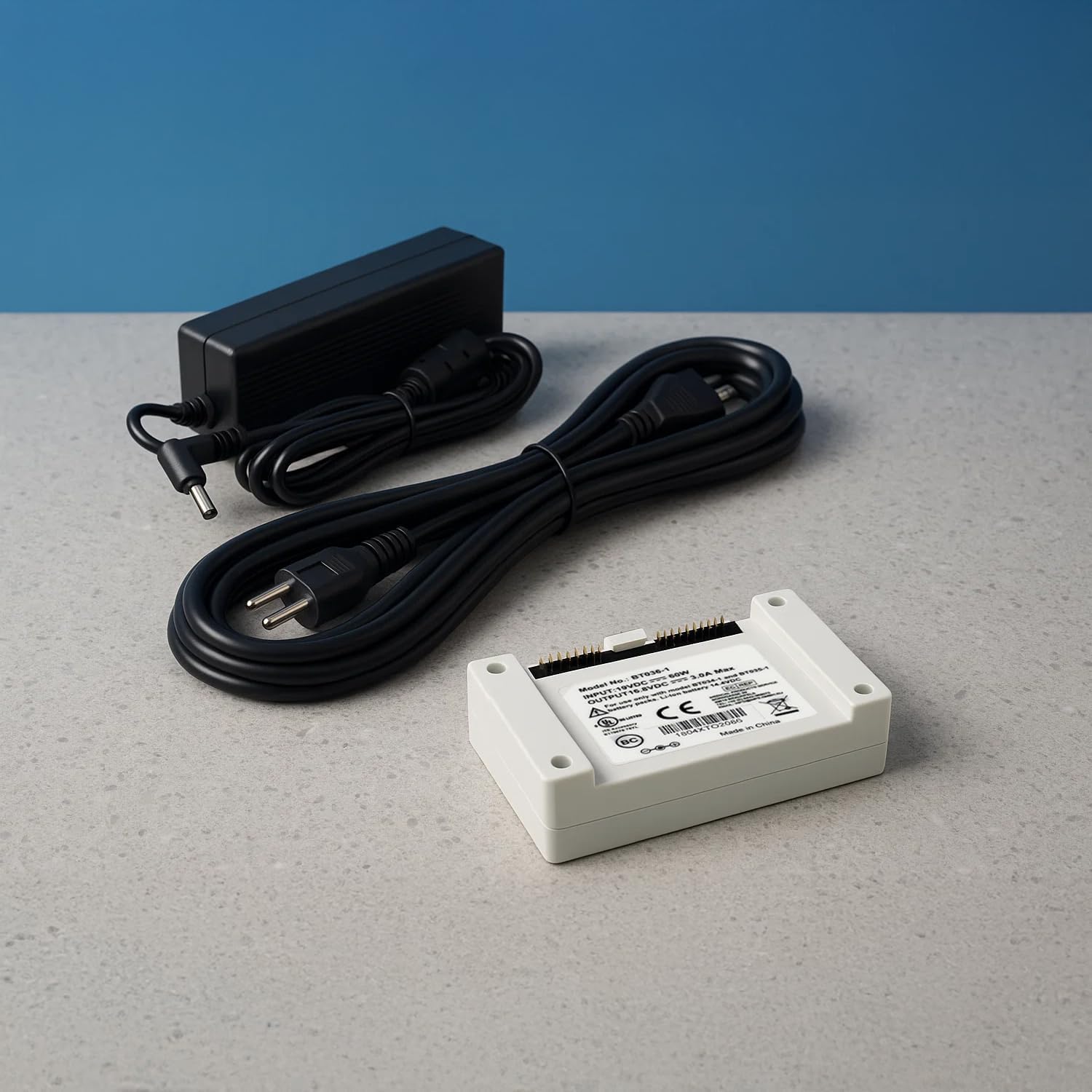
Image 2.1: The external battery charger unit, power adapter, and power cord.
3. Features
The Arya Go/Caire Freestyle Comfort External Battery Charger offers the following key features:
- Original Equipment Design: Specifically made for Arya Go, also fits Caire FreeStyle Comfort for a perfect, secure connection.
- Fast & Efficient Charging: Quickly recharges external batteries to keep your concentrator running longer.
- Compact & Travel-Friendly: Lightweight and portable, making it ideal for home, office, or travel use.
- Durable & Reliable: Built with high-quality materials for long-lasting performance and consistent power delivery.
- Easy to Use: Simple plug-and-charge design ensures hassle-free operation.
4. Setup
Follow these steps to set up your external battery charger:
- Connect the AC power adapter to the charger unit's power input port.
- Connect the AC power cord to the AC power adapter.
- Plug the AC power cord into a standard wall outlet. The power indicator light on the charger unit should illuminate.
- Carefully insert the compatible battery (for Arya Go or Caire Freestyle Comfort) into the charging slot on the charger unit. Ensure it clicks securely into place.

Image 4.1: The external battery charger with power adapter and cord connected, ready for use.
Video 4.1: Demonstration of the Caire Freestyle Comfort External Battery Charger, showing its design and how to connect the battery.
5. Operating Instructions
Once the battery is correctly inserted and the charger is powered, the charging process will begin automatically. The charger unit features indicator lights to show the charging status:
- Power On/Standby: Indicates the charger is connected to power.
- Charging: Indicates the battery is currently charging.
- Charge Complete: Indicates the battery is fully charged and ready for use.
Refer to the labels on the charger unit for specific indicator light meanings.

Image 5.1: Close-up view of the Arya Go/Caire Freestyle Comfort External Battery Charger unit, showing model number BT036-1 and electrical specifications, including indicator lights.
Video 5.1: A demonstration showing the insertion and removal of a compatible battery into the charger.
6. Maintenance
To ensure optimal performance and longevity of your charger:
- Keep the charger unit clean and free from dust and debris. Use a soft, dry cloth for cleaning.
- Do not expose the charger to water or excessive moisture.
- Store the charger in a cool, dry place when not in use.
- Avoid dropping or subjecting the charger to strong impacts.
7. Troubleshooting
If you encounter issues with your charger, refer to the following common problems and solutions:
| Problem | Possible Cause | Solution |
|---|---|---|
| Charger not powering on | Power cord or adapter not properly connected; no power from outlet. | Ensure all connections are secure. Test the outlet with another device. |
| Battery not charging | Battery not inserted correctly; battery fault; charger fault. | Re-insert the battery, ensuring a secure connection. Check battery for damage. If issues persist, contact support. |
| Indicator lights not functioning | Charger fault. | Contact customer support for assistance. |
8. Specifications
| Feature | Detail |
|---|---|
| Model No. | BT036-1 |
| Input | 19VDC, 3.16A, 60W |
| Output | 16.8VDC, 3.0A Max |
| Compatibility | Arya Go, Caire Freestyle Comfort Portable Oxygen Concentrator Batteries |
| Manufacturer | Arya |
| ASIN | B0DY4H3H91 |
9. Warranty and Support
For warranty information, please refer to the documentation provided with your original product purchase or contact your authorized Arya dealer. If you require technical support or have questions not covered in this manual, please contact customer service.
Customer Service Contact: Please refer to your purchase receipt or the manufacturer's website for the most current contact information.