

1. Introduction
The FortiGuard Advanced Threat Protection (ATP) service provides comprehensive, AI-powered cybersecurity protection for your Fortinet FortiGate-91G firewall. This service is designed to safeguard your network against a wide range of evolving threats, including malware, ransomware, phishing attempts, and unauthorized intrusions. By integrating seamlessly with your FortiGate device, FortiGuard ATP ensures optimized performance and continuous protection.
This manual outlines the key features, setup process, operational aspects, and support information for your FortiGuard Advanced Threat Protection license.

Image: Overview of FortiGuard Advanced Threat Protection features, including Digital Download, Anti-Malware, IPS, Web Filtering, Application Control, and Sandboxing.
2. Setup and Activation
The FortiGuard Advanced Threat Protection for FortiGate-91G is a digital license. Activation typically involves applying the provided license key to your FortiGate device through its management interface.
- Access FortiGate Management Interface: Log in to your FortiGate-91G firewall's web-based management interface using your administrator credentials.
- Navigate to License Management: Locate the section related to System, FortiGuard, or License Management. The exact path may vary slightly depending on your FortiGate OS version.
- Enter Activation Key: Input the FortiGuard license activation key (FC-10-0091G-928-02-12) provided with your purchase into the designated field.
- Activate Service: Follow the on-screen prompts to activate the FortiGuard Advanced Threat Protection service. The system will connect to Fortinet's licensing servers to validate and apply the license.
- Verify Activation: After activation, confirm that the FortiGuard services are active and properly licensed within the FortiGate interface.
For detailed, step-by-step instructions, refer to the official FortiGate Administration Guide specific to your FortiGate OS version, available on the Fortinet support portal.
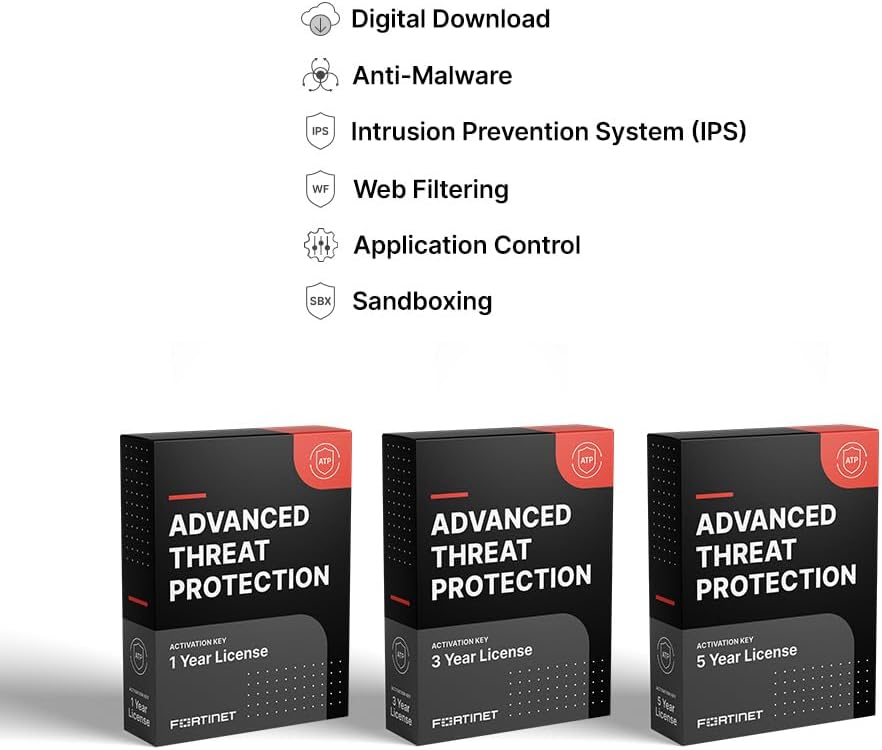
Image: Representation of the FortiGuard Advanced Threat Protection 1 Year License, indicating the digital nature of the activation key.
3. Operating the Advanced Threat Protection Services
Once activated, FortiGuard Advanced Threat Protection services operate continuously in the background, leveraging AI-driven threat intelligence from FortiGuard Labs to protect your network. The bundle includes several core security services:
- Intrusion Prevention System (IPS): Detects and blocks known and unknown network-based threats, exploits, and vulnerabilities by analyzing network traffic for malicious patterns.
- Anti-Malware (Antivirus + Cloud-based Sandbox): Provides real-time protection against viruses, spyware, ransomware, and other malicious software. The cloud-based sandbox analyzes suspicious files in a secure environment to identify zero-day threats.
- Application Control: Allows administrators to monitor and control network applications, ensuring that only authorized applications are used and preventing the use of risky or unwanted applications.
- FortiCare Premium: Provides enhanced support services, as detailed in the Support section.
These services are managed and configured directly through your FortiGate-91G's administrative interface. You can define security policies, monitor threat logs, and generate reports to understand your network's security posture.

Image: Diagram illustrating the components of the Advanced Threat Protection bundle, including Data Center Firewalls, Internal Segmentation Firewalls, and IPS Replacements.

Image: A pyramid diagram representing FortiGuard Security Services, showing layers of protection from Intrusion Prevention System at the base to Data Loss Prevention at the top, addressing various attack surfaces.
4. Maintenance and Updates
FortiGuard services are designed for continuous, automated updates to ensure your defenses remain current against the latest threats. Your FortiGate-91G will automatically receive updates for IPS signatures, anti-malware definitions, and application control databases from FortiGuard Labs.
- Automatic Updates: Ensure your FortiGate device has stable internet connectivity to receive timely FortiGuard updates. These updates are crucial for maintaining effective protection.
- Monitoring: Regularly review the FortiGate dashboard and logs for FortiGuard service status, threat detections, and update history. This helps confirm that services are operating optimally.
- Firmware Upgrades: While FortiGuard services update independently, keeping your FortiGate OS firmware up to date is also essential for overall security and compatibility. Refer to Fortinet's documentation for recommended firmware upgrade procedures.
5. Troubleshooting
If you encounter issues with your FortiGuard Advanced Threat Protection services, consider the following troubleshooting steps:
- Verify License Status: Confirm that your FortiGuard license is active and not expired within the FortiGate management interface.
- Check Connectivity: Ensure your FortiGate-91G has proper network connectivity to FortiGuard update servers. Issues with DNS resolution or firewall rules can prevent updates.
- Review Logs: Examine the FortiGate system and security logs for error messages or indications of service failures.
- Restart Services: In some cases, restarting specific FortiGuard services or the FortiGate device itself can resolve temporary glitches.
- Consult Documentation: Refer to the Fortinet support website and FortiGate documentation for specific troubleshooting guides related to FortiGuard services.
- Contact Support: If the issue persists, utilize your FortiCare Premium support for expert assistance.
6. Specifications
| Attribute | Detail |
|---|---|
| Product Name | FortiGuard Advanced Threat Protection |
| Model Number (Associated Hardware) | FortiGate-91G |
| License SKU | FC-10-0091G-928-02-12 |
| Service Duration | 1 Year |
| Included Services | Intrusion Prevention, Anti-Malware (Antivirus + Cloud Sandbox), Application Control, FortiCare Premium |
| Manufacturer | FORTINET |
7. FortiCare Premium Support
Your FortiGuard Advanced Threat Protection license includes FortiCare Premium Support Services. This provides comprehensive assistance to ensure the smooth operation of your Fortinet products and services.
- 24x7x365 Support: Access to technical support via phone, chat, and web portal at any time.
- Rapid Response Times: One-hour response times for Priority 1 and Priority 2 inquiries, ensuring critical issues are addressed promptly.
- Firmware Upgrades: Access to firmware upgrades for your FortiGate device.
- Asset Management Portal: Access to the Fortinet Asset Management Portal for managing your licensed products.
For full details on FortiCare Premium benefits and how to access support, please refer to the Fortinet support website or your FortiCare documentation.

Image: A table comparing the features and response times of FortiCare Premium and FortiCare Elite support services, highlighting the benefits included with your license.
8. Warranty Information
This product is a software license for a service. As such, it does not typically carry a traditional hardware warranty. The service is guaranteed to function as described for the duration of the 1-year license period, supported by FortiCare Premium. For specific terms and conditions related to FortiGuard services and FortiCare support, please consult the official Fortinet End User License Agreement (EULA) and service terms available on the Fortinet website.


