
1. Product Overview
The T4TREAM 23'' Fluted Nightstand with Charging Station is a modern and functional furniture piece designed to enhance your bedroom, living room, or office space. It features a sleek, curved profile and two sliding drawers with a distinctive fluted wave pattern, blending minimalist style with practical storage solutions.
- Modern, Minimalist & Functional Style: Features a sleek, curved profile and 2 sliding drawers with a distinctive fluted wave pattern. Rounded edges ensure safety.
- Spacious & Practical Design: Dimensions of 15.6"D x 23"W x 24.1"H provide ample room for essentials with a large drawer, open shelf, and roomy top surface.
- Durable & Sturdy Construction: Made with thick, high-quality, scratch- and water-resistant engineered wood boards. FSC-certified frame ensures stability and long-term durability.
- Versatile and Multi-Purpose: Suitable for use as a nightstand, end table, side table, or even toy storage in a nursery.

Image 1.1: The T4TREAM 23'' Fluted Nightstand with Charging Station in a bedroom setting, showcasing its modern design and charging capabilities.
2. Safety Information
Please read and understand all safety instructions before assembly and use. Failure to follow these instructions may result in injury or damage to the product.
- Ensure the nightstand is properly assembled and anchored to prevent tipping.
- Do not exceed the weight limit for the tabletop (100 lbs) and drawers (35 lbs per drawer).
- Keep all small parts and packaging materials away from children.
- Do not place hot items directly on the surface without protection.
- Avoid exposing the product to excessive moisture or direct sunlight.
3. Package Contents
Before beginning assembly, verify that all components listed below are present and undamaged. If any parts are missing or damaged, please contact customer support.
- 1 x T4TREAM Fluted Nightstand Unit
- 1 x Assembly Guide
- 1 x Hardware Pack (includes all necessary screws, dowels, and tools)

Image 3.1: Product dimensions and maximum load capacities for the tabletop and drawers.
4. Assembly Instructions
Assembly is required for this nightstand. Detailed, step-by-step instructions are provided in the included Assembly Guide within the hardware pack. Please follow these instructions carefully.
- Unpack all components and lay them out on a clean, soft surface to prevent scratches.
- Identify all parts and hardware by comparing them to the parts list in the Assembly Guide.
- Follow the numbered steps in the Assembly Guide to construct the nightstand frame, drawers, and install the charging station.
- Ensure all screws are tightened securely, but do not overtighten.
- For enhanced stability, consider applying wood glue to dowel joints during assembly, as recommended by some users.
- A screwdriver is the recommended tool for assembly. Using a power drill on a low torque setting can expedite the process, but exercise caution to avoid damaging components.
Typical assembly time is approximately 1.5 hours for a single unit. Having a second person assist can make the process easier.

Image 4.1: The nightstand with its two spacious drawers open, illustrating the storage capacity.
5. Operating the Charging Station
The T4TREAM nightstand is equipped with a convenient recessed 4-in-1 charging station to power your electronic devices.
- Power Connection: Locate the 4.9-foot power cord extending from the back of the nightstand. Plug this cord into a standard 125V/12A wall outlet.
- AC Outlets: The charging station includes two (2) 125V/12A AC outlets. These are suitable for plugging in lamps, laptops, or other small appliances.
- USB Ports: The station also features 5V/2.1A USB and Type-C ports. Use these to charge smartphones, tablets, and other USB-powered devices.
- Usage: Simply plug your device's charging cable into the appropriate port on the recessed charging station. The tabletop provides a convenient surface for placing devices while they charge.
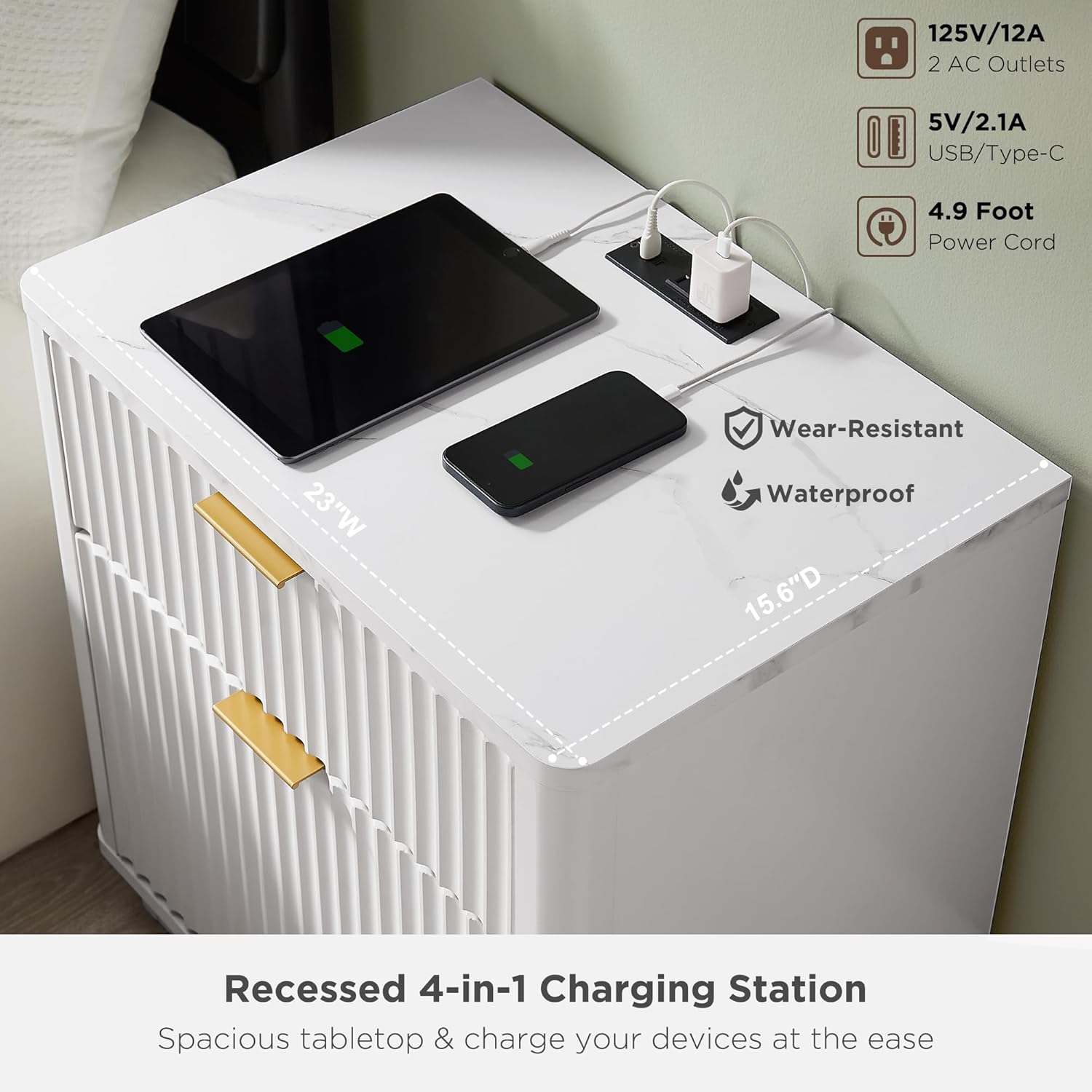
Image 5.1: Detail of the recessed 4-in-1 charging station, showing AC outlets, USB, and Type-C ports.
6. Maintenance
Proper care will help maintain the appearance and longevity of your T4TREAM nightstand.
- Cleaning: Wipe surfaces with a soft, damp cloth. Avoid using harsh chemicals, abrasive cleaners, or polishes that may damage the finish.
- Spills: Although the surfaces are scratch- and water-resistant, wipe up spills immediately to prevent staining or damage.
- Heat Protection: Always use coasters or protective pads under hot items to prevent heat marks.
- Sunlight: Avoid prolonged exposure to direct sunlight, which can cause fading or discoloration over time.
- Hardware: Periodically check and tighten all hardware connections to ensure stability.
7. Troubleshooting
If you encounter any issues with your nightstand, refer to the following common solutions:
| Problem | Possible Cause / Solution |
|---|---|
| Nightstand feels wobbly after assembly. | Ensure all screws and fasteners are fully tightened. Check that the nightstand is on a level surface. |
| Drawers do not slide smoothly. | Check that the drawer slides are correctly aligned and installed. Ensure no obstructions are in the drawer tracks. Lubricate slides if necessary. |
| Charging station not working. | Verify the power cord is securely plugged into a working wall outlet. Test the outlet with another device. Ensure devices are properly connected to the charging ports. |
| Missing or damaged parts. | Do not proceed with assembly. Contact T4TREAM customer support immediately for replacement parts. |
If the issue persists after attempting these solutions, please contact T4TREAM customer support for further assistance.
8. Specifications
| Feature | Detail |
|---|---|
| Brand | T4TREAM |
| Product Dimensions | 15.6"D x 23"W x 24"H |
| Color | Solid White |
| Shape | Rectangular with Curved Profile |
| Table Design | Nightstand / End Table |
| Included Components | 1* Nightstand + Assembly Guide + 1* Hardware Pack |
| Manufacturer | T4TREAM |
| Item Height | 24 inches |
| Style Name | Modern |
| Furniture Finish | Painted |
| Top Color | White |
| Handle Finish Type | Metal |
| Size | 23 inches x 15.6 inches x 24 inches |
| Indoor Outdoor Usage | Indoor |
| Tools Recommended For Assembly | Screw Driver |
| Frame Material Type | Engineered Wood |
| Top Material Type | Engineered Wood |
| Is Stain Resistant | No |
| Handle Material | Metal |
| Number of Drawers | 2 |
| Number of Items | 1 |
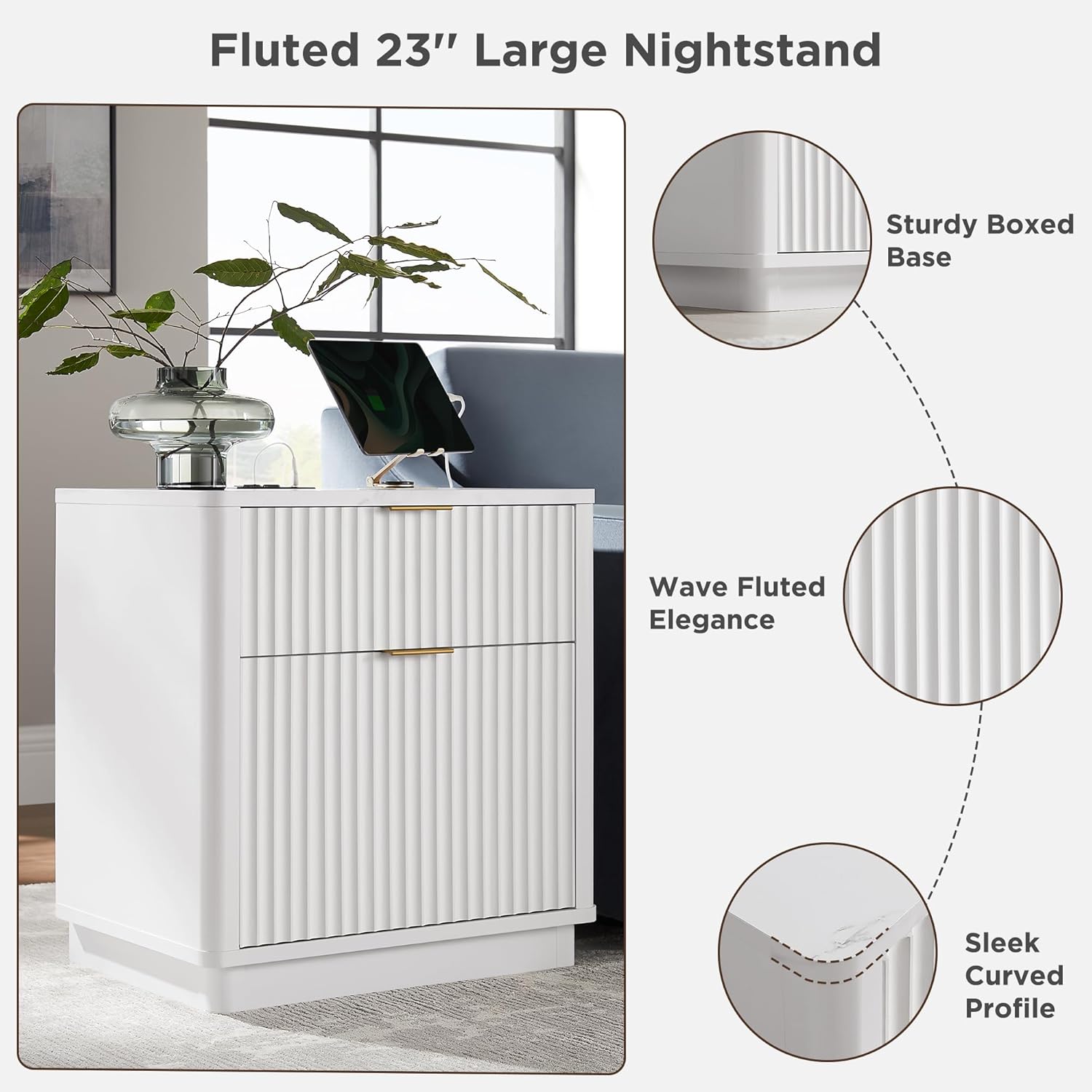
Image 8.1: Key design features including the wave fluted elegance, sturdy boxed base, and sleek curved profile.
9. Warranty and Support
T4TREAM is committed to providing high-quality products. Your purchase is protected, and the package is shipped with Styrofoam sheets and protective boards to prevent damage during transit.
For specific warranty details, claims, or any queries regarding your product, please refer to the warranty information included in your product packaging or contact T4TREAM customer support directly. Contact information can typically be found on the manufacturer's website or through your point of purchase.
If you notice that the box is damaged upon arrival, please be assured that the internal foam and wood protective boards are designed to prevent direct damage to your item. Should you have any concerns, do not hesitate to reach out to customer service.
Online Support: For additional resources and frequently asked questions, visit the official T4TREAM store on Amazon: T4TREAM Store