
1. Introduction
This manual provides detailed instructions for the setup, operation, and maintenance of your OBSBOT Tail 2 PTZR NDI Camera. Please read this manual thoroughly before using the device to ensure proper functionality and to maximize its capabilities.
The OBSBOT Tail 2 is an advanced PTZR camera designed for professional live streaming and video production. It features AI tracking, 4K@60FPS video capture, 5x optical zoom, and versatile connectivity options.
2. Package Contents
Verify that all items listed below are included in your package:
- OBSBOT Tail 2 Camera (x1)
- USB-C 3.0 Cable (x1)
- USB-C to USB-A 3.0 Adapter (x1)
- USB-C Power Cable (x1)
- 2.5mm Male to RS232 MD8 Female Serial Cable (x2)
- Quick Start Guide (x1)
- Warranty Card (x1)

Image: Contents of the OBSBOT Tail 2 retail package, including the camera, various cables, and documentation.
3. Setup
3.1 Initial Power On
- Connect the USB-C Power Cable to the camera's USB-C port and a power source.
- The camera will power on automatically. Observe the indicator lights for status.
3.2 Physical Placement
The OBSBOT Tail 2 features a standard 1/4" tripod mounting interface, allowing compatibility with most camera tripods and mounting solutions.

Image: The OBSBOT Tail 2 camera, showcasing its sleek design and ready for mounting.
3.3 Connectivity
The camera offers multiple video output interfaces for integration into various systems:
- HDMI: For direct video output to monitors or capture cards.
- SDI: For professional video workflows requiring longer cable runs.
- USB-C 3.0: For connecting to computers as a webcam or for data transfer.
- Ethernet (LAN/PoE+): For IP streaming and Power over Ethernet (PoE+).
- RS-232: For PTZ control via serial communication.
- Mic In / Line In: For external audio input (3.5mm TRS connector).
- SD Card Slot: For direct video recording to a Micro-SD card.
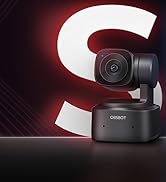
Image: Rear view of the OBSBOT Tail 2, highlighting the various input and output ports for connectivity.
4. Operating Instructions
4.1 AI Tracking 2.0
The Tail 2 features advanced AI Tracking 2.0 for precise subject tracking.
- "Only Me" Mode: Double-click to lock onto a single target (human, animal, or object).
- Group Tracking: Designed for scenarios with multiple individuals, maintaining optimal group composition.
- AI Framing with Auto Zoom: Automatically adjusts framing and zoom to keep the subject in view.

Image: A visual representation of the OBSBOT Tail 2's AI tracking capabilities, showing it following multiple subjects.
4.2 PTZR Gimbal Structure
The exclusive PTZR gimbal allows for flexible camera movements and stable footage.
- 90° Rotation: Enables seamless one-button transition to vertical shooting mode.
- Anti-shake Prowess: Provides stability down to ±0.003° for smooth video.
- Auto Levelling System: Automatically adjusts the lens module to maintain a level horizon, eliminating manual adjustments.

Image: A comparison demonstrating the superior stability of the OBSBOT Tail 2 compared to a normal PTZ camera.
4.3 Optical and Hybrid Zoom
The camera features a 12-layer optics system for detailed capture:
- 5x Lossless Optical Zoom: Preserves raw detail at various distances.
- 12x Hybrid Zoom: Extends reach while maintaining image clarity.

Image: A visual comparison showing the effect of 5x optical zoom and 12x hybrid zoom on a presentation screen from a distance.
4.4 Video and Image Capture
- Sensor: 1/1.5" CMOS sensor, capable of capturing 50MP frames.
- Video Resolution: Supports 4K@60FPS livestreaming and 1080P@120FPS slow-motion capture.
- Low Light Performance: Features Dual ISO, HDR, 2µm Pixels, and AI-ISP for enhanced performance in challenging lighting conditions.

Image: A visual demonstration of the OBSBOT Tail 2's enhanced low-light performance with AI noise reduction.
4.5 Cross-Platform Compatibility and Software
The Tail 2 integrates with OBSBOT's suite of software for enhanced control:
- OBSBOT Start
- OBSBOT Live
- OBSBOT Center
- WebUI
- Talent
These platforms enable seamless control across multiple devices and facilitate an integrated OBSBOT ecosystem.

Image: A display showing various OBSBOT software interfaces (OBSBOT Start, Live, Center, WebUI, Talent) running on different devices, demonstrating cross-platform compatibility.
4.6 Supported Protocols
The camera supports various protocols for professional integration:
- SRT
- RTMP
- NDI (License Key required, sold separately)
- VISCA
- Free-D
- RS-232
- Pelco-D
- Pelco-P
- OSC
This broad support eliminates the need for external protocol converters or software bridging layers.

Image: An illustration of the OBSBOT Tail 2's multi-protocol support, including NDI, SRT, RTMP, and various control protocols, alongside a control panel.
5. Maintenance
5.1 Cleaning
To maintain optimal performance, regularly clean the camera lens and body. Use a soft, dry cloth for the body. For the lens, use a specialized lens cleaning cloth and solution to avoid scratches.
5.2 Storage
Store the camera in a cool, dry place away from direct sunlight and extreme temperatures. When not in use for extended periods, ensure the battery is partially charged (around 50%) to prolong its lifespan.
6. Troubleshooting
6.1 Frequently Asked Questions
- Q: Does OBSBOT Tail 2 support wireless connection?
- A: Yes, OBSBOT Tail 2 can be wirelessly connected to computers, smartphones, tablets, and other devices through network or hotspot connection methods.
- Q: Does OBSBOT Tail 2 have audio recording capabilities?
- A: The Tail 2 does not have a built-in microphone. The MIC-In and LINE-In interfaces are specifically designed to work with 3.5mm TRS Connector (AUX). They are not compatible with other audio devices like TRRS.
- Q: Can OBSBOT Tail 2 record video directly?
- A: Yes, video recording is supported for OBSBOT Tail 2 with an inserted Micro-SD card.
- Q: What are the video output options for OBSBOT Tail 2?
- A: OBSBOT Tail 2 supports multiple video output options including HDMI, SDI, UVC, and IP streaming.
- Q: How can I upgrade OBSBOT Tail 2 to support NDI?
- A: You can purchase an NDI License Key from the OBSBOT's official store for further usage of NDI protocol.
- Q: Is OBSBOT Tail 2 compatible with Blackmagic Design ATEM products?
- A: Yes. It is compatible with Blackmagic Design ATEM products through HDMI interface, USB-C port or SDI interface allowing for flexible integration into professional broadcasting setups.
- Q: Does OBSBOT Tail 2 require external power or does it have an internal battery?
- A: OBSBOT Tail 2 features a built-in battery for portable operation, and can also be powered through its USB 3.0 PD fast charging port for extended use. When using battery power, it provides approximately 5 hours of continuous operation on a full charge.
- Q: Can OBSBOT Tail 2 operate in portrait mode?
- A: Yes, portrait mode is supported. Thanks to Tail 2's exclusive Rotate structure, it can capture seamless vertical 4K video.
- Q: Is OBSBOT Tail 2 compatible with standard camera tripods?
- A: Yes, OBSBOT Tail 2 features a standard 1/4" tripod mounting interface, making it compatible with virtually any camera tripod or mounting solution.
7. Technical Specifications
| Feature | Specification |
|---|---|
| Brand | OBSBOT |
| Model Name | OBSBOT Tail 2 |
| Photo Sensor Technology | CMOS |
| Photo Sensor Size | 1/1.5-inch |
| Photo Sensor Resolution | 50 MP |
| Video Resolution | 4K: 3840*2160@60/59.94/50/48/30/29.97/25/23.98 FPS, 1080P: 1920*1080@120/60/59.94/50/48/30/29.97/25/23.98 FPS |
| Optical Zoom | 5x |
| Hybrid Zoom | 12x |
| Image Stabilization | Optical |
| Minimum Aperture | F1.8 |
| Maximum Aperture | F3.0 |
| Connectivity Technology | Bluetooth, Ethernet, USB, Wi-Fi |
| Video Output | SDI/HDMI/IP/USB 3.0 |
| Supported File Format | H264, H265, MJPEG |
| Battery Type | Lithium Polymer |
| Battery Weight | 160.7 Grams |
| Item Weight | 1 Kilograms |
| Mount Type | Tabletop Mount (1/4" thread) |
| Flash Memory Type | Micro SD (up to 1 TB) |
8. Warranty and Support
The OBSBOT Tail 2 comes with a 1 Year Warranty from the date of purchase.
For technical support, troubleshooting assistance, or warranty claims, please visit the official OBSBOT support website or contact their customer service. You can also find more information and resources on the OBSBOT Store on Amazon.


