
1. Introduction
This manual provides detailed instructions for the assembly, operation, and maintenance of your RALGEND Twin Bed Frame, model 0401BFUDWT. This bed frame features an upholstered headboard, integrated LED lighting, a convenient charging station, and under-bed storage space. Please read these instructions carefully before assembly and use to ensure safe and correct operation.

Figure 1: The RALGEND Twin Bed Frame in white, featuring an upholstered headboard with integrated LED lighting and a top shelf with a charging station. Under-bed storage space is visible below the frame.
Important Safety Information: Do not exceed the maximum static load capacity of 700 lb (317.5 kg) to maintain the bed frame's stability and safety.
2. Package Contents
Verify that all components listed below are present in your package. If any parts are missing or damaged, please contact customer support.
- 1 x Bed Frame (Disassembled components)
- 1 x Charging Station (Pre-installed in headboard)
- 1 x Hardware Kit (Screws, bolts, tools)
- 1 x Instruction Manual (This document)
- 1 x LED Light Strip (Pre-installed in headboard)
3. Specifications
| Feature | Detail |
|---|---|
| Model Number | 0401BFUDWT |
| Size | Twin |
| Product Dimensions (L x W x H) | 80.3" x 40.6" x 38.6" |
| Weight Capacity (Static) | 700 lb (317.5 kg) |
| Material | High-quality Metal, Particleboard, PU Leather (Upholstery) |
| Charging Station | 2 AC Outlets (125V/12A), 2 USB Ports (5V/2A), 1 Type-C Port (5V/2A), 4.9-Foot Power Cord |
| LED Lighting | Over 60,000 colors, adjustable brightness, timer, music/mic modes, remote & app control |
| Under Bed Clearance | 9.8 inches |

Figure 2: Detailed dimensions of the RALGEND Twin Bed Frame. The frame measures 80.3 inches in length, 40.6 inches in width, and 38.6 inches in height. The under-bed clearance is 9.8 inches.
4. Setup and Assembly Instructions
Assembly of the RALGEND Twin Bed Frame is designed to be straightforward. All necessary tools and hardware are included in the package. It is recommended to assemble the bed frame with two people.
- Unpack Components: Carefully unpack all parts and lay them out on a clean, soft surface (e.g., a carpet or blanket) to prevent scratches. Refer to the included parts list to identify each component.
- Assemble Headboard: Follow the specific instructions in your included manual for attaching the upholstered backrest and the top shelf to the headboard frame. Ensure the charging station and LED strip are securely in place.
- Connect Side Rails: Attach the side rails to the headboard and footboard using the provided bolts and Allen wrench. Do not fully tighten bolts until all major components are connected.
- Install Support Slats: Place the metal support slats across the side rails. Secure them according to the instructions, ensuring even spacing and firm attachment. This provides the mattress support.
- Final Tightening: Once all components are in place and aligned, systematically tighten all bolts and screws. Do not overtighten.
- Position Bed Frame: Carefully move the assembled bed frame to its desired location. The frame features non-slip design elements and floor protection.

Figure 3: Visual representation of key assembly features including easy assembly, non-slip design, and floor protection.
5. Operating Instructions
5.1 Charging Station
The integrated charging station is located on the headboard shelf. It provides convenient power access for your electronic devices.
- Power Connection: Plug the bed frame's main power cord (4.9-foot length) into a standard wall outlet.
- AC Outlets: Use the two 125V/12A AC outlets for devices requiring standard wall power.
- USB Ports: Use the two 5V/2A USB-A ports for charging smartphones, tablets, and other USB-powered devices.
- Type-C Port: Use the 5V/2A Type-C port for compatible devices.
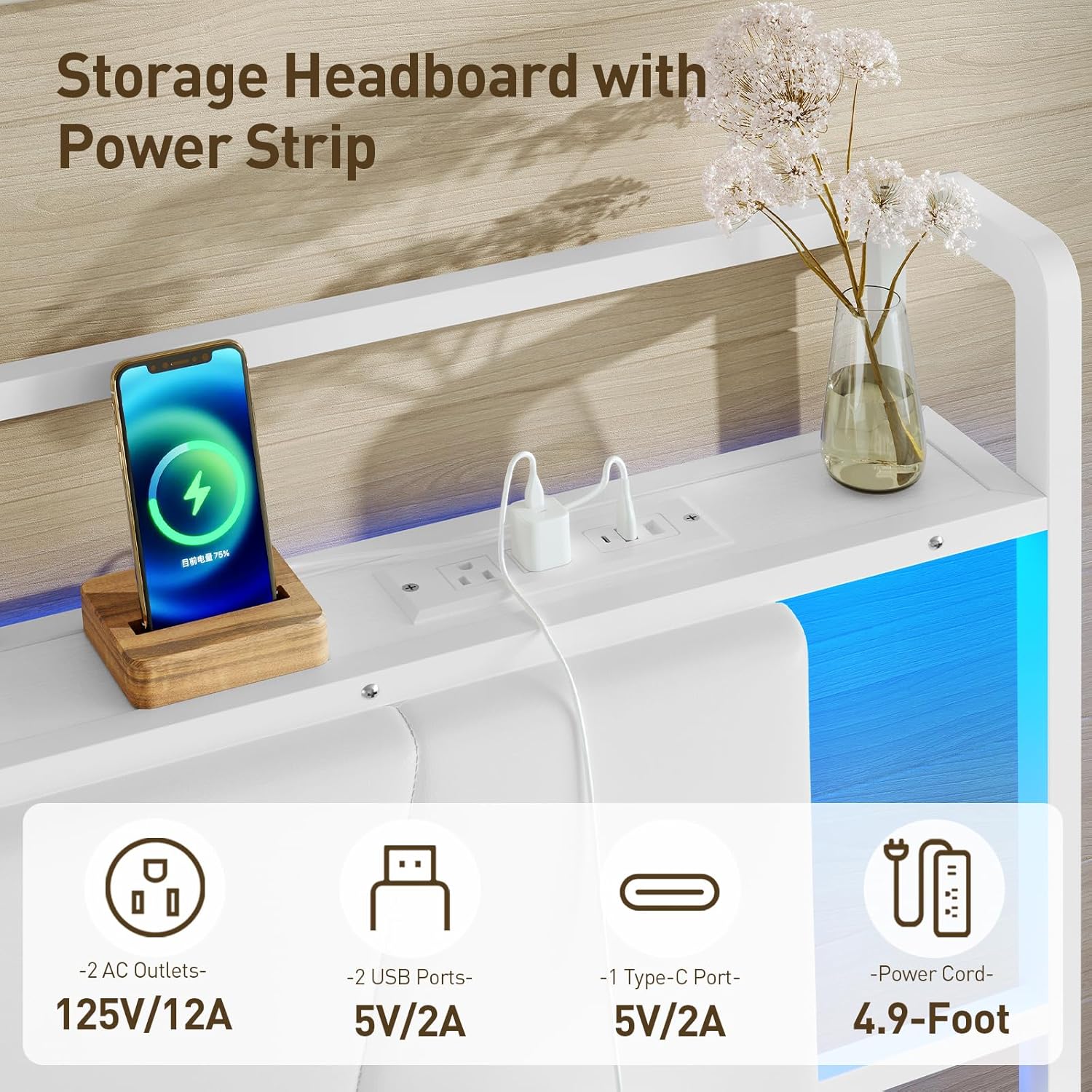
Figure 4: Close-up view of the 3-in-1 charging station on the headboard, showing 2 AC outlets, 2 USB ports, and 1 Type-C port.
5.2 LED Ambience Lighting
The LED light strip integrated into the headboard offers customizable lighting options to enhance your room's ambiance.
- Power On/Off: Use the provided remote control or the mobile application to turn the LED lights on or off.
- Color Selection: Choose from over 60,000 colors to match your preference or mood.
- Brightness Adjustment: Adjust the brightness level to your desired intensity.
- Modes: Explore various lighting modes, including timer functions, music synchronization, and microphone-responsive modes.
- Mobile App Control: Download the designated mobile application (refer to the LED light strip manual for app details) for advanced control features.
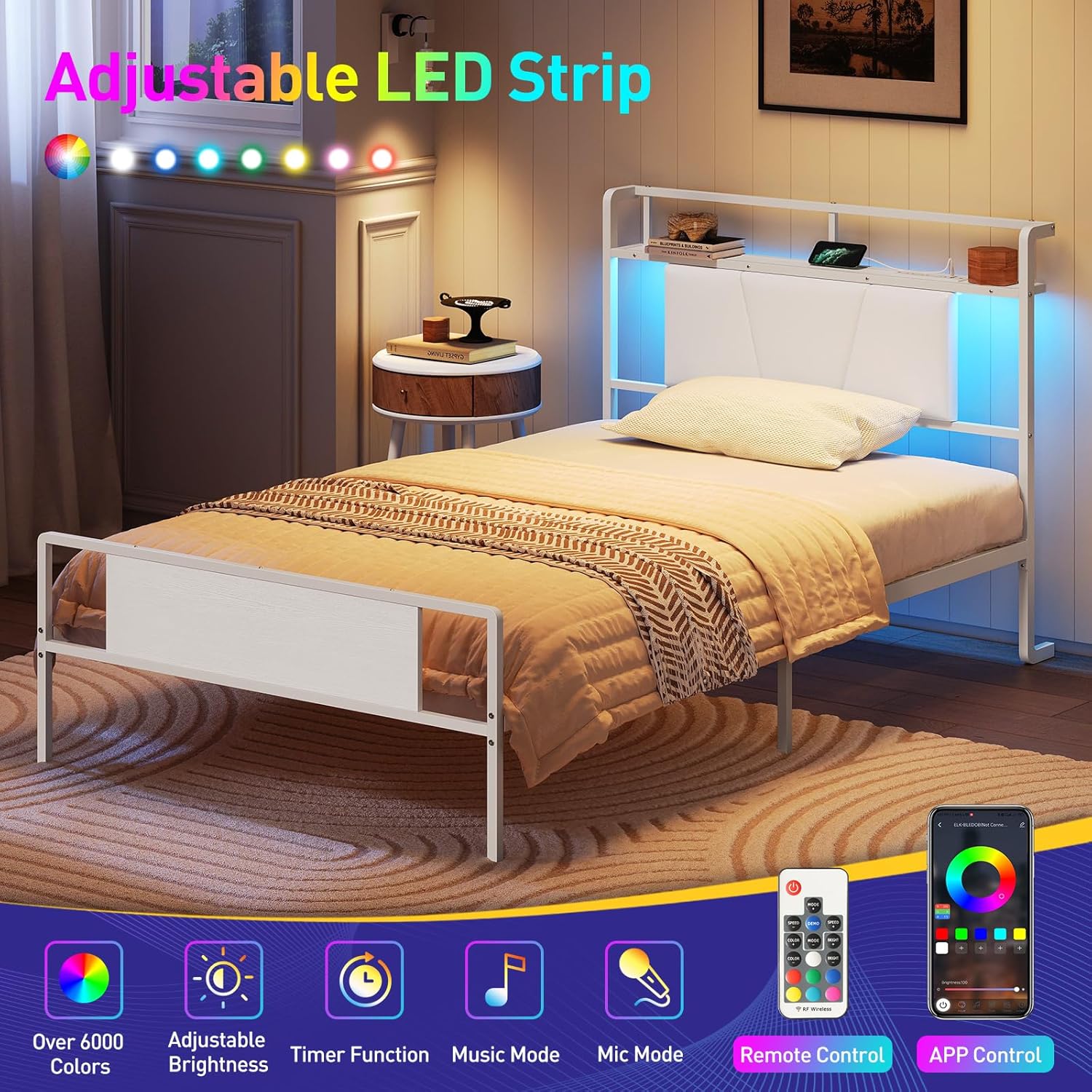
Figure 5: Illustration of the adjustable LED strip features, including color options, brightness control, timer, music mode, mic mode, and control via remote or mobile app.
6. Maintenance
- Frame Cleaning: Wipe the metal and particleboard surfaces with a soft, damp cloth. Avoid abrasive cleaners or harsh chemicals.
- Upholstered Headboard: The upholstered backrest is made of wear-resistant and easy-to-clean PU leather. Wipe with a damp cloth and mild soap if necessary. Test any cleaning solution on an inconspicuous area first.
- Hardware Check: Periodically check all bolts and screws to ensure they remain tight. Retighten if necessary to maintain stability.
- Charging Station: Keep the charging ports free of dust and debris. Do not expose the charging station to liquids.
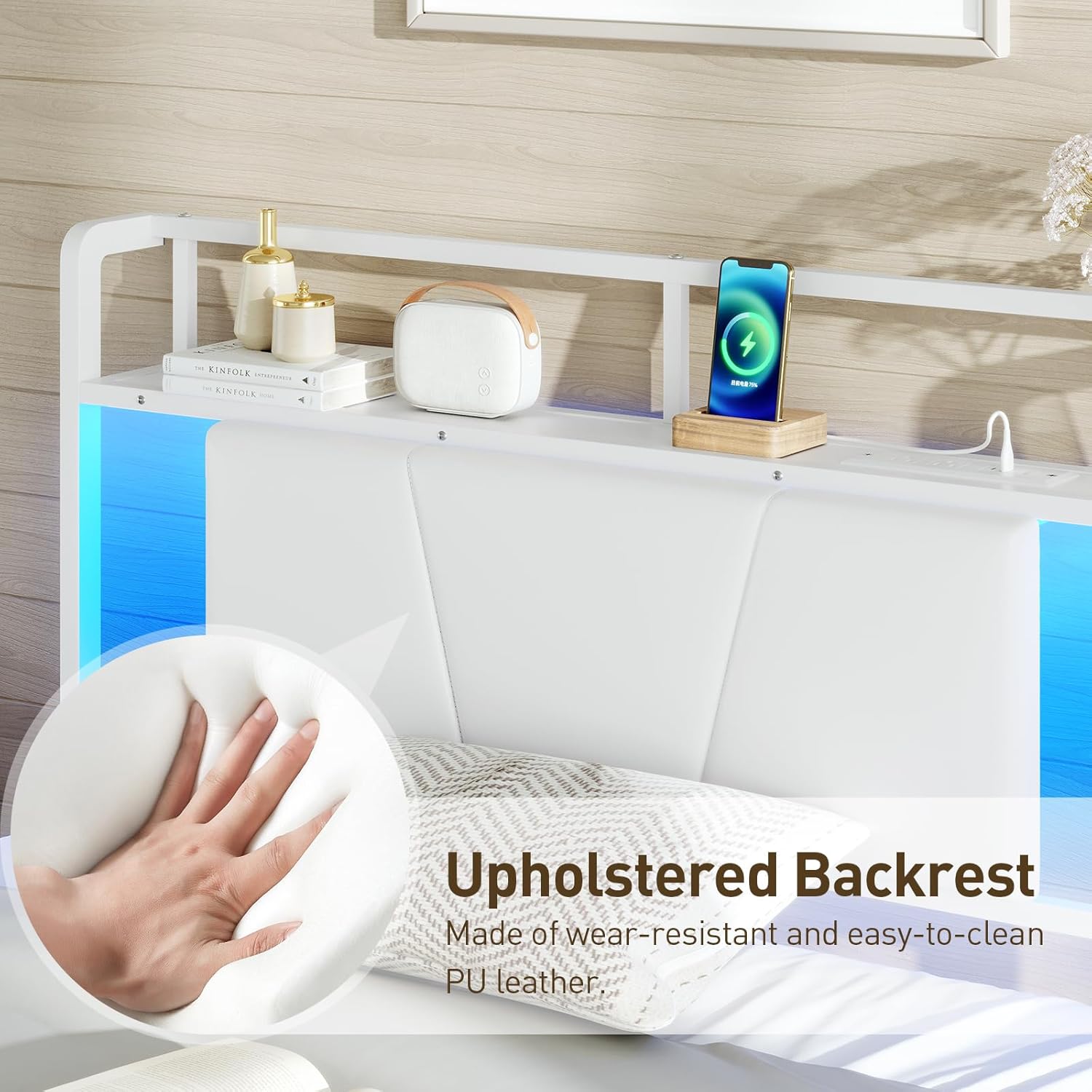
Figure 6: Close-up of the upholstered backrest, highlighting its wear-resistant and easy-to-clean PU leather material.
7. Troubleshooting
| Problem | Possible Cause | Solution |
|---|---|---|
| Bed frame is wobbly or noisy. | Loose bolts or uneven assembly. | Ensure all bolts are securely tightened. Check that the bed frame is on a level surface. |
| Charging station not working. | Power cord not plugged in, outlet issue, or device compatibility. | Verify the bed frame's power cord is securely plugged into a functional wall outlet. Test the outlet with another device. Ensure your device is compatible with the charging station's output specifications. |
| LED lights not turning on or responding. | Power issue, remote control battery, or app connection. | Check the power connection to the bed frame. Replace the remote control battery. Ensure the mobile app is correctly paired and updated. |
| Mattress slides on the frame. | Lack of friction between mattress and slats. | Consider using a non-slip mattress pad or bed frame stoppers (not included) to prevent mattress movement. |
8. Safety Information
- Do not allow children to climb on the bed frame or play with the electrical components.
- Ensure the bed frame is placed on a flat, stable surface.
- Do not overload the charging station. Disconnect devices when not in use.
- Keep liquids away from the charging station and LED light strip.
- Regularly inspect the bed frame for any signs of wear or damage. Discontinue use if significant damage is found and contact customer support.
- Always adhere to the maximum static load capacity of 700 lb (317.5 kg).
9. Warranty and Support
RALGEND products are manufactured with quality and care. For specific warranty details, please refer to the warranty card included with your purchase or visit the official RALGEND website. If you encounter any issues or require assistance, please contact RALGEND customer support through the retailer where the product was purchased or via the contact information provided on the RALGEND brand store page.
For more information about RALGEND products, visit the RALGEND Store.