
1. Introduction
Thank you for choosing the BaldrTherm Solar-Powered Room Thermometer Hygrometer. This device is designed to provide accurate and real-time measurements of indoor temperature and humidity, helping you maintain a comfortable and healthy environment. Its solar-powered design ensures continuous operation with minimal maintenance.
Please read this manual thoroughly before using the product to ensure proper operation and to maximize its lifespan.
2. Product Overview
The BaldrTherm Thermometer Hygrometer features a large, easy-to-read display and a compact design, suitable for various indoor settings.
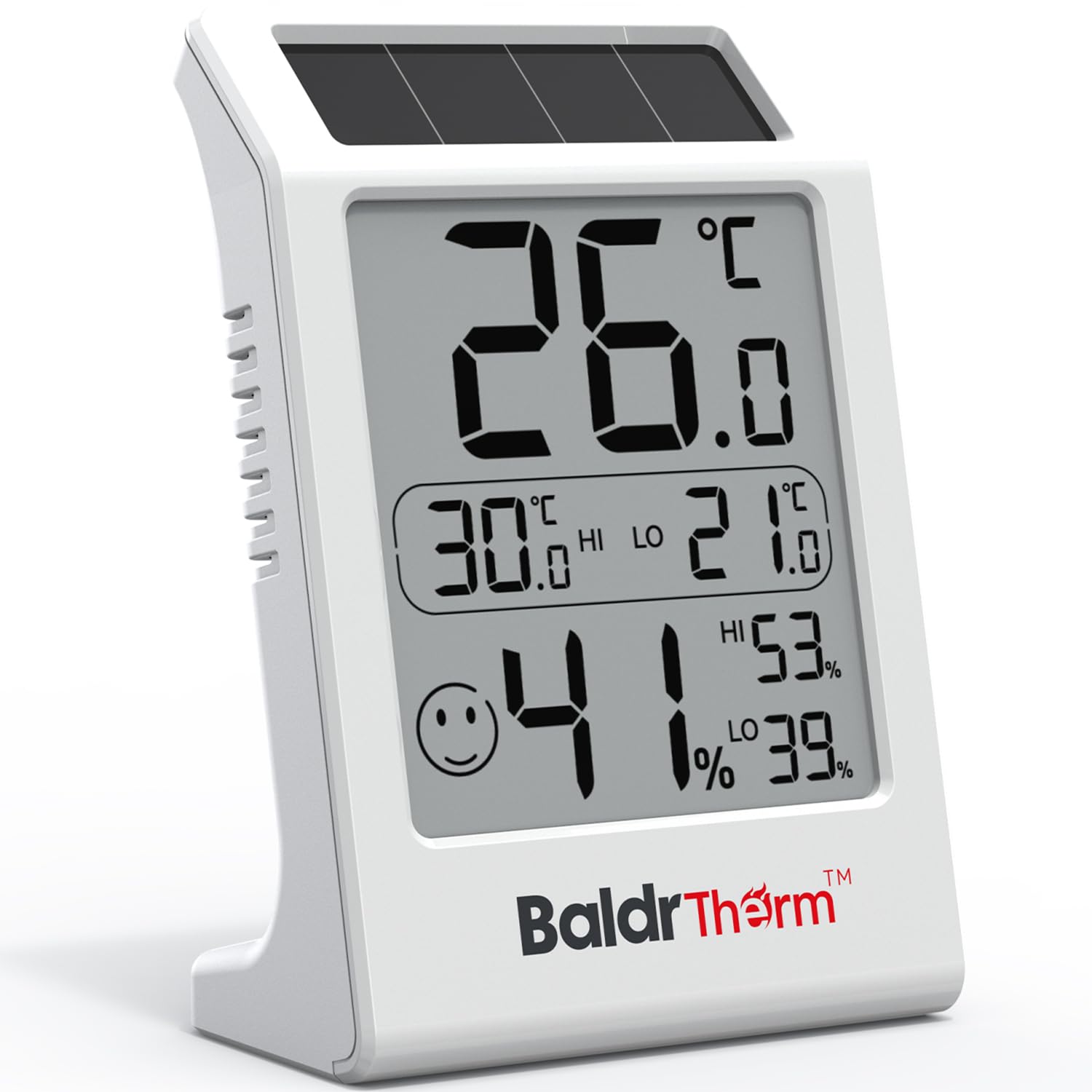
Image 2.1: Front view of the BaldrTherm Solar-Powered Room Thermometer Hygrometer, displaying temperature, humidity, and comfort indicator.
Key Features:
- Solar-Powered Operation: Utilizes solar energy for continuous power in bright environments, reducing the need for battery replacement.
- Accurate & Responsive: Designed with a curved shape and triple-sided ventilation for precise readings and rapid updates every 10 seconds. Accuracy: ±1°F/°C and ±2% to 3% RH.
- Clear Comfort Indicator: A smiley face symbol visually represents the indoor comfort level.
- Large 3.2-inch LCD Display: Shows temperature, humidity, and MAX/MIN records for easy readability.
3. Setup
The BaldrTherm Thermometer Hygrometer is designed for immediate use. No complex setup is required.
- Unpack: Carefully remove the device from its packaging.
- Initial Power: The device is solar-powered and includes a backup AAA battery. It should power on automatically when exposed to sufficient light. If the display is blank, ensure it is placed in a well-lit area.
- Unit Selection: Locate the °C/°F switch on the back of the device to select your preferred temperature unit (Celsius or Fahrenheit).
4. Operating Instructions
4.1 Display Elements

Image 4.1: Detailed view of the display elements, including temperature, humidity, MAX/MIN records, and the comfort indicator.
- Current Temperature: Displays the current indoor temperature in large digits.
- Current Humidity: Displays the current indoor humidity percentage.
- MAX/MIN Records: Shows the highest (HI) and lowest (LO) temperature and humidity recorded since the last reset or power cycle.
- Comfort Indicator: A smiley face icon indicates the comfort level:
- Happy Face :) : Temperature between 20.0°C and 26.1°C (68.0°F to 79.0°F) and humidity between 30% and 70%.
- Neutral Face :| : Temperature or humidity outside the happy face range but not extreme.
- Sad Face :( : Indicates extreme temperature or humidity conditions (e.g., too dry or too humid).
4.2 Switching Temperature Units (°C/°F)
On the back of the device, locate the small switch labeled °C/°F. Slide this switch to toggle between Celsius and Fahrenheit temperature readings.
4.3 Resetting MAX/MIN Records
The MAX/MIN records automatically reset every 24 hours. There is no manual reset button for these records.
5. Power Source
The BaldrTherm Thermometer Hygrometer features a hybrid power system:
- Solar Power: The integrated solar panel on top of the device provides continuous power in bright environments, whether from natural sunlight or artificial lighting. This significantly extends battery life and reduces environmental impact.
- AAA Battery Backup: One AAA battery (included) serves as a backup power source, ensuring uninterrupted operation even in low-light conditions or during periods of darkness.

Image 5.1: Illustration of the solar panel utilizing various light resources (sun, daylight, lamplight) to power the device.
6. Placement
For optimal performance and accurate readings, consider the following placement guidelines:
- Place the device in a central location within the room you wish to monitor.
- Ensure the solar panel on top is exposed to sufficient light for continuous operation.
- Avoid placing the device near heat sources (e.g., radiators, direct sunlight through a window) or cold drafts (e.g., air conditioning vents, open windows) as this can affect accuracy.
- Keep it away from areas with high moisture or direct water exposure.

Image 6.1: Examples of suitable placement locations such as bedrooms, pet zones, lounges, and hatcheries.
7. Maintenance
To ensure the longevity and accuracy of your device:
- Clean the device regularly with a soft, dry cloth. Do not use abrasive cleaners or solvents.
- Keep the solar panel free from dust and obstructions to ensure efficient charging.
- Avoid exposing the device to extreme temperatures or humidity levels outside its operating range.
- If the display becomes dim or unresponsive in adequate light, replace the AAA backup battery.

Image 7.1: Illustration of the device's triple-sided ventilation system, designed for enhanced air circulation and accurate sensing.
8. Troubleshooting
- Display is blank: Ensure the device is in a well-lit area for the solar panel to function. Check and replace the AAA backup battery if necessary.
- Inaccurate readings: Ensure the device is not placed near direct heat sources, cold drafts, or in direct sunlight. Allow 10-15 minutes for the device to acclimate to a new environment after moving it.
- Display updates slowly: The device updates every 10 seconds. If it seems slower, ensure it has adequate light exposure.
9. Specifications
| Feature | Specification |
|---|---|
| Temperature Range | -9.9°C to 50°C (14.18°F to 122°F) |
| Humidity Range | 1% to 99% RH |
| Temperature Accuracy | ±1°C (±1.8°F) |
| Humidity Accuracy | ±2% to 3% RH |
| Display Size | 3.2 inches |
| Update Rate | Every 10 seconds |
| Power Source | Solar-powered with 1x AAA battery backup (included) |
| Dimensions | 4.29 x 3.98 x 1.89 inches |
| Weight | 3.84 ounces |
10. Warranty and Support
BaldrTherm is committed to providing high-quality products and customer satisfaction.
- Warranty: This product comes with an extensive 3-year warranty from the date of purchase. Please retain your proof of purchase for warranty claims.
- Customer Support: For any inquiries, technical assistance, or warranty claims, our 24/7 online support team is available to assist you. Please refer to the contact information provided with your product packaging or visit the official BaldrTherm website for support details.