
1. Introduction
Thank you for choosing Graywind Smart Roller Shades. These shades are designed to provide convenient light filtering and privacy for your home or office, featuring smart control options and a rechargeable Zigbee motor. This manual provides detailed instructions for installation, operation, and maintenance to ensure optimal performance and longevity of your product.
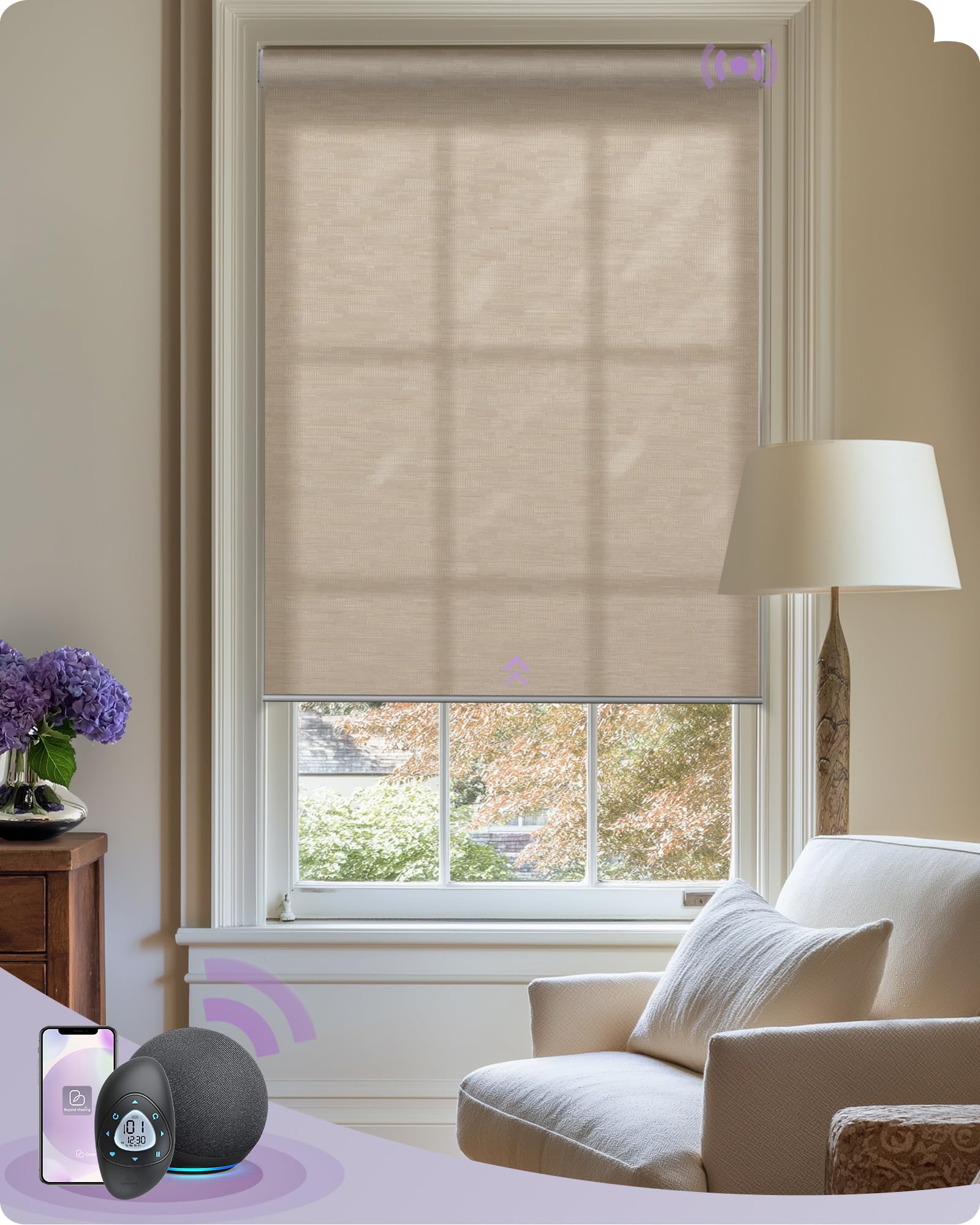
Image: Graywind Smart Roller Shade, Jacquard Coffee, Light Filtering.
2. Safety Information
- Read all instructions carefully before installation and use.
- Keep children and pets away from the shades during operation to prevent entanglement. The cordless design enhances safety.
- Ensure all mounting hardware is securely fastened to prevent the shades from falling.
- Do not attempt to disassemble or repair the motor or other components yourself. Contact customer support for assistance.
- Use only the provided power adapter for charging the motor.
- Avoid exposing the shades to excessive moisture or extreme temperatures.

Image: Children near a window with Graywind shades, emphasizing child safety.
3. What's Included
Your Graywind Smart Roller Shades package includes the following components:
- Smart Roller Shade (with integrated Zigbee motor)
- Mounting Hardware (brackets, screws, anchors)
- Product Manual (this document)
- Remote Control (if ordered)
- Charging Cable
4. Setup
4.1. Measurement Guide
Accurate measurement is crucial for proper fit and function. Please follow these guidelines carefully. Do NOT measure the size of the fabric.
Inside Mount

For inside mount, measure the exact width and height of the window opening. The product width will be 0.1 inches less than your order width. The product height will be equal to your order height. A minimum window depth of 1.87 inches (4.7 cm) is required. If the frame depth is less than 2.75 inches, the valance may extend beyond the window frame.
Outside Mount
For outside mount, measure the desired width and height you want the shades to cover. We recommend adding 3-6 inches to the window width and height for optimal coverage. The product width will be equal to your order width, and the product height will be equal to your order height.
Image: Detailed measurement guides for inside and outside mount installations.
4.2. Installation
Follow these steps to install your Graywind Smart Roller Shades. Ensure you have the necessary tools (drill, screwdriver, measuring tape, pencil).
- Mark Bracket Positions: Based on your chosen mount type (inside or outside), hold the shades in place to determine the optimal position for the mounting brackets. Mark these positions with a pencil.
- Drill Pilot Holes: Drill pilot holes at the marked positions. If installing into drywall, insert wall anchors.
- Attach Brackets: Securely fasten the mounting brackets using the provided screws.
- Mount the Shade: Carefully align the shade with the installed brackets and snap it into place. Ensure it is securely seated.
- Test Operation: Manually or using the remote, test the shade's movement to ensure smooth operation.
Video: Detailed installation guide for Graywind Motorized Shades & Blinds.
Video: Guide on how to measure for Graywind Roller Blinds (with valance).
5. Operating Instructions
5.1. Zigbee Motor Solutions & Alexa Compatibility
Your Graywind Smart Roller Shades feature a Zigbee motor for smart home integration. They are directly compatible with the following Alexa devices without requiring an additional hub:
- Echo Show 8 (3rd Generation)
- Echo Plus (2nd Generation)
- Echo Studio
- Echo Show 10 (3rd Generation)
- Echo Show (2nd Generation)
- Echo (4th Generation)
- Echo Hub
For other Alexa models, Google Assistant, or SmartThings, a Zigbee Smart Bridge is required.
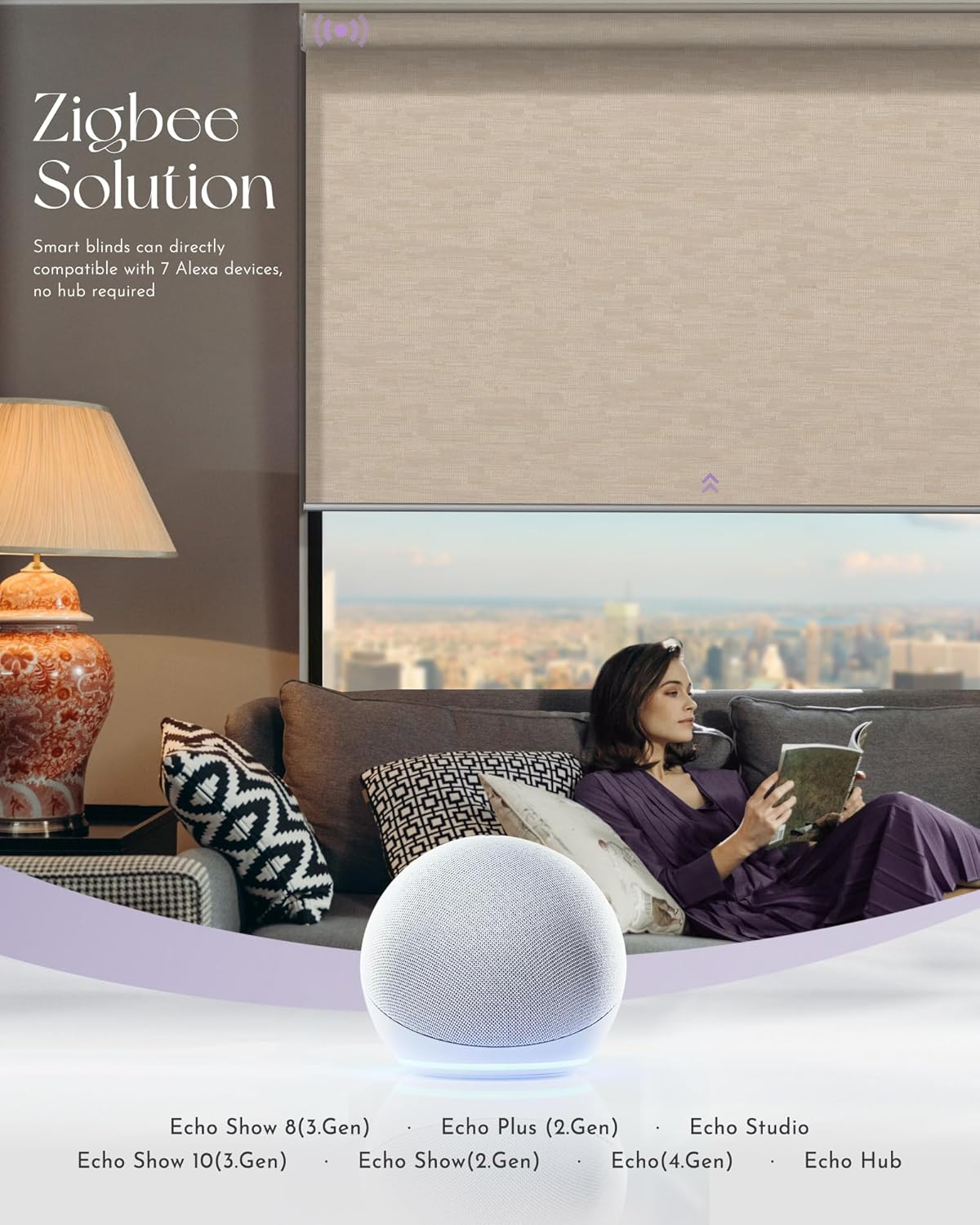
Image: Graywind Smart Roller Shades with Zigbee motor, compatible with various Alexa devices.

Image: Overview of Graywind Smart Light Filtering Roller Shades and their direct compatibility with 7 Alexa devices.
5.2. 15-Channel Timing Remote
The Graywind 15-Channel Timing Remote allows control of up to 15 smart blinds individually or in groups. It features an ergonomic design and supports handheld or wall-mounted use. The remote also includes 20 date-time groups for automatic timing control.
- Timing Schedule: Set specific times for shades to open or close.
- Favorite Position: Save and recall preferred shade positions.
- Separate Control: Control individual shades.
- Group Control: Control multiple shades simultaneously.
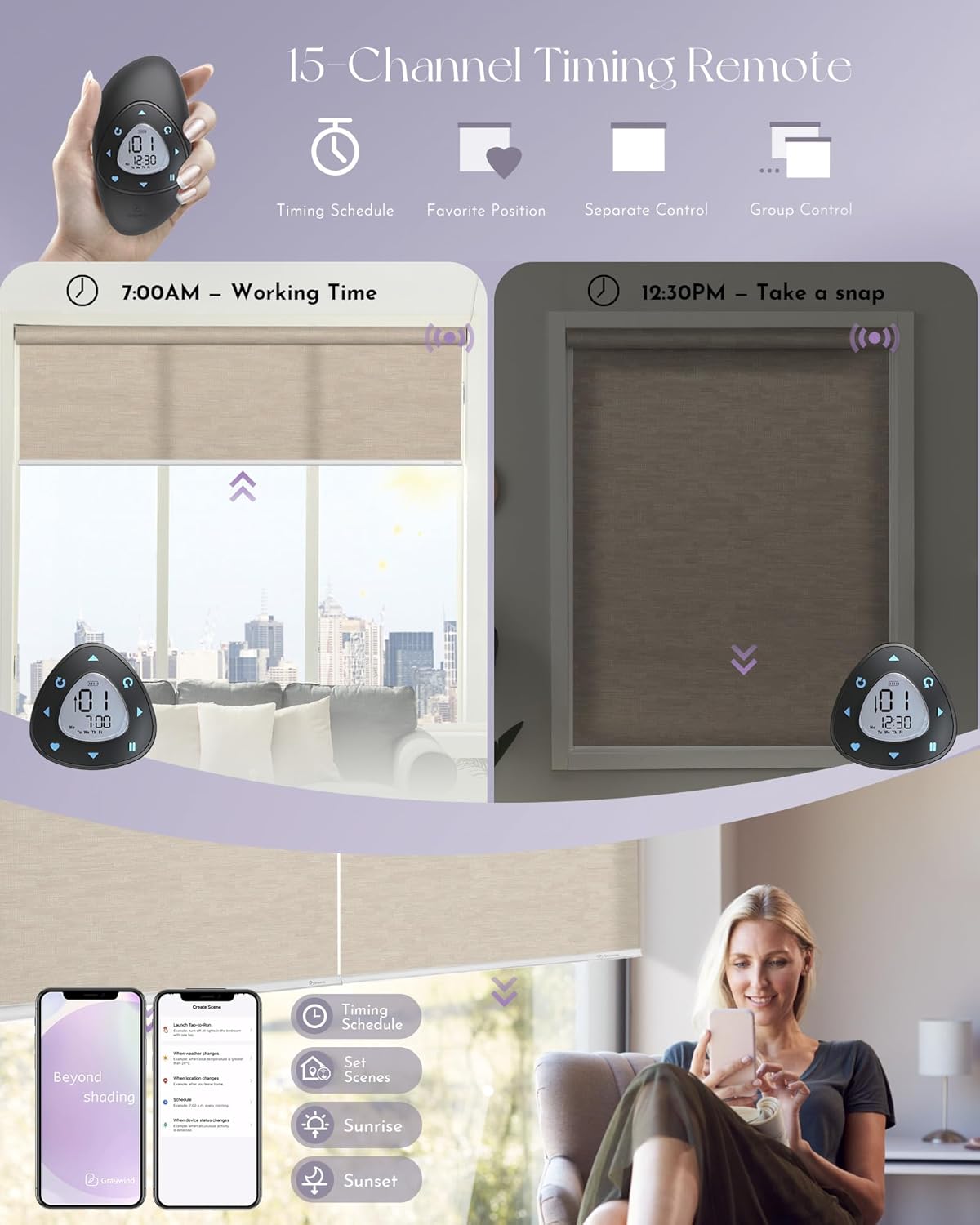
Image: Features of the Graywind 15-Channel Timing Remote, including timing schedule, favorite position, separate control, and group control.

Image: The Graywind AEOLUS remote control with 15 channels and timing functions.
5.3. Alexa App Control
Manage your smart roller shades using the Alexa app from anywhere. Features include:
- Set Timing Schedules
- Percentage Control (adjust shade to a specific percentage open/closed)
- Create Routines

Image: A smartphone displaying the Alexa app interface for controlling Graywind Smart Roller Shades.
5.4. Alexa Voice Control
Control your shades hands-free using voice commands with compatible Alexa devices:
- Percentage Control (e.g., "Alexa, set living room shades to 50%")
- Separate/Group Control (e.g., "Alexa, open kitchen shades," or "Alexa, close all shades")
- Custom Voice Commands (through Alexa routines)

Image: A person interacting with an Alexa device to control Graywind Smart Roller Shades via voice commands.
5.5. Zigbee Smart Bridge (for extended compatibility)
If your Alexa device is not directly compatible, or if you wish to integrate with Google Assistant or SmartThings, a Zigbee Smart Bridge is required.
- Alexa Compatibility (Other Models)
- Google Assistant
- SmartThings

Image: Diagram illustrating the use of a Zigbee Smart Bridge for connecting Graywind shades to various smart home platforms.
6. Maintenance
6.1. Cleaning
- For light dust, use a soft brush or vacuum cleaner with a brush attachment.
- For spot cleaning, gently dab the affected area with a damp cloth and mild detergent. Do not rub vigorously.
- Avoid using harsh chemicals or abrasive cleaners, as these can damage the fabric.
6.2. Battery Charging
The Zigbee motor is rechargeable. When the battery is low, connect the provided charging cable to the motor's charging port and a power source. A full charge typically takes approximately 6 hours and allows for approximately 600 operations.
6.3. General Care
- Periodically check mounting hardware for tightness.
- Ensure the shade fabric moves freely without obstruction.
7. Troubleshooting
| Problem | Possible Cause | Solution |
|---|---|---|
| Shade does not move. | Battery is low or depleted. | Charge the motor battery. |
| Remote control battery is dead. | Replace remote control battery. | |
| Shade is not paired with remote/Alexa. | Refer to pairing instructions in the full manual or online resources. | |
| Shade moves unevenly or makes noise. | Obstruction in the track or fabric. | Inspect for any obstructions and remove them. |
| Mounting brackets are loose. | Tighten mounting screws. | |
| Alexa voice control not working. | Shade not properly linked to Alexa. | Ensure the shade is discovered and added in the Alexa app. Verify direct compatibility or use a Zigbee Smart Bridge if needed. |
| Incorrect voice command. | Use precise commands (e.g., "Alexa, open [shade name]"). |
If you encounter issues not listed here or require further assistance, please contact Graywind customer support.
8. Specifications
- Model Number: GW-ARS-STQZ
- Material: Light Filtering Fabric (Jacquard Coffee)
- Product Dimensions: Customizable (Example: 120"L x 99"W)
- Opacity: Light Filtering (60% Blackout)
- Operation Mode: Automatic (Motorized)
- Motor Type: Rechargeable Zigbee Motor
- Control Methods: 15-Channel Remote, Alexa App, Alexa Voice Control (direct or via Zigbee Bridge), Google Assistant (via Zigbee Bridge), SmartThings (via Zigbee Bridge)
- Mounting Type: Inside Mount, Outside Mount
- Included Components: Shade, Mounting Hardware, Product Manual, Remote (optional), Charging Cable
- Manufacturer: Graywind
- UPC: 766717771243

Image: Close-up view of the Jacquard Coffee light filtering fabric, showing its texture and 60% blackout capability.
9. Warranty & Support
9.1. Manufacturer Warranty
Graywind provides a two-year limited warranty on motors and parts. This warranty covers defects in materials and workmanship under normal use.
9.2. Technical Support
Graywind offers long-term 24/7 technical support. For assistance with installation, operation, troubleshooting, or warranty claims, please contact Graywind customer service through their official channels or visit their website.
For more information and resources, including video guides, please visit the Graywind Store on Amazon.