
1. Introduction
Thank you for choosing the YEAHBOX Sonic Boom MAX Bluetooth Speaker. This powerful portable speaker is designed to deliver an immersive audio experience with its 300W peak output, massive bass, and dynamic RGB lighting. Built with IPX66 waterproof rating, it's perfect for both indoor and outdoor use. This manual provides detailed instructions on how to set up, operate, and maintain your speaker to ensure optimal performance and longevity.

2. What's in the Box
Upon unboxing your Sonic Boom MAX speaker, please ensure all the following items are present:
- YEAHBOX Sonic Boom MAX Bluetooth Speaker
- Quick Start Guide
- Warranty Card
- Charging Cable (not explicitly listed but implied for a battery-powered device)
3. Product Features
The Sonic Boom MAX is equipped with advanced features for an unparalleled audio experience:
- 300W Peak / 200W RMS Deepest Dynamic Bass: Delivers extreme dynamic and powerful bass and treble for an immersive listening experience.
- Dynamic RGB Lighting: Adjustable lighting that syncs with music, creating a vibrant atmosphere.
- Extended Battery Life: Built-in 30000mAh high-capacity battery for hours of playback.
- Advanced Bluetooth Technology: Bluetooth 5.3 for stable connection and extended range.
- Exclusive One-Button BASS Function: Instantly enhance bass for a more impactful sound.
- TWS Pairing Function: Connect two speakers for a larger, more immersive stereo soundstage.
- Multiple EQ Sound Effects: Customize sound to different music styles.
- Built-in DSP Dynamic Sound Chip: Enhances sound quality and performance.
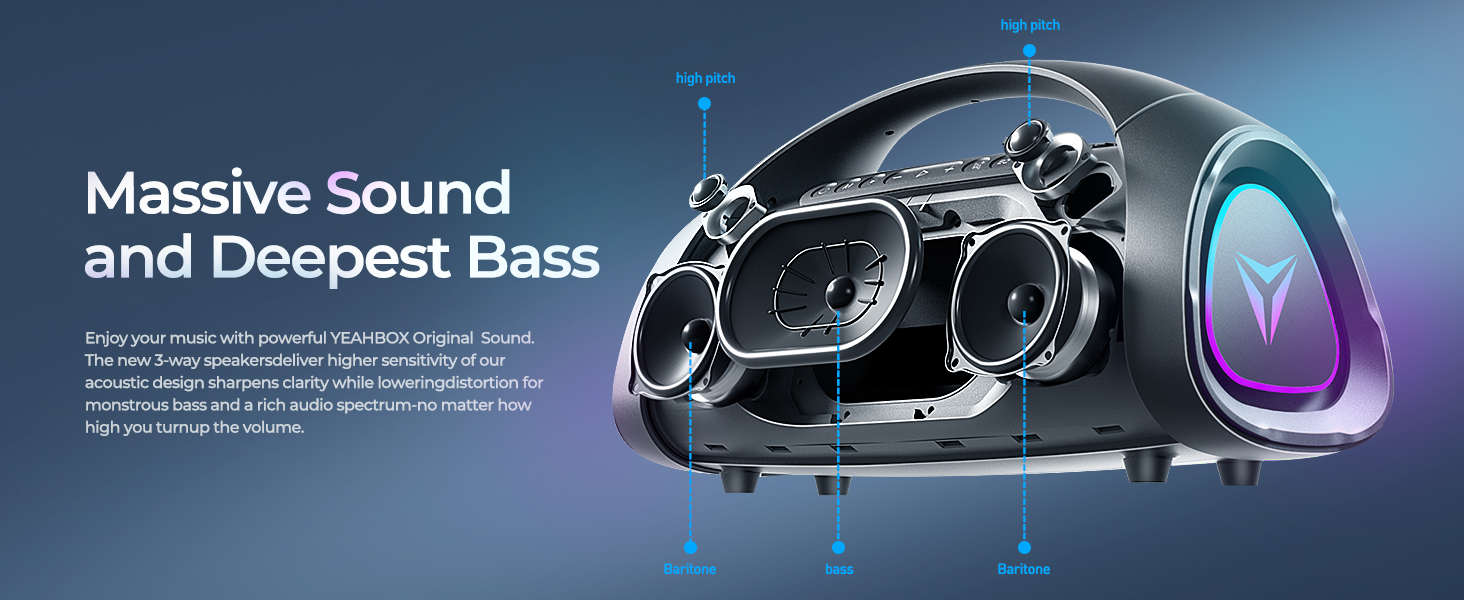
- 3-Way Crossover System: Features a 100W RMS subwoofer, dual 40W RMS midrange drivers, and dual 10W RMS tweeters for Hi-Fi audio.
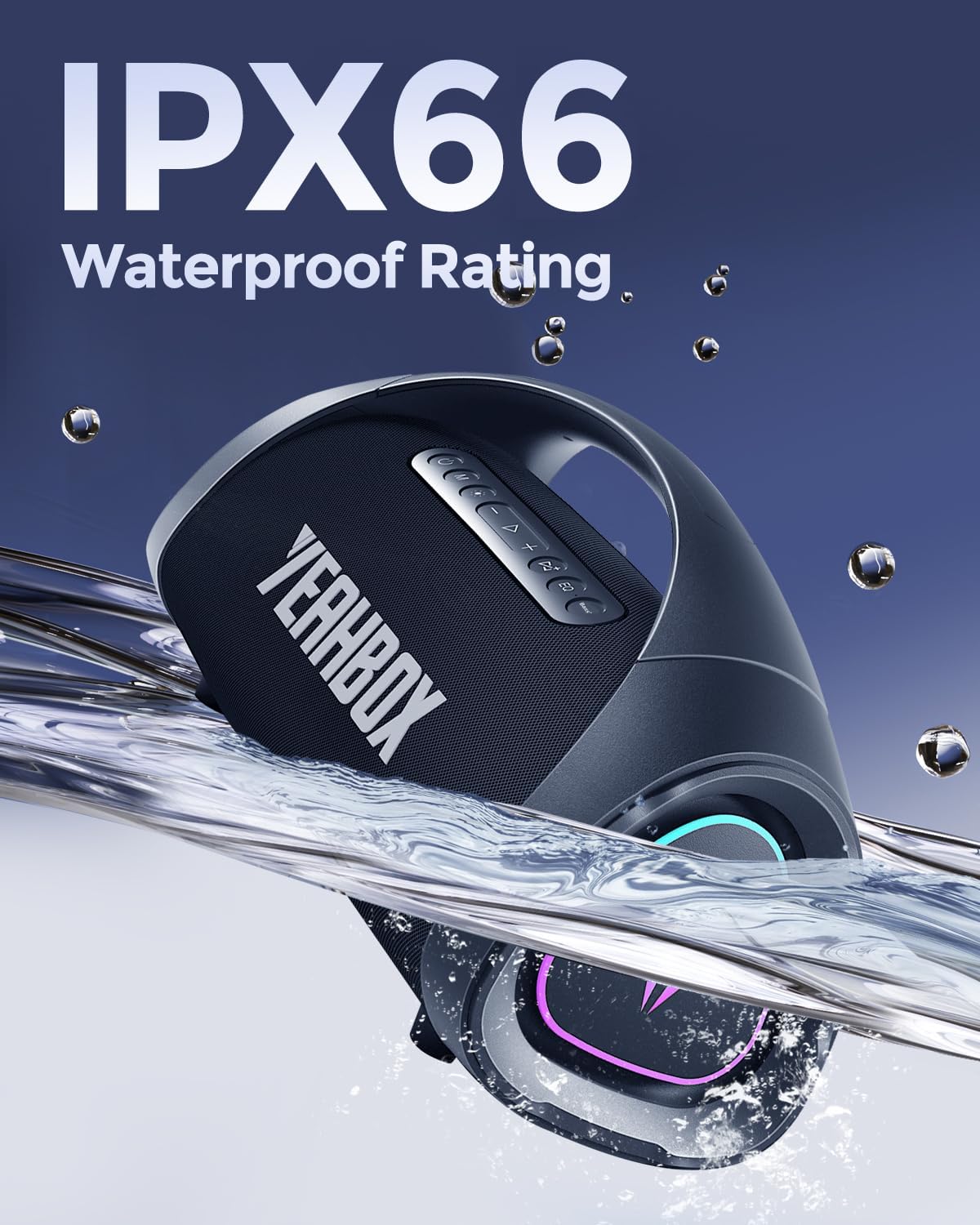
- IPX66 Waterproof Rating: Provides protection against powerful water jets and dust.

4. Setup
4.1 Charging the Speaker
Before first use, fully charge your Sonic Boom MAX speaker.
- Connect the charging cable to the speaker's charging port and a compatible power source.
- A full charge takes approximately 8 hours.
- The speaker provides up to 12 hours of battery life on a single charge, depending on usage and volume levels.

4.2 Bluetooth Pairing
To connect your device to the speaker via Bluetooth:
- Power on the Sonic Boom MAX speaker. It will automatically enter Bluetooth pairing mode.
- On your device (smartphone, tablet, etc.), enable Bluetooth and search for available devices.
- Select "Sonic Boom MAX" from the list of devices.
- Once connected, the speaker will indicate a successful pairing.
The speaker uses Bluetooth 5.3 technology, providing a stable connection up to 18 meters (approximately 59 feet).
4.3 TWS (True Wireless Stereo) Pairing
For an enhanced stereo experience, you can pair two Sonic Boom MAX speakers together:
- Ensure both Sonic Boom MAX speakers are powered on and not connected to any other Bluetooth device.
- On one speaker, press and hold the TWS pairing button (refer to button layout in Operating Instructions).
- The speakers will automatically search for and connect to each other.
- Once paired, connect your device to one of the speakers via Bluetooth as described in Section 4.2. Both speakers will now play audio in stereo.

5. Operating Instructions
5.1 Button Functions
The Sonic Boom MAX speaker features intuitive button controls on its top panel.
| Button/Control | Function |
|---|---|
| Power Button | Press and hold to Power ON/OFF. Short press to check battery status. |
| Volume Up (+) | Increase volume. |
| Volume Down (-) | Decrease volume. |
| Play/Pause | Play or pause audio playback. Answer/End calls. |
| Bass Button | Press to activate/deactivate the exclusive One-Button BASS function. |
| EQ Button | Cycle through multiple EQ sound effects. |
| Light Button | Change or turn ON/OFF dynamic RGB lighting modes. |
| TWS Button | Press and hold to initiate TWS pairing (see Section 4.3). |
5.2 Dynamic RGB Lighting
The speaker features dynamic RGB lighting that can be customized to enhance your listening experience. Use the dedicated Light Button to cycle through various lighting modes or turn the lights off. The lighting can sync with the rhythm of your music.
5.3 EQ Sound Effects
Tailor your audio to different genres or preferences using the multiple built-in EQ sound effects. Press the EQ Button to switch between modes such as Pop, Rock, Classical, Jazz, and more, optimizing the sound profile for your content.
6. Maintenance
To ensure the longevity and optimal performance of your Sonic Boom MAX speaker, follow these maintenance guidelines:
- Cleaning: Use a soft, damp cloth to wipe the speaker's surface. Avoid using harsh chemicals or abrasive cleaners.
- Water Resistance: While the speaker is IPX66 waterproof, avoid submerging it in water for extended periods. Ensure all port covers are securely closed before exposure to water.
- Storage: Store the speaker in a cool, dry place away from direct sunlight and extreme temperatures.
- Battery Care: For best battery health, avoid fully discharging the battery frequently. If storing for a long time, charge the battery to about 50% every few months.
7. Troubleshooting
If you encounter any issues with your Sonic Boom MAX speaker, refer to the following common problems and solutions:
| Problem | Possible Solution |
|---|---|
| Speaker does not turn on. | Ensure the battery is charged. Connect to a power source and try again. |
| Cannot pair via Bluetooth. |
|
| No sound or low volume. |
|
| TWS pairing fails. |
|
| RGB lights not working. | Press the Light Button to cycle through modes or turn them on. |
8. Specifications
Detailed technical specifications for the YEAHBOX Sonic Boom MAX Bluetooth Speaker:
| Attribute | Detail |
|---|---|
| Model Name | Sonic Boom Max3 |
| Brand | YEAHBOX |
| Speaker Type | Woofer, Portable Bluetooth Speaker |
| Speaker Maximum Output Power | 300 Watts (Peak) |
| RMS Output Power | 200 Watts (RMS) |
| Subwoofer RMS | 100 Watts |
| Midrange Drivers RMS | Dual 40 Watts |
| Tweeters RMS | Dual 10 Watts |
| Connectivity Technology | Bluetooth 5.3, Auxiliary, USB |
| Wireless Communication Technology | Bluetooth |
| Bluetooth Range | 18 Meters |
| Water Resistance Level | IPX66 (Waterproof) |
| Battery Capacity | 30000 mAh (4 x 12V batteries included) |
| Battery Life | 12 Hours |
| Charging Time | 8 Hours |
| Product Dimensions | 20"D x 10.5"W x 8.2"H |
| Item Weight | 21.1 pounds |
| Material | Plastic |
| Audio Output Mode | Stereo |
| Signal-to-Noise Ratio | 79 dB |
| Frequency Response | 20 KHz (Upper limit, typical for full range) |
| Control Method | Button, App |
| Included Components | Quick Start Guide, Warranty Card |
9. Warranty and Support
YEAHBOX is committed to providing high-quality products and excellent customer service.
- Warranty: The product comes with a Limited Warranty. Please refer to the included Warranty Card for specific terms and conditions.
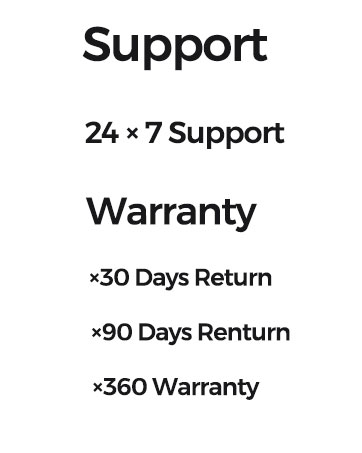
- Returns: Enjoy a 30-day return policy and a 90-day return period for certain conditions.
- Extended Protection Plans: Additional protection plans are available for purchase, including 2-Year and 3-Year options, and a Complete Protect plan.
- Customer Support: YEAHBOX offers 24x7 customer support. For assistance, please visit the official YEAHBOX store on Amazon or contact their customer service directly.
For more information and support, visit the YEAHBOX Store on Amazon.
10. Important Safety Information
Please read and follow these safety precautions to prevent damage to the speaker or injury to yourself:
- Do not expose the speaker to extreme temperatures (hot or cold).
- Do not disassemble, repair, or modify the speaker yourself. This will void the warranty.
- Keep the speaker away from open flames or heat sources.
- Use only the specified charging cable and power adapter.
- Avoid prolonged listening at high volumes to prevent hearing damage.
- Keep out of reach of children.

