
1. Important Safety Instructions
Please read all instructions carefully before using the appliance and retain them for future reference. Failure to follow these instructions may result in electric shock, fire, or serious injury.
- This appliance is intended for household use only. Do not use it for commercial or industrial purposes.
- Do not immerse the appliance, battery, or charging adapter in water or other liquids.
- Keep the appliance away from children and pets. Close supervision is necessary when the appliance is used near children.
- Use only the original charging adapter supplied with the appliance. Using an incompatible charger may cause damage or fire.
- Do not operate the appliance if it has been dropped, damaged, left outdoors, or dropped into water. Contact authorized service personnel for repair.
- Do not pick up flammable or combustible materials, hot ashes, large sharp objects, or liquids with the vacuum cleaner.
- Ensure all filters are correctly installed before operation.
- Always unplug the charging adapter from the power outlet before cleaning or performing maintenance on the appliance.
2. Product Overview
The Fakir WD 6 Pure Clean is a versatile 2-in-1 wet and dry cordless vertical vacuum cleaner designed for efficient cleaning of various surfaces. It features separate tanks for clean and dirty water, and a powerful brush roll for effective dirt removal.

Figure 2.1: The Fakir WD 6 Pure Clean 2-in-1 Wet Dry Cordless Vertical Vacuum Cleaner in its upright position, showcasing its sleek black design and transparent water tanks.

Figure 2.2: Top-down view of the handle and control panel, illustrating the power button, mode selection, and digital display for battery status and cleaning modes.
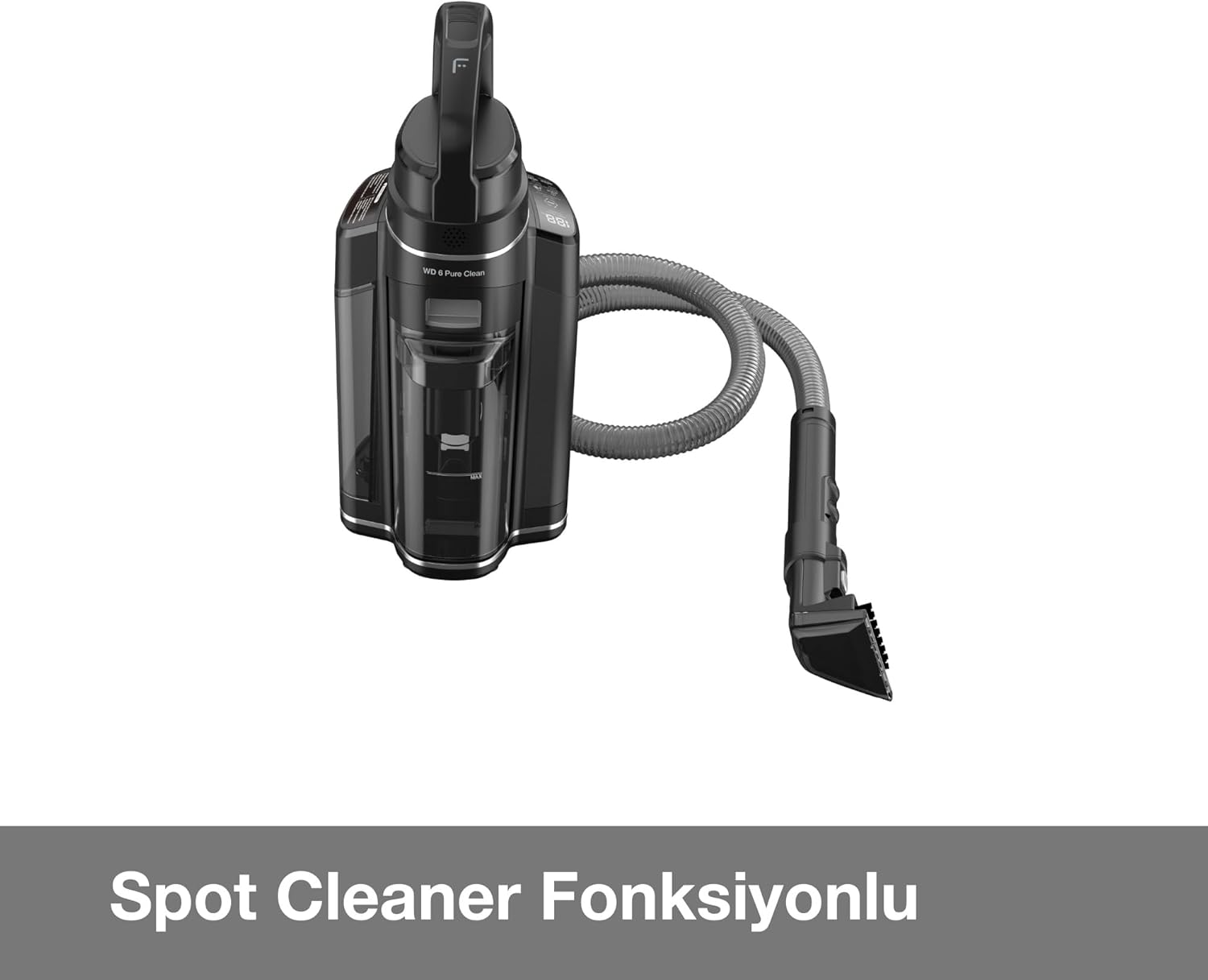
Figure 2.3: The Fakir WD 6 Pure Clean demonstrating its spot cleaner function with the flexible hose and nozzle attachment, ideal for targeted cleaning of spills and stains.
Components:
- Main Unit (Motor, Battery, Control Panel)
- Handle Assembly
- Clean Water Tank
- Dirty Water Tank
- Brush Roll
- Charging Base/Adapter
- Spot Cleaner Attachment (Hose and Nozzle)
3. Setup
3.1 Assembly
- Carefully unpack all components from the packaging.
- Insert the handle assembly into the main unit until it clicks securely into place.
- Ensure the clean water tank and dirty water tank are correctly seated in their respective positions.
3.2 Initial Charging
- Place the vacuum cleaner on its charging base or connect the charging adapter directly to the charging port.
- Plug the charging adapter into a suitable power outlet.
- Allow the appliance to charge fully before first use. The display will indicate charging status and full charge.
4. Operating Instructions
4.1 Filling the Clean Water Tank
- Remove the clean water tank from the main unit.
- Open the tank cap and fill with clean water up to the 'MAX' line. For enhanced cleaning, a small amount of compatible cleaning solution can be added (refer to solution manufacturer's instructions).
- Close the cap securely and reinsert the tank into the appliance.
4.2 Wet Cleaning Mode
- Press the power button to turn on the appliance.
- Select the wet cleaning mode using the mode selection button on the handle.
- Tilt the vacuum cleaner back to engage the brush roll and begin cleaning. The appliance will dispense water and simultaneously vacuum up dirty water.
- Move the vacuum cleaner slowly over the surface to ensure thorough cleaning.
4.3 Dry Cleaning Mode
- Ensure the clean water tank is empty or removed if only dry vacuuming is desired.
- Press the power button.
- Select the dry cleaning mode. The appliance will operate as a standard vacuum cleaner, collecting dry debris into the dirty water tank (which acts as a dry debris tank in this mode).
4.4 Spot Cleaning Function
- Detach the main cleaning head and connect the spot cleaner hose and nozzle.
- Ensure the clean water tank is filled.
- Turn on the appliance and select the spot cleaning mode.
- Spray cleaning solution onto the stain using the trigger on the nozzle, then scrub and vacuum up the liquid.
5. Maintenance
5.1 Emptying and Cleaning the Dirty Water Tank
- After each wet cleaning session, or when the 'Dirty Water Tank Full' indicator illuminates, turn off the appliance.
- Remove the dirty water tank.
- Carefully open the tank and dispose of the dirty water.
- Rinse the tank thoroughly with clean water and allow it to air dry before reassembling.
5.2 Cleaning the Brush Roll
- Turn off and unplug the appliance.
- Remove the brush roll cover (refer to the diagram in the product manual for specific instructions).
- Remove the brush roll and clean any hair, debris, or tangled fibers. A cleaning tool may be provided for this purpose.
- Rinse the brush roll under running water if necessary and allow it to dry completely before reinserting.
5.3 Filter Maintenance
Regularly check and clean the filters to maintain optimal suction performance. Rinse filters with water and ensure they are completely dry before reinstallation.
6. Troubleshooting
| Problem | Possible Cause | Solution |
|---|---|---|
| Appliance does not turn on | Battery is depleted Power button not pressed correctly | Charge the battery fully Press the power button firmly |
| Poor suction power | Dirty water tank full Filters are clogged Brush roll is obstructed | Empty and clean the dirty water tank Clean or replace filters Remove obstructions from the brush roll |
| Water not dispensing | Clean water tank is empty Nozzle/water lines are clogged | Refill the clean water tank Check and clear any blockages in the nozzle or water lines |
| Leaking water | Water tanks not properly sealed Damaged tank or seal | Ensure tanks are correctly installed and caps are tight Contact customer support for replacement parts |
7. Specifications
| Feature | Detail |
|---|---|
| Brand | Fakir |
| Model Number | 41005215 |
| Color | Black |
| Power Source | Battery Powered |
| Style | Contemporary |
| Package Dimensions | 50 x 50 x 50 cm |
| Weight | 2.5 Kilograms |
| First Available Date | 20 February 2025 |
8. Warranty and Support
This product is covered by a manufacturer's warranty. Please refer to the warranty card included in your product packaging for specific terms and conditions, including warranty period and coverage details.
For technical support, service, or to inquire about replacement parts, please contact Fakir customer service. Contact information can typically be found on the official Fakir website or in your product documentation.
When contacting support, please have your model number (41005215) and purchase date available.


