
1. Important Safety Instructions
Please read all instructions carefully before using the appliance and retain them for future reference. Failure to follow these instructions may result in electric shock, fire, or serious injury.
- Always ensure the voltage indicated on the rating label corresponds to your mains voltage.
- Do not immerse the appliance, power cord, or plug in water or any other liquid.
- Keep the iron and its cord out of reach of children when it is switched on or cooling down.
- Never leave the iron unattended while it is connected to the mains supply.
- The soleplate of the iron can become extremely hot. Avoid direct contact with hot surfaces.
- Use the appliance only for its intended household purpose, which is ironing clothes.
- Unplug the iron from the power outlet before filling or emptying the water tank, and when not in use.
- Do not operate any appliance with a damaged cord or plug, or after the appliance malfunctions or has been damaged in any manner.
- Only use distilled or demineralized water in the water tank to prevent limescale buildup.
2. Product Overview
The Fakir Power Press Professional Steam Generator Iron and Ironing System is designed for efficient and professional-quality garment care. It features a powerful steam generator, a high-performance iron, and an innovative ironing board with an air circulation function and a hanger attachment.

Figure 2.1: Complete Fakir Power Press Professional Steam Generator Iron and Ironing System. This image shows the entire system assembled, including the ironing board, the steam generator unit, the iron, and the adjustable hanger pole.
Components:
- Steam Generator Unit: Houses the water tank and heating element for steam production.
- Professional Iron: Features a stainless steel soleplate and controls for temperature and steam.
- Innovative Ironing Board: Equipped with an air circulation feature to relax fabric fibers.
- Adjustable Hanger Pole: Allows for vertical steaming and hanging garments during ironing.
- Water Tank: Removable tank for easy refilling.
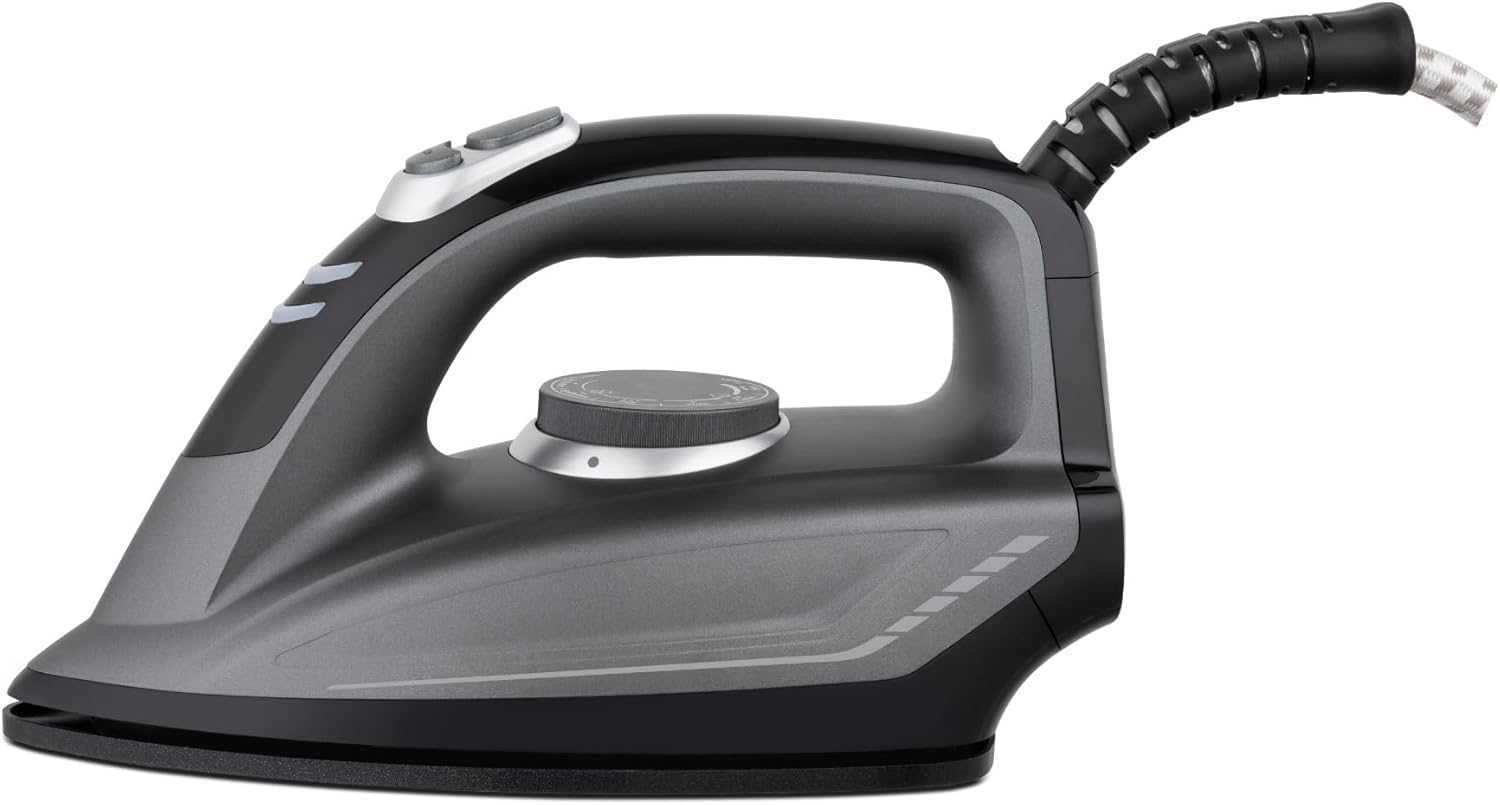
Figure 2.2: Close-up view of the Fakir Power Press Professional Iron. This image highlights the design of the iron, including its handle, soleplate, and control buttons.

Figure 2.3: Side view of the Fakir Power Press Steam Generator Unit, showing the removable water tank. This image illustrates the water tank's position and how it integrates with the main unit.
3. Setup
3.1 Unpacking and Assembly
- Carefully remove all components from the packaging.
- Place the ironing board on a stable, flat surface.
- Attach the steam generator unit to its designated position on the ironing board frame.
- Assemble the adjustable hanger pole and secure it to the steam generator unit.
3.2 Filling the Water Tank
- Ensure the appliance is unplugged from the power outlet.
- Remove the water tank from the steam generator unit.
- Fill the water tank with distilled or demineralized water up to the 'MAX' indicator. Do not overfill.
- Replace the water tank securely into the steam generator unit.
3.3 Initial Use
- Plug the power cord into a grounded electrical outlet.
- Turn on the appliance using the power button. The indicator light will illuminate.
- Allow the iron to heat up for approximately 2-3 minutes until the temperature indicator light turns off, signaling it has reached the set temperature.
- Before ironing garments, press the steam button several times over an old cloth to purge any condensation or impurities from the steam chamber.
4. Operating Instructions
4.1 Temperature Settings
Adjust the temperature dial on the iron according to the fabric type. Refer to the garment care label for recommended ironing temperatures. Start with lower temperatures for delicate fabrics and increase for heavier materials.
4.2 Steam Functions
- Continuous Steam: Press and hold the steam trigger for a continuous steam output of approximately 30 g/min. Release the trigger to stop.
- Shock Steam (Steam Boost): For stubborn creases, press the steam boost button. This delivers a powerful burst of steam, approximately 70 g/5 sec. Use sparingly and allow a few seconds between bursts.
- Vertical Steaming: Hang garments on the adjustable hanger pole. Hold the iron vertically a few centimeters away from the fabric and press the steam trigger to remove wrinkles.
4.3 Innovative Ironing Board Features
- Air Circulation Feature: Activate the air circulation function on the ironing board. This feature gently lifts and relaxes fabric fibers, making ironing easier and preventing shine on delicate materials.
- Hanger Attachment: Utilize the specially designed hanger attachment on the ironing board for convenient ironing of shirts, trousers, and other hanging garments.
5. Maintenance and Cleaning
5.1 After Each Use
- Turn off the appliance and unplug it from the power outlet.
- Allow the iron and steam generator to cool down completely.
- Empty any remaining water from the water tank.
5.2 Cleaning the Soleplate
If the soleplate becomes dirty, clean it with a damp cloth and a non-abrasive liquid cleaner specifically designed for iron soleplates. Do not use abrasive pads or harsh chemicals.
5.3 Descaling
To maintain optimal steam performance, regular descaling of the steam generator is recommended, especially in areas with hard water. Refer to the specific descaling instructions provided in the full product manual or contact customer support for guidance. Generally, this involves using a descaling solution or a vinegar-water mixture and running it through the system.
5.4 Storage
Store the cooled appliance in a dry, safe place. Ensure the power cord is neatly wrapped and secured. The ironing board can be folded for compact storage if applicable.
6. Troubleshooting
| Problem | Possible Cause | Solution |
|---|---|---|
| No steam output | Water tank empty; Iron not hot enough; Steam button not pressed. | Refill water tank; Wait for iron to heat up; Press steam button. |
| Water leakage from soleplate | Temperature too low for steam; Overfilling water tank. | Increase temperature setting; Do not overfill water tank. |
| Iron not heating | Not plugged in; Power switch off; Faulty outlet. | Check power connection; Turn on power switch; Test with another outlet. |
| Air circulation not working | Feature not activated; Power issue. | Ensure air circulation button is pressed; Check power connection. |
7. Specifications
- Brand: Fakir
- Model Number: 41005108
- Power: 2200 Watts
- Continuous Steam Output: 30 g/min
- Shock Steam Output: 70 g/5 sec
- Steam Pressure: 7.5 Bar (as per product title, though not in specifications list)
- Soleplate Material: Stainless Steel
- Special Feature: Airflow Feature (on ironing board)
- Color: Black
- Product Weight: Approximately 2.5 Kilograms (Iron unit only)
- Recommended Use: Home
- Origin: China
8. Warranty and Support
This product is covered by a manufacturer's warranty. For detailed information regarding warranty terms, conditions, and duration, please refer to the warranty card included with your purchase or visit the official Fakir website. For technical support, spare parts, or service inquiries, please contact Fakir customer service directly. Keep your proof of purchase for warranty claims.