
Introduction
Thank you for choosing the LIGE FV10 Military Smartwatch. This manual provides essential information for setting up, operating, and maintaining your device. Please read it carefully to ensure optimal performance and longevity of your smartwatch.
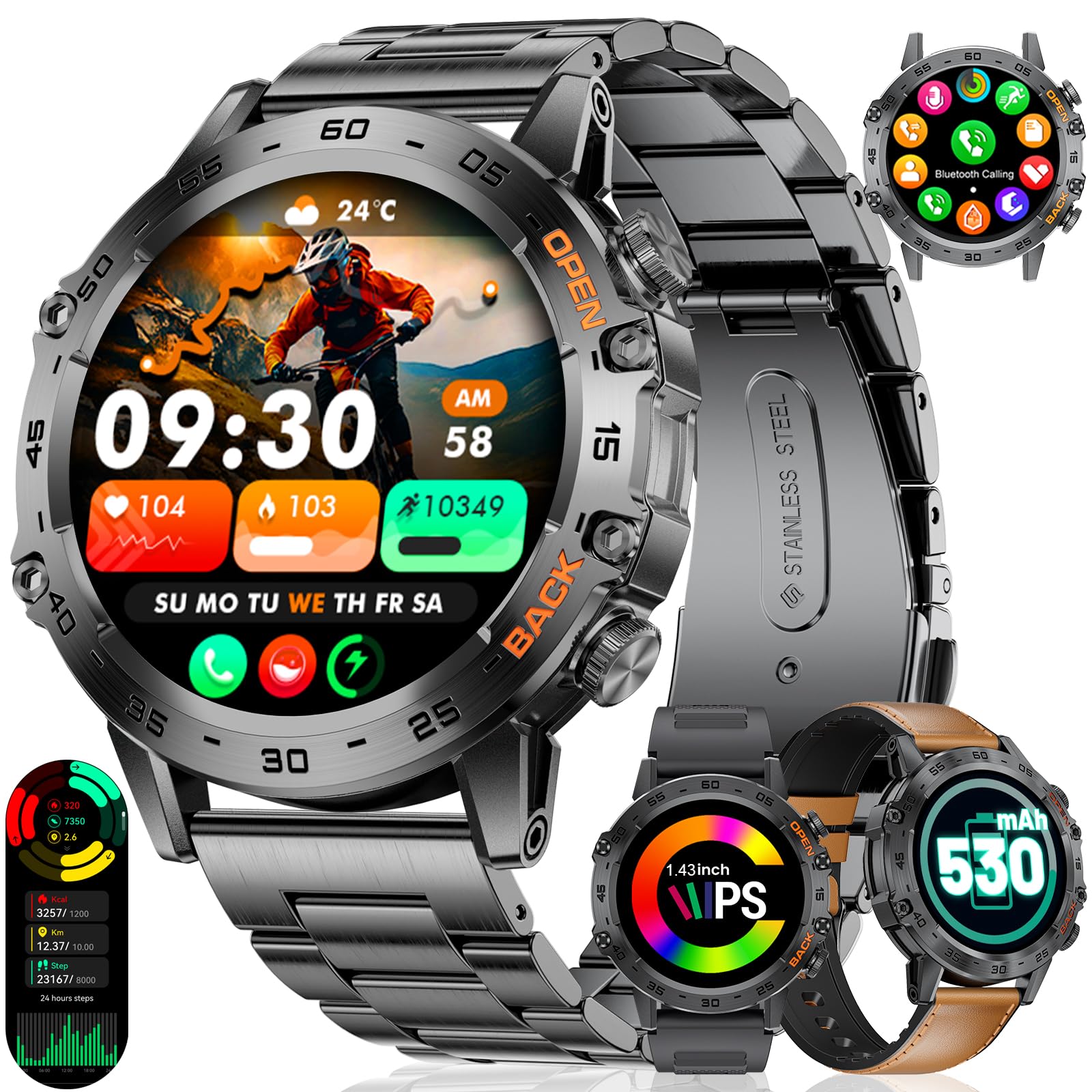
Image: The LIGE FV10 Military Smartwatch, featuring a robust design and a black metal strap.
What's in the Box
Upon opening your LIGE FV10 Smartwatch package, please verify that all the following items are included:
- LIGE FV10 Smartwatch
- 1 x Stainless Steel Strap
- 1 x Silicone Strap
- 1 x Leather Strap
- 1 x Magnetic USB Charging Cable
- 1 x Watch Adjuster Tool (for metal strap)
- 1 x User Manual

Image: A visual representation of the LIGE FV10 Smartwatch and its included accessories, such as the watch, three different straps (stainless steel, silicone, leather), a magnetic USB charging cable, and a watch adjuster tool.
Setup Guide
1. Charging the Smartwatch
Before initial use, fully charge your LIGE FV10 Smartwatch. Connect the magnetic USB charging cable to the charging points on the back of the watch and to a USB power adapter (not included). The watch display will indicate charging status.
2. App Installation and Pairing
To unlock the full functionality of your smartwatch, download and install the FitProCloud application on your smartphone.
- Enable Bluetooth: Ensure Bluetooth is active on your smartphone.
- Download App: Scan the QR code below or search for "FitProCloud" in your phone's app store (http://fitcloud.hetangsmart.com/qrcode/_cn/).
- Open App: Launch the FitProCloud app and grant necessary permissions.
- Add Device: In the app, navigate to the device section and select "Add Device" or similar option.
- Scan/Connect: The app will search for nearby devices. Select "FV10" from the list to connect. Confirm pairing on both your phone and smartwatch if prompted.
- Enable Notifications: Allow the smartwatch to display notifications from your phone within the app settings.
- Activate Call Audio: On the watch, activate the "Call Audio" function to enable Bluetooth calls.

Image: A step-by-step guide illustrating the process of connecting the LIGE FV10 Smartwatch to a smartphone using the FitProCloud application, including Bluetooth activation, app download, device pairing, and notification settings.
3. Strap Adjustment
The metal strap can be adjusted using the included watch adjuster tool. For silicone and leather straps, adjust the buckle for a comfortable fit. Ensure the watch is snug but not too tight for accurate health monitoring.
Operating Instructions
1. Basic Navigation
- Touchscreen: Swipe left/right, up/down to navigate menus and functions. Tap to select.
- Side Buttons: The watch features two function buttons. Typically, one button serves as a power/home button, and the other for quick access to sports modes or other customizable functions.
2. Customizing Watch Faces
The LIGE FV10 offers over 200 customizable watch faces through the FitProCloud app. You can also use your own photos to create a unique watch face.
- On Watch: Long-press the watch face to quickly switch between pre-installed designs.
- Via App: Open the FitProCloud app, go to the watch face section, and browse or upload your custom designs.

Image: The LIGE FV10 Smartwatch showcasing a variety of digital and analog watch faces, along with icons for features such as remote camera control, weather forecasts, music playback, and alarm settings.
3. Bluetooth Calls and Notifications
Once paired, your smartwatch supports Bluetooth calls and smart notifications.
- Making Calls: Access the dial pad or contact list on your watch to initiate calls.
- Receiving Calls: Answer or reject incoming calls directly from your watch.
- Notifications: Receive alerts for messages, social media, and other app notifications directly on your wrist.

Image: The LIGE FV10 Smartwatch demonstrating its 24-hour health monitoring capabilities, with screens showing real-time heart rate, blood oxygen (SpO2), and blood pressure measurements.
4. Sport Modes
The smartwatch offers over 110 sport modes to track your physical activity. Select your desired mode to record data such as time, distance, calories, and steps.
- Access: Swipe to the sports mode menu on your watch.
- Selection: Choose from activities like running, cycling, swimming, yoga, basketball, and more.
- Tracking: The watch will display real-time data during your workout.

Image: The LIGE FV10 Smartwatch interface showing different sport modes and activity tracking metrics, set against a backdrop of outdoor activities like hiking.
5. Health Monitoring
The FV10 smartwatch monitors your heart rate, blood oxygen (SpO2), and sleep patterns.
- Heart Rate: Real-time heart rate monitoring.
- SpO2: Measures blood oxygen levels.
- Sleep Tracking: Records sleep phases (REM, light, deep sleep) to assess sleep quality.
Note: The smartwatch is not intended for medical use. Health data is for reference only.

Image: The LIGE FV10 Smartwatch showing its scientific sleep monitoring function, which tracks deep sleep, light sleep, and REM sleep, with a person sleeping peacefully in the background.
6. Other Functions
The smartwatch includes additional features for convenience:
- Alarm: Set multiple alarms.
- Find Phone: Locate your paired smartphone.
- Remote Camera Control: Control your phone's camera remotely.
- Music Playback: Control music on your phone.
- Weather Forecast: View current weather and forecasts.
- Breath Training: Guided breathing exercises.
- Customizable Settings: Adjust brightness, raise-to-wake, menu styles, power-saving mode, and do not disturb.
Maintenance
1. Cleaning
Regularly clean your smartwatch and straps with a soft, dry cloth. Avoid using harsh chemicals or abrasive materials.
2. Water Resistance (3ATM / IP68)
The LIGE FV10 is IP68 rated and 3ATM water-resistant, meaning it can withstand splashes, rain, and brief immersion in water (up to 50 meters). It is suitable for daily use, hand washing, and light swimming. However, it is not recommended for hot showers, saunas, or deep diving, as steam and high pressure can compromise the seals.

Image: The LIGE FV10 Smartwatch shown underwater, highlighting its 5ATM water resistance feature, suitable for various water-related activities.
3. Battery Care
To prolong battery life, avoid extreme temperatures and fully discharging the battery frequently. Charge the watch regularly, especially if it will be stored for an extended period.

Image: The LIGE FV10 Smartwatch screen showing its 530mAh battery capacity, with text indicating battery life of 3-5 days for intensive use, 7+ days for daily use, and 30+ days in power-saving mode.
4. Durability
The LIGE FV10 is designed to meet MIL-STD-810G military standards, offering resistance to impacts, vibrations, and extreme temperatures (-20°C to 60°C).
Video: A short demonstration showcasing the durability of the LIGE FV10 Smartwatch, including resistance to impacts, extreme temperatures (ice), and water immersion. It also briefly highlights the touchscreen responsiveness.
Troubleshooting
Common Issues and Solutions:
- Watch not turning on: Ensure the watch is fully charged. Connect it to the charger for at least 30 minutes.
- Cannot pair with phone:
- Ensure Bluetooth is enabled on your phone.
- Make sure the FitProCloud app is installed and running.
- Restart both your phone and the smartwatch.
- Ensure the watch is within Bluetooth range of your phone.
- Check if the watch is already paired with another device. Disconnect if necessary.
- Notifications not received:
- Verify that notification permissions are granted to the FitProCloud app in your phone's settings.
- Ensure the watch's "Do Not Disturb" mode is off.
- Check if the app is running in the background on your phone.
- Inaccurate health data:
- Ensure the watch is worn snugly on your wrist, not too loose or too tight.
- Clean the sensors on the back of the watch.
- Avoid excessive movement during measurements.
- Short battery life:
- Reduce screen brightness.
- Disable unnecessary features like continuous heart rate monitoring if not needed.
- Limit the number of active notifications.
- Ensure the watch is fully charged each time.
Specifications
| Feature | Detail |
|---|---|
| Model Number | SP-FV10-J |
| Display | 1.45-inch AMOLED, 360 x 360 resolution, 450 NIT brightness |
| Battery Capacity | 530 mAh Lithium Polymer |
| Battery Life | Up to 7 days (normal use), up to 30 days (standby) |
| Connectivity | Bluetooth |
| Water Resistance | IP68, 3ATM (up to 50 meters) |
| Compatible OS | Android 5.0 and above, iOS 11.0 and above |
| Health Monitoring | Heart Rate, Blood Oxygen (SpO2), Sleep Tracking |
| Sport Modes | 110+ modes (running, cycling, swimming, yoga, etc.) |
| Special Features | Always On Display, Bluetooth Calls, Notifications, Touchscreen, Music Player, Remote Camera, Weather, Alarm, Find Phone, Breath Training |
| Material | Metal case, Stainless Steel / Silicone / Leather straps |
| Dimensions | 49mm case diameter, 22mm band width, 230mm total length |
| Memory Storage | 256 MB |
Warranty and Support
LIGE offers comprehensive customer support for your FV10 Smartwatch.
- Warranty: Your LIGE FV10 Smartwatch comes with a 2-year warranty.
- Returns: Enjoy a 60-day return policy for a worry-free shopping experience.
- Customer Service: For any inquiries or assistance, please contact LIGE customer service.

Image: A graphic detailing LIGE's customer service commitments, including 24-hour online support, a 6-month return service, and a 2-year product warranty.


