
FRESHDEW PD8R-05AE
FRESHDEW Dehumidifier User Manual
Model: PD8R-05AE
Introduction
Thank you for choosing the FRESHDEW Dehumidifier. This appliance is designed to efficiently remove excess moisture from your indoor environment, creating a more comfortable and healthier living space. With its high-efficiency condensing compressor, it can remove up to 30 pints of moisture daily, suitable for areas up to 1500 sq. ft. This manual provides essential information for the safe and effective operation and maintenance of your dehumidifier.
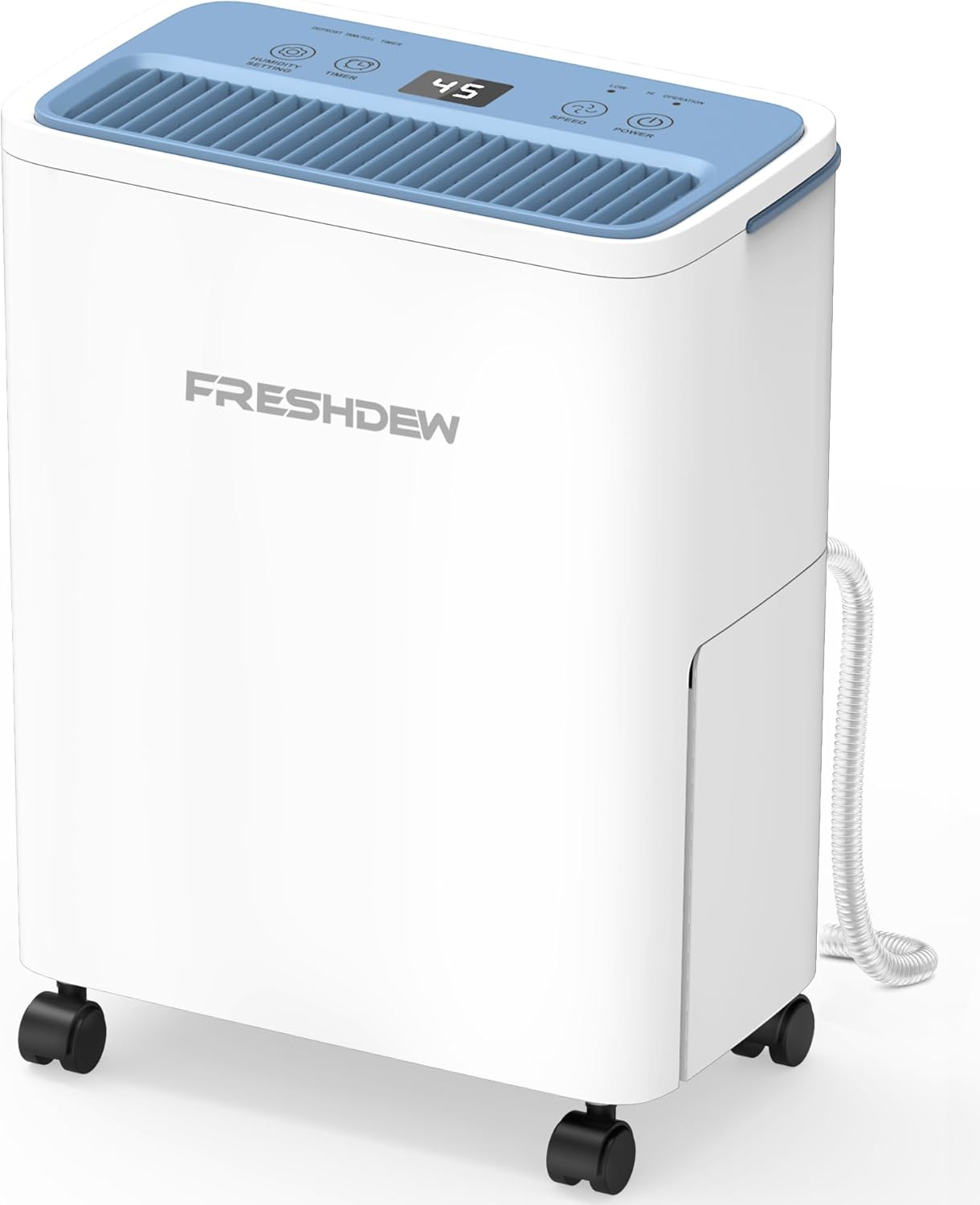
Figure 1: FRESHDEW Dehumidifier Overview
The FRESHDEW Dehumidifier is a compact, white unit with a blue top panel featuring an LED display and touch controls. It is equipped with four swivel casters for easy mobility and a side compartment for the water tank.
Setup
- Unpacking and Initial Placement: Carefully remove the dehumidifier from its packaging. For optimal performance and to allow the compressor lubricant to settle, place the unit upright and let it stand for at least 24 hours before its first use.
- Positioning: Place the dehumidifier in an area where humidity control is desired. Ensure there is adequate space around the unit for proper airflow. For best efficiency, keep doors and windows closed in the area where the dehumidifier is operating.
- Mobility: The dehumidifier is equipped with 4 removable swivel casters, allowing for easy movement between rooms.

Figure 2: Personalized Design Features
This image highlights the dehumidifier's design elements, including the removable 360-degree wheels for easy transport, an easy-carry anti-slip handle for lifting, a premium washable filter for air purification, and a lightweight water tank for convenient emptying.
- Drainage Options: Your FRESHDEW Dehumidifier offers two methods for water drainage:
- Manual Drain (Water Tank): The unit features a 2 L (0.52 Gallon) water tank. When the tank reaches maximum capacity, the dehumidifier will automatically shut off, illuminate the "Full" indicator, and sound an alarm. Simply remove the tank, empty the collected water, and reinsert it.
- Continuous Drainage (Drain Hose): For extended operation without manual emptying, connect the included 3.3-ft drain hose to the designated port on the back of the unit. Route the hose to a suitable drain or larger container.
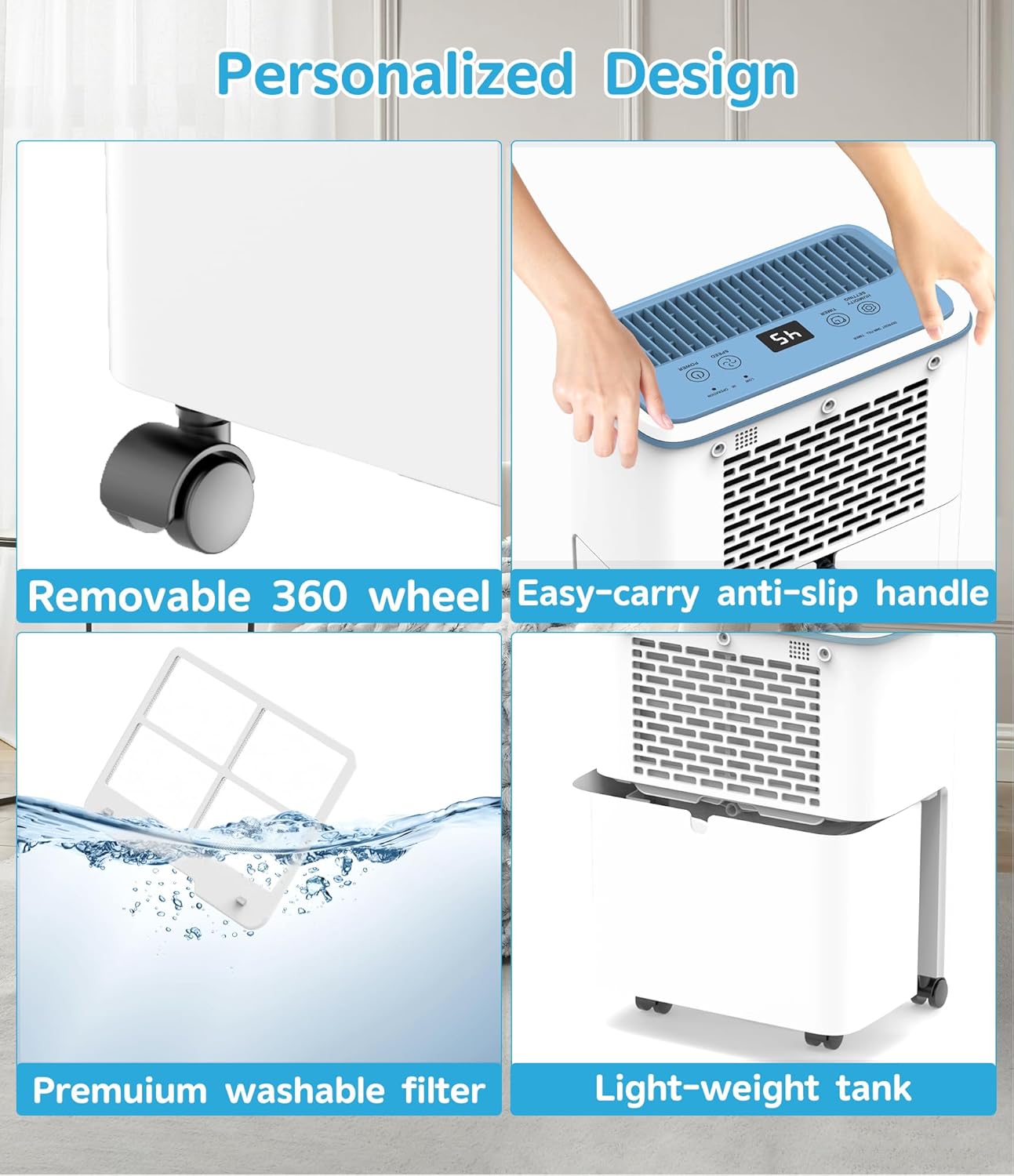
Figure 3: Two Optional Drainage Ways
This visual demonstrates the two drainage methods: on the left, the unit is shown with a hose connected for continuous drainage, and on the right, the transparent water tank is visible, indicating manual emptying.
Operating Instructions
The FRESHDEW Dehumidifier features a smart LED touchscreen for easy control and real-time monitoring.
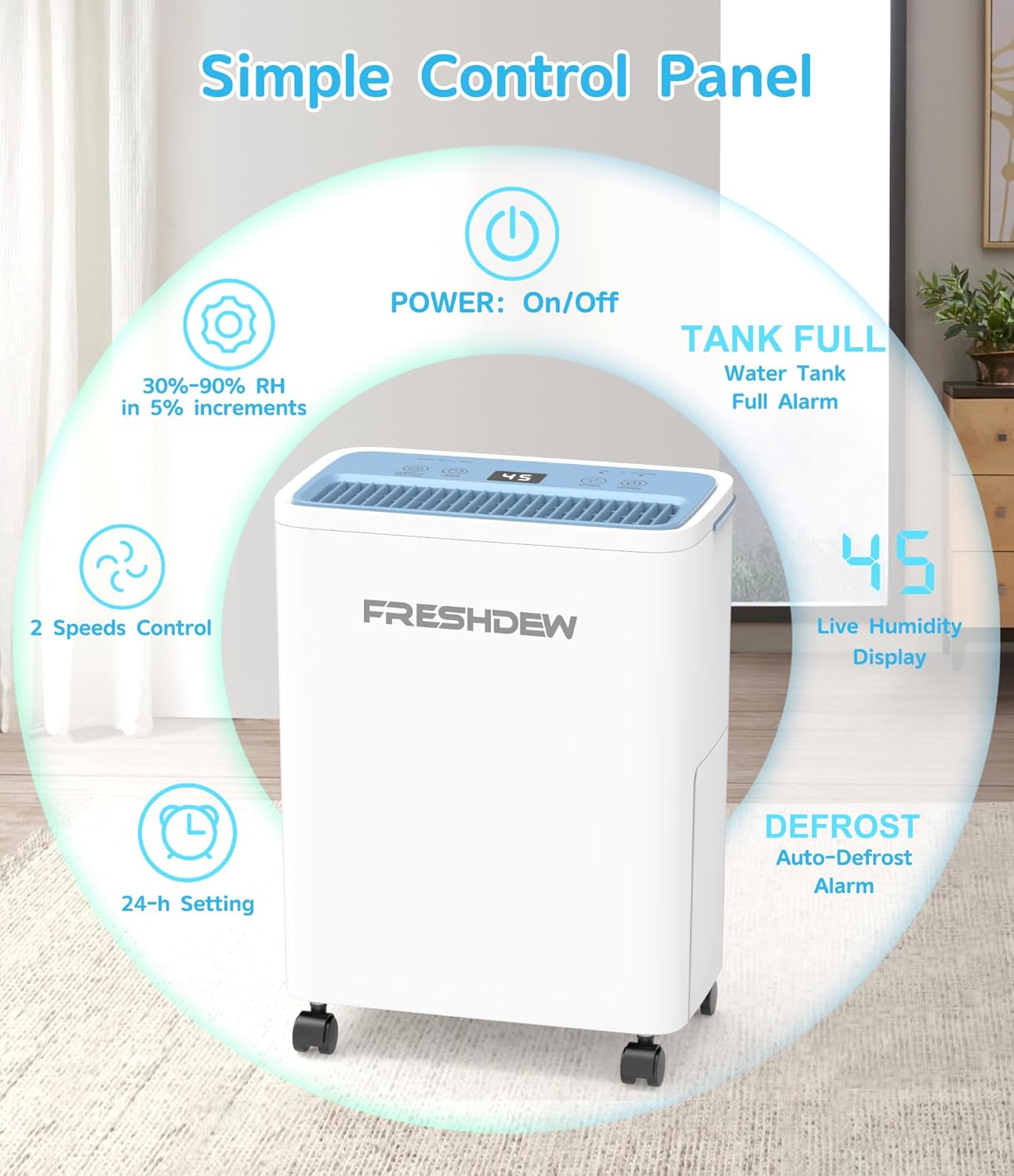
Figure 4: Simple Control Panel
The control panel features intuitive touch buttons for Power (On/Off), Humidity Setting (30%-90% RH in 5% increments), Timer (24-hour setting), and Speed (2 speeds control). A digital display shows the live humidity level, and indicators for "Tank Full" and "Defrost" are present.
- Power On/Off: Press the POWER button to turn the unit on or off.
- Humidity Setting: Press the HUMIDITY SETTING button to adjust the desired humidity level between 30% and 90% Relative Humidity (RH) in 5% increments. The unit will automatically activate or deactivate to maintain this preset level.
- Fan Speed: Press the SPEED button to toggle between two fan speeds (Low and High). Higher speeds will dehumidify faster but may produce slightly more noise.
- Timer Function: Use the TIMER button to set an automatic shut-off time, up to 24 hours. This is useful for scheduling operation during specific periods.
- Real-Time Humidity Display: The LED display shows the current humidity level in the room, providing immediate feedback on the environment.
- Quiet Operation: Designed for library-quiet performance (<40dB), the dehumidifier uses advanced noise reduction technology, making it suitable for bedrooms and offices without disruption.

Figure 5: Ultra Quiet Operation
This image demonstrates the low noise level of the FRESHDEW Dehumidifier, showing it operating quietly in a bedroom, with a decibel meter indicating approximately 35dB in sleep mode, comparable to falling leaves.
- Smart Humidity Sensor Technology: The air inlet-mounted sensor detects concentrated moisture, ensuring rapid response. The compressor cycles efficiently, stopping at 3% below the setpoint and restarting at 3% above, balancing energy savings with consistent humidity control.
Maintenance
Regular maintenance ensures the longevity and efficient operation of your FRESHDEW Dehumidifier.
- Water Tank Emptying: If not using continuous drainage, regularly empty the 2 L (0.52 Gallon) water tank when the "Full" indicator illuminates. This prevents overflow and ensures continuous operation.
- Filter Cleaning: The dehumidifier is equipped with a premium washable filter. Periodically remove and clean the filter to maintain optimal air quality and dehumidification efficiency. Refer to the "Personalized Design" image in the Setup section for visual guidance on filter access.
- External Cleaning: Wipe the exterior of the unit with a soft, damp cloth. Do not use harsh chemicals or abrasive cleaners.
Troubleshooting
If you encounter issues with your FRESHDEW Dehumidifier, please refer to the following common troubleshooting tips:
| Problem | Possible Cause | Solution |
|---|---|---|
| Dehumidifier does not turn on. | Unit is unplugged; power outage; water tank is full or incorrectly placed. | Ensure unit is securely plugged in. Check power supply. Empty and correctly reinsert the water tank. |
| No water collected or low dehumidification. | Humidity level is already low; filter is clogged; room temperature is too low (below 41°F/5°C); doors/windows are open. | Check current humidity level. Clean the air filter. Ensure operating temperature is within 41°F–95°F (5°C–32°C). Close all doors and windows. |
| Unit is noisy. | Unit is not on a level surface; filter is dirty; fan speed is set to high. | Place the unit on a flat, stable surface. Clean the air filter. Reduce the fan speed. |
| "Full" indicator is on, but tank is not full. | Water tank is not properly seated. | Remove and firmly reinsert the water tank. |
If the problem persists after attempting these solutions, please contact FRESHDEW customer support for further assistance.
Specifications
- Brand: FRESHDEW
- Model Name: 30 Pints Dehumidifier
- Item Model Number: PD8R-05AE
- Dehumidification Capacity: 30 Pints per Day (under 95°F, 90% RH)
- Coverage Area: Up to 1500 Sq. Ft.
- Water Tank Capacity: 2 L / 0.52 Gallons
- Product Dimensions: 17.3"D x 7.5"W x 13"H
- Item Weight: 15.73 pounds
- Color: White
- Material: Plastic
- Operation Mode: Intermittent
- Special Features: Adjustable Humidity Control, Automatic Defrost, Automatic Shutoff, Bucket Storage, Continuous Draining
- Recommended Uses: Residential
- Included Components: 1*Dehumidifier; 1* User Manual
- Operating Temperature Range: 41°F–95°F (5°C–32°C)
Warranty and Support
For detailed warranty information, please refer to the warranty card included with your product packaging or contact FRESHDEW customer support. Keep your purchase receipt as proof of purchase for any warranty claims.
If you require technical assistance, have questions about your product, or need to report an issue, please contact FRESHDEW customer support through the official channels provided at the time of purchase or on the FRESHDEW website.
Related documentsPD8R-05AE

Ask a question about this manual
Ask about setup, troubleshooting, compatibility, parts, safety, or missing instructions. Manuals+ will review the question and use this page’s manual context to help answer it.