
Introduction
This manual provides essential information for the assembly, operation, and maintenance of your GTRACING Big and Tall Gaming Chair L-CH510. Designed for comfort and durability, this chair features a 400lbs weight capacity, ergonomic pocket spring lumbar support, a high back with a 3D saddle-shaped cushion, and a convenient footrest. Please read these instructions carefully to ensure proper use and longevity of your chair.

Image: The GTRACING Big and Tall Gaming Chair L-CH510 in Matte-Black, showcasing its ergonomic design and plush cushioning.
Setup Instructions
Your GTRACING chair comes with all necessary hardware and tools for assembly. The process is designed to be straightforward, typically taking 15-30 minutes. For detailed visual guidance, please refer to the assembly video below.
Assembly Steps Overview:
- Install the Base: Assemble the chair's five-star base by attaching the legs to the central hub.
- Attach Castors and Gas Lift: Securely insert the castors into the base legs and place the gas lift cylinder into the center of the base.
- Install Mechanism and Footrest Rails: Attach the control mechanism to the underside of the seat. Then, install the footrest rails, ensuring the screw holes are aligned in the same direction. Loosen screws by half a turn for smooth footrest operation.
- Install Armrests: Attach the armrests to the seat using the provided screws. Ensure they are firmly secured.
- Place Seat on Gas Lift: Carefully place the assembled seat onto the gas lift cylinder.
- Install Backrest: Connect the backrest to the seat mechanism at the rear. Secure it with screws.
- Attach Headrest Pillow: Finally, attach the headrest pillow to the top of the backrest using its straps.
Assembly Video:
Video: A step-by-step guide demonstrating the assembly process for the GTRACING Executive Office Chair. This video covers installing the base, castors, gas lift, mechanism, footrest rails, armrests, and backrest.
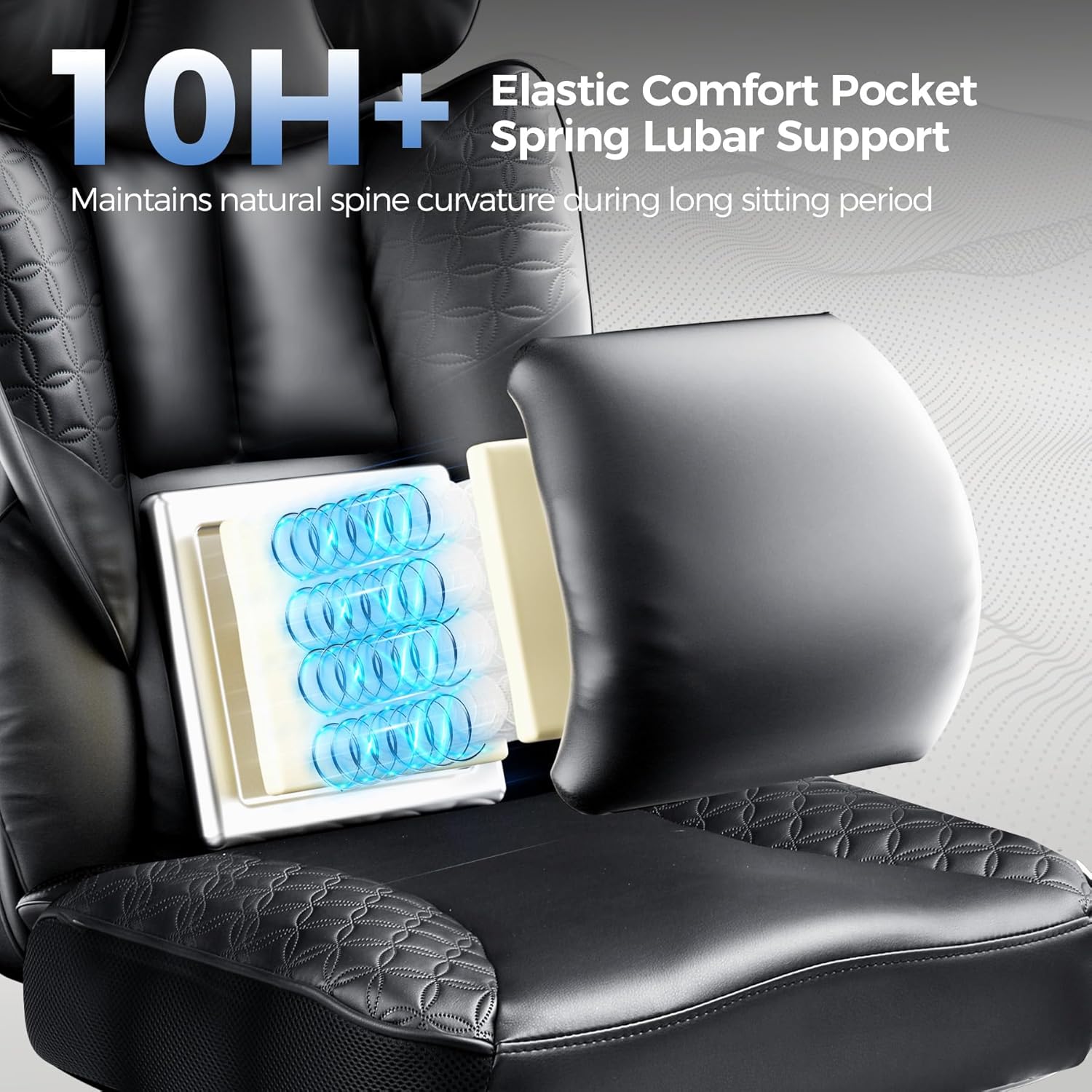
Image: All components of the GTRACING chair laid out before assembly, including the base, gas lift, wheels, seat, backrest, and armrests.
Operating Instructions
Your GTRACING chair offers multiple adjustment options to customize your seating experience for work, gaming, or relaxation.
Chair Height Adjustment:
To adjust the chair's height, locate the lever on the right side beneath the seat. Pull the lever upwards while seated to lower the chair, or stand up and pull the lever to raise it. Release the lever at your desired height.
Backrest Recline:
The backrest can recline from 90° to 150°. Use the recline lever, typically found on the left side of the seat, to adjust the angle. Lean back to your preferred position and release the lever to lock it.
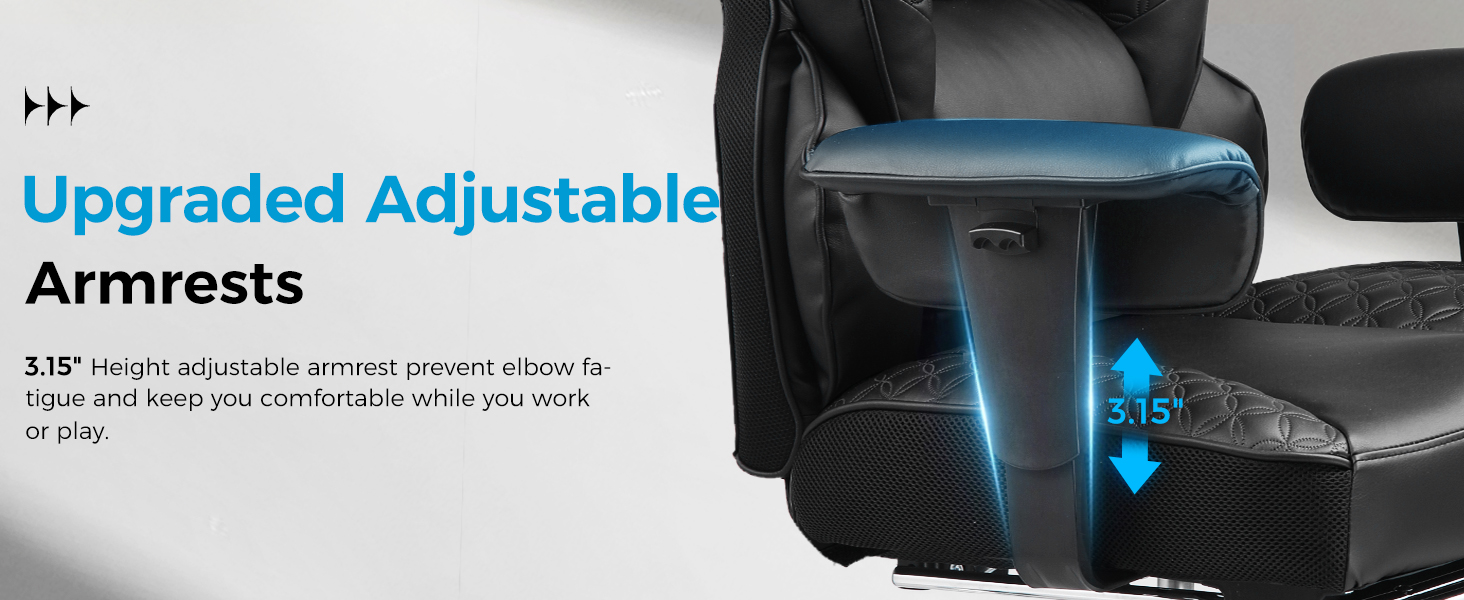
Image: A woman comfortably reclining in the GTRACING chair with the footrest extended, demonstrating the chair's relaxation capabilities.
Footrest Operation:
To extend the footrest, pull it out from beneath the seat. It slides smoothly along its rails. Push it back in when not in use. The footrest provides additional support for relaxation.
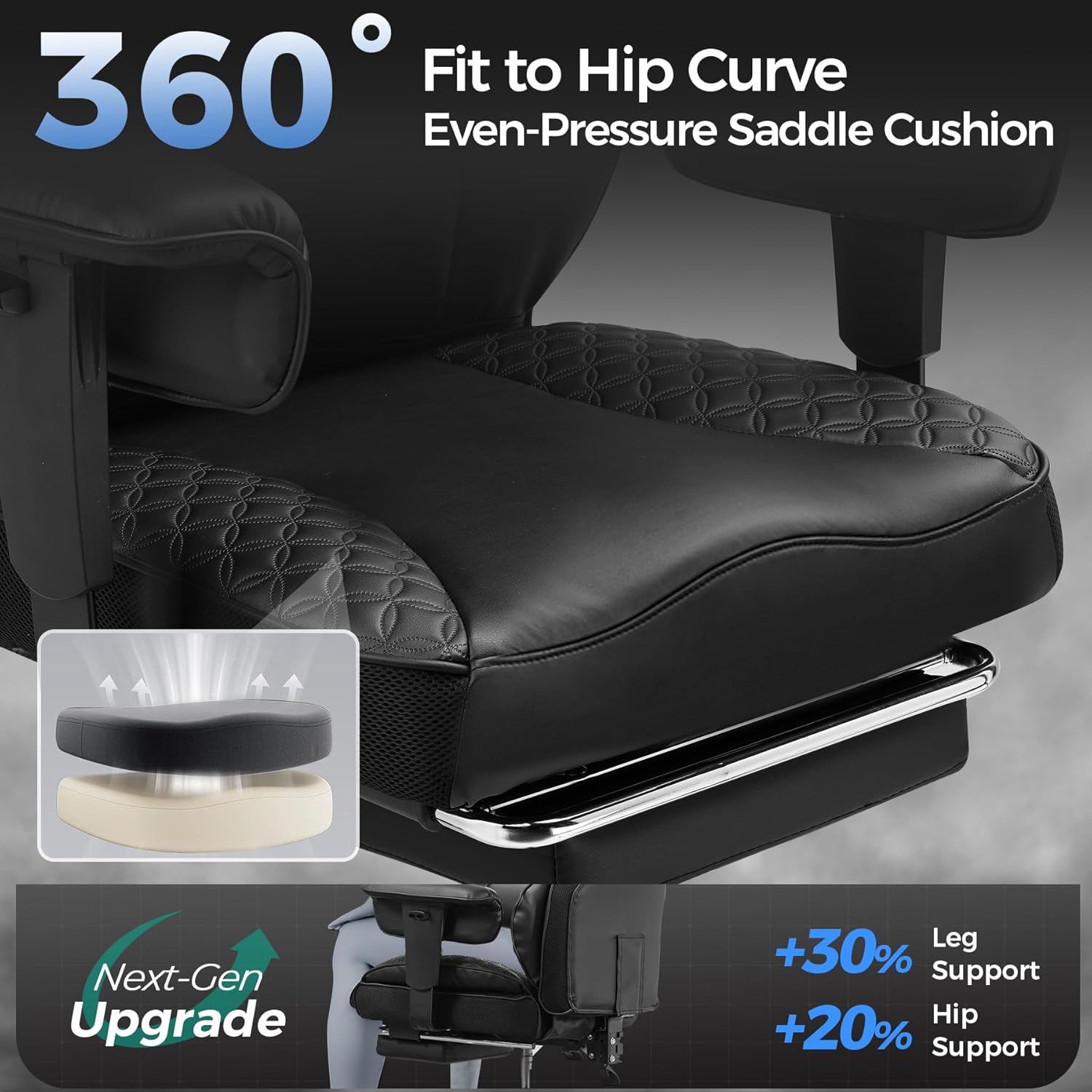
Image: A close-up view of the GTRACING chair with its integrated footrest fully extended, ready for use.
Armrest Adjustment:
The armrests are height-adjustable to provide optimal elbow support and comfort. Locate the buttons or levers on the side of each armrest to raise or lower them to your desired height.
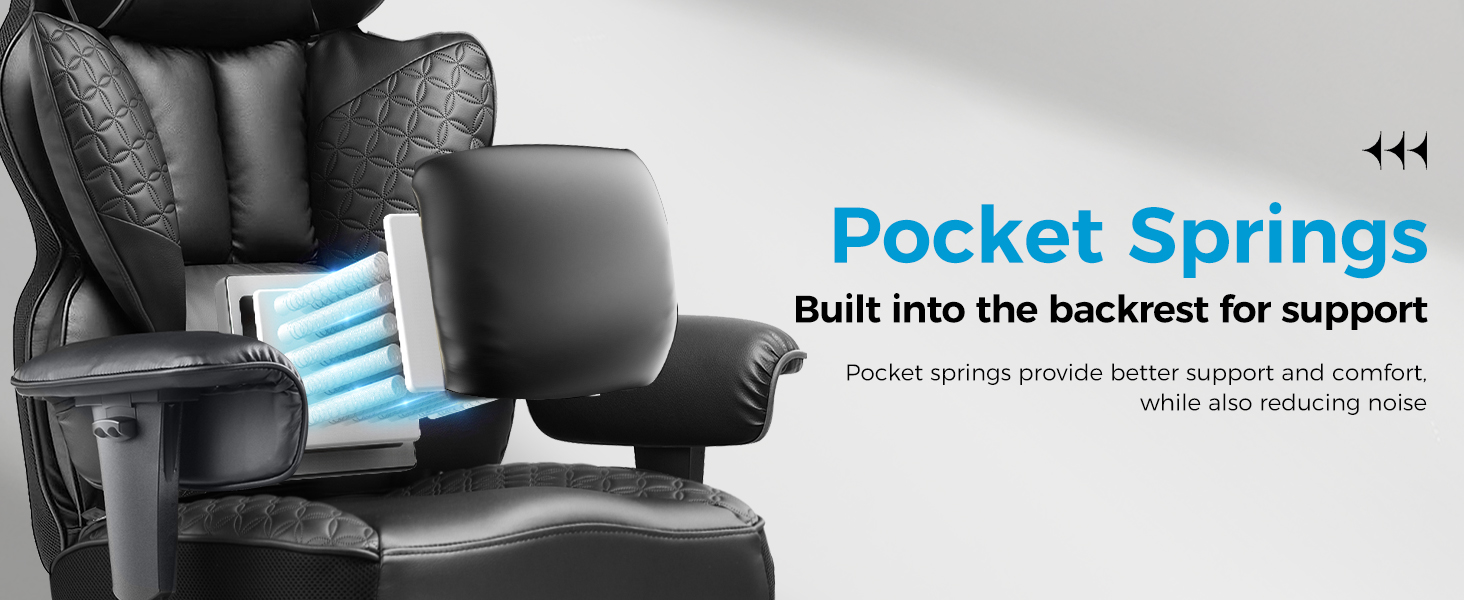
Image: Detailed view of the GTRACING chair's adjustable armrests, highlighting their ergonomic design for elbow support.
Maintenance
Proper care will extend the life and appearance of your GTRACING chair.
Cleaning:
The chair's deluxe PU leather upholstery is easy to clean. Simply wipe clean with a damp cloth. Avoid harsh chemicals or abrasive cleaners, as these can damage the material. For spills, blot immediately with a clean, dry cloth.
General Care:
- Regularly check all screws and bolts to ensure they are tight. Retighten as necessary.
- Avoid exposing the chair to direct sunlight for prolonged periods to prevent fading and material degradation.
- Do not exceed the maximum weight limit of 400 pounds.
Troubleshooting
If you encounter any issues with your GTRACING chair, please refer to the following common solutions:
- Chair not adjusting height: Ensure the gas lift lever is fully engaged and the gas lift cylinder is properly seated in the base.
- Chair squeaks or wobbles: Check all assembly screws and bolts. Tighten any loose connections. Ensure the base is level on the floor.
- Footrest not sliding smoothly: Check the footrest rails for any obstructions or debris. Ensure the screws holding the rails are not overtightened (they should be loosened half a turn as per assembly instructions).
For persistent issues or concerns not addressed here, please contact GTRACING customer support.
Specifications
| Feature | Detail |
|---|---|
| Brand | GTRACING |
| Model Name | L-CH510 |
| Color | Matte-black |
| Product Dimensions | 22.05"D x 31.5"W x 40"H |
| Size | Big and Tall |
| Maximum Weight Recommendation | 400 Pounds |
| Material | Breathable PU Leather, Memory Foam |
| Special Features | Adjustable Backrest, Adjustable Headrest, Back Support, Saddle-shaped Cushion, Footrest |
| Back Style | Wing Back |
| Arm Style | Height Adjustable |
| Furniture Base Movement | Swivel |
| Reclining Position Count | 2 (90° to 150°) |
| Item Weight | 44 pounds |
Warranty Information
GTRACING is committed to product quality and customer satisfaction. For specific warranty terms and conditions applicable to your L-CH510 chair, please refer to the documentation included with your purchase or contact GTRACING customer support directly. Keep your proof of purchase for any warranty claims.
Customer Support
If you have any questions, require assistance with assembly, or need troubleshooting help, please do not hesitate to contact GTRACING customer support. Our team is dedicated to providing excellent assistance and support.
Contact information can typically be found on the GTRACING official website or on the packaging of your product.


