
1. Introduction
The Dsoon TL2100-2 Time Lapse Camera is designed for capturing high-quality 1080p Full HD time-lapse videos and photos in various outdoor and indoor environments. Featuring an advanced imaging sensor, fill-light technology, a 110° wide-angle starlight lens, and IP66 waterproofing, this camera is ideal for documenting long-term projects such as construction progress, plant growth, or environmental changes. Its ultra-low-power design allows for extended standby times, minimizing the need for frequent battery replacements.
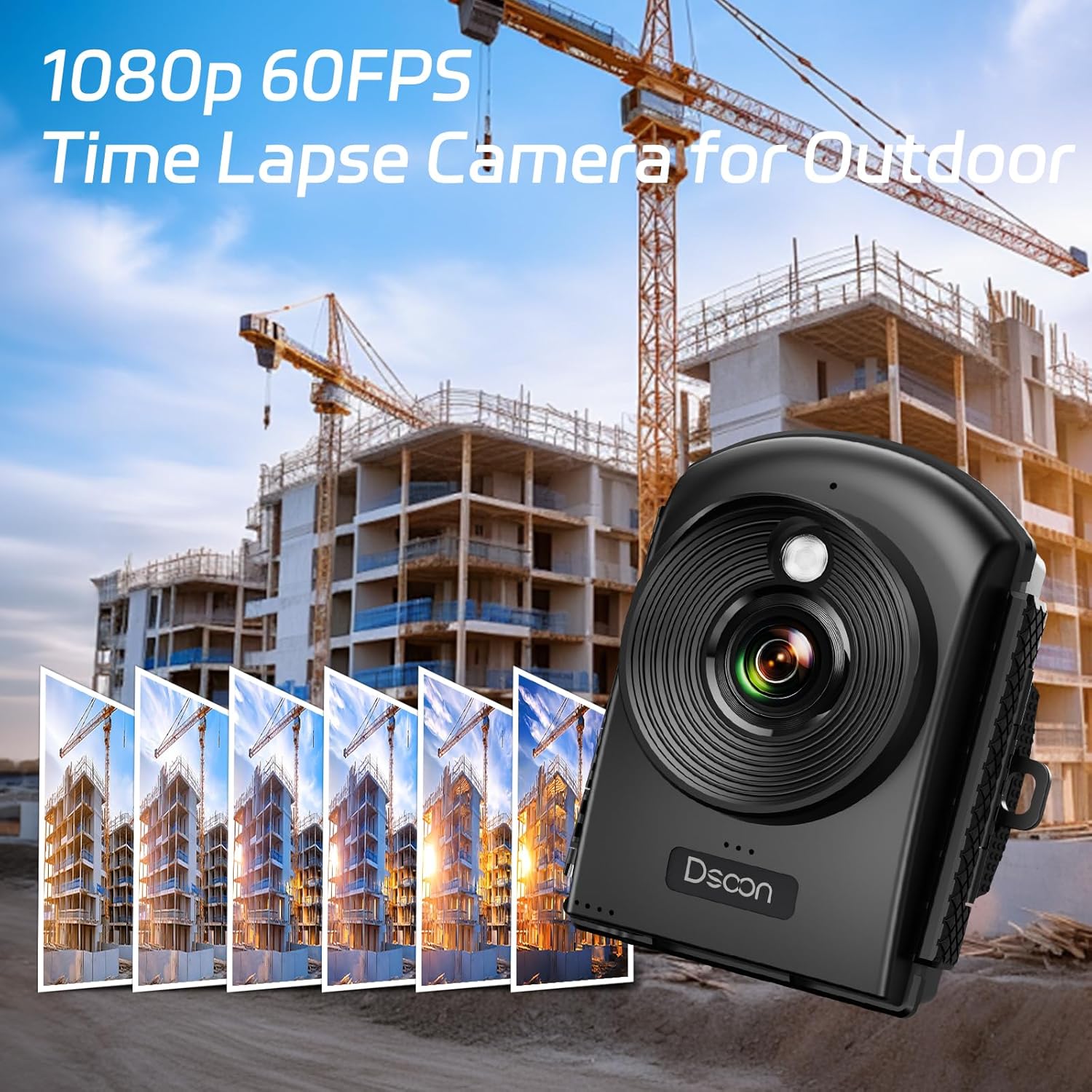
Image 1: Dsoon TL2100-2 Time Lapse Camera in an outdoor construction setting.
2. What's in the Box
Your Dsoon TL2100-2 package includes the following items:
- TL2100 Time-Lapse Camera
- Wall Bracket
- Round Tube Bracket
- Clip Bracket
- Installation Straps and Ropes
- 32GB SD Card
- USB Cable
- User Manual

Image 2: The Dsoon TL2100-2 camera and its various mounting accessories.
3. Key Features
- 1080P Full HD Video: Captures clear 1080p Full HD videos with an advanced imaging sensor and fill-light technology.
- 110° Wide-Angle Starlight Lens: Provides a broad view and excellent low-light performance.
- Extended Standby Time: Powered by 12 AAA alkaline batteries (not included), offering up to 180 days of continuous operation at 5-minute intervals.
- Effortless Setup: Simple battery installation for continuous recording until the SD card is full.
- Multiple Shooting Modes: Includes timed shooting, video time-lapse, photo sequences, and manual macro focus for versatile applications.
- IP66 Waterproof: Durable casing suitable for both indoor and outdoor use in various weather conditions.
- 2.4" LCD Screen: For easy menu navigation and previewing footage.

Image 3: Visual representation of the camera's multiple modes and wide-angle capability.
4. Setup
4.1 Battery and SD Card Installation
- Open the camera casing by unlatching the side clips.
- Insert 12 AAA alkaline batteries into the designated battery compartments, ensuring correct polarity.
- Insert the provided 32GB SD card into the SD card slot.
- Close the camera casing securely, ensuring the clips are fully latched to maintain waterproofing.

Image 4: The Dsoon TL2100-2 camera mounted on a tree using an installation strap.
4.2 Mounting the Camera
The camera comes with various mounting options to suit your needs:
- Wall Bracket: For permanent installation on flat surfaces.
- Round Tube Bracket: Ideal for attaching to poles or pipes.
- Clip Bracket: For temporary attachment to various objects.
- Installation Straps and Ropes: For securing the camera to trees or other irregular surfaces.

Image 5: Different mounting options for the Dsoon TL2100-2 camera, including wall-mounted, strap, and stand installations.
4.3 Initial Settings (Refer to Video)
For detailed instructions on setting up the camera's date, time, resolution, and recording modes, please refer to the official setup video below. Ensure the correct date and time are set for accurate time-lapse data.
Video 1: Official Dsoon guide on how to set up the TL2100 Time-Lapse Camera, including date, time, and recording parameters.
5. Operating Modes
The Dsoon TL2100-2 offers flexible shooting options:
- Timed Shooting: Capture photos or videos at specific intervals.
- Video Time-Lapse: Records a series of video clips over time, compiled into a single time-lapse video.
- Photo Sequences: Captures individual photos at set intervals.
- Manual Macro Focus: Adjust focus for close-up shots.

Image 6: Illustration of the camera's time-lapse video and photo modes.
5.1 Setting Recording Parameters (Refer to Video)
Learn how to configure the frame rate, timing interval, photo resolution, and video resolution for your time-lapse projects by watching the dedicated video guide.
Video 2: Dsoon 4K FHD Time Lapse Camera for Construction Recording - demonstrates setting up recording parameters.
Video 3: Dsoon TL2100 Time Lapse Camera for constructions - provides a detailed walkthrough of camera settings.
6. Maintenance
- Battery Replacement: Replace all 12 AAA alkaline batteries when the low battery indicator appears on the LCD screen.
- SD Card Management: Regularly check the SD card capacity. Format the SD card periodically to ensure optimal performance and prevent data corruption.
- Lens Cleaning: Use a soft, lint-free cloth to gently clean the lens. Avoid abrasive materials that could scratch the lens.
- Casing Inspection: Periodically inspect the waterproof casing for any cracks or damage that could compromise its water resistance. Ensure all latches are secure when deployed outdoors.

Image 7: The Dsoon TL2100-2 camera with its battery compartment open, highlighting the 180-day standby feature.
7. Troubleshooting
- Camera Not Powering On: Check if batteries are inserted correctly and fully charged. Ensure all 12 batteries are present.
- Recording Issues: Verify that the SD card is properly inserted and has sufficient free space. Check recording mode settings and intervals.
- Poor Image/Video Quality: Ensure the lens is clean and free from obstructions. Adjust exposure settings if necessary.
- Water Leakage: Immediately remove the camera from the wet environment. Inspect the casing for damage and ensure all seals and latches are properly closed.
8. Specifications
| Brand Name | Dsoon |
| Item Model Number | TL2100-2 |
| Photo Sensor Technology | CMOS |
| Video Capture Resolution | 1080p |
| Maximum Focal Length | 3.5 Millimeters |
| Maximum Aperture | 1.2 f |
| Flash Memory Type | 64 GB TF Card (Note: Product description states 32GB SD Card, please verify actual included card) |
| Video Capture Format | AVI |
| Screen Size | 2.4 Inches |
| Connectivity Technology | USB |
| Special Features | Speakers, Time Lapse, Wide Angle |
| Item Weight | 2.03 pounds |
| Package Dimensions | 9.37 x 5.75 x 3.9 inches |
9. Warranty and Support
For warranty information and customer support, please refer to the contact details provided in your product packaging or visit the official Dsoon website. Keep your purchase receipt for warranty claims.


