
Introduction
Thank you for choosing the SANOTO S710 IPX8 Waterproof In-Ear Swimming Headphones. These headphones are designed to provide a high-quality audio experience for various activities, especially swimming and other water sports, with their IPX8 waterproof rating, Bluetooth 5.4 connectivity, and integrated 8GB MP3 player. This manual will guide you through the setup, operation, maintenance, and troubleshooting of your new headphones.
Important Safety Note: Always read all labels, warnings, and instructions provided with the product before use to ensure safe and optimal performance.
Product Overview
Key Features
- IPX8 Waterproof Rating: Fully submersible, suitable for swimming and diving up to 10 meters for over 2 hours.
- In-Ear Design: 360° closed sound cavity for focused audio quality and to prevent water entry.
- Comfortable & Secure Fit: Skin-friendly, soft, and flexible silicone ear hooks adapt to various head shapes, ensuring stability during intense activities. Compatible with swimming caps, goggles, and earplugs.
- Bluetooth 5.4: Advanced wireless connectivity for stable and fast connections.
- Integrated 8GB MP3 Player: Store up to 1500 lossless music tracks. Supports MP3, FLAC, WMA, WAV, and APE formats.
- Long Battery Life: Up to 12 hours playback in MP3 mode, up to 8 hours in Bluetooth mode.
- Bidirectional Noise Reduction: For clear music and calls in various environments.
What's in the Box
- 1 x SANOTO S710 Swimming Headphones
- 1 x Magnetic Charging Cable
- 1 x User Manual
- Multiple pairs of ear tips for optimal fit
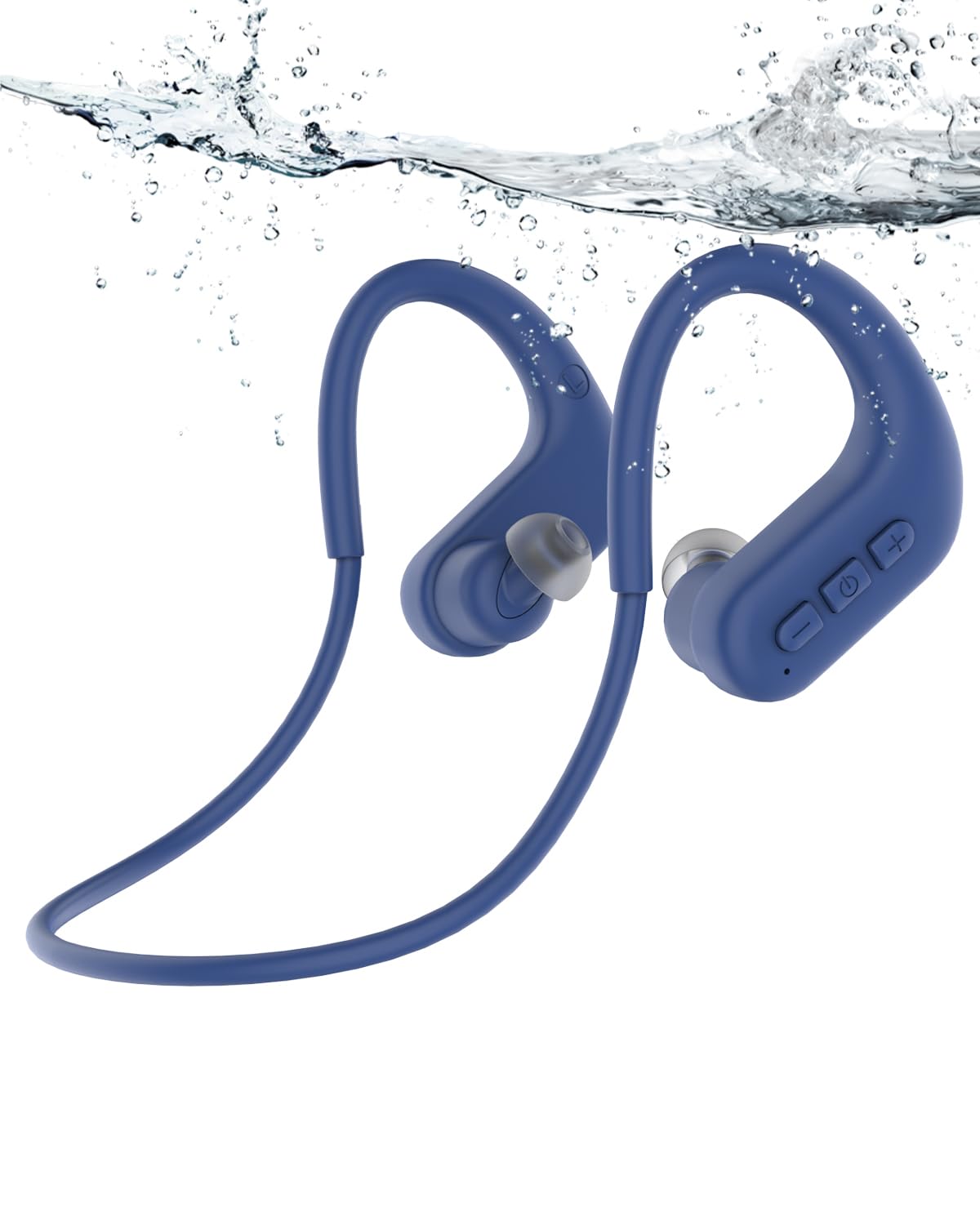
Image: SANOTO S710 headphones with charging cable and user manual.
Setup
1. Charging the Headphones
- Connect the magnetic charging cable to the charging port on the headphones.
- Plug the USB end of the cable into a standard USB power adapter (not included) or a computer's USB port.
- The LED indicator on the headphones will show the charging status. A full charge typically takes about 60 minutes.
- Ensure the charging contacts are dry before connecting the cable.

Image: Illustration of headphones charging, highlighting 10 hours of play and 60 minutes charging time.
2. Selecting Ear Tips
The headphones come with multiple sizes of ear tips. Choose the pair that provides the most comfortable and secure fit for your ears. A proper seal is crucial for optimal sound quality and waterproofing, especially during swimming.

Image: SANOTO S710 headphones shown with different ear tip sizes for customization.
Operating Instructions
Controls Overview

Image: Detailed view of the control buttons on the headphone, indicating '+', MFB (Multi-Function Button), and '-' buttons.
- Power On/Off: Press and hold the MFB button.
- Play/Pause: Single press the MFB button.
- Next Track: Single press the '+' button.
- Previous Track: Single press the '-' button.
- Volume Up: Press and hold the '+' button.
- Volume Down: Press and hold the '-' button.
- Answer/End Call: Single press the MFB button.
- Reject Call: Press and hold the MFB button.
- Switch Mode (Bluetooth/MP3): Double press the MFB button.
- Redial: Press and hold '+' and '-' buttons simultaneously for 2 seconds.
Bluetooth Mode
- Pairing:
- Ensure the headphones are powered off.
- Press and hold the MFB button until the LED indicator flashes blue and red, indicating pairing mode.
- On your device (smartphone, tablet, etc.), enable Bluetooth and search for "SANOTO S710".
- Select "SANOTO S710" to connect. The LED will flash blue slowly once connected.
- Reconnection: The headphones will automatically attempt to reconnect to the last paired device when powered on.

Image: Diagram illustrating the Bluetooth 5.4 chip for stable connectivity.
MP3 Player Mode
- Switching to MP3 Mode: Double press the MFB button to switch from Bluetooth mode to MP3 mode. The headphones will indicate the mode change.
- Transferring Music:
- Connect the headphones to your computer using the magnetic charging cable.
- The headphones will appear as a removable disk (like a USB drive).
- Drag and drop your music files (MP3, FLAC, WMA, WAV, APE) into the headphone's storage.
- Safely eject the device from your computer before disconnecting.
- Playback: Use the '+' and '-' buttons for track navigation and volume control as described in the "Controls Overview".

Image: Illustration highlighting the integrated 8GB memory, capable of storing over 1500 audio files.
Usage in Water
- When swimming or diving, always switch the headphones to MP3 mode. Bluetooth signals do not transmit effectively through water.
- Ensure your mobile phone's Bluetooth is disabled to prevent accidental attempts to connect.
- The in-ear design helps prevent water from entering your ears, enhancing sound clarity underwater.

Image: Comparison showing in-ear headphones are suitable for swimming with no water infiltration or sound loss, while bone conduction headphones are not recommended for swimming.

Image: A person swimming underwater, clearly wearing the SANOTO S710 headphones, demonstrating their waterproof capability.
Maintenance
- Cleaning: After use, especially after swimming, rinse the headphones with fresh water to remove chlorine or salt. Wipe them dry with a soft cloth.
- Storage: Store the headphones in a cool, dry place away from direct sunlight and extreme temperatures.
- Charging Port: Ensure the magnetic charging contacts are clean and dry before charging to prevent corrosion.
- Ear Tips: Regularly clean the ear tips to maintain hygiene and optimal sound quality. Replace them if they become damaged or lose their seal.
Troubleshooting
| Problem | Possible Cause | Solution |
|---|---|---|
| Headphones won't turn on. | Low battery. | Charge the headphones fully. |
| Cannot pair via Bluetooth. | Headphones not in pairing mode; device Bluetooth off; too far from device. | Ensure headphones are in pairing mode (flashing blue/red). Turn on device Bluetooth. Move closer to the device (within 10m). |
| No sound in MP3 mode. | No music files loaded; volume too low; headphones in Bluetooth mode. | Transfer music files to the 8GB memory. Increase volume. Double press MFB to switch to MP3 mode. |
| Poor sound quality underwater. | Headphones in Bluetooth mode; improper ear tip seal. | Switch to MP3 mode. Ensure ear tips provide a tight seal. |
| Headphones fall off during activity. | Incorrect ear tip size; improper fit. | Try different ear tip sizes for a more secure fit. Adjust the ear hooks for stability. |
Specifications
| Brand | SANOTO |
| Model Number | S710 |
| Water Resistance Level | IPX8 (Waterproof) |
| Connectivity Technology | Wireless (Bluetooth 5.4) |
| Integrated Memory | 8GB (supports MP3, FLAC, WMA, WAV, APE) |
| Battery Life (MP3 Mode) | Up to 12 hours |
| Battery Life (Bluetooth Mode) | Up to 8 hours |
| Charging Time | Approximately 60 minutes |
| Material | Acrylonitrile Butadiene Styrene (ABS), Silicone |
| Item Weight | 30 Grams |
| Control Method | Button |
| Ear Placement | In-ear |
| Noise Control | Active Noise Cancellation (Bidirectional Noise Reduction) |
Warranty and Support
SANOTO products are designed for durability and performance. For warranty information, please refer to the warranty card included in your product packaging or visit the official SANOTO website. If you encounter any issues or have questions regarding your SANOTO S710 headphones, please contact SANOTO customer support through the retailer where you purchased the product or via the contact information provided on the official SANOTO website.
The product packaging may contain additional or updated information. Always refer to the physical product's documentation for the most current details.


