
WLIVE ASNG125DK2
WLIVE Storage Organizer Unit Instruction Manual
Model: ASNG125DK2
Product Overview
The WLIVE Storage Organizer Unit is a versatile furniture piece designed to enhance organization in various living spaces such as living rooms, hallways, and offices. This unit features 15 fabric drawers and 5 open shelves, providing ample storage and display options. A notable inclusion is the built-in charging station, offering convenient power access for electronic devices.

Figure 1: Overall view of the WLIVE Storage Organizer Unit, showcasing its multiple drawers and open shelving.
Key Features:
- Ample Storage: Features 15 fabric drawers in various sizes and 5 open shelves for diverse storage needs.
- Built-in Charging Station: Equipped with 2 AC outlets and 2 USB ports for convenient device charging.
- Adjustable Shelves: The middle open shelf can be adjusted in height or removed to accommodate different items.
- Durable Construction: Constructed with a 15mm thickened metal steel frame and cross support rods for stability. Fabric drawers are made of high-quality fiberboard and breathable non-woven fabric.
- Safety Features: Includes an anti-tilt device to secure the unit to the wall, enhancing stability and safety.
- Adjustable Feet: 6 all-directional adjustable feet ensure stability on uneven surfaces and protect floors.
- Easy Assembly: Designed for straightforward assembly with clear instructions and labeled parts.
Setup and Assembly
Before beginning assembly, ensure all parts are present and undamaged. It is recommended to assemble the unit on a soft, clean surface to prevent scratches. Follow the numbered steps in the provided assembly guide carefully.
- Unpack Components: Carefully remove all parts from the packaging. Verify against the parts list in your included manual.
- Assemble Frame: Connect the metal steel frame components according to the diagrams. Ensure all screws are tightened securely but do not overtighten until the frame is fully assembled.
- Install Shelves: Place the wooden top and open shelves onto the designated frame sections. The middle shelf is adjustable; position it as desired or remove it if not needed.
- Insert Drawers: Once the frame is complete, unfold and insert the fabric drawers into their respective slots.
- Attach Charging Station: Secure the built-in charging station to its designated area on the top shelf. Ensure the power cord is routed safely.
- Install Anti-Tilt Device: For safety, attach the anti-tilt device to the back of the unit and secure it to a wall stud using appropriate hardware. This prevents accidental tipping.
- Adjust Feet: Adjust the 6 all-directional feet at the base of the unit to ensure it is level and stable on your floor.
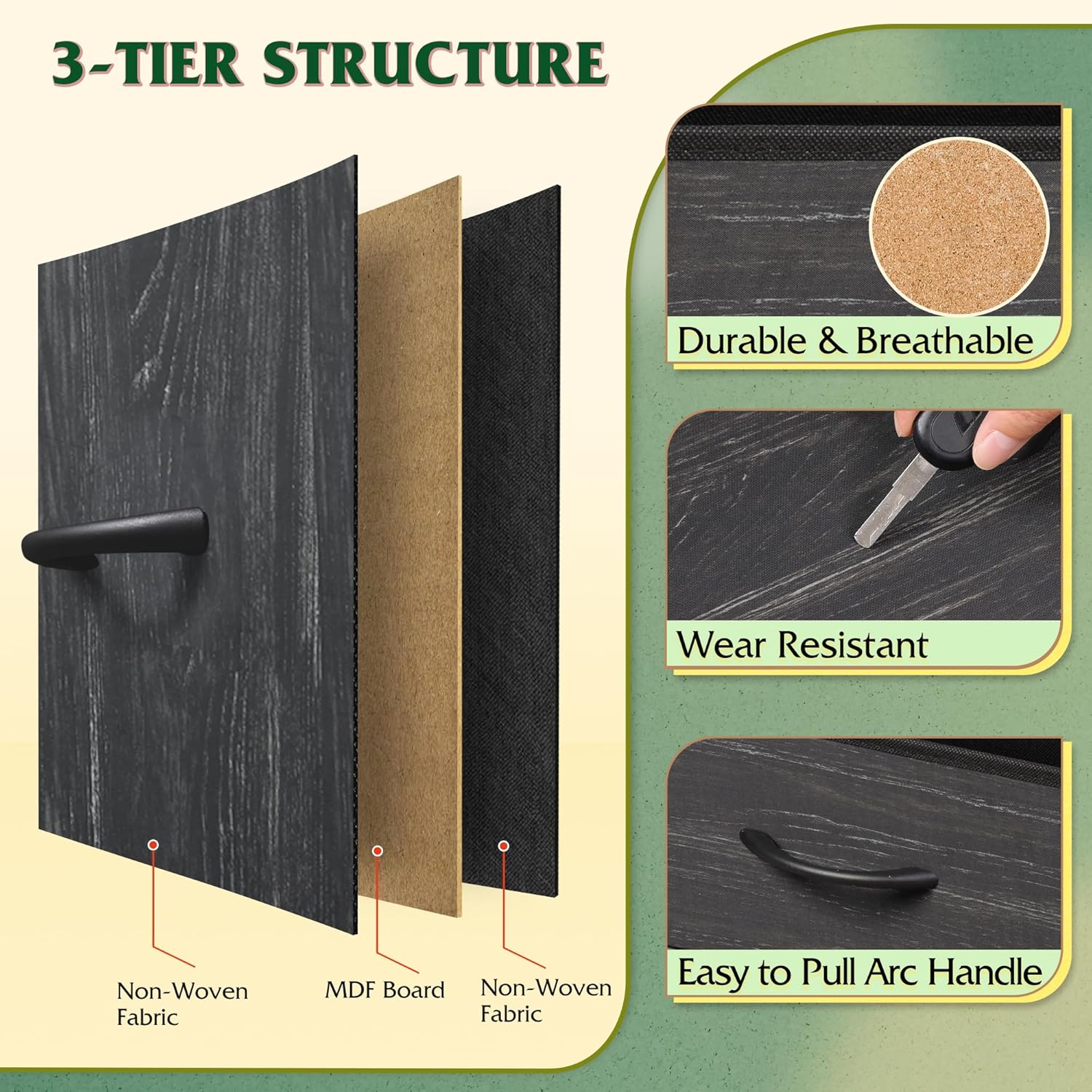
Figure 2: Illustration of the anti-tilt device for wall mounting and the adjustable feet for leveling the unit.
Operating Instructions
Using the Drawers and Shelves:
- Fabric Drawers: Pull the curved handles to open and close drawers smoothly. Organize items by size and type within the multi-size drawers.
- Open Shelves: Utilize the 5 open shelves for displaying decorative items, books, or frequently accessed essentials.
- Adjustable Middle Shelf: The middle open shelf can be moved up or down, or completely removed, to accommodate taller items or create a larger open space. To adjust, carefully lift and reposition the shelf on the desired support pegs.

Figure 3: Demonstrates the adjustable nature of the middle shelf, allowing for customized storage configurations.
Using the Built-in Charging Station:
The unit includes a convenient charging station to power your electronic devices.
- Power Connection: Plug the unit's 5-ft power cord into a standard 120V AC wall outlet.
- AC Outlets: Use the 2 AC sockets (125V/12A) for devices requiring standard wall plugs, such as lamps or small appliances.
- USB Ports: Use the 2 USB ports (5V/2A) to charge smartphones, tablets, and other USB-powered devices.
- Safety: The charging station is UL/ETL certified, ensuring electrical safety. Avoid overloading the outlets.

Figure 4: Close-up view of the integrated charging station, showing the AC outlets and USB ports.
Maintenance and Care
- Cleaning the Wood Top: The P2 grade artificial wood top is scratch-resistant and easy to clean. Wipe with a soft, damp cloth. Avoid abrasive cleaners or harsh chemicals.
- Cleaning Fabric Drawers: For light dust, use a lint roller or a soft brush. For spills, blot immediately with a clean, dry cloth. For stubborn stains, a mild fabric cleaner can be used, but test on an inconspicuous area first. Do not machine wash the fabric drawers.
- Frame Care: Wipe the metal steel frame with a soft, dry cloth to remove dust.
- Regular Inspection: Periodically check all screws and connections to ensure they remain tight. Re-tighten if necessary.
Troubleshooting
| Problem | Possible Cause | Solution |
|---|---|---|
| Unit is wobbly or unstable. | Uneven floor; loose connections; anti-tilt device not installed. | Adjust the leveling feet at the base. Ensure all screws are tightened. Install the anti-tilt device to the wall. |
| Drawers do not slide smoothly. | Drawer not inserted correctly; obstruction in the slot. | Ensure the fabric drawer is fully unfolded and inserted straight. Check for any items blocking the drawer path. |
| Charging station not working. | Power cord unplugged; wall outlet issue; device cable faulty; overloaded circuit. | Ensure the unit's power cord is securely plugged into a working wall outlet. Test the outlet with another device. Try a different charging cable. Avoid plugging too many high-power devices simultaneously. |
| Missing parts during assembly. | Packaging error. | Contact WLIVE customer service with your purchase details and the specific missing parts. |
Specifications
| Attribute | Detail |
|---|---|
| Brand | WLIVE |
| Model Name | ASNG125 Fabric dresser / DK2 |
| Product Dimensions (D x W x H) | 11.73"D x 55.12"W x 47.24"H |
| Color | Charcoal Black Wood Grain Print |
| Item Weight | 29.5 Pounds |
| Room Type | Home Office, Living Room, Playroom, Study Room |
| Assembly Required | Yes |
| Charging Station | 2 AC Sockets (125V/12A), 2 USB Ports (5V/2A), 5-ft Power Cord |
| Certifications | UL/ETL (Charging Station), EPA&SGS (Material) |

Figure 5: Detailed product dimensions, including overall height, width, and depth, as well as drawer and shelf measurements.
Warranty and Support
WLIVE is committed to providing high-quality products and excellent customer service. If you encounter any issues with your storage organizer unit, or if you have questions regarding assembly, parts, or functionality, please do not hesitate to contact our professional after-sales team.
For support, please refer to the contact information provided in your product packaging or visit the official WLIVE website. Our team is ready to assist you to ensure a worry-free experience.
Note: Specific warranty terms and conditions may vary. Please consult your purchase documentation for detailed warranty information.
Ask a question about this manual
Ask about setup, troubleshooting, compatibility, parts, safety, or missing instructions. Manuals+ will review the question and use this page’s manual context to help answer it.