
Introduction
This manual provides instructions for the installation, operation, and maintenance of your Goodsby Replacement Solution Reservoir Water Tank. This product is designed to replace the original water tank in compatible Shark AI Ultra Robot Vacuums, ensuring continued optimal cleaning performance.
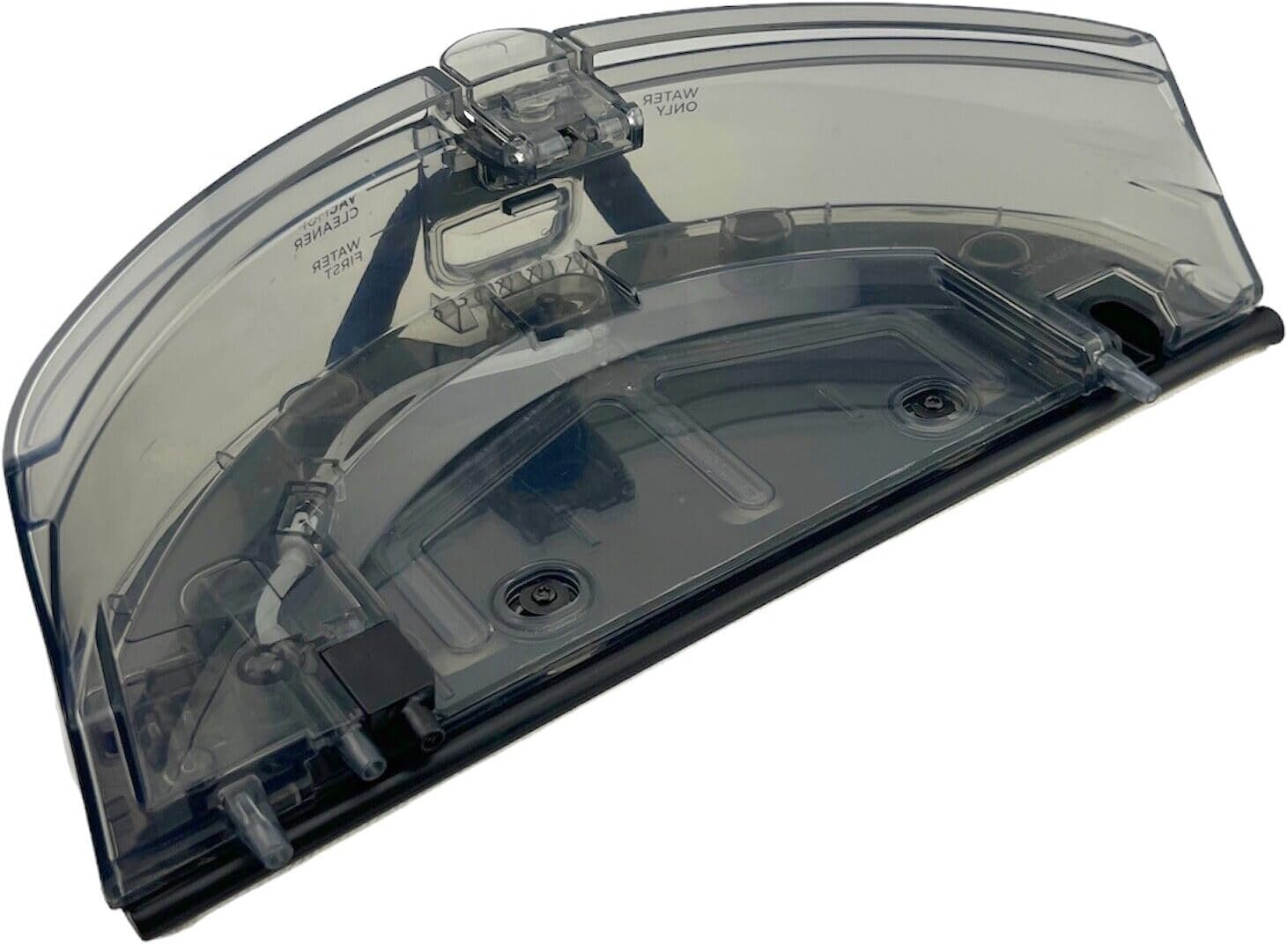
Figure 1: Goodsby Replacement Solution Reservoir Water Tank.
Compatibility
It is crucial to verify your robot vacuum model before installing this replacement part. This water tank is specifically designed for the following Shark AI Ultra Robot Vacuum models:
- RV2400WD
- RV2400WXUS
- RV2402WD
- RV2402WXUS
- RV2410WD
- RV2410W0US
- UR2450WXUS
- UR2450WD
- RV2600WD
- RV2610WD
- RV2610WDCA
- RV2610WFUS
- RV2610WZUS
- RV2620WD
- RV2620WDCA
- RV2620WFCA
- RV2620WFUS
- RV2620WZUS
This replacement water tank is NOT compatible with:
- AV/RV20xx Series
- AV/RV23xx MATRIX Series
- RV2400WS MATRIX Series
- UR2450WS MATRIX Series
- AV/RV28xx Series
- 2-in-1 Dust Bin + Water Tank models
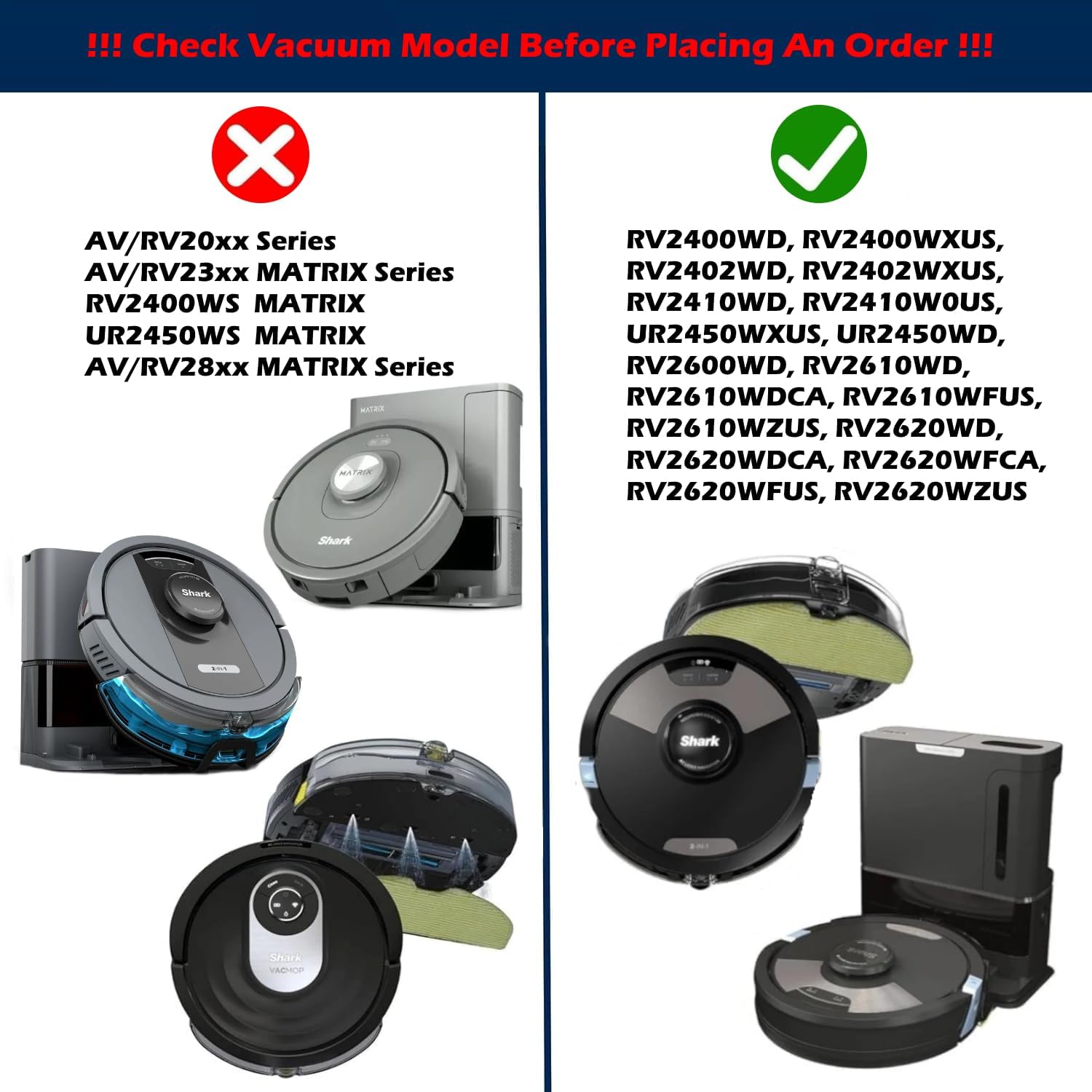
Figure 2: Visual guide for compatible and incompatible Shark robot vacuum models.

Figure 3: This image illustrates the correct water tank type (top, marked with a green check) versus an incompatible 2-in-1 dust bin and water tank (bottom, marked with a red cross).
What's in the Box
Your package should contain the following items:
- 1x Replacement Solution Reservoir Water Tank
- 1x Mop Pad

Figure 4: Side view of the replacement water tank with the included mop pad attached.

Figure 5: Close-up view of the replacement mop pad.
Setup and Installation
- Prepare the Robot Vacuum: Ensure your Shark robot vacuum is powered off and unplugged from its charging dock.
- Remove Existing Tank (if applicable): If replacing an old water tank, gently press the release button (if present) or pull the old tank straight out from the rear of the robot vacuum.
- Attach Mop Pad: Securely attach the provided mop pad to the bottom of the new Goodsby water tank. Ensure it is aligned correctly and all attachment points are engaged.
- Fill the Tank: Open the fill port on the water tank. Fill the tank with clean water or a compatible robot vacuum cleaning solution. Do not overfill. Close the fill port securely.
- Install New Tank: Slide the filled Goodsby water tank into the designated slot at the rear of your Shark robot vacuum until it clicks into place. Ensure it is fully seated.
- Power On: Place the robot vacuum back on its charging dock or power it on to resume operation.
Operating Instructions
Once the replacement water tank is installed and filled, your Shark robot vacuum should recognize it and be ready for mopping functions. Refer to your Shark robot vacuum's original user manual for specific instructions on activating mopping modes and scheduling cleaning cycles.
- Water/Solution Usage: Only use clean water or manufacturer-approved cleaning solutions specifically designed for robot vacuums. Avoid harsh chemicals or abrasive cleaners, as these can damage the tank or the robot's internal components.
- Monitoring Water Level: Periodically check the water level in the tank. Refill as needed to ensure continuous mopping performance.
Maintenance
Regular maintenance of the water tank and mop pad will ensure optimal performance and longevity.
- Empty and Rinse Tank: After each mopping cycle, or when storing the robot for an extended period, empty any remaining water or solution from the tank. Rinse the tank thoroughly with clean water to prevent residue buildup and odors. Allow it to air dry completely before reinstallation.
- Clean Mop Pad: Remove the mop pad from the water tank. Hand wash or machine wash the mop pad with mild detergent. Allow it to air dry completely before reattaching. Do not tumble dry.
- Inspect for Clogs: Periodically inspect the water dispensing nozzles on the tank for any clogs or debris. If necessary, gently clear them with a small brush or toothpick.
Troubleshooting
If you encounter issues with your replacement water tank, consider the following:
- Water Not Dispensing:
- Ensure the tank is properly filled and securely installed.
- Check for clogs in the dispensing nozzles (refer to Maintenance section).
- Verify that the robot vacuum's mopping mode is activated.
- Tank Not Fitting Correctly:
- Double-check the compatibility list to ensure your robot vacuum model is supported.
- Ensure no debris is obstructing the tank's slot on the robot.
- Leakage:
- Ensure the fill port cap is securely closed.
- Verify the tank is fully seated in the robot vacuum.
- Inspect the tank for any visible cracks or damage.
For further assistance, please refer to your Shark robot vacuum's original user manual or contact the manufacturer of this replacement part.
Specifications
| Model Number | GFS - 2400 Water Tank |
| Brand | Goodsby |
| Item Weight | 1.27 pounds |
| Package Dimensions | 14.17 x 6.34 x 4.72 inches |
| Compatibility | Shark RV2400WD, RV2402WD, RV2410WD, UR2450WXUS, UR2450WD, RV2600WD, RV2610WD, RV2610WDCA, RV2610WFUS, RV2620WD, RV2620WDCA, RV2620WFCA, RV2620WFUS Robot Vacuums |
Warranty and Support
Specific warranty information for this Goodsby replacement part is not provided in the product details. For warranty claims or technical support, please contact the seller or manufacturer directly through your purchase platform.