
KPON S6
KPON S6 3-in-1 Wireless Charging Station User Manual
Model: S6
Introduction
Thank you for choosing the KPON S6 3-in-1 Wireless Charging Station. This device is designed to efficiently charge your iPhone, Apple Watch, and AirPods simultaneously, offering convenience and organization. It also features an integrated night lamp for added functionality. Please read this manual carefully to ensure proper use and optimal performance of your charging station.
Safety Information
- Do not disassemble or modify the device.
- Keep the device away from water, moisture, and high temperatures.
- Use only the provided power adapter and cable to prevent damage.
- Avoid placing metal objects or magnetic cards between your device and the charging pad, as this may interfere with charging or damage the magnetic strip.
- Ensure proper ventilation around the charging station during use.
- Discontinue use if the device becomes excessively hot, emits smoke, or shows any signs of damage.
Package Contents
Please check the box for the following items:
- KPON S6 3-in-1 Wireless Charging Station (1)
- USB Type-C Cable (1M) (1)
- PD Adapter (20W) (1)
- User Manual (1)
Product Overview
The KPON S6 charging station combines multiple charging functions with a compact, foldable design and an adjustable night lamp.

Image: The KPON S6 3-in-1 Wireless Charging Station in Metal Grey, shown with an iPhone, Apple Watch, and AirPods charging, alongside the included power adapter.
Key Features:
- 3-in-1 Wireless Charging: Simultaneously charges iPhone (MagSafe compatible), Apple Watch, and AirPods.
- Foldable & Portable Design: Compact form factor for easy storage and travel.
- Adjustable Night Lamp: Features warm light and cycling RGB light modes, controlled by a single touch.
- Adjustable Viewing Stand: Offers 50° vertical tilt and 360° horizontal rotation for optimal viewing angles.
- Strong Magnetic Force: Ensures secure attachment for MagSafe-compatible iPhones.
- Efficient Cooling Technology: Designed to prevent overheating during charging.
Setup Instructions
- Unpack the Device: Carefully remove all components from the packaging.
- Connect Power: Insert the USB Type-C cable into the charging port on the back of the KPON S6 charging station. Connect the other end of the cable to the provided 20W PD adapter, then plug the adapter into a wall outlet.
- Prepare for Use:
- To charge an iPhone, lift the magnetic charging pad to the desired angle.
- To charge an Apple Watch, gently press the watch charging module to extend it from the side of the station.
- To charge AirPods, ensure the magnetic charging pad for the iPhone is lifted, revealing the AirPods charging area beneath it.
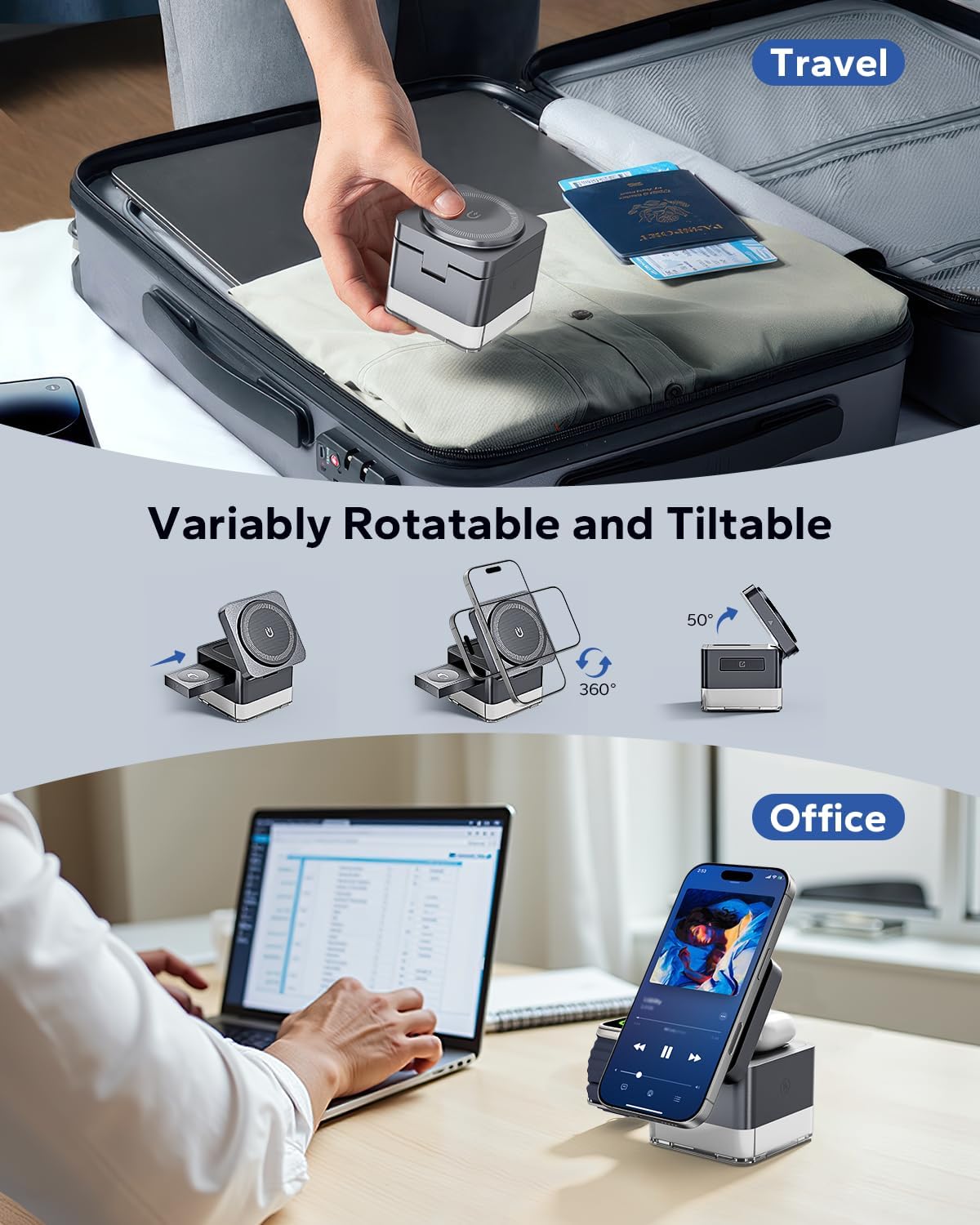
Image: The KPON S6 charging station demonstrating its adjustable magnetic phone charger, which can tilt 50 degrees and rotate 360 degrees, and its compact, foldable design for travel.
Operating Instructions
Charging Your Devices:
- iPhone Charging: Place your MagSafe-compatible iPhone (iPhone 12-17 series) directly onto the magnetic charging pad. The strong magnet will align your device automatically. For iPhones without built-in magnetic alignment (e.g., iPhone 8-12 series), a MagSafe-compatible case is required.
- Apple Watch Charging: Place your Apple Watch (SE/2-11/Ultra series) onto the extended watch charging module. Ensure the watch is properly seated for charging to begin.
- AirPods Charging: Place your AirPods (3/2/Pro series) case onto the charging area located beneath the lifted iPhone magnetic charging pad. Ensure the AirPods case is centered on the charging surface. Note: Not compatible with AirPods 1.

Image: An iPhone charging on the KPON S6 station, illustrating 15W fast charging capability and efficient cooling technology to prevent overheating.
Using the Night Lamp:
- The charging station features an integrated night lamp at its base.
- To activate or change the light mode, gently touch the designated touch sensor on the device.
- Available light modes include a warm light and a cycling RGB light. Continue touching the sensor to cycle through modes or turn the light off.
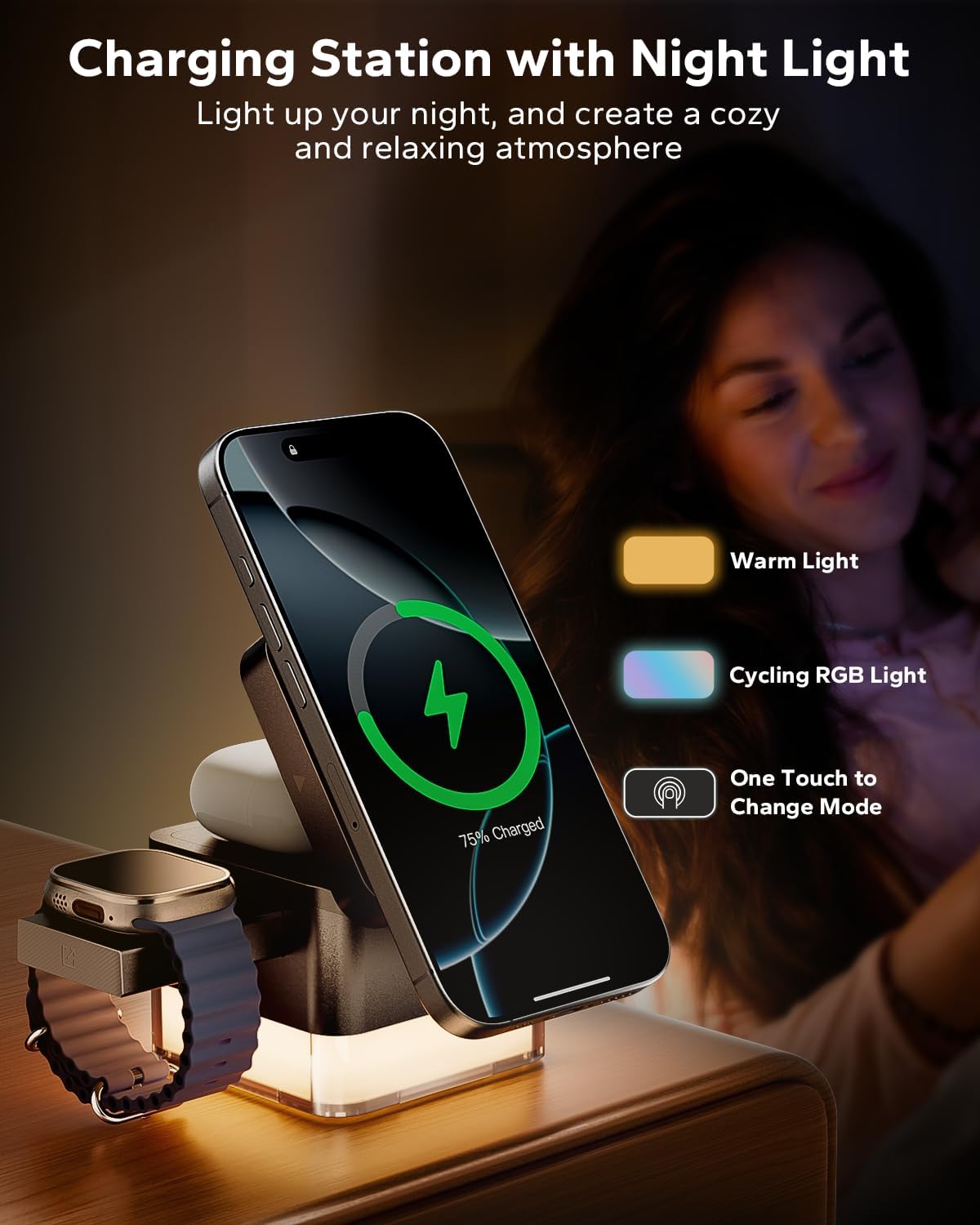
Image: The KPON S6 charging station illuminating a nightstand with its adjustable night lamp, showing options for warm light and cycling RGB light.
Compatibility
The KPON S6 charging station is compatible with the following devices:
- iPhones: iPhone 12, 13, 14, 15, 16, 17 series. For iPhone 8-12 series without built-in magnetic alignment, a MagSafe-compatible case is required.
- Apple Watch: Apple Watch SE, Series 2 through 11, and Ultra series.
- AirPods: AirPods 2, 3, and Pro series. Not compatible with AirPods 1.
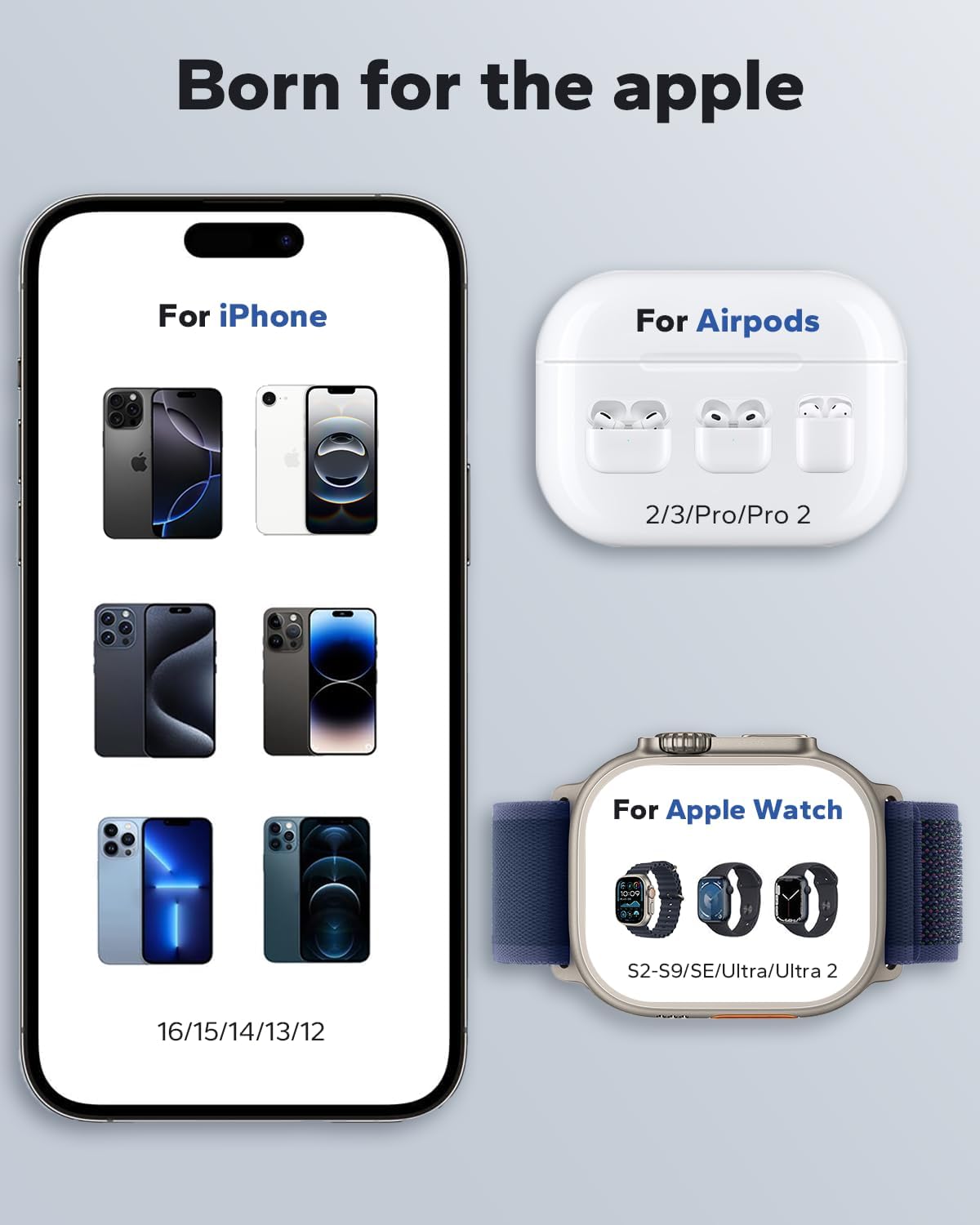
Image: A visual guide detailing the compatibility of the KPON S6 charging station with various iPhone models (12-17 series), Apple Watch models (S2-S9/SE/Ultra/Ultra 2), and AirPods models (2/3/Pro/Pro 2).
Maintenance
- Cleaning: Disconnect the power before cleaning. Use a soft, dry cloth to wipe the surface of the charging station. Do not use abrasive cleaners or solvents.
- Storage: When not in use for extended periods, store the charging station in a cool, dry place, away from direct sunlight and extreme temperatures. The foldable design allows for compact storage.
- Cable Care: Avoid bending or crimping the power cable excessively. Do not pull the cable to disconnect it from the power source or the device.
Troubleshooting
| Problem | Possible Cause | Solution |
|---|---|---|
| Device not charging. |
|
|
| Slow charging. |
|
|
| Night lamp not working. |
|
|
| Device gets hot during charging. |
|
|
Specifications
| Feature | Detail |
|---|---|
| Model Number | S6 |
| Brand | KPON |
| Product Dimensions | 2.68 x 2.68 x 2.63 inches |
| Item Weight | 12.4 ounces |
| Connector Type | USB Type C |
| Input Voltage | 9 Volts |
| Wattage | 15 watts (for iPhone) |
| Special Features | Fast Charging, MagSafe Compatible, Multi-Device Charging, Travel-Friendly, Wireless Charging, Night Lamp |
Warranty and Support
KPON provides a 36-month quality assurance for this product. For any technical support or inquiries, please contact KPON customer service. Professional support is available 7 days a week, 24 hours a day.
Contact information can typically be found on the official KPON website or through your purchase platform.
Related documentsS6


Ask a question about this manual
Ask about setup, troubleshooting, compatibility, parts, safety, or missing instructions. Manuals+ will review the question and use this page’s manual context to help answer it.