
Introduction
This manual provides detailed instructions for the installation, operation, and maintenance of your LOVPOI 10-inch Android 13 Car Stereo Radio. This unit is designed for select Chevrolet and GMC models from 2007-2013, offering advanced features such as wireless Apple CarPlay, Android Auto, GPS navigation, Bluetooth connectivity, and a backup camera. Please read this manual thoroughly before installation and use to ensure proper functionality and safety.
Applicable Car Models
This car stereo is compatible with the following vehicle models:
- For Chevrolet:
- Chevy Silverado 1500 (2007-2013)
- Chevy Silverado 2500HD (2007-2013)
- Chevy Silverado 3500HD (2007-2013)
- Chevrolet Avalanche (2007-2011)
- Chevrolet Express Van (2008-2011)
- Chevrolet Impala (2006-2012)
- For GMC:
- GMC Acadia (2007-2012)
- GMC Savana (2008-2013)
- GMC Sierra (2007-2011)
- GMC Yukon (2007-2013)
Please verify your vehicle's compatibility before installation. Ensure your car radio plug matches the provided diagram for proper fitment.

Figure 1: Applicable Car Models and Fitment Guide. This image illustrates the dashboard types that are compatible and incompatible with the LOVPOI car stereo, along with a list of supported Chevrolet and GMC models and their respective years.
What's in the Box
The LOVPOI Car Stereo Radio package includes the following components:
- Car Radio Head Unit
- Installation Harness
- Backup Camera
- GPS Module
- Speaker
- Microphone
- Can Bus
- User Manual
- Reversing Line
- Camera Power Cable
- RCA Cable
- Antenna Adapter Cable
- Video Cable for Backup Camera
- USB Adaptor
- USB Cable (x2)
- Crowbar
- Screwdriver
- Screws

Figure 2: Package Contents. This image displays all components included in the LOVPOI car stereo box, such as the head unit, GPS module, backup camera, various cables, and installation tools.
Setup & Installation
Professional installation is recommended for this car stereo system. Incorrect wiring or installation can damage the unit or your vehicle. Always disconnect the vehicle's battery before beginning installation.
1. Pre-Installation Check
Before removing your old radio, ensure all components are present and undamaged. Test the new unit on a bench if possible to confirm basic functionality.
2. Removing the Old Unit
Carefully remove the trim panels and screws securing your factory radio. Use the provided crowbar tool to prevent damage to your vehicle's interior. Disconnect all wiring harnesses and the antenna cable from the old unit.
3. Wiring Connections
Connect the new LOVPOI head unit to your vehicle's wiring harness using the provided installation harness. Ensure all connections are secure. Refer to the wiring diagram below for specific connections.

Figure 3: Wiring Diagram. This diagram illustrates the various input and output connections on the back of the head unit, including power, speaker outputs, RCA cables, USB, GPS, and camera inputs.
- Power Connections: Connect the main power harness.
- Speaker Connections: Match speaker wires (Front Left, Front Right, Rear Left, Rear Right).
- GPS Antenna: Connect the GPS module and place the antenna in a location with a clear view of the sky.
- Backup Camera: Connect the backup camera video input and power cable. Ensure the reverse trigger wire is connected correctly for automatic camera activation.
- USB Cables: Connect the provided USB cables for external device connectivity.
- Microphone: Connect the external microphone for improved call quality.
4. Mounting the New Unit
Carefully slide the new head unit into the dashboard opening. Secure it with screws and reattach the trim panels. Ensure no wires are pinched during reassembly.

Figure 4: Before and After Installation. This image shows the visual transformation of the dashboard from a standard 7-inch radio to the larger 10-inch LOVPOI touch screen unit.
Operating Instructions
1. Android 13 System Overview
Your LOVPOI car stereo runs on the Android 13 operating system, providing a familiar and intuitive interface. It features 2GB RAM and 64GB ROM for smooth performance and ample storage for apps and media. Navigate through the system using the responsive 10-inch touchscreen.
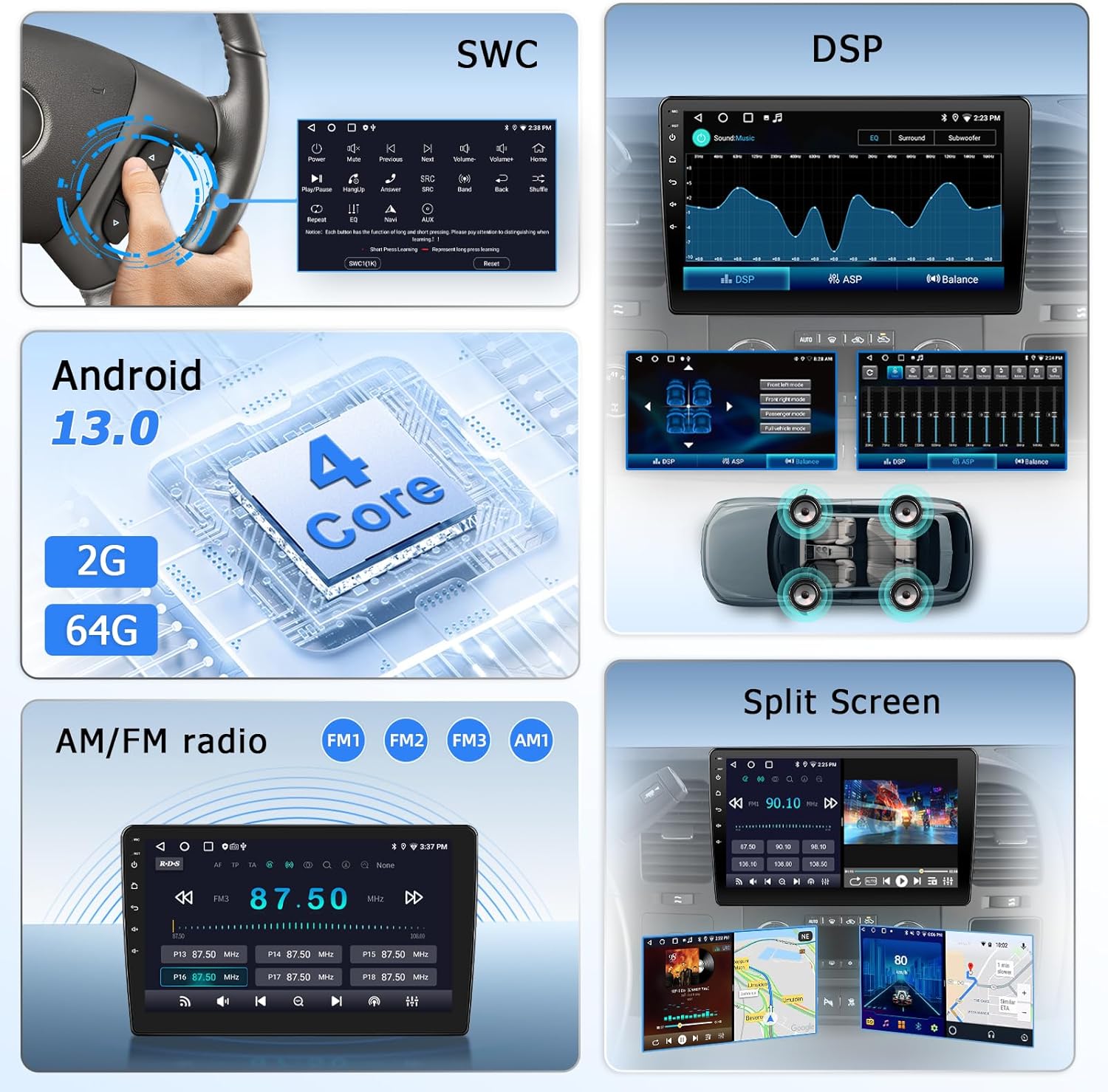
Figure 5: Android 13 Features. This image highlights key features including the Android 13 operating system, Digital Sound Processor (DSP) settings, steering wheel control interface, and split-screen capability.
2. Wireless Apple CarPlay & Android Auto
Connect your smartphone wirelessly to access Apple CarPlay or Android Auto. This feature allows you to use your phone's navigation, music, calls, and messaging apps directly on the car stereo's display. Voice control (Siri or Google Assistant) is supported for hands-free operation.

Figure 6: Wireless CarPlay and Android Auto. This image shows the car stereo screen displaying the familiar interfaces of both Apple CarPlay and Android Auto, with icons for phone, maps, music, and messaging.
3. GPS Navigation & WiFi Connection
The unit comes with a built-in offline map of North America. Connect to a WiFi hotspot (e.g., from your smartphone) to access online maps, download additional navigation apps from the Play Store, and browse the internet.

Figure 7: GPS Navigation and WiFi. This image shows the car stereo displaying a navigation map with route information, alongside icons representing various online applications accessible via WiFi.
4. Bluetooth & DSP & FM/AM Radio
- Bluetooth: Supports hands-free calling and music streaming. An external microphone is included for clear audio during calls.
- DSP (Digital Sound Processor): Adjust audio settings to customize your sound experience.
- FM/AM Radio: Tune into local radio stations for news, traffic, and music. (Note: Sirius XM is not supported).

Figure 8: Bluetooth Phone and Music. This image shows the car stereo displaying a phone dialer interface and options for Bluetooth music streaming, indicating hands-free communication and audio playback.
5. Steering Wheel Control (SWC)
The unit supports your vehicle's original steering wheel controls, allowing you to manage audio, calls, and other functions without taking your hands off the wheel. Configuration may be required in the system settings.
6. 1080HD Backup Camera
The included wide-angle, waterproof night vision backup camera automatically displays high-definition footage on the screen when the vehicle is in reverse gear, enhancing parking safety.
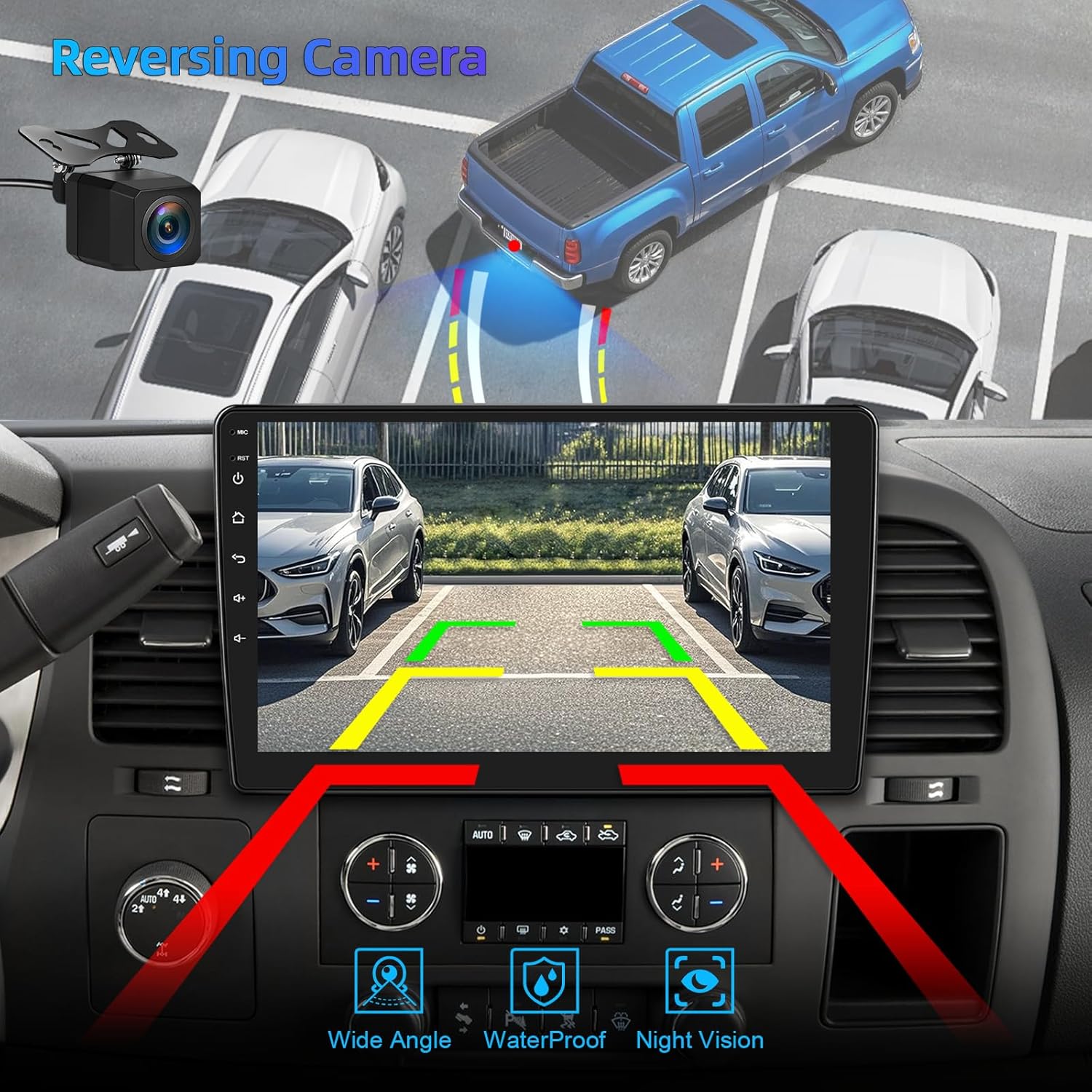
Figure 9: Reversing Camera View. This image shows the car stereo screen displaying the view from the backup camera, complete with dynamic parking guidelines, demonstrating enhanced safety during reversing maneuvers.
System Update
To ensure optimal performance and access to the latest features, it is recommended to keep your car stereo's software updated. Updates can be performed via SD card or USB.
How to Update the System:
- Download the latest update file (e.g.,
update_hc.zip) from the official LOVPOI support website to a USB drive or SD card. - Insert the USB drive/SD card into the car stereo.
- Navigate to Settings > System > About device > Local Update.
- Select the update file and follow the on-screen prompts to start the upgrade.
- Important: Do not power off the unit during the update process.
Video 1: How to Update the LOVPOI Car Radio. This video demonstrates the step-by-step process of updating the system software on the LOVPOI car stereo, including navigating through settings and initiating the update.
Troubleshooting
If you encounter issues with your LOVPOI car stereo, refer to the following common problems and solutions:
| Problem | Possible Cause / Solution |
|---|---|
| No Sound from Speakers |
|
| Apple CarPlay / Android Auto Not Connecting |
|
| GPS Signal Issues |
|
| Screen Unresponsive or Freezing |
|
| Incorrect Time Display |
|
If these solutions do not resolve the issue, please contact LOVPOI customer support for further assistance.
Specifications
| Feature | Detail |
|---|---|
| Brand | LOVPOI |
| Model Name | LOVPOI 10 |
| Screen Size | 10 Inches |
| Operating System | Android 13 |
| Memory Storage Capacity | 64 GB |
| RAM | 2 GB |
| Connectivity Technology | Bluetooth, USB, Wi-Fi |
| Special Features | AM/FM Radio, Backup Camera, Android Auto, Apple CarPlay, Built-In Bluetooth & Wi-Fi, GPS Navigation, Touchscreen |
| Map Type | Worldwide (North America offline map included) |
| Audio Output Mode | Stereo |
| Mounting Type | Dashboard Mount |
| Human-Interface Input | Touchscreen |
| Control Method | App, Touch |
| Supported Satellite Navigation System | GPS |
| Item Dimensions (L x W x H) | 9.9"L x 5.9"W x 2.5"H |
Warranty & Support
Your LOVPOI Car Stereo Radio comes with a 1-year warranty from the date of purchase.
LOVPOI is committed to providing comprehensive after-sales support. If you encounter any issues during installation, operation, or require technical assistance, please do not hesitate to contact our customer support team. We are available to provide free technical assistance to ensure your satisfaction.
For support, please refer to the contact information provided in your product packaging or visit the official LOVPOI website.