
Introduction
Thank you for choosing the JBL Tune 525BT Multi Connect Wireless Headphones. This manual provides essential information to help you set up, operate, and maintain your headphones for optimal performance. Please read this manual thoroughly before using your device.
Package Contents
Ensure all items are present in your package:
- JBL Tune 525BT Wireless Headphones
- Charging Cable
- Quick Start Guide (not included in this digital manual)
- Safety Sheet (not included in this digital manual)

Image: The JBL Tune 525BT Wireless Headphones in white, shown at an angle, highlighting the earcups and headband.
Setup
1. Charging the Headphones
Before first use, fully charge your headphones. Connect the provided charging cable to the charging port on the headphones and to a USB power source. The LED indicator will show charging status.
- A full charge provides up to 57 hours of playback.
- A quick 5-minute charge can provide approximately 3 hours of playback.

Image: Close-up of the right earcup of the JBL Tune 525BT headphones, showing the power button, volume controls, and charging port area.
2. Powering On/Off
- To power on: Press and hold the Power button until the LED indicator lights up.
- To power off: Press and hold the Power button until the LED indicator turns off.
3. Bluetooth Pairing
- Ensure the headphones are powered off.
- Press and hold the Power button for approximately 5 seconds until the LED indicator flashes blue rapidly, indicating pairing mode.
- On your device (smartphone, tablet, laptop), enable Bluetooth and search for available devices.
- Select "JBL Tune 525BT" from the list of devices.
- Once connected, the LED indicator will turn solid blue.
4. Multi-Connect Feature
The JBL Tune 525BT headphones support Multi-Connect, allowing you to seamlessly switch between two Bluetooth devices. For example, you can watch a video on your tablet and then answer a call on your phone without re-pairing.
- Pair the headphones with your first device (e.g., tablet) as described above.
- Disconnect Bluetooth on the first device temporarily.
- Pair the headphones with your second device (e.g., smartphone).
- Reconnect Bluetooth on the first device. The headphones will now be connected to both devices simultaneously.
- Audio will automatically switch to the device playing content or receiving a call.
Operating the Headphones
Controls Overview
The main controls are located on the right earcup:
- Power Button: Power on/off, enter pairing mode.
- Volume Up (+): Increase volume.
- Volume Down (-): Decrease volume.
- Multi-function Button (between +/-):
- Single press: Play/Pause music, Answer/End call.
- Double press: Skip to next track.
- Triple press: Skip to previous track.
- Press and hold: Activate voice assistant.
JBL Headphones App
Enhance your listening experience by downloading the JBL Headphones App. The app allows you to:
- Customize the equalizer settings.
- Adjust voice prompts and other settings.
- Receive software updates.
The app is available on both iOS and Android app stores.
Maintenance
- Cleaning: Wipe the headphones with a soft, dry cloth. Do not use harsh chemicals or abrasive materials.
- Storage: When not in use, store the headphones in a cool, dry place, away from direct sunlight and extreme temperatures. The headphones feature a foldable design for compact storage.
- Battery Care: To prolong battery life, avoid fully discharging the headphones frequently. Charge them regularly, even if not used for extended periods.
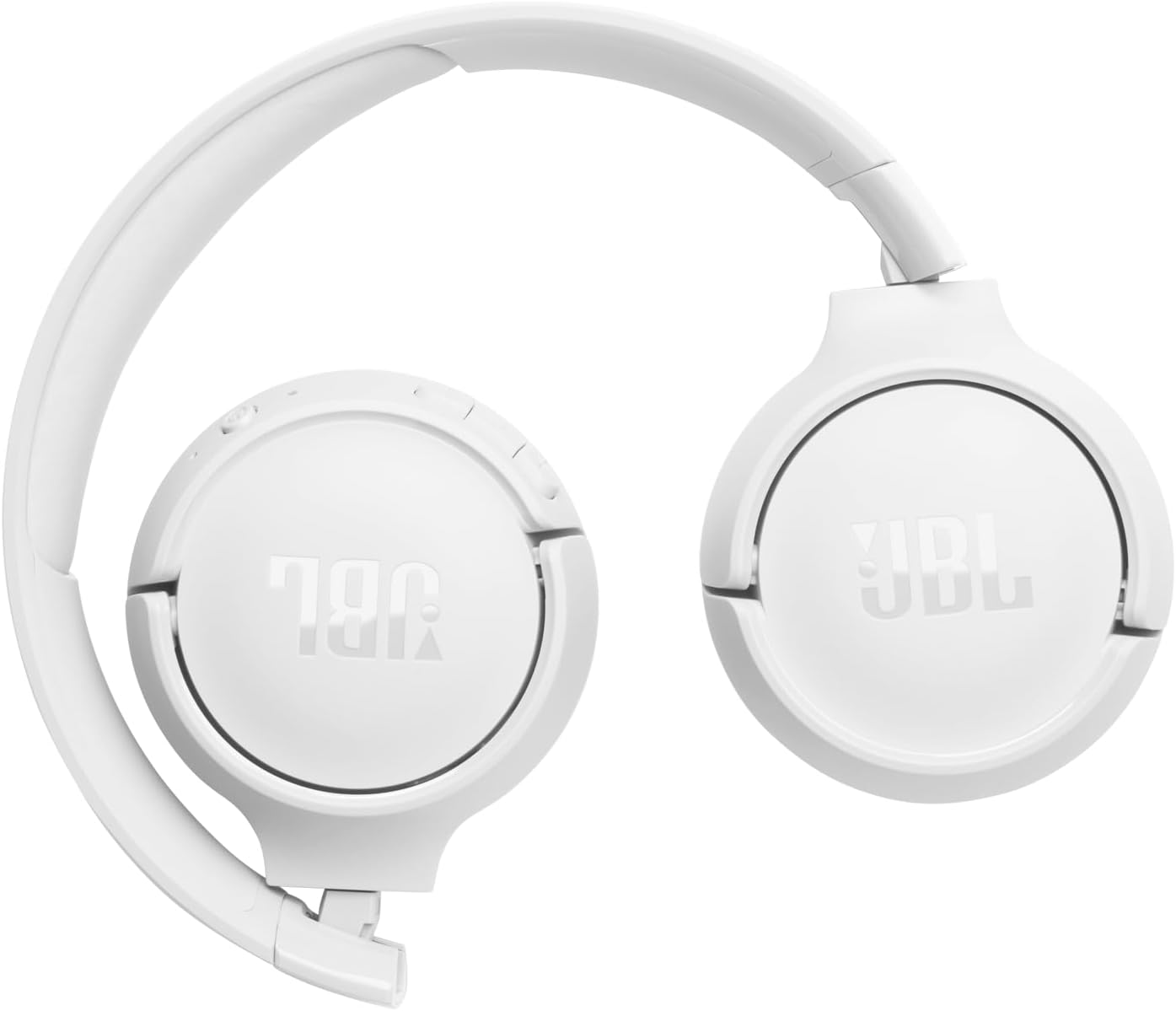
Image: The JBL Tune 525BT Wireless Headphones shown in their folded configuration, demonstrating their portability.
Troubleshooting
If you encounter issues with your JBL Tune 525BT headphones, refer to the following common solutions:
- Headphones not powering on: Ensure the headphones are charged. Connect them to a power source and try again.
- Cannot pair with device:
- Ensure Bluetooth is enabled on your device.
- Make sure the headphones are in pairing mode (rapidly flashing blue LED).
- Move the headphones closer to your device.
- Try restarting both the headphones and your device.
- Clear previous Bluetooth connections on your device and try pairing again.
- No sound or low volume:
- Check the volume levels on both the headphones and your connected device.
- Ensure the headphones are properly connected to your device.
- Try playing audio from a different application or source.
- Intermittent connection:
- Ensure there are no obstructions between the headphones and your device.
- Move away from other wireless devices that might cause interference.
- Ensure the headphones are within the Bluetooth range of your device.
Specifications
| Model Name | JBL Tune 525BT |
| Model Number | Tune525 |
| Brand | JBL |
| Connectivity Technology | Wireless (Bluetooth 5.3) |
| Frequency Range | 20Hz - 20,000Hz |
| Battery Life | Up to 57 hours |
| Fast Charge | 5 minutes charge for 3 hours playback |
| Form Factor | On-ear (Supra-auricular) |
| Compatible Devices | Laptop, Tablet, Cell Phone, Smart Speaker |
| Color | White |
| Manufacturer | Harman Kardon |
Warranty and Support
Warranty Information
Warranty details for the JBL Tune 525BT headphones are typically provided with the product packaging or can be found on the official JBL website. Please retain your proof of purchase for warranty claims.
Customer Support
For further assistance, technical support, or product inquiries, please visit the official JBL support website or contact their customer service. You can find contact information and FAQs on the JBL Support Page.


