
1. Introduction
This manual provides instructions for the installation, operation, and maintenance of the BrickSoul LED RC Light Kit, designed for compatibility with the Lego Art Love 31214 Building Set. This kit enhances your Lego model with adjustable lighting, offering various modes and brightness levels controlled by a remote.
Important Note: The Lego Art Love 31214 Building Set is not included with this lighting kit.

Image 1.1: The BrickSoul LED RC Light Kit packaging and the illuminated Lego Art Love 31214 model.
2. Package Contents
Verify that all components listed below are present in your package:
- LED Light Kits (various light strings and components)
- Remote Control
- Battery Box (requires 3x AAA batteries, not included)
- USB Power Cable
- Instruction Guide (may refer to online resources)
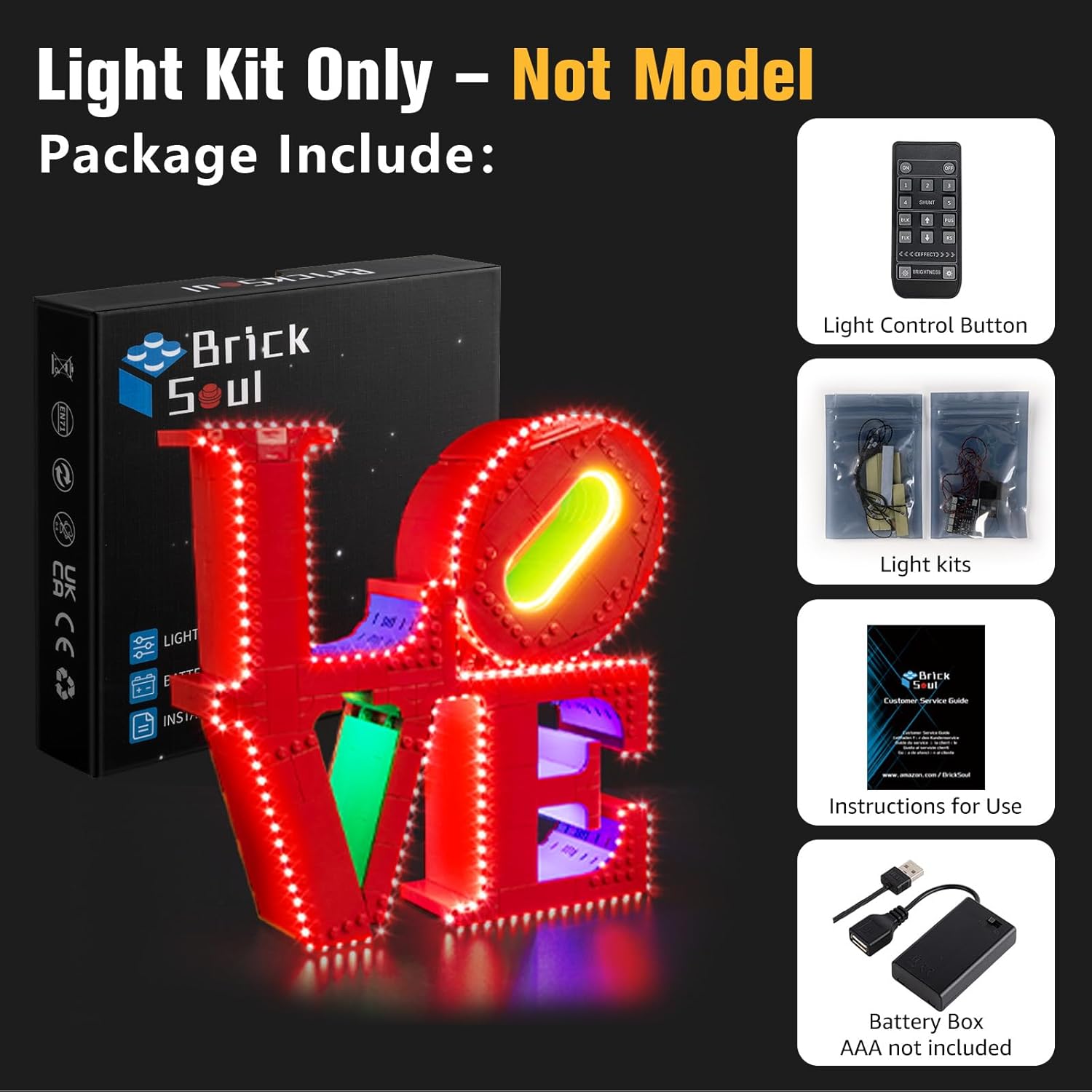
Image 2.1: Overview of the components included in the light kit package.
3. Setup and Installation
The BrickSoul LED RC Light Kit is designed for straightforward installation. Detailed step-by-step instructions are available via online video tutorials and PDF guides. These resources will guide you through the process of integrating the lights into your Lego Art Love 31214 model without requiring a complete rebuild.
- Access Digital Instructions: Scan the QR code provided in the physical guide or visit the BrickSoul website to access the comprehensive video and PDF installation guides.
- Prepare Your Model: Carefully remove specific bricks from your Lego Art Love 31214 model as indicated in the digital instructions to create space for the light components.
- Install Light Components: Follow the numbered steps to place the LED light strings and other components into the designated areas of your Lego model. Ensure wires are neatly tucked away to maintain the model's appearance.
- Connect Power: Connect the LED light kit to the provided battery box or a USB power source (3-5V).
- Test Functionality: Before reassembling all bricks, test the lights using the remote control to ensure all connections are secure and lights are functioning correctly.
The kit uses durable ABS plastic and copper wire, and its low voltage operation (3-5V via USB) ensures it will not damage or loosen your Lego model.

Image 3.1: Accessing digital instructions for installation.
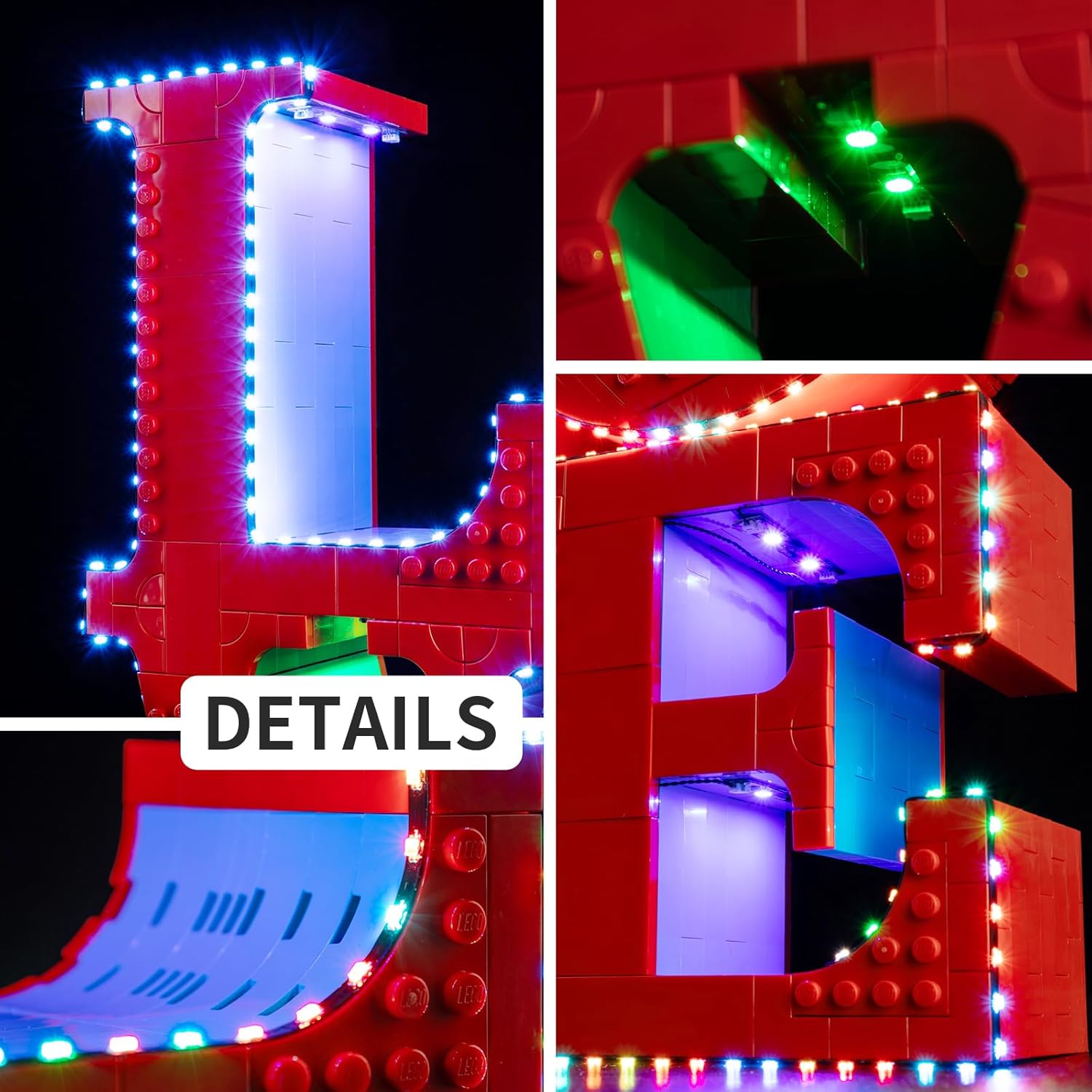
Image 3.2: Detailed view of light component placement within the Lego model.

Image 3.3: Examples of clean and tidy wiring for the LED components.
Installation Demonstration Video
Video 3.1: A demonstration of the BrickSoul LED RC Light Kit installed on the Lego Art Love 31214 model, showcasing various lighting effects and remote control functionality.
4. Operating Instructions
The light kit is controlled using the included remote control. Ensure the remote control has a CR123A battery installed (not included) and the main light kit is powered via the battery box (3x AAA batteries, not included) or USB.
- Power On/Off: Use the 'ON' and 'OFF' buttons on the remote to turn the lights on or off.
- Adjust Brightness: Use the 'BRIGHTNESS' buttons (up/down arrows) to increase or decrease the light intensity.
- Change Lighting Modes: The remote offers multiple flash modes. Use the 'EFFECT' buttons (left/right arrows) to cycle through the available lighting patterns.
- Specific Mode Selection: Buttons labeled '1', '2', '3', '4' may correspond to specific preset lighting modes or effects.

Image 4.1: Remote control functions for adjusting light modes and brightness.
5. Maintenance
To ensure the longevity and optimal performance of your BrickSoul LED RC Light Kit, follow these maintenance guidelines:
- Cleaning: Gently wipe the LED components and wires with a dry, soft cloth to remove dust. Avoid using liquids or abrasive cleaners.
- Battery Replacement:
- For the main battery box: Replace AAA batteries when lights dim or cease to function. Ensure correct polarity.
- For the remote control: Replace the CR123A battery when the remote's range decreases or it becomes unresponsive.
- Storage: If storing the Lego model with the light kit for an extended period, remove batteries from both the battery box and the remote control to prevent leakage.
- Handling: Avoid excessive bending or pulling of the wires to prevent damage to the connections.
6. Troubleshooting
If you encounter issues with your BrickSoul LED RC Light Kit, refer to the following common problems and solutions:
| Problem | Possible Cause | Solution |
|---|---|---|
| Lights do not turn on. | No power, loose connection, dead batteries. |
|
| Remote control is unresponsive. | Dead remote battery, obstruction, out of range. |
|
| Some lights are not working or are dim. | Damaged wire, faulty LED, loose connection. |
|
For issues not covered here, or if troubleshooting steps do not resolve the problem, please contact BrickSoul customer support.
7. Specifications
| Feature | Detail |
|---|---|
| Product Model Number | BS-31214-rc |
| Compatibility | Lego Art Love 31214 Building Set |
| Power Input | USB (3-5V) |
| Battery Box Requirement | 3x AAA batteries (not included) |
| Remote Control Battery | 1x CR123A battery (not included) |
| Product Dimensions | 6 x 5 x 1.2 inches (packaging/kit size) |
| Item Weight | 4.5 ounces |
| Material | Durable ABS plastic, copper wire |
| Recommended Age | 14 months - 4 years (Note: This age range seems incorrect for a Lego accessory, likely a data error. Please refer to the Lego set's age recommendation.) |
8. Warranty and Support
BrickSoul is committed to providing high-quality products and customer satisfaction. Your LED RC Light Kit comes with a comprehensive warranty and support:
- Worry-Free Warranty: BrickSoul offers a warranty that includes quick, hassle-free replacements for accidental damage, such as bent connectors or broken wires.
- 1-Year Hassle-Free Support: Benefit from dedicated support for one year from the date of purchase.
- Free & Fast Replacement: In case of eligible issues, replacements are processed efficiently.
- Efficient Problem-Solving: The BrickSoul support team is available to assist with any questions or problems you may encounter during installation or use.
For support, please refer to the contact information provided in your package or visit the official BrickSoul website.