
1. Introduction
This manual provides detailed instructions for installing and operating your BrickSoul LED Light Kit, designed to enhance the LEGO Tudor Corner 10350 Building Set. This kit transforms your model into a vibrant display piece with carefully integrated lighting. Please note that the LEGO building set itself is not included with this lighting kit.
For optimal results and to ensure the longevity of your lighting kit, please read these instructions thoroughly before beginning installation.

Figure 1: The LEGO Tudor Corner 10350 Building Set with (top) and without (bottom) the BrickSoul LED Light Kit.
2. Safety Information
Please observe the following safety precautions:
- Keep small parts away from children to prevent choking hazards.
- Do not expose the lighting components to water or excessive moisture.
- Ensure the power source (USB or AAA batteries) meets the recommended input of 3-5V.
- Avoid excessive force when connecting wires or installing lights to prevent damage to the components or your LEGO model.
- If using batteries, ensure they are inserted with correct polarity and dispose of used batteries responsibly.
3. What's in the Box
Your BrickSoul LED Light Kit package typically includes:
- Assorted LED light strings and individual LEDs
- Connection boards
- Connecting wires
- USB power cable
- Battery box (AAA batteries not included)
- Remote control (for adjustable lighting versions)
- Step-by-step numbered bags for components
- Cardboard insert (packaging material)
4. Setup and Installation
The BrickSoul LED kit is designed for easy installation. We recommend referring to the detailed online video and PDF guides for visual assistance, which provide step-by-step instructions tailored to the LEGO Tudor Corner 10350 model.
General Installation Steps:
- Prepare Your Model: Carefully disassemble specific sections of your LEGO Tudor Corner 10350 model as indicated in the online guides to integrate the lighting components.
- Identify Components: Match the numbered bags with the corresponding steps in the instructions.
- Install Lights: Place the LED lights and light strings into the designated areas. Ensure wires are neatly tucked away to maintain the model's aesthetic.
- Connect Wires: Use the provided connection boards to link the LED lights. Ensure all connections are secure.
- Power Connection: Connect the main power cable (USB or battery box) to the connection board.
- Reassemble Model: Carefully reassemble the LEGO sections, ensuring no wires are pinched or damaged.
For detailed visual instructions, please visit the official BrickSoul website or scan the QR code provided in your package to access the online video and PDF guides.
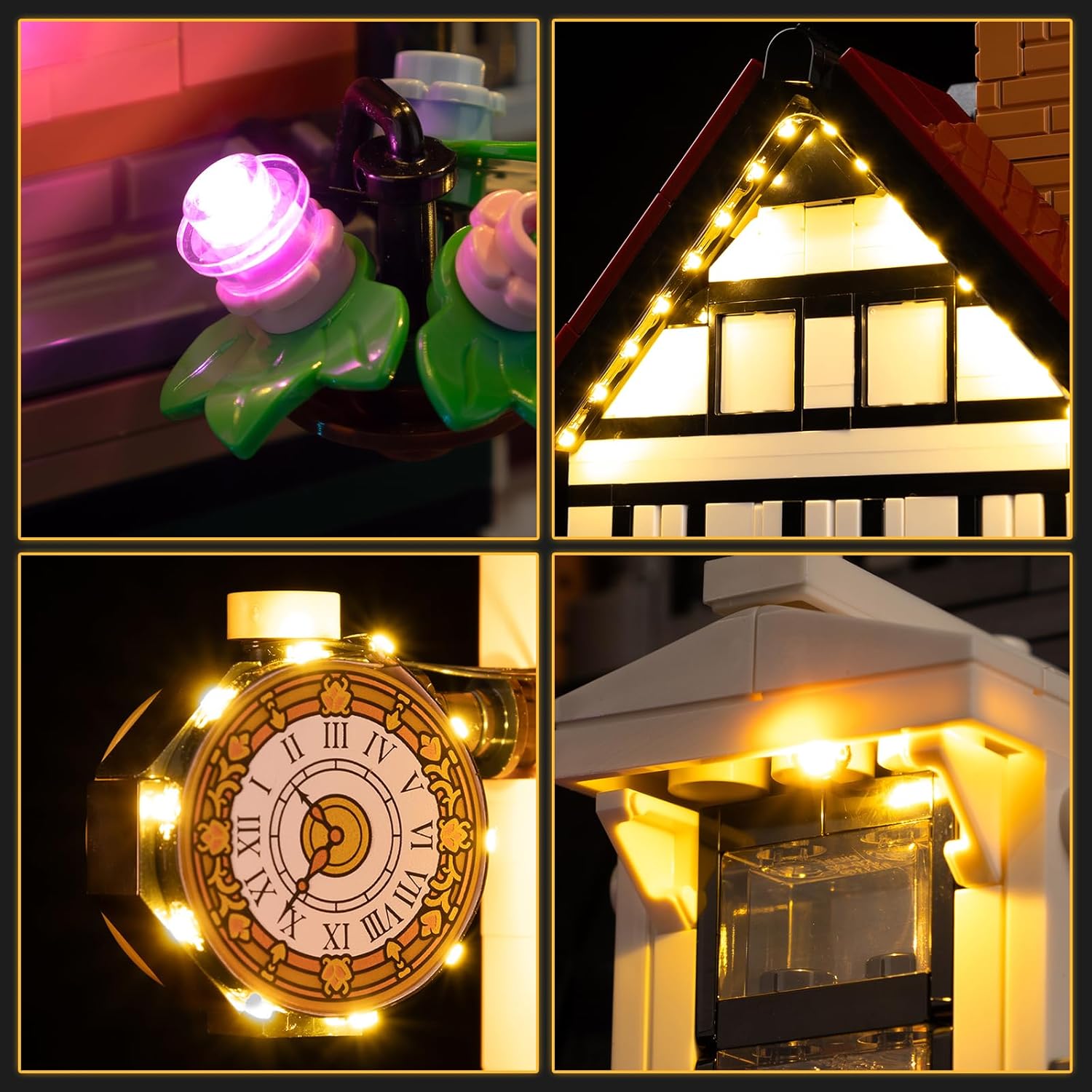
Figure 2: Detailed illumination of the LEGO Tudor Corner 10350 model's features.
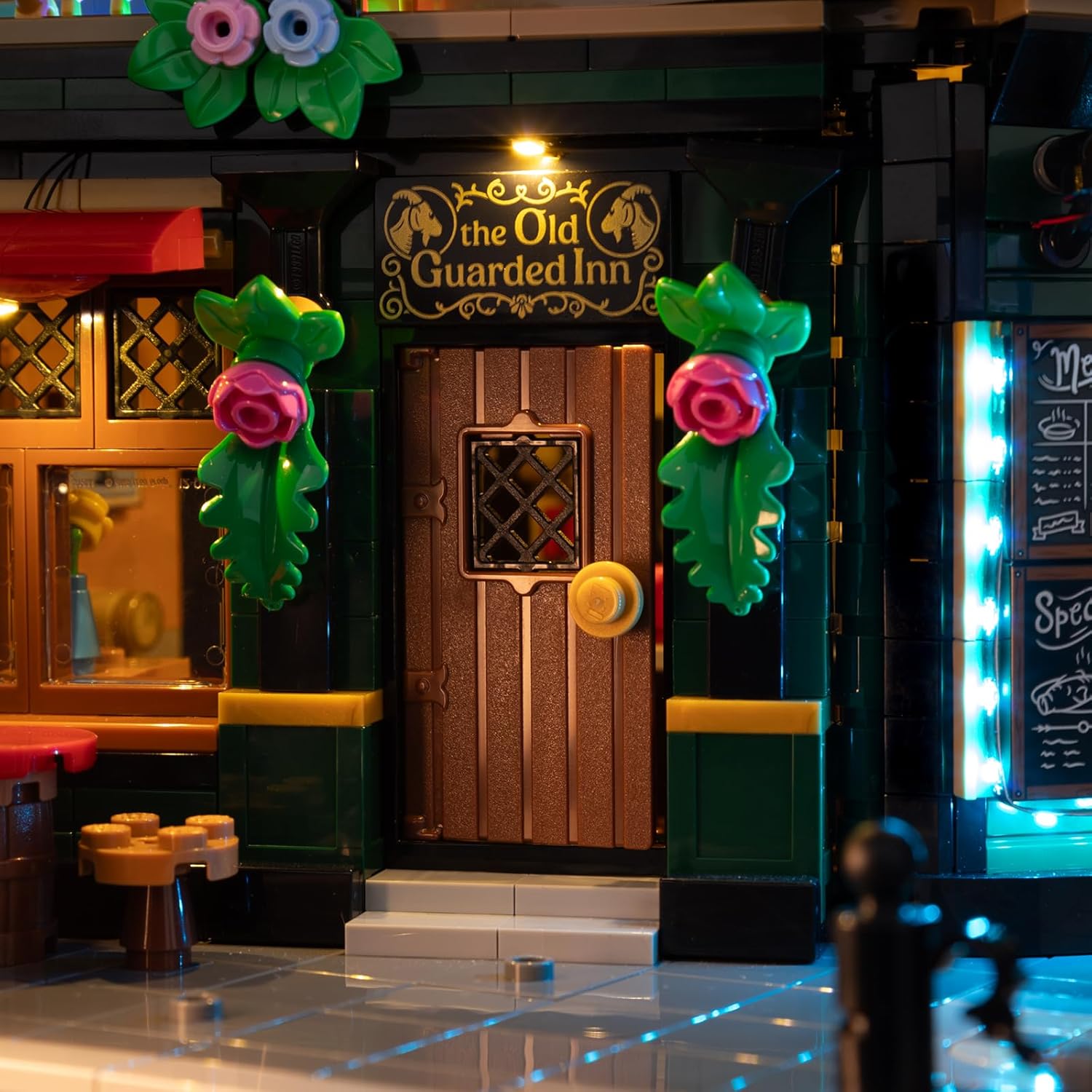
Figure 3: Ground floor details with integrated lighting.
5. Operating Instructions
Your BrickSoul LED Light Kit can be powered via a USB connection or AAA batteries (not included). Once connected, use the provided remote control to manage the lighting effects.
Remote Control Functions:
- ON/OFF: Press the power button to turn the lights on or off.
- Brightness Adjustment: Use the brightness control buttons (up/down arrows) to increase or decrease the light intensity.
- Effect Modes: Select from various lighting effects using the numbered buttons (1-5) or dedicated effect buttons (e.g., BLK for blinking, PUS for pulsing, FLK for flickering, RS for random sparkle).
Video 1: Demonstration of remote control functions for the BrickSoul LED Light Kit, showing various lighting effects and brightness adjustments on the LEGO Tudor Corner 10350 model.
6. Maintenance
To keep your BrickSoul LED Light Kit in optimal condition:
- Cleaning: Gently wipe the LED lights and wires with a dry, soft cloth to remove dust. Avoid using liquid cleaners.
- Storage: If disassembling the kit for storage, carefully disconnect all components and store them in a dry, cool place away from direct sunlight.
- Battery Replacement: If using the battery box, replace AAA batteries when lights dim or stop working. Ensure correct polarity.
7. Troubleshooting
If you encounter issues with your BrickSoul LED Light Kit, please refer to the following common solutions:
- Lights Not Working:
- Check if the power source (USB or batteries) is properly connected and functional.
- Ensure all wires are securely connected to the connection boards.
- Verify that the remote control batteries are not depleted (if applicable).
- Dim Lights:
- If using batteries, replace them with fresh ones.
- Ensure the power source provides sufficient voltage (3-5V).
- Adjust brightness settings using the remote control.
- Loose Connections: Gently press on all wire connectors to ensure they are fully seated.
If the problem persists, please contact BrickSoul customer support for further assistance.
8. Specifications
| Feature | Detail |
|---|---|
| Brand | BrickSoul |
| Model Name | 10350-cv (Upgraded Version 10350 Lights) |
| Material | ABS Plastic, Copper Wire |
| Power Input | 3-5V (USB or AAA Batteries) |
| Special Feature | Glow in the Dark (specific components) |
| Assembly Required | Yes |
| Item Weight | 1.92 ounces |
| Product Dimensions | 6 x 5.1 x 1.4 inches (packaging/kit dimensions) |
9. Warranty and Support
BrickSoul offers a worry-free warranty. If you experience accidental damage such as a bent connector or broken wire, we provide quick, hassle-free replacements to ensure your build stays on track.
Our dedicated after-sales support team is available to help resolve any issues quickly and ensure a smooth, stress-free lighting experience. For support, please visit the BrickSoul store on Amazon or contact us directly through our official website.
Contact Information:
- BrickSoul Store: Visit the BrickSoul Store on Amazon
- Online Guides: Refer to the PDF and video guides provided with your purchase for detailed installation instructions.
