
Introduction
This manual provides detailed instructions for the assembly, operation, and maintenance of your ODK L-Shaped Gaming Desk. Please read this manual thoroughly before assembly and use to ensure proper function and longevity of the product. Keep this manual for future reference.

Image: Overview of the ODK L-Shaped Gaming Desk, showcasing its design with two monitors and various gaming accessories.
Product Features
The ODK L-Shaped Gaming Desk is designed for versatility and functionality, offering several key features:
- Reversible L-Shape Design: The L-shaped gaming desk features a reversible configuration, allowing adaptation to various space requirements. It can be assembled as either a left or right-hand corner desk, suitable for gaming or home office use.
- Integrated Power Supply: The desk includes 2 AC outlets and 2 USB charging ports, providing convenient power access for smartphones, tablets, printers, and gaming devices.
- Ample Storage Capacity: The L-shaped desk features 2-tier book shelves and additional 2-tier storage compartments. These provide space for gaming accessories, books, and other items. The shelves offer individual height adjustment for customized storage.
- Spacious Desktop Surface: This L-shaped gaming desk provides a large work surface, accommodating multiple monitors and gaming equipment for an enhanced user experience.

Image: Illustration demonstrating the reversible design of the L-shaped desk, allowing for left or right corner configurations.
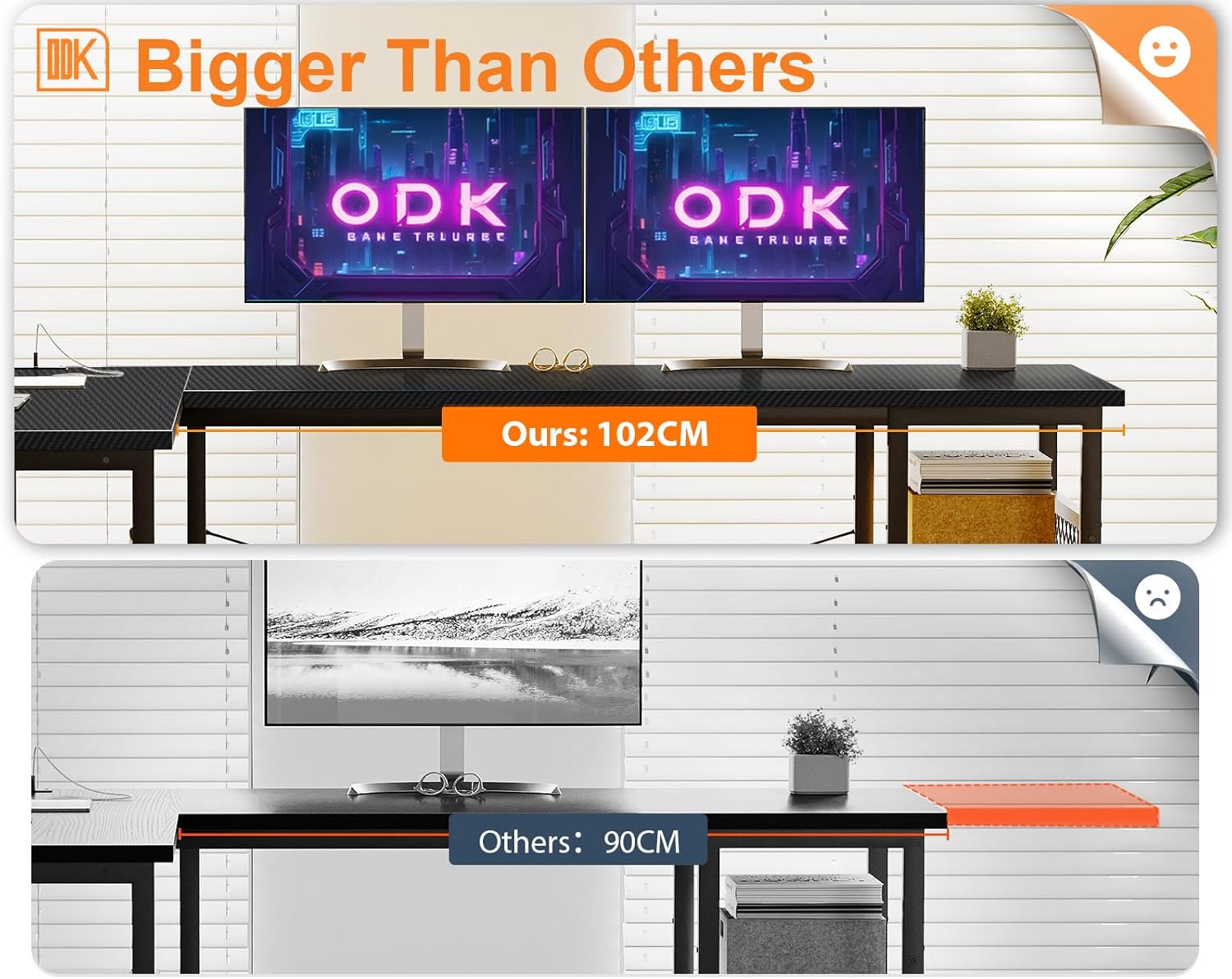
Image: The ODK L-shaped desk in a home office setting, highlighting the ample storage shelves for books and office supplies.
Setup and Assembly
Assembly of the ODK L-Shaped Gaming Desk requires careful attention to detail. It is recommended that two people assemble the desk to ensure stability and ease of construction. All necessary tools and hardware are included.
General Assembly Steps:
- Unpack all components and verify against the parts list provided in the packaging.
- Identify the main frame components and begin assembling the desk legs and support structures.
- Attach the desktop panels, ensuring they are securely fastened.
- Install the storage shelves, adjusting their height as desired.
- Integrate the power strip into the designated recess on the desktop.
- Ensure all screws and fasteners are tightened for stability.
Refer to the detailed graphical instructions included in your product packaging for specific step-by-step guidance, especially for the reversible configuration.
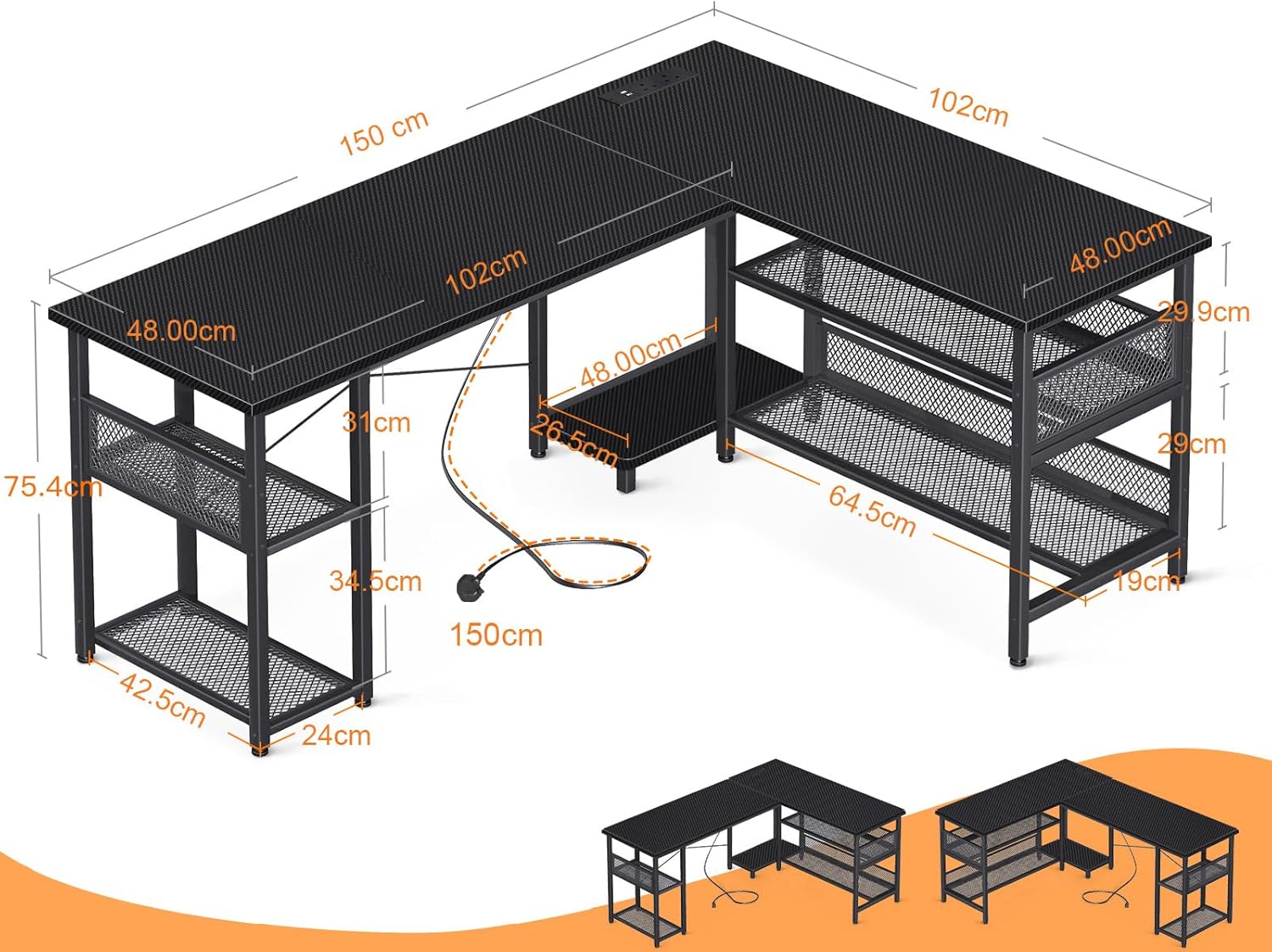
Image: Technical drawing displaying the dimensions of the ODK L-Shaped Gaming Desk, including length, width, and height measurements.
Operating Instructions
The desk features an integrated power strip for convenient access to power.
Using the Integrated Power Strip:
- Connect the desk's power cord (200cm length) to a standard wall outlet (110-240V/6A).
- The power strip provides 2 AC outlets for devices such as monitors, PCs, or lamps.
- The 2 USB ports (5V/2A) are suitable for charging smartphones, tablets, and other USB-powered accessories.
- Ensure devices are compatible with the provided voltage and current specifications.
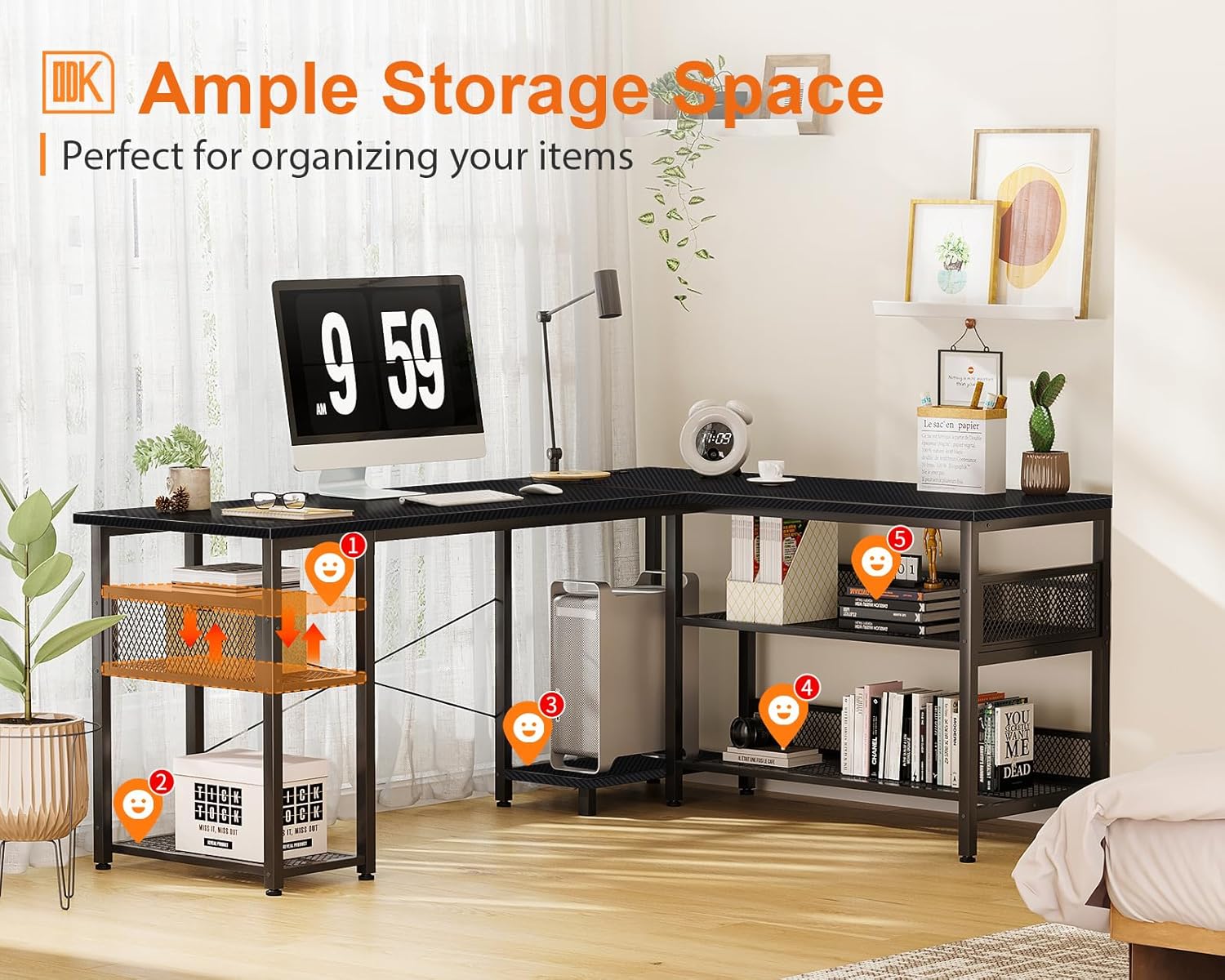
Image: A detailed view of the recessed power strip on the desk, showing two AC outlets and two USB charging ports in use.
Maintenance
To maintain the appearance and functionality of your ODK L-Shaped Gaming Desk, follow these guidelines:
- Cleaning: Wipe the desktop and frame with a soft, damp cloth. Avoid abrasive cleaners or harsh chemicals that may damage the finish.
- Spills: Immediately wipe up any spills to prevent staining or damage to the carbon fiber surface.
- Stability Check: Periodically check all screws and fasteners to ensure they remain tight. Retighten if necessary to maintain desk stability.
- Weight Distribution: Distribute weight evenly across the desktop and shelves to prevent stress on any single point.
Troubleshooting
If you encounter any issues with your ODK L-Shaped Gaming Desk, consider the following common solutions:
- Wobbling Desk:
- Ensure all assembly screws are fully tightened.
- Check if the desk is on an even surface. Adjust leveling feet if present.
- Power Strip Not Working:
- Verify that the main power cord is securely plugged into a functional wall outlet.
- Check if the wall outlet itself is receiving power.
- Ensure devices are properly plugged into the AC outlets or USB ports.
- Difficulty with Reversible Configuration:
- Carefully review the assembly instructions for the specific left or right configuration.
- Ensure all components are oriented correctly before tightening.
For persistent issues, please contact customer support.
Specifications
| Feature | Detail |
|---|---|
| Brand | ODK |
| Model Number | B02013201017GGGEH0C2FO983 |
| Color | Carbon Fiber Black |
| Product Dimensions | 150 cm (Width) x 102 cm (Depth) x 75.4 cm (Height) |
| Top Surface Material | Carbon Fiber |
| Frame Material | Metal, Powder Coated |
| Special Feature | Reversible L-Shape Configuration |
| Power Strip | 2 AC Outlets (110-240V/6A), 2 USB Ports (5V/2A) |
| Power Cord Length | 200 cm |
| Product Weight | 19.9 kg |
| Recommended Use | Gaming, Home Office |

Image: Visual comparison highlighting the 102cm depth of the ODK desk compared to a standard 90cm desk, indicating a larger surface area.
Warranty and Support
ODK provides a standard manufacturer's warranty for this product. Please refer to the warranty card included in your product packaging for specific terms and conditions, including coverage duration and claim procedures.
For technical support, missing parts, or any questions regarding your ODK L-Shaped Gaming Desk, please contact ODK customer service through the contact information provided in your product documentation or on the official ODK website.
When contacting support, please have your model number (B02013201017GGGEH0C2FO983) and purchase date available.


