
1. Introduction
Thank you for choosing the TORCHSTAR 5CCT LED Floor Can Light. This product is designed to provide versatile uplighting with adjustable color temperature and beam angle, suitable for various indoor applications. This manual provides essential information for safe and effective use of your new light fixture.
2. Important Safety Instructions
- Read all instructions carefully before installation and operation.
- This product is for indoor use only. Do not expose to water or moisture.
- Ensure the power supply is disconnected before any installation, cleaning, or maintenance.
- Do not attempt to modify or disassemble the light fixture. There are no user-serviceable parts inside.
- Keep away from flammable materials.
- Use only with a 120V AC power source.
3. Package Contents
Verify that all components are present:
- TORCHSTAR 5CCT LED Floor Can Light
- Integrated On-Off Switch with control buttons
4. Setup
4.1 Product Dimensions
Before placement, familiarize yourself with the product's dimensions to ensure proper fit and aesthetic integration into your space.

Image 1: Product Dimensions. The light measures approximately 3.94 inches (100mm) in diameter and 10.39 inches (264mm) in height. The power cord is 6.56 feet (2m) long.
4.2 Placement
Place the floor can light on a stable, flat surface in your desired indoor location. Ensure the power cord can reach an electrical outlet without being strained or creating a tripping hazard.
4.3 Connecting to Power
Plug the power cord into a standard 120V AC electrical outlet.
5. Operating Instructions
The TORCHSTAR 5CCT LED Floor Can Light features an integrated control switch on the power cord for easy operation.
Video 1: Product Features and Controls. This video demonstrates the zoomable function, color temperature selection, and the use of the power, brightness, and timer buttons on the integrated control switch.
5.1 Power On/Off
Press the Power Button (red circle with line) on the inline switch to turn the light on or off.

Image 2: Inline Control Switch. This image highlights the Power, Brightness Decrease, Brightness Increase, and Timer buttons on the control switch.
5.2 Adjusting Brightness (Dimming)
The light offers 10%-100% smooth dimming. Use the Brightness Increase (+) and Brightness Decrease (-) buttons on the inline switch to adjust the light intensity. A short press adjusts brightness in 7 steps, while a long press provides stepless adjustment.
5.3 Changing Color Temperature (CCT)
The light features 5 selectable color temperatures: 1800K, 2700K, 3000K, 4000K, and 5000K. Press the CCT Button (circle with sun icon) on the inline switch to cycle through the available color temperatures.

Image 3: 5 Color Temperatures. This visual shows the different light outputs for 1800K (warm sunset glow), 2700K, 3000K, 4000K, and 5000K (bright white).
5.4 Adjusting Beam Angle (Zoomable Function)
The light features a zoomable head, allowing you to adjust the beam angle from 15° to 60°. Gently twist the top section of the light fixture to widen or narrow the light beam according to your lighting needs.

Image 4: 15°-60° Zoomable Feature. A hand demonstrates twisting the light head to adjust the beam focus, with indicators for 15°, 25°, 40°, and 60° angles.
5.5 Timer Function
The light includes a timer function with 2-hour, 4-hour, and 8-hour settings. Press the Timer Button (clock icon) on the inline switch to activate the timer. The indicator light will illuminate next to the selected duration.
6. Maintenance
6.1 Cleaning
Ensure the light is unplugged and cool before cleaning. Wipe the exterior with a soft, dry cloth. Do not use abrasive cleaners or solvents, as these may damage the finish.
6.2 Light Source
The TORCHSTAR 5CCT LED Floor Can Light features an integrated LED light source. This means there are no bulbs to replace, ensuring a longer lifespan and consistent brightness without maintenance.
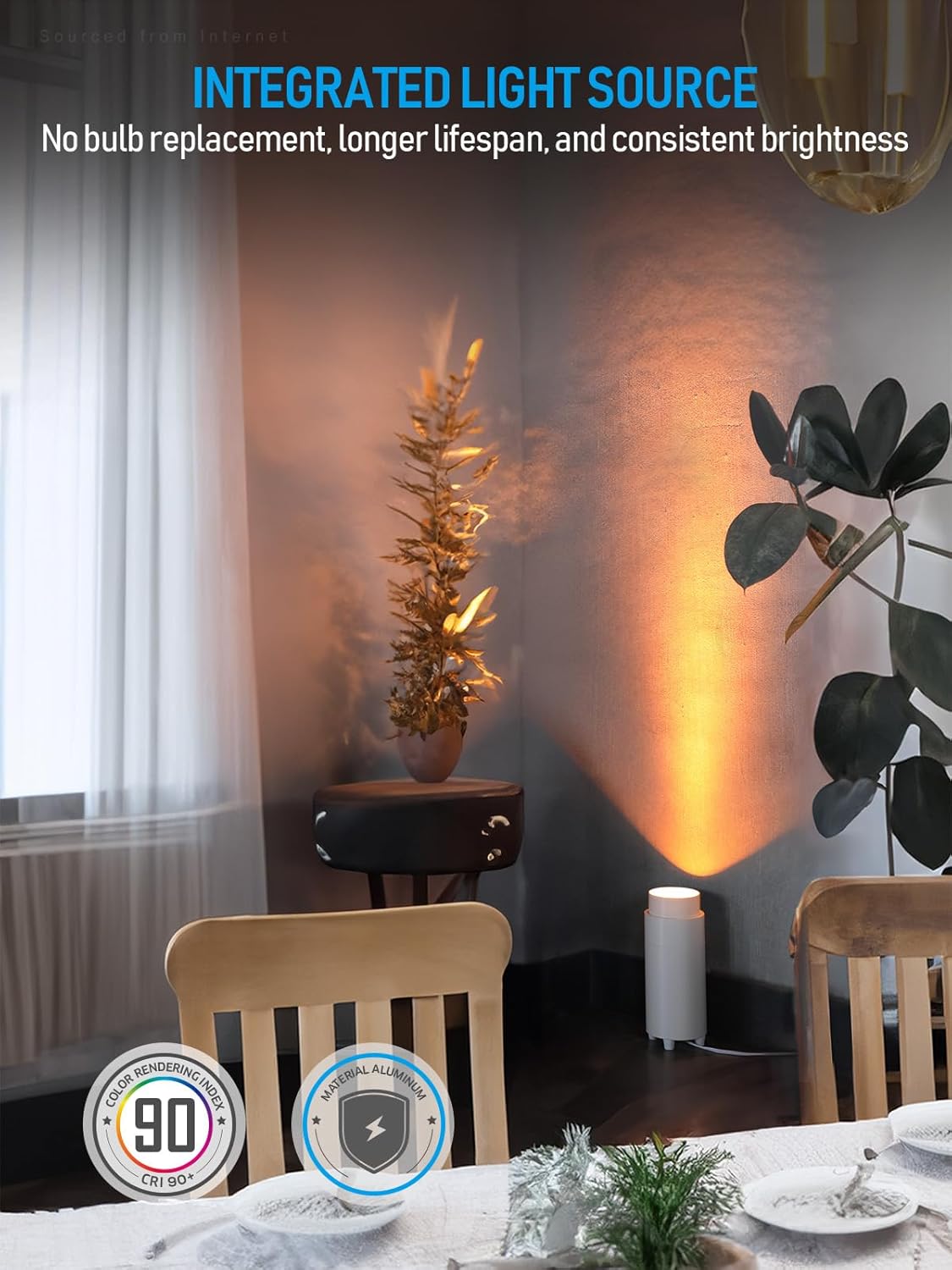
Image 5: Integrated Light Source. This image highlights the integrated LED design, emphasizing no bulb replacement, CRI 90, and aluminum construction.
7. Troubleshooting
| Problem | Possible Cause | Solution |
|---|---|---|
| Light does not turn on. | No power supply. | Check if the power cord is securely plugged into a working outlet. |
| Light flickers or dims unexpectedly. | Unstable power connection. | Ensure the power cord is fully inserted. Try a different outlet. |
| Cannot change color temperature or brightness. | Control switch malfunction. | Ensure the light is powered on. If issues persist, contact customer support. |
8. Specifications
| Feature | Detail |
|---|---|
| Model Number | A-70411 |
| Color | White |
| Material | Aluminum |
| Light Source Type | LED (Integrated) |
| Wattage | 15 Watts |
| Brightness | 1200 Lumens (Max) |
| Voltage | 120 Volts |
| Color Temperature | 1800K, 2700K, 3000K, 4000K, 5000K (5CCT Selectable) |
| Color Rendering Index (CRI) | 90.0 |
| Product Dimensions | 3.94"L x 3.94"W x 10.39"H |
| Item Weight | 4.19 Pounds |
| Mounting Type | Floor Mount |
| Special Features | 10.39 Inches High, 5CCT Selectable, Adjustable Color Temperature, CRI 90, Energy Efficient |
| Included Components | On-Off Switch |
| Specific Uses | Indoor use only |
9. Warranty
This product is covered by a 3-Year Protection Plan. For details regarding warranty claims or extended protection plans, please refer to your purchase documentation or contact TORCHSTAR customer service.
10. Customer Support
For further assistance, technical support, or inquiries regarding your TORCHSTAR 5CCT LED Floor Can Light, please visit the official TORCHSTAR website or contact their customer service department. Contact information can typically be found on the product packaging or the brand's online store.