
Guide Sensmart Guide TE 421
Guide TE421 Portable Thermal Monocular User Manual
Comprehensive instructions for setup, operation, and maintenance.
1. Product Overview
The Guide TE Series Handheld Thermal Imaging Monocular is a compact and reliable device designed for night vision applications, particularly hunting and outdoor observation. It features a high-resolution infrared detector and a powerful lens for extended detection range. Its lightweight and portable design ensures comfortable use and easy transport.
Key features include a 400x300 thermal sensor, 25mK NETD, a 1400-yard detection range, and a large 0.32" AMOLED 800x600 display for clear viewing. The device supports quick charging and offers extended battery life, along with recording capabilities for photos and videos with audio.
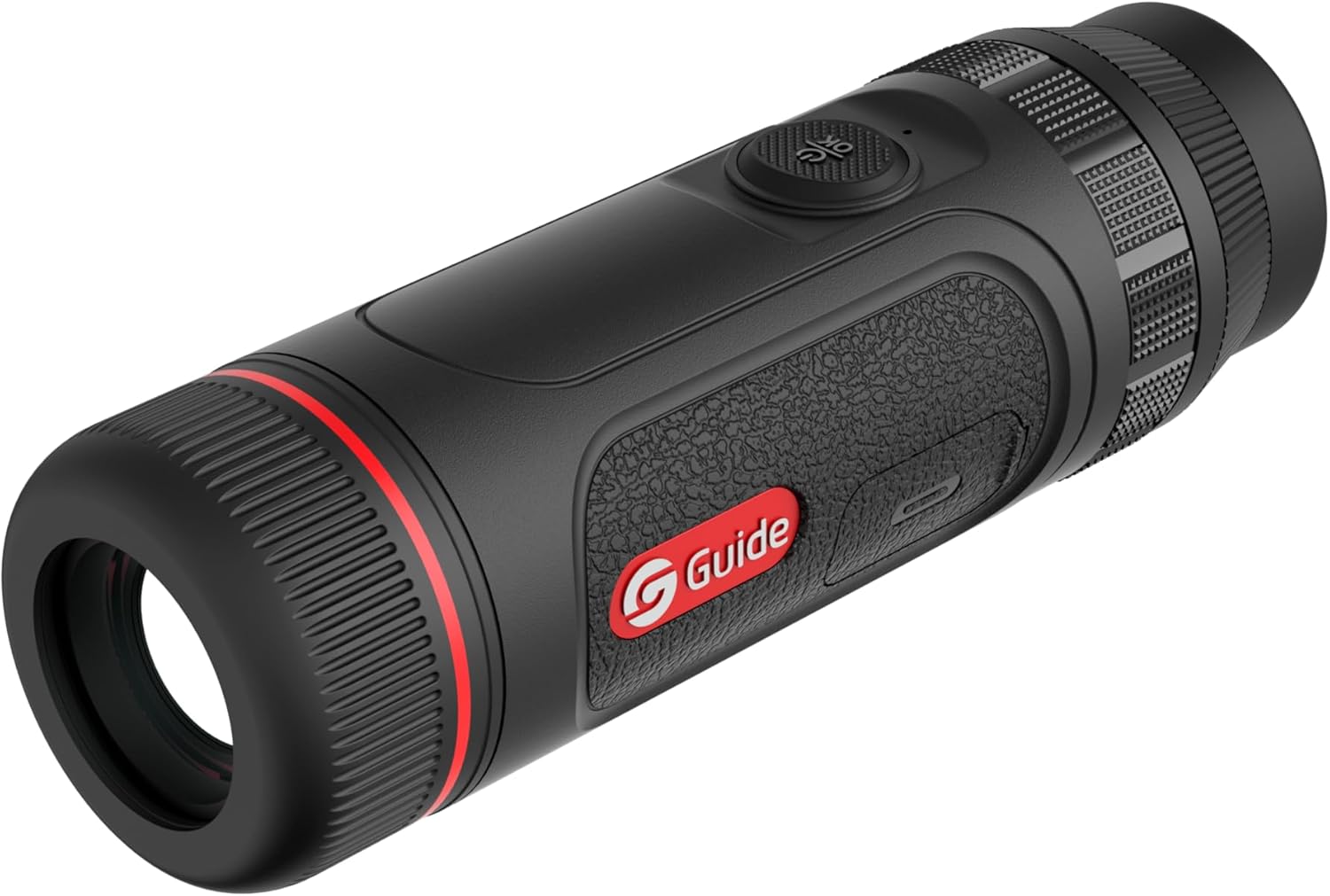

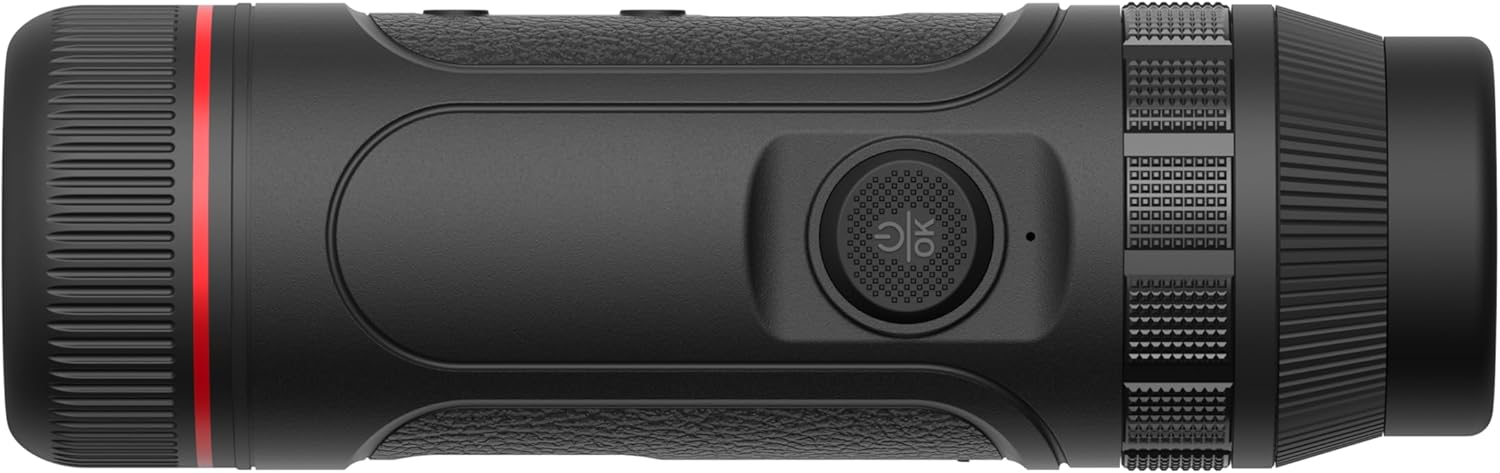

2. What's in the Box
Upon opening the package, please ensure all the following items are present:
- Guide TE421 Thermal Monocular
- Charging Cable (USB-C)
- Protective Pouch/Case
- Wrist Strap
- User Manual (this document)
3. Setup
3.1 Charging the Device
Before first use, fully charge the monocular. Connect the provided USB-C cable to the charging port on the device and the other end to a compatible USB power adapter (not included). The device supports 20W quick charging, allowing for approximately 1 hour of operating time with only 10 minutes of charging. A full charge provides up to 5 hours of continuous use.
3.2 Powering On/Off
- To power on, press and hold the power button (typically located on the top of the device) for approximately 3 seconds until the display illuminates.
- To power off, press and hold the power button again for approximately 3 seconds until the display shuts down.
3.3 Diopter Adjustment
Adjust the diopter ring located near the eyepiece to achieve a sharp image for your individual eyesight. Rotate the ring until the on-screen display elements appear clear and in focus.
3.4 Connecting to the Target IR App (Wi-Fi)
The Guide TE421 can connect to your smartphone via Wi-Fi using the Target IR App. This allows for remote control, live view, and downloading recorded photos and videos.
- Download the "Target IR" app from your smartphone's app store.
- Turn on the monocular.
- Activate Wi-Fi on the monocular (refer to the device's on-screen menu for Wi-Fi settings).
- On your smartphone, go to Wi-Fi settings and connect to the monocular's Wi-Fi network (the network name will typically start with "Guide" or "TE").
- Open the Target IR App and follow the on-screen instructions to connect to your device.
4. Operating Instructions
4.1 Basic Operation
- Power Button: Press and hold to turn on/off. Short press to enter/exit standby mode.
- Menu Button: Short press to access the main menu. Use navigation buttons to select options.
- Zoom Button: Press to cycle through digital zoom levels (e.g., 1x, 2x, 4x).
- Capture Button: Short press to take a photo. Press and hold to start/stop video recording.
4.2 Focus Adjustment
The TE421 features manual focus. Rotate the objective lens ring to bring distant or close objects into sharp thermal focus.
4.3 Image and Video Recording
The monocular has built-in recording capabilities. Photos and videos (with audio) are stored internally and can be downloaded via the Target IR App.
- To take a photo: Short press the Capture button.
- To record video: Press and hold the Capture button to start recording. Press and hold again to stop recording.
4.4 Palette Modes
The TE421 offers various thermal palette modes to suit different viewing preferences and environmental conditions. Common modes include:
- White Hot: Hot objects appear white.
- Black Hot: Hot objects appear black.
- Red Hot: Hot objects appear red/yellow.
- Iron Red: A common industrial palette.
- Rainbow: Displays a spectrum of colors.
Cycle through palette modes using the designated button or through the device's menu.
5. Maintenance
5.1 Cleaning the Device
- Lens: Use a soft, lint-free cloth specifically designed for optical lenses. Gently wipe the lens surface. For stubborn smudges, use a small amount of lens cleaning solution applied to the cloth, not directly to the lens.
- Body: Wipe the monocular's body with a soft, damp cloth. Do not use abrasive cleaners, solvents, or harsh chemicals.
5.2 Storage
When not in use, store the monocular in its protective pouch or case in a cool, dry place, away from direct sunlight and extreme temperatures. Ensure the device is powered off before storage.
5.3 Battery Care
To prolong battery life, avoid fully discharging the battery frequently. If storing for extended periods, charge the battery to approximately 50% every few months.
6. Troubleshooting
This section addresses common issues you might encounter with your Guide TE421 Thermal Monocular.
| Problem | Possible Cause | Solution |
|---|---|---|
| Device does not power on. | Low battery; incorrect power button press. | Charge the device fully. Press and hold the power button for 3 seconds. |
| Image is blurry. | Diopter not adjusted; objective lens out of focus. | Adjust the diopter ring. Rotate the objective lens focus ring. |
| Cannot connect to Wi-Fi/App. | Wi-Fi not enabled on device; incorrect network selected; app issue. | Ensure Wi-Fi is enabled on the monocular. Select the correct Wi-Fi network. Restart the app and device. |
| Short battery life. | Frequent use of power-intensive features; aging battery. | Reduce screen brightness. Ensure full charge before use. Contact support if battery degradation is significant. |
7. Specifications
| Feature | Detail |
|---|---|
| Model Name | Guide TE 421 |
| Thermal Resolution | 400x300 |
| NETD | 25mK |
| Objective Lens Diameter | 25 Millimeters |
| Detection Range | Up to 1400 yards |
| Display Type | 0.32" AMOLED |
| Display Resolution | 800x600 |
| Product Dimensions | 5.2"D x 1.85"W x 1.85"H (155mm length) |
| Weight | 315 grams |
| Battery Life | Up to 5 hours |
| Charging | 20W Quick Charging (1h operation from 10min charge) |
| Connectivity | Wi-Fi (for Target IR App) |
| Recording | Photo and Video with Audio |
| Focus Type | Manual Focus |
| Compatible Devices | Smartphone |
8. Warranty and Support
Guide Sensmart stands behind the quality of its products with a comprehensive warranty policy:
- Thermal Sensor: 10-Year Warranty
- Body Parts: 5-Year Warranty
- All Accessories: 2-Year Warranty
For technical support, warranty claims, or service inquiries, please contact Guide Sensmart customer service. Their repair center is based in Dallas, Texas.
For the most up-to-date contact information, please visit the official Guide Sensmart website or refer to the contact details provided with your purchase documentation.
Ask a question about this manual
Ask about setup, troubleshooting, compatibility, parts, safety, or missing instructions. Manuals+ will review the question and use this page’s manual context to help answer it.