
Hot Pepper K82A
Hot Pepper K82A Smartphone User Manual
Model: K82A | Brand: Hot Pepper
1. Introduction
Welcome to the Hot Pepper K82A Smartphone User Manual. This guide provides essential information on setting up, operating, and maintaining your new device. The Hot Pepper K82A is designed for optimal performance, featuring a vibrant AMOLED display, a powerful octa-core processor, and advanced camera capabilities.
Key features include:
- Curved AMOLED Display: A 6.67-inch screen for vivid colors and immersive visuals.
- Powerful Octa-core Processor: Ensures smooth and fast performance for applications and games.
- Ample Storage & Memory: 256 GB internal storage and 8 GB RAM for effortless multitasking and data storage.
- Long-lasting Battery: A 5000 mAh battery provides extended usage throughout the day.
- Triple Camera System: A 50 MP main camera and 24 MP front camera for capturing high-quality photos and videos.
2. What's in the Box
Upon unboxing your Hot Pepper K82A, please verify that all the following items are included:

Image: Contents of the Hot Pepper K82A retail box, showing the smartphone, USB adapter, USB-C charging cable, user manual, and silicone case.
- Hot Pepper K82A Smartphone
- USB Adapter
- USB-C Charging Cable
- User Manual
- Silicone Case
3. Product Overview
Familiarize yourself with the physical components and ports of your Hot Pepper K82A smartphone.

Image: Diagram illustrating the various components and ports of the Hot Pepper K82A, including the 3.5mm headphone jack, AI face unlock, side fingerprint unlock, built-in microphone, and USB-C charging port.
- Headphone/AUX: 3.5mm Jack located on the top.
- AI Face Unlock: Front-facing camera for facial recognition.
- Fingerprint Unlock: Side-mounted sensor for quick and secure access.
- Microphone: Built-in for calls and voice commands.
- Charger: USB-C port at the bottom for charging and data transfer.
4. Setup
4.1. Inserting SIM Card and Powering On
- Locate the SIM card tray on the side of the phone.
- Use the provided SIM ejector tool to open the tray.
- Place your Nano-SIM card(s) and/or microSD card (for expandable storage up to 1TB) into the tray, ensuring correct orientation.
- Gently push the tray back into the phone.
- Press and hold the Power button (usually on the right side) until the Hot Pepper logo appears.
- Follow the on-screen instructions to complete the initial setup, including language selection, Wi-Fi connection, and Google account setup.
4.2. Initial Configuration
Your Hot Pepper K82A runs on Android 13.0. During the initial setup, you will be guided through:

Image: The Hot Pepper K82A displaying the Android 13 operating system interface.
- Connecting to a Wi-Fi network.
- Signing in to your Google account or creating a new one.
- Setting up screen lock methods (PIN, pattern, password, fingerprint, face unlock).
- Restoring data from a previous device (optional).
5. Operating Instructions
5.1. Basic Navigation
- Home Screen: Swipe left or right to navigate between home screens.
- App Drawer: Swipe up from the bottom of the screen to access all installed applications.
- Notifications & Quick Settings: Swipe down from the top of the screen to view notifications and access quick settings toggles.
- Recent Apps: Swipe up and hold from the bottom of the screen (or tap the square navigation button if enabled) to see recently used applications.
5.2. Making Calls and Sending Messages
- Calls: Tap the Phone icon, enter the number, and tap the call button.
- Messages: Tap the Messages icon, start a new conversation, enter the recipient's number or select from contacts, and type your message.
5.3. Connecting to Wi-Fi and Bluetooth
- Wi-Fi: Go to Settings > Network & internet > Internet, select your desired network, and enter the password if prompted.
- Bluetooth: Go to Settings > Connected devices > Connection preferences > Bluetooth. Turn on Bluetooth and pair with available devices. The K82A supports Bluetooth 5.0.
6. Camera Features
The Hot Pepper K82A features an AI Triple Camera system to help you capture every moment with clarity.

Image: Close-up of the Hot Pepper K82A's rear camera module, detailing the 50 Megapixel rear camera, 24 Megapixel front camera, and 2 Megapixel macro camera, along with 1080p auto-focus video capabilities.
- Rear Camera: 50 Megapixel main sensor for high-resolution photos.
- Front Camera: 24 Megapixel for clear selfies and video calls.
- Macro Camera: 2 Megapixel for detailed close-up shots.
- Video Recording: Supports 1080p video with auto-focus.
To use the camera, tap the Camera app icon. You can switch between photo, video, and other modes by swiping across the screen or selecting from the options.
7. Battery and Charging
The Hot Pepper K82A is equipped with a 5000 mAh battery designed for long-lasting performance.
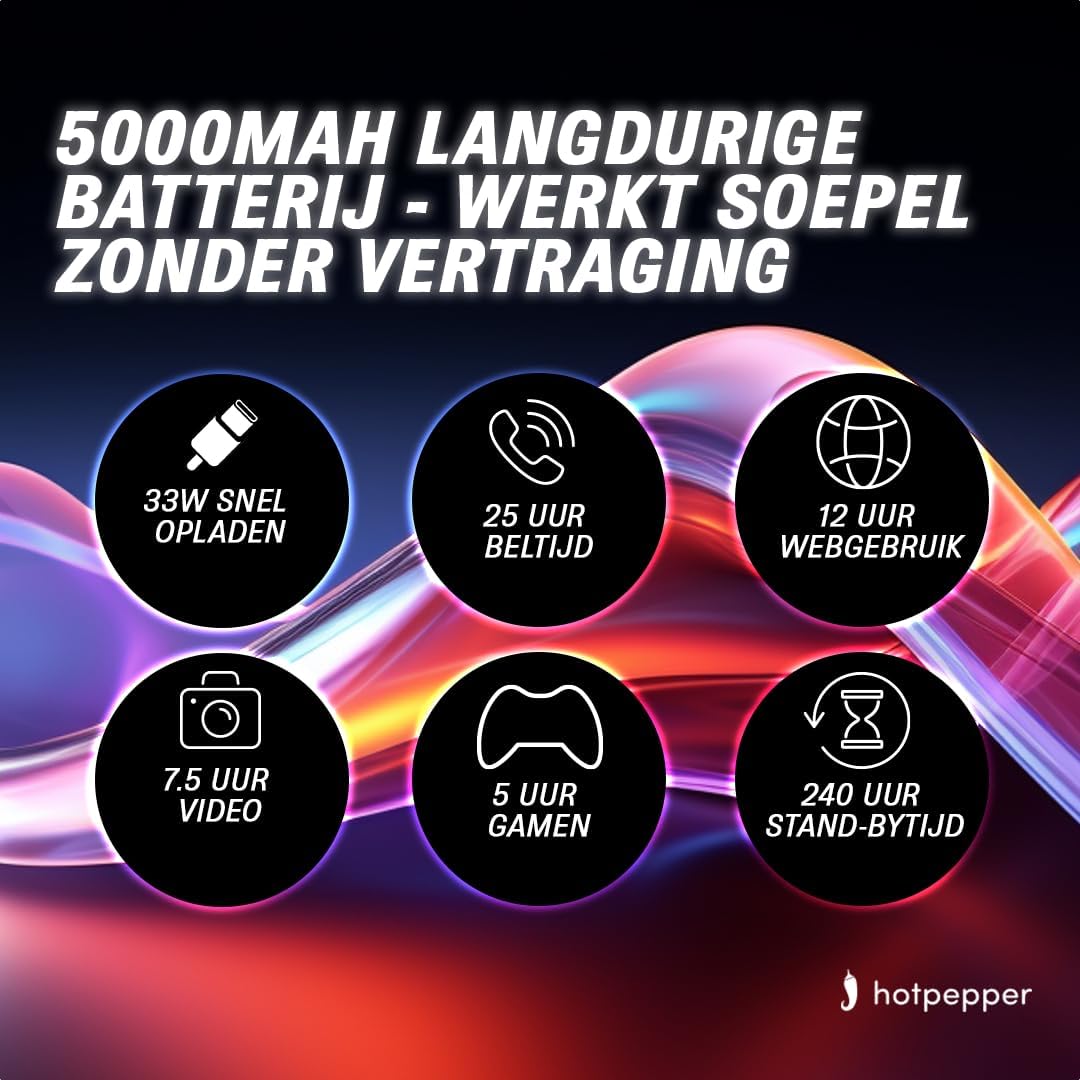
Image: Infographic detailing the 5000mAh long-lasting battery of the Hot Pepper K82A, showing 33W fast charging, 25 hours call time, 12 hours web usage, 7.5 hours video, 5 hours gaming, and 240 hours standby time.
- Battery Capacity: 5000 mAh (Lithium-ion).
- Fast Charging: Supports 33W fast charging.
- Estimated Usage Times:
- 25 hours Call Time
- 12 hours Web Usage
- 7.5 hours Video Playback
- 5 hours Gaming
- 240 hours Standby Time
To charge your device, connect the provided USB-C charging cable to the phone's USB-C port and the USB adapter to a power outlet. For optimal charging, use the original charger and cable.
8. Storage and Memory
The Hot Pepper K82A offers generous storage and memory for your applications, photos, and files.

Image: Infographic highlighting key features of the Hot Pepper K82A, including 8GB RAM and 256GB ROM, and 1TB TF expansion.
- Internal Storage: 256 GB.
- RAM: 8 GB.
- Expandable Storage: Supports up to 1 TB via microSD card (TF expansion).
To manage your storage, go to Settings > Storage. You can view used space, free up space, and manage files.
9. Troubleshooting
If you encounter issues with your Hot Pepper K82A, try the following basic troubleshooting steps:
- Device Not Responding: Press and hold the Power button for about 10-15 seconds to force a restart.
- App Crashing: Close the app from recent apps, clear its cache (Settings > Apps > [App Name] > Storage & cache > Clear cache), or reinstall the app.
- Network Issues: Toggle Airplane Mode on and off, restart the phone, or reset network settings (Settings > System > Reset options > Reset Wi-Fi, mobile & Bluetooth).
- Battery Draining Quickly: Check battery usage in Settings > Battery to identify power-hungry apps. Reduce screen brightness, disable unnecessary features (GPS, Bluetooth, Wi-Fi when not in use), and close background apps.
- Storage Full: Delete unnecessary files, uninstall unused apps, or move media to expandable storage.
For more complex issues, consider performing a factory reset (backup your data first) or contacting customer support.
10. Specifications
Detailed technical specifications for the Hot Pepper K82A smartphone:
| Feature | Specification |
|---|---|
| Brand | Hot Pepper |
| Model Name | Hot Pepper K82A |
| Model Number | K82A |
| Operating System | Android 13.0 |
| Screen Size | 6.67 Inches |
| Resolution | 1080 x 2400 |
| CPU Model | MediaTek Helio (Octa-Core) |
| RAM Size | 8 GB |
| Storage Capacity | 256 GB |
| Rear Camera Resolution | 50 Megapixels |
| Front Camera Resolution | 24 Megapixels |
| Battery Composition | Lithium-ion |
| Battery Capacity | 5000 mAh |
| Connectivity | Bluetooth 5.0, USB-C |
| Color | Blue |
11. Warranty and Support
For information regarding your product's warranty, please refer to the warranty card included in your product packaging or the purchase documentation. Hot Pepper provides customer support for technical assistance and service inquiries.
Please visit the official Hot Pepper website or contact your retailer for specific support channels and contact information.
Ask a question about this manual
Ask about setup, troubleshooting, compatibility, parts, safety, or missing instructions. Manuals+ will review the question and use this page’s manual context to help answer it.