
Imou 2K/3MP Lite Kit
IMOU Cell PT Lite Kit User Manual
Model: 2K/3MP Lite Kit
1. Introduction
Thank you for choosing the IMOU Cell PT Lite Kit. This outdoor security camera system provides reliable and eco-friendly surveillance with its integrated solar panel and high-capacity rechargeable battery. Featuring 3MP QHD resolution, pan-tilt capabilities, and intelligent detection, it ensures comprehensive monitoring day and night. This manual will guide you through the setup, operation, and maintenance of your new security camera.
2. Package Contents
Please check the package contents carefully. If any items are missing or damaged, please contact customer support.
- IMOU Cell PT Lite Camera
- Solar Panel (3W)
- Mounting Bracket
- Mounting Screws and Wall Plugs
- USB Charging Cable
- Quick Start Guide
- Positioning Map

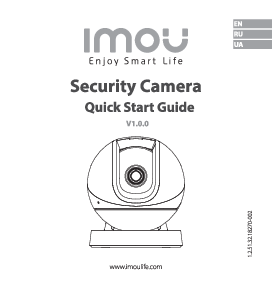
Image: IMOU Cell PT Lite Camera and its accompanying solar panel, as typically found in the kit.
3. Setup Guide
3.1 Initial Charging
Before first use, fully charge the camera's built-in battery using the provided USB cable and a 5V/2A power adapter (not included). The charging indicator light will turn solid blue when fully charged.
3.2 App Installation
Download the "Imou Life" app from the App Store (iOS) or Google Play Store (Android). Register an account and log in.
3.3 Camera Pairing
- Open the Imou Life app and tap the "+" icon in the top right corner to add a device.
- Scan the QR code located on the camera body or on the packaging.
- Follow the on-screen instructions to connect the camera to your Wi-Fi network (2.4GHz only).
- Ensure the camera is close to your Wi-Fi router during the initial setup process.
3.4 Mounting the Camera and Solar Panel
Choose a location with good Wi-Fi signal and direct sunlight exposure for the solar panel. The camera is IP66 weatherproof, suitable for outdoor installation.
- Use the positioning map to mark drill holes on the wall.
- Drill holes and insert wall plugs.
- Attach the mounting bracket to the wall using the screws.
- Secure the camera to the mounting bracket.
- Mount the solar panel in a location that receives maximum direct sunlight throughout the day.
- Connect the solar panel cable to the camera's charging port.

Image: Close-up view of the IMOU Cell PT Lite Camera, showing its pan-tilt design and lens.
4. Operating Instructions
4.1 Live View
Open the Imou Life app and tap on your camera to access the live view. You can view real-time footage, take snapshots, and record video manually.
4.2 Pan/Tilt Control
In the live view interface, use the directional controls to remotely pan the camera 330° horizontally and tilt it 90° vertically to cover a wide area.
4.3 Motion Detection and Alerts
The camera features advanced PIR and human detection. To configure:
- Go to Camera Settings in the app.
- Select "Detection Settings" to adjust sensitivity and detection zones.
- Enable "Human Detection" to reduce false alarms from pets or swaying branches.
- Ensure "Notification" is enabled to receive instant alerts on your smartphone.
4.4 Night Vision
The camera supports intelligent color night vision up to 20 meters. It automatically switches between infrared and color night vision based on ambient light conditions. You can also manually select the night vision mode in the app settings.
4.5 Storage Options
Recordings can be stored in two ways:
- Micro SD Card: Insert a Micro SD card (up to 256GB, not included) into the camera's SD card slot for local storage.
- Cloud Storage: Subscribe to Imou Cloud Storage for secure, remote storage of your recordings. Access this option via the Imou Life app.
5. Maintenance
5.1 Cleaning
Regularly clean the camera lens and solar panel surface with a soft, damp cloth to ensure optimal performance. Do not use harsh chemicals or abrasive cleaners.
5.2 Battery Care
The integrated solar panel helps maintain battery charge. In periods of low sunlight or high usage, the camera may require manual charging via the USB port. Avoid fully depleting the battery frequently to prolong its lifespan.
5.3 Firmware Updates
Keep your camera's firmware updated to ensure the latest features and security patches. The Imou Life app will notify you of available updates. Follow the in-app instructions to perform updates.
6. Troubleshooting
| Problem | Possible Cause | Solution |
|---|---|---|
| Camera offline in app | Weak Wi-Fi signal; Camera battery low; Router issues. |
|
| No motion detection alerts | Detection settings incorrect; Notifications disabled; False triggers. |
|
| Poor night vision quality | Dirty lens; Obstruction; Insufficient ambient light. |
|
| Solar panel not charging | Insufficient sunlight; Dirty panel; Loose connection. |
|
7. Specifications
- Model: IMOU Cell PT Lite Kit (2K/3MP Lite Kit)
- Resolution: 3MP QHD
- Pan/Tilt Range: Pan 330°, Tilt 90°
- Night Vision: Up to 20 meters (Intelligent Color Night Vision)
- Detection: Advanced PIR, Human Detection
- Connectivity: Wi-Fi (2.4GHz)
- Power: Rechargeable Battery, 3W Solar Panel
- Storage: Micro SD Card (up to 256GB), Cloud Storage
- Weather Resistance: IP66 Certified
- Item Weight: 1.24 kilograms
- Manufacturer: Imou
8. Warranty and Support
For warranty information, please refer to the warranty card included with your product or visit the official Imou website.
For technical support, troubleshooting assistance, or to inquire about spare parts, please contact Imou customer service through their official website or the Imou Life app.
Note: Spare parts availability information is currently unavailable.
Related documents2K/3MP Lite Kit



Ask a question about this manual
Ask about setup, troubleshooting, compatibility, parts, safety, or missing instructions. Manuals+ will review the question and use this page’s manual context to help answer it.