
1. Introduction
Thank you for choosing the Monster Open Ear AC328 Wireless Earbuds. These earbuds are designed to provide a comfortable listening experience with an open-ear design, allowing you to stay aware of your surroundings while enjoying high-quality audio. This manual provides detailed instructions for setup, operation, maintenance, and troubleshooting to ensure optimal performance.
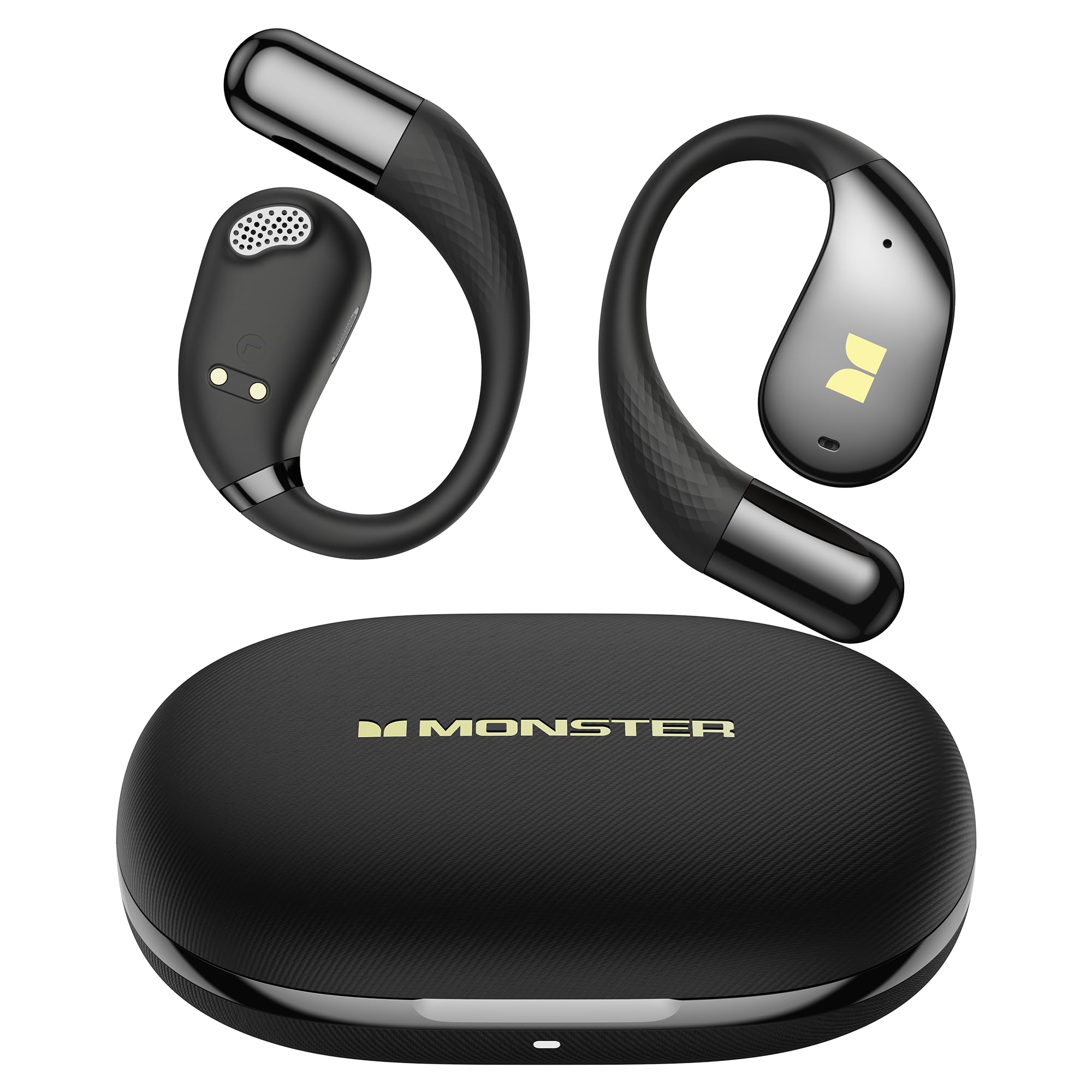
Image 1.1: Monster Open Ear AC328 Wireless Earbuds showcasing their ergonomic open-ear design, Bluetooth 6.0 connectivity, and IPX5 water resistance.
2. Product Overview
The Monster AC328 earbuds feature an innovative open-ear design for comfort and situational awareness. They come with a compact charging case for extended battery life and easy portability. The earbuds are equipped with advanced Bluetooth 6.0 technology for stable connections and Environmental Noise Cancellation (ENC) for clear calls.
3. Setup
3.1 Charging the Earbuds and Case
Before first use, fully charge the earbuds and the charging case. Use the provided USB Type-C cable to connect the charging case to a power source. The indicator lights on the case will show the charging status. Once fully charged, the case provides multiple recharges for the earbuds.

Image 3.1: The Monster AC328 charging case indicating 8 hours of single charge playtime and a total of 32 hours with the charging case.
3.2 Bluetooth Pairing
- Ensure the earbuds are charged.
- Open the charging case. The earbuds will automatically enter pairing mode, indicated by a flashing light (refer to product specific light indicators if available).
- On your device (smartphone, tablet, laptop), go to Bluetooth settings and turn Bluetooth on.
- Search for available devices and select "Monster Open Ear AC328" (or similar name) from the list.
- Once connected, a voice prompt will confirm successful pairing, and the indicator light on the earbuds will turn off or change color.

Image 3.2: A smartphone screen showing successful Bluetooth 6.0 connection to "Monster Open Ear AC328" earbuds, highlighting fast connection, 10M/33FT range, low latency, and stable signal.
3.3 Wearing the Earbuds
The AC328 earbuds are designed for an open-ear fit. Gently place the earbuds over your ears, ensuring the speaker portion is positioned correctly to direct sound towards your ear canal without blocking it. Adjust for a secure and comfortable fit. This design allows you to hear ambient sounds while listening to audio.

Image 3.3: A person wearing the Monster AC328 earbuds, demonstrating the comfortable and secure fit for all-day use.
4. Operating Instructions
4.1 Touch Controls
The Monster AC328 earbuds feature touch-sensitive controls on each earbud. Specific functions may vary slightly, but common controls include:
- Play/Pause: Single tap on either earbud.
- Next Track: Double tap on the right earbud.
- Previous Track: Double tap on the left earbud.
- Answer/End Call: Single tap on either earbud during an incoming call or active call.
- Reject Call: Press and hold either earbud for 2 seconds during an incoming call.
- Activate Voice Assistant: Triple tap on either earbud.
4.2 Making and Receiving Calls
The earbuds utilize Environmental Noise Cancellation (ENC) technology to ensure clear call quality by reducing background noise. Once paired with your device, you can manage calls directly through the earbuds using the touch controls.

Image 4.1: Illustration depicting the
Related documentsAC328


Ask a question about this manual
Ask about setup, troubleshooting, compatibility, parts, safety, or missing instructions. Manuals+ will review the question and use this page’s manual context to help answer it.