Introduction
Thank you for choosing the Bushnell A1-Slope Ultra-Compact Golf Laser Rangefinder. This manual provides essential information for the proper setup, operation, and maintenance of your device. Designed for golfers, the A1-Slope features advanced slope technology, 6X magnification, and a convenient magnetic mount to enhance your game with precise distance measurements.
What's in the Box
Your Bushnell A1-Slope package includes the following components:
- 1x Bushnell A1-Slope Laser Rangefinder
- BITE Magnetic Skin
- 1x USB-C Charging Cord
- 1x Premium Carrying Case
- 1x Washable Micro-Fiber Cloth
- 1x Wearable4U PowerBank
- Quick Start Guide

Image: The Bushnell A1-Slope Rangefinder shown with its included accessories, including the Wearable4U PowerBank and charging cable.
Key Features
- Patented Slope Technology: Delivers accurate slope-compensated distances for confident shots.
- Ultra-Compact Design: The smallest Bushnell Golf laser rangefinder, fitting comfortably in hand or pocket.
- BITE Magnetic Skin: Exclusive magnetic skin for easy mounting on a cart bar.
- PinSeeker with JOLT: Provides tactile vibrations to confirm flag lock, eliminating false readings.
- Slope On/Off Feature: Allows toggling the slope function for tournament compliance.
- Integrated Rechargeable Power: USB-C charging provides power for 50+ rounds on a single charge.
- Impressive Range & Accuracy: Ranges up to 350+ yards with 1-yard accuracy to the flag, total range up to 1,300 yards.
- 6x Magnification: Offers clear, crisp images for excellent target acquisition.
- Weather-Resistant Design: IPX6 rating ensures reliability in all weather conditions.

Image: Illustration of how slope compensation adjusts distances for uphill and downhill shots.
Setup
1. Charging the Device
Before first use, fully charge your A1-Slope rangefinder using the provided USB-C charging cord and Wearable4U PowerBank. The charging port is located on the device. A single charge provides power for approximately 50+ rounds of golf.
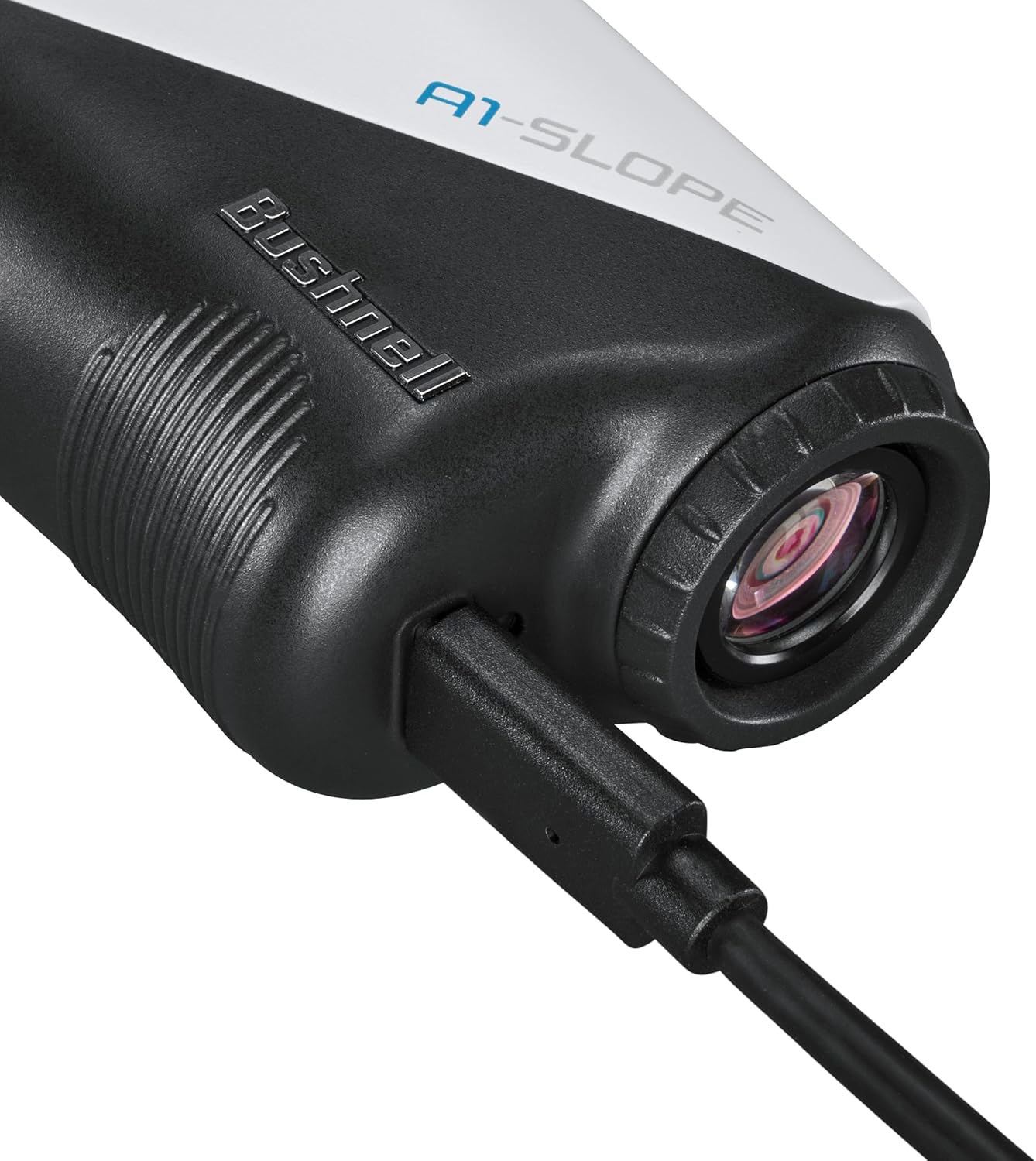
Image: Close-up view of the USB-C charging port on the rangefinder.
2. Attaching the BITE Magnetic Skin
The BITE Magnetic Skin can be attached to the rangefinder to allow for convenient mounting on a golf cart bar or other magnetic surfaces. This skin is removable if you prefer not to use the magnetic feature.

Image: The rangefinder with its magnetic skin attached to a golf cart frame.
Operating Instructions
1. Powering On and Taking a Measurement
To power on the device and take a measurement, simply press the power button. Aim the aiming circle at your target and press the button again to get the distance reading. The display guide in the quick start guide illustrates the information shown in the viewfinder, including line of sight distance, battery level, distance units, slope percentage, and "Play As" distance.

Image: Side view of the rangefinder showing the power and mode buttons.
2. PinSeeker with JOLT Technology
The PinSeeker feature helps you lock onto the flag without inadvertently capturing background targets. Once the flag is acquired, the JOLT technology provides a short vibration to confirm the measurement, giving you confidence in your distance.
3. Slope On/Off Function
The A1-Slope includes a toggleable slope function. To turn the slope compensation feature on or off, press the Mode button. This allows the device to be tournament-compliant when the slope feature is disabled.
4. Focusing the Eyepiece
To ensure a clear view, rotate the eyepiece on the end of the rangefinder to adjust the focus to your vision.
Maintenance
Cleaning the Lenses
Use the provided washable micro-fiber cloth to gently clean the lenses of your rangefinder. Avoid using abrasive materials or harsh chemicals that could damage the optical coatings. Always ensure the device is dry before storing.
Storage
When not in use, store the rangefinder in its premium carrying case to protect it from dust, dirt, and physical damage. Store in a cool, dry place.
Troubleshooting
No Display/Inaccurate Readings
- Ensure the device is fully charged.
- Check for any obstructions on the lenses and clean them with the provided cloth.
- Ensure you are aiming at a clear target within the specified range (5-1,300 yards).
- Avoid direct sunlight exposure to the eyepiece to prevent damage to the display.
Magnetic Skin Issues
- Ensure the BITE Magnetic Skin is properly seated on the rangefinder.
- Verify the surface you are attaching to is ferromagnetic.
Specifications
| Feature | Detail |
|---|---|
| Brand | Wearable4U |
| Model Name | A1-Slope |
| Color | White/Blue |
| Material | Plastic |
| Sport | Golf |
| Item Weight | 5.1 Ounces |
| Product Dimensions (LxWxH) | 3.75"L x 1.42"W x 2.36"H |
| Battery Type | Lithium-Ion (Included) |
| Measuring Range | 5-1,300 yards |
| Magnification | 6x |
| Water Resistance Rating | IPX6 |
| UPC | 810132456466 |
Warranty Information
Your Bushnell Golf laser rangefinder is warranted to be free of defects in materials and workmanship for two years after the date of purchase. In the event of a defect under this warranty, we will, at our option, repair or replace the product, provided that you return the product postage prepaid. This warranty does not cover damages caused by misuse, improper handling, installation, or maintenance provided by someone other than a Bushnell Authorized Service Department.
Customer Support
For technical assistance, warranty claims, or general inquiries, please contact Bushnell Customer Service:
- Phone: (800) 423-3537
- Website: bushnellgolf.com
- Patents: bushnellgolf.com/patents
Please have your model number (A1-Slope) and date of purchase available when contacting support.


